Answer

Activity Report - Start Date doesn't equal Activity Date

  • October 8, 2025
  • 12 replies
  • 98 views

cramesh00
Freshman II
Forum|alt.badge.img

I was given a request to modify the Weekly Activity Report for a client that tracks their salespeople’s activities. The current report filters are Salesperson, Start Date and End Date. The problem is they noticed activities are being pulled to the report based on when the activity was ENTERED not the actual Start Date.

When you enter an activity, you can select the actual date of the Activity Type in the Start Date field, HOWEVER, when you filter the dates to that range on the report, the activity does not show up as it is tracked in the system by the Date is was entered. 

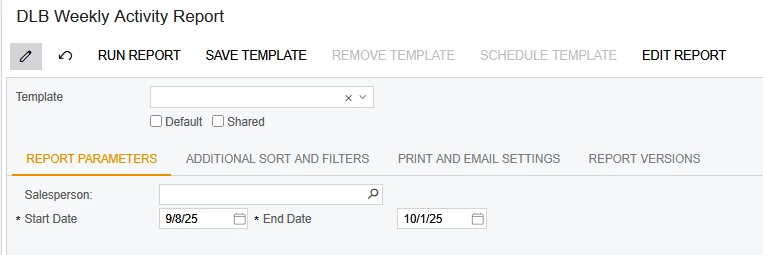
The screenshot below shows the initial setup of the activity having a Start Date of 9/25/25 but entered on 10/8.
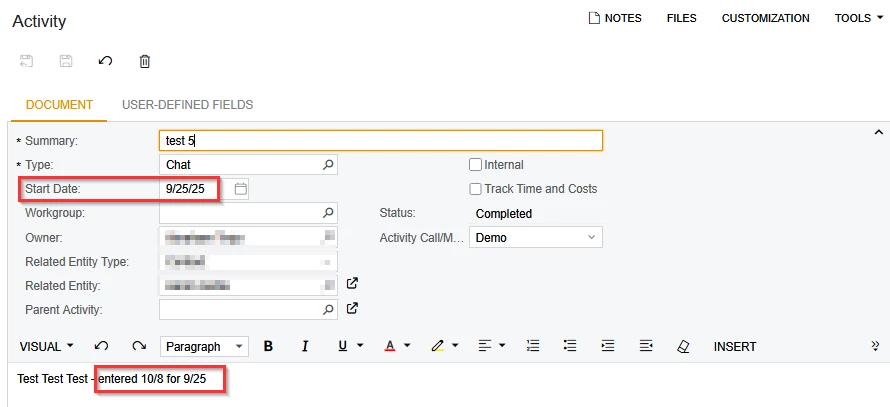
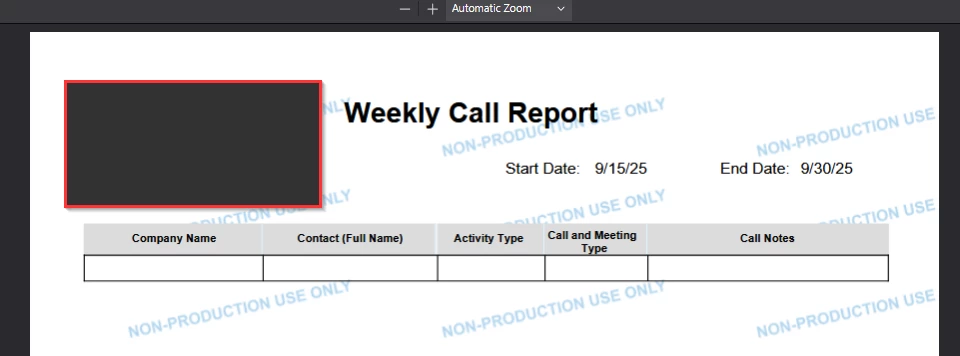
The issue is the Start Date is treated as the Entered Date and not when the activity actually happened. Below you see the report is filtered to show all activities that occurred during 9/15-9/30
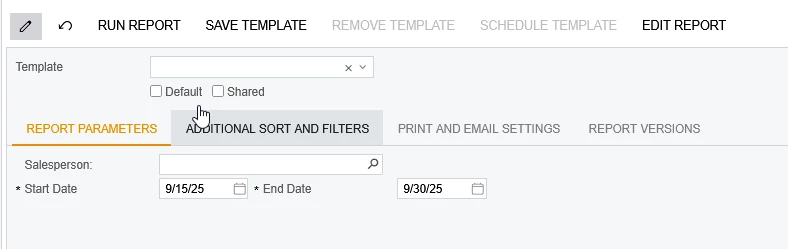
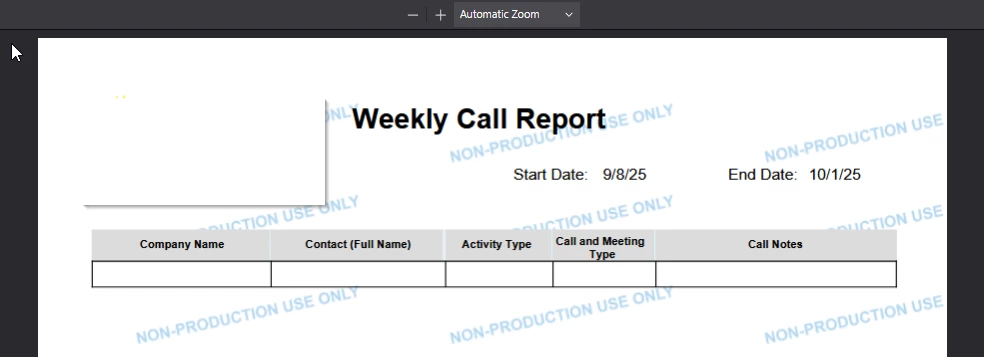
Here is the result: No activities are shown.
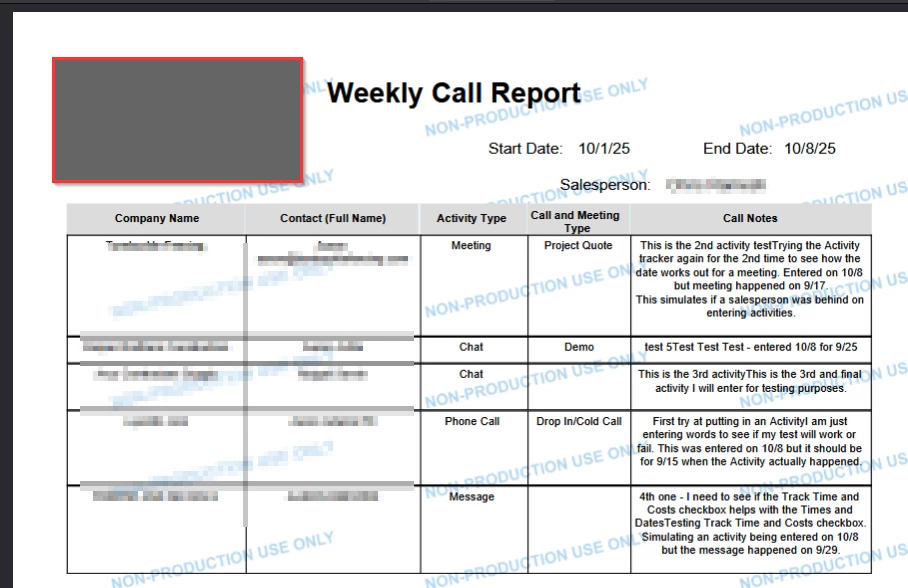
When the filters are changed to the dates used, then the activities are displayed.
 

Does anyone have any solutions for this? Thanks!
Best answer by cramesh00

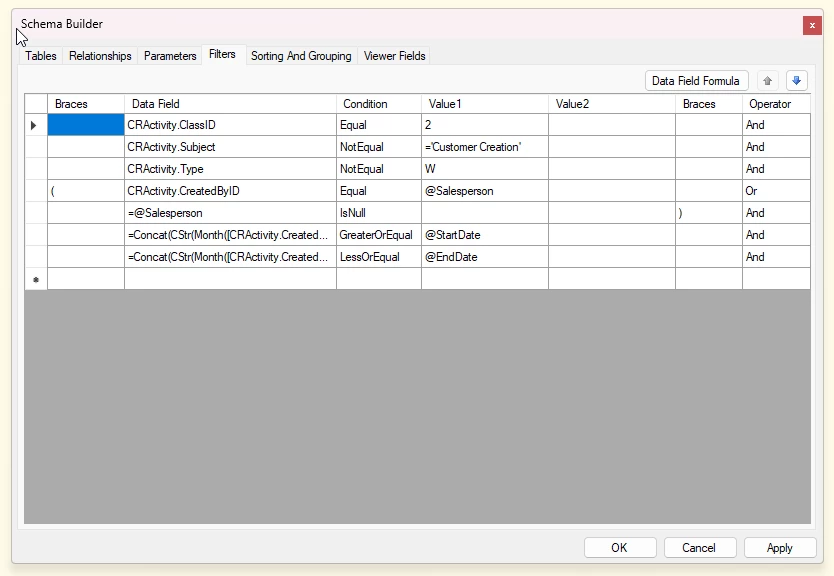
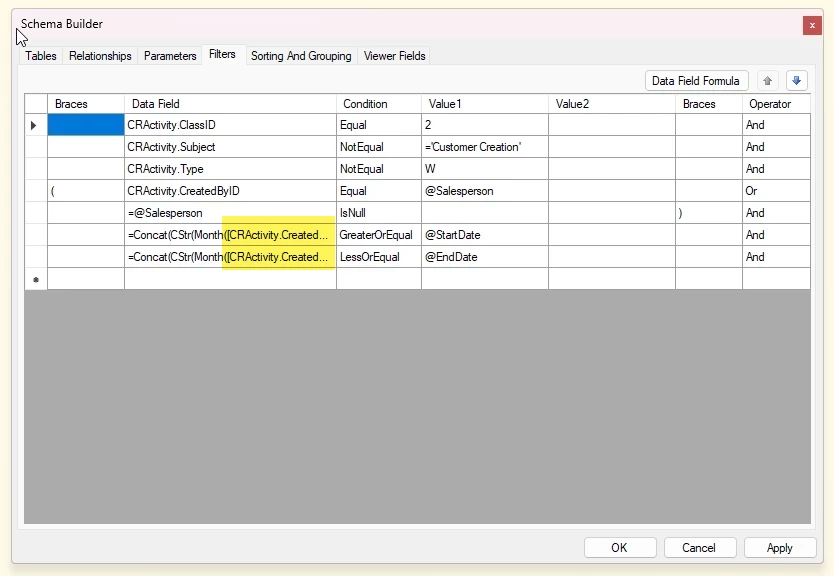
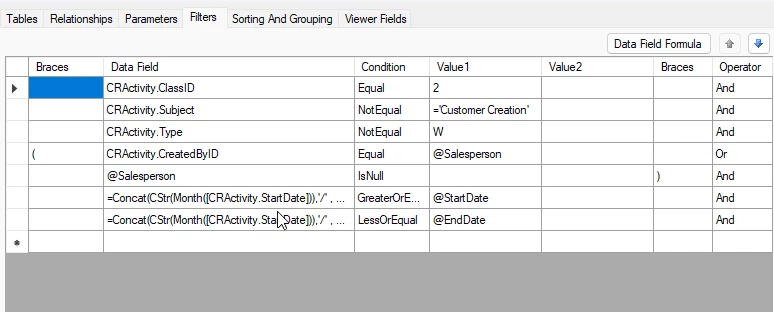
I fixed it! I had to use a concat string function and pull out the data from the date. Made these changes to the filters and it works perfect. Thanks ​@bwhite49  for the assistance! 


12 replies

bwhite49
Captain II
Forum|alt.badge.img+10
  • Captain II
  • October 9, 2025

In report designer, when you look at the schema conditions, what date field is used in the conditions? It must be created date and not start date.


cramesh00
Freshman II
Forum|alt.badge.img
  • Author
  • Freshman II
  • October 9, 2025

This is the current Default Value for their variable ‘StartDate’=DateAdd( Today(), 'd', -7 )
I changed it to =[CRActivity.StartDate_Date] which is the Data Field we want the report to generate from, but I think the issue is still when I filter the report itself. I cannot find what that Start Date is pulling from. It seems it’s defaulted to Created Date.
 

After I made the change, all the reports made from 9/15-9/25 should have been generated, but they did not. 


bwhite49
Captain II
Forum|alt.badge.img+10
  • Captain II
  • October 9, 2025

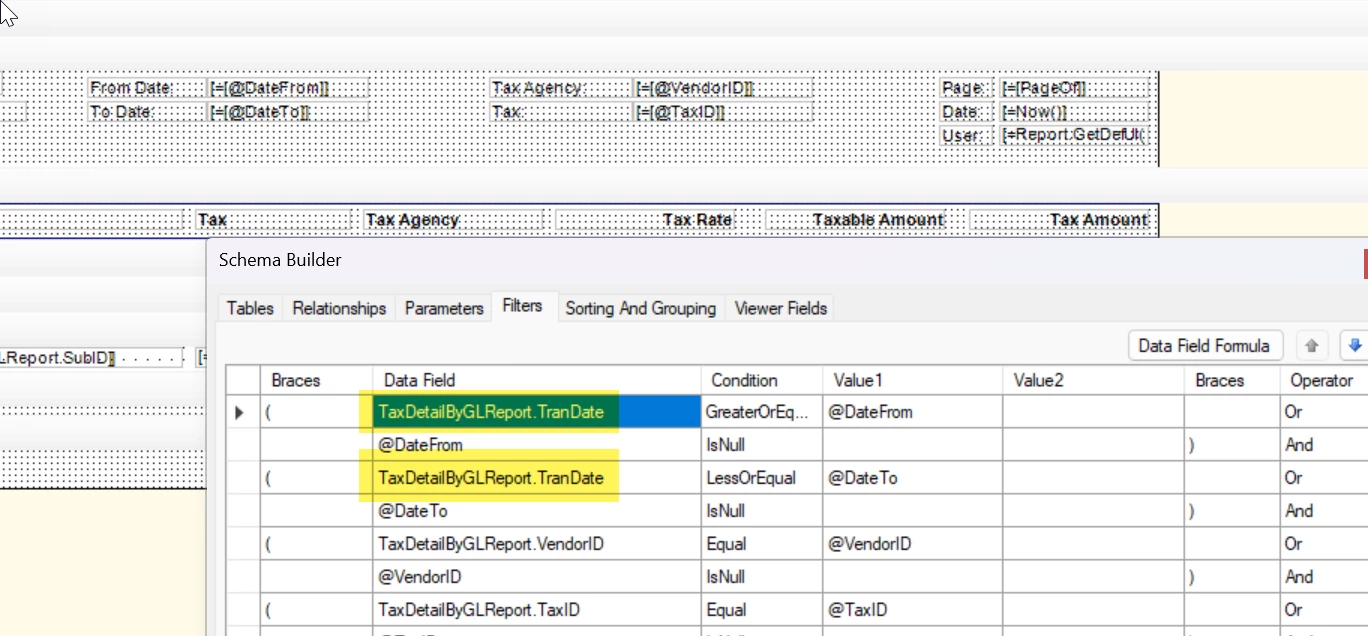
This screenshot is not the same report as your custom report, but I’m sharing as an example. What you need to do is open this report up in report designer and swap out the date fields that are being filtered by your parameter.

The date fields defined in the report are wrong and it should just be a matter or swapping them out for the start date.


cramesh00
Freshman II
Forum|alt.badge.img
  • Author
  • Freshman II
  • October 9, 2025

Thank you! I see that now.

This is the current filter =Concat(CStr(Month([CRActivity.CreatedDateTime])),'/' , CStr(Day([CRActivity.CreatedDateTime])),'/',CStr(Year([CRActivity.CreatedDateTime])))

All I need is it to filter off of CRActivity.StartDate_Date,so I should swap that our for the string above?


bwhite49
Captain II
Forum|alt.badge.img+10
  • Captain II
  • October 9, 2025

Yes, swap out CreatedDateTime for StartDate. That should fix your issue


cramesh00
Freshman II
Forum|alt.badge.img
  • Author
  • Freshman II
  • October 13, 2025

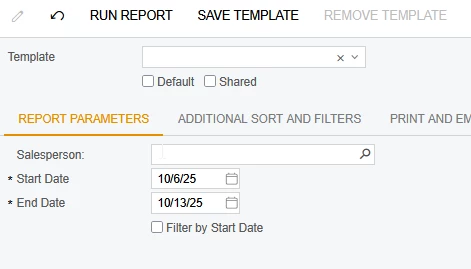
The customer wants to be able to search by day for what happened and also by date ranges. I have added a checkbox and setup to allow this function. I am still running into issues with the filters.
I want the filters to work like this: Either allow to search by entered date to track activities for that DAY, or allow it to be filtered by date range based on Activity start date. Here’s where my filtering issues are still happening. This is the current setup.
I am looking to track CRActivity.STartDate


bwhite49
Captain II
Forum|alt.badge.img+10
  • Captain II
  • October 13, 2025

Why can’t they just modify the start date and end date to be the day they are looking to investigate? 

Also, it looks like you are still using createddatetime in your formula, so you are not filtering on start date.


cramesh00
Freshman II
Forum|alt.badge.img
  • Author
  • Freshman II
  • October 13, 2025

They noticed people were entering activities retroactively and they were being overlooked because of this report. All activities with a previously dated Start Date would not show up during the filtered date ranges as it only looks at Start Date as when they were entered. 


bwhite49
Captain II
Forum|alt.badge.img+10
  • Captain II
  • October 13, 2025

I’m pretty sure I mentioned this a couple of times above, but you need to swap out createddatetime for startdate. You also don’t need the month/Cstr/Concat.

By swapping this out you will be filtering on the Start Date user entered field rather than the record creation date.


cramesh00
Freshman II
Forum|alt.badge.img
  • Author
  • Freshman II
  • October 13, 2025

Those were a part of the original report filters. I substituted CrAvticty.CreatedByDate with CRActivity.StartDate_Date and it broke it. That is why I figured I would leave those and give it an additional filter option to filter by start date. 


cramesh00
Freshman II
Forum|alt.badge.img
  • Author
  • Freshman II
  • Answer
  • October 20, 2025

I fixed it! I had to use a concat string function and pull out the data from the date. Made these changes to the filters and it works perfect. Thanks ​@bwhite49  for the assistance! 


Chris Hackett
Community Manager
Forum|alt.badge.img
  • Acumatica Community Manager
  • October 20, 2025

Thank you for sharing your solution with the community ​@cramesh00!