

Update Project Budget = Summary - is this option in use by anyone?

  • August 28, 2025
  • 7 replies
  • 94 views

ESTEPALINA
Acumatica Moderator
Forum|alt.badge.img+1

Dear community,

You always provide such a great feedback and invaluable insights!

We have a question for you.

Do you deliberately use this option of Project Preferences? Summary mode (See the image below). If yes, why do you prefer it to the Detailed option, what kind of benefit you are getting from it?
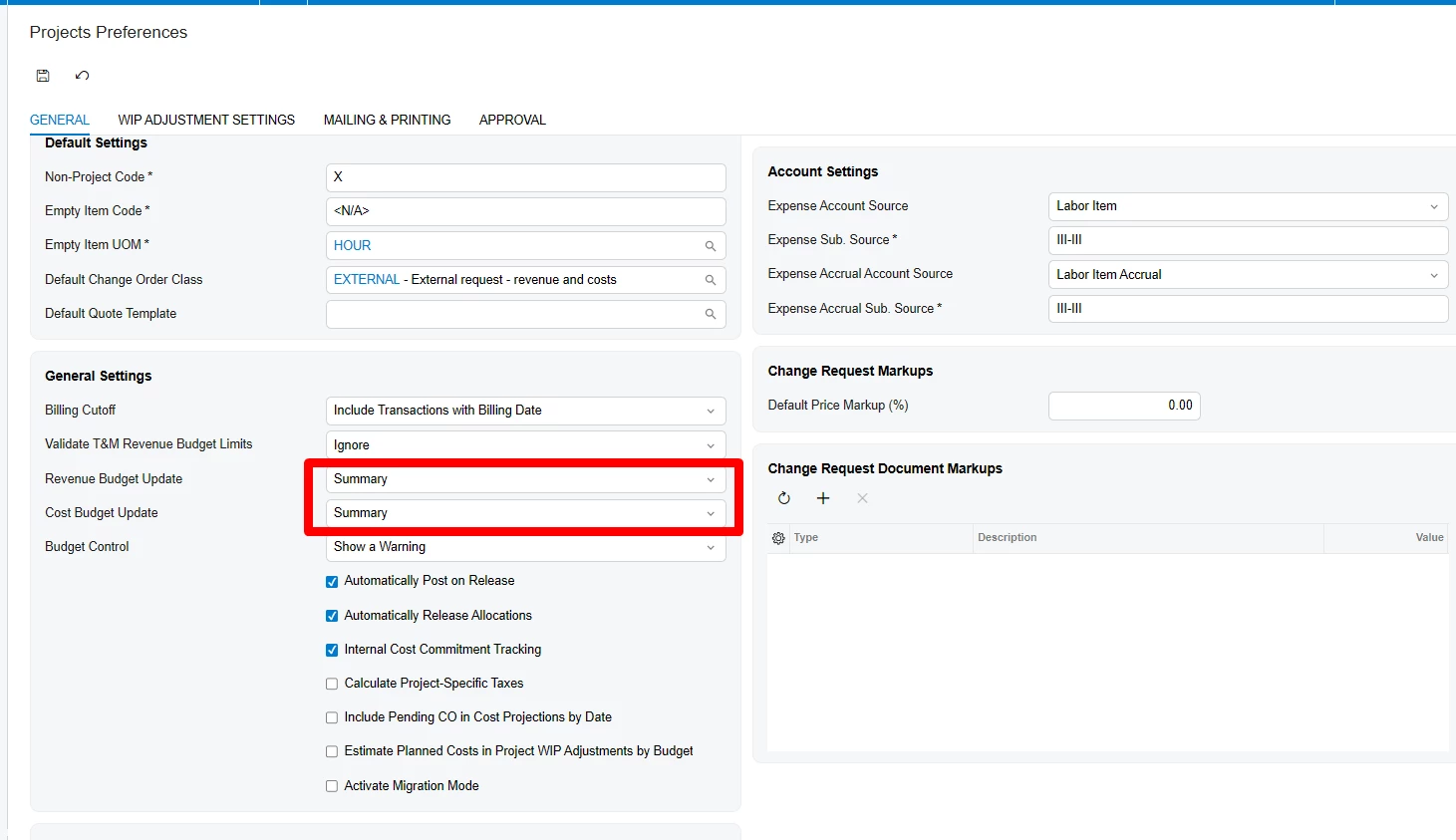
Option description: https://help.acumatica.com/(W(1))/Help?ScreenId=ShowWiki&pageid=de2ca225-4a0c-4129-b09d-3f3ed05198f9

We are thinking to retire this option in the product, and before we plan anything, we want to hear your thoughts.


Thank you for your input!

Best regards,

Kate

7 replies

Forum|alt.badge.img+1
  • Captain I
  • August 28, 2025

we use detailed


nickcerri32
Jr Varsity III
Forum|alt.badge.img+1
  • Jr Varsity III
  • August 29, 2025

@ESTEPALINA - most of our customers require a combination that includes the Inventory ID and/or Cost Code, so we exclusively use Detailed.


debbiereed72
Varsity I
Forum|alt.badge.img
  • Varsity I
  • August 29, 2025

Thank you for asking for input.  We do use the detailed option. If the Project Cost Budget Properties are set to Task, Item and Cost Code, we want to capture the detail to that level.  We would not want an N/A inventory or default cost code to be created from project transactions. 


Per documentation:  If there is no such line, the system creates a cost budget line with the same project task and account group as those of the original transaction or document. Instead of the inventory item and cost code of the original transaction or document, the created cost budget line has the empty item code (N/A) and the default cost code (00-000), respectively.


Forum|alt.badge.img
  • Jr Varsity II
  • November 9, 2025

Hi ​@ESTEPALINA ,

We are in the professional service and construction field and we use the project revenue as summary but the cost budget as details for cost code ( I can only think of a very small company who would use summary on both cost and revenue). The revenue we use it as summary since Acumatica has the cost and revenue budget separated in the project module. In our prior software they were combined and we would used them detailed since it made it easier to enter the data as the breakdown was done once were here in Acumatica you have to enter a revenue and a cost breakdown seperately unless you use project quotes.


ESTEPALINA
Acumatica Moderator
Forum|alt.badge.img+1
  • Author
  • Acumatica Moderator
  • November 19, 2025

Hi ​@freboredo ,

Thank you for response! Just to make sure I understood -

On the revenue side, you do budget by project task and account group, on the cost side, you do budgets by project task, cost code, and account group - correct?


Forum|alt.badge.img
  • Jr Varsity II
  • November 20, 2025

Hi ​@freboredo ,

Thank you for response! Just to make sure I understood -

On the revenue side, you do budget by project task and account group, on the cost side, you do budgets by project task, cost code, and account group - correct?


​Yes, that is exactly how we are currently using the renvenue and the cost budget. Granted if the summary option is removed we would just use cost code 00-000 on the revenue side.


ESTEPALINA
Acumatica Moderator
Forum|alt.badge.img+1
  • Author
  • Acumatica Moderator
  • November 20, 2025

Hi ​@freboredo , if we remove Summary option from Project Preferences (the whole module’s preferences), you will still be able to account projects like you do now - revenue budget by project task, account group; cost budget by project task, cost code, and account group. Because the level of budgeting is defined for each project individually.


The Summary option in Project Preferences works as follows: for example, you are releasing a cost project transaction with Task1, CostCode1, AccountGroup1. If there is no such exact combination in the project budget, the system needs to decide whether the create a specific budget line or add actuals to the default (0000) cost code.

Summary option - the actuals will be added to Task1, 0000, AccountGroup1

Detailed option - the actuals will be added to the new Task1, CostCode1, AccountGroup1