Answer

Unable to clock in timer in 25R2

  • November 26, 2025
  • 7 replies
  • 103 views

Forum|alt.badge.img

hello all,

 i have been trying to clock in on the Project tasks (PM302000) screen, but it still says :
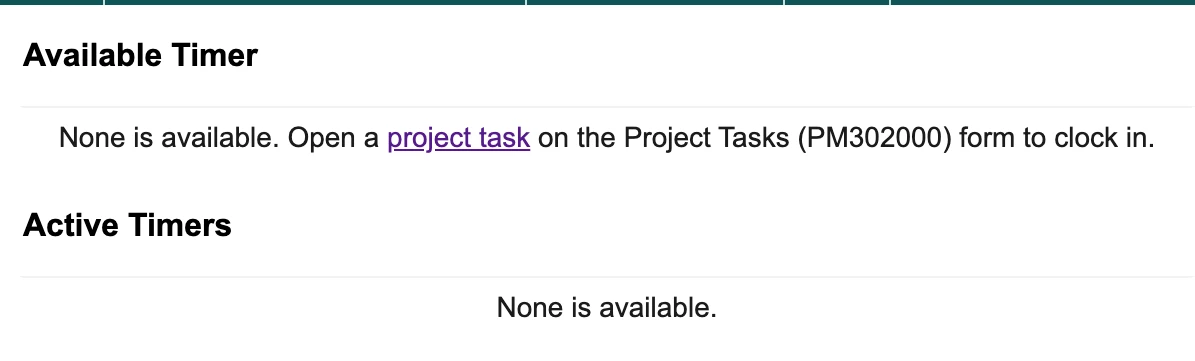
 

the user that i have logged has a linked employee record, have also setup the Default time log type under preferences, the project & the Project tasks both are activated, but still throws this message. is there something I’m missing in here?


Best answer by Jane Sapaeva

Hello everyone,

We have published an article with the customization package:


7 replies

  • Freshman I
  • November 27, 2025

I am experiencing the same issue. Tried enabling the modern UI as well but that didn’t change anything. 


meganfriesen37
Captain II
Forum|alt.badge.img+12

Glad I’m not the only one.  I’m having the same issue in my Sales Demo environment.  I’ve followed the same steps for adding default earning types on the Time Log preferences, I’m using the Admin / Maxwell Baker user and I’ve added RG as the default Log time on Time and Expense Preferences.


MissyMain41
Jr Varsity I
Forum|alt.badge.img
  • Jr Varsity I
  • December 1, 2025

Glad I’m not the only one.  I’m having the same issue in my Sales Demo environment.  I’ve followed the same steps for adding default earning types on the Time Log preferences, I’m using the Admin / Maxwell Baker user and I’ve added RG as the default Log time on Time and Expense Preferences.


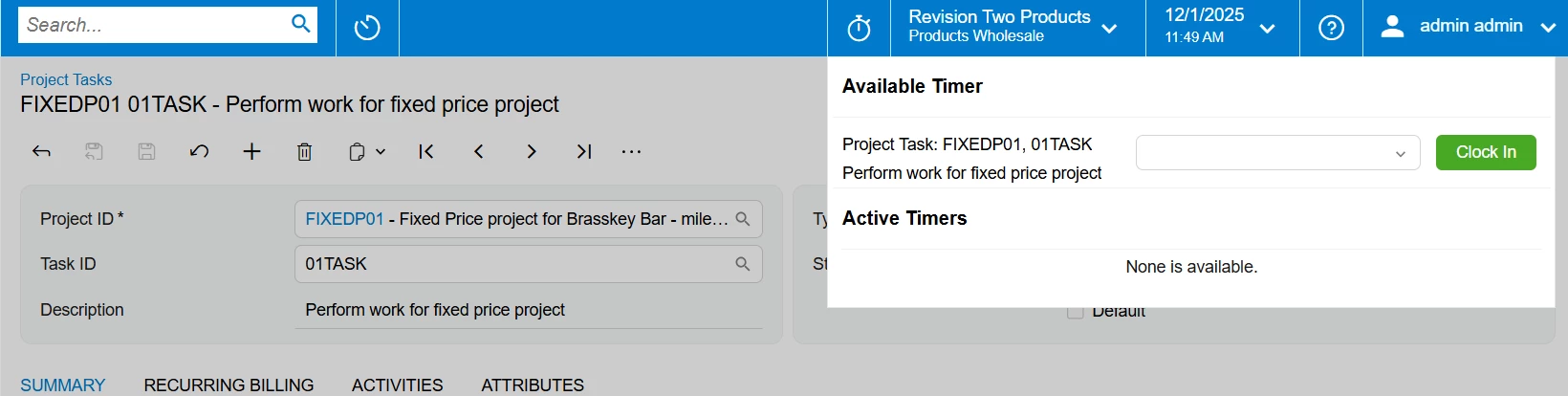
Interesting, I stood up a fresh 25.200 instance the other day and tested this out just now after reading this post. I made no changes, all I did was activate the feature in enable/disable screen. Using same sales demo data and using default everything (maxwell baker), my project task appears to allow me to clock in. 

Maybe this issue is specific to browser? The below image was taken using Edge browser for me.


Adelina Basyrova
Acumatica Moderator
Forum|alt.badge.img+1


Glad I’m not the only one.  I’m having the same issue in my Sales Demo environment.  I’ve followed the same steps for adding default earning types on the Time Log preferences, I’m using the Admin / Maxwell Baker user and I’ve added RG as the default Log time on Time and Expense Preferences.


​Hi @meganfriesen37 ,

What is your version?

Thank you!


Adelina Basyrova
Acumatica Moderator
Forum|alt.badge.img+1

hello all,

 i have been trying to clock in on the Project tasks (PM302000) screen, but it still says :


the user that i have logged has a linked employee record, have also setup the Default time log type under preferences, the project & the Project tasks both are activated, but still throws this message. is there something I’m missing in here?

The timer panel doesn’t default the project task on the Project Tasks (PM302000) form in the instances with multiple tenants. There is a customization with a fix. It is available for free. You can contact Acumatica Support for it.

The fix is in the Service Pack 1 with the release date on Dec 23, 2025. (Note: The customization should be unpublished before the upgrade to the version with the fix.)

Thank you!


meganfriesen37
Captain II
Forum|alt.badge.img+12

Kindly consider the Service Pack 1 for the re

Glad I’m not the only one.  I’m having the same issue in my Sales Demo environment.  I’ve followed the same steps for adding default earning types on the Time Log preferences, I’m using the Admin / Maxwell Baker user and I’ve added RG as the default Log time on Time and Expense Preferences.


​Hi @meganfriesen37 ,

What is your version?

Thank you!

I am on Build 25.200.0248.  My site has 2 tenants.  We will look for service pack 1 in a few weeks.


Jane Sapaeva
Community Manager
Forum|alt.badge.img
  • Community Manager
  • Answer
  • December 4, 2025

Hello everyone,

We have published an article with the customization package: