Question

Tracking Time Entries on Project Issues with Daily Field Report – Best Practices?

  • November 13, 2025
  • 4 replies
  • 35 views

Forum|alt.badge.img+1

I’m looking for best practices on how to track employee time entries that are linked to specific project issues—ideally in the context of a daily field report.

The goal is to capture:

  • Which employee worked on which issue

  • How much time was spent

  • The ability to tie this to a project and task

  • A report or inquiry that summarizes this daily

Has anyone tackled a similar need? Any advice or design patterns would be greatly appreciated!

Thanks in advance!

4 replies

nhatnghetinh
Captain II
Forum|alt.badge.img+11
  • Captain II
  • November 14, 2025

Hi ​@raphrf 

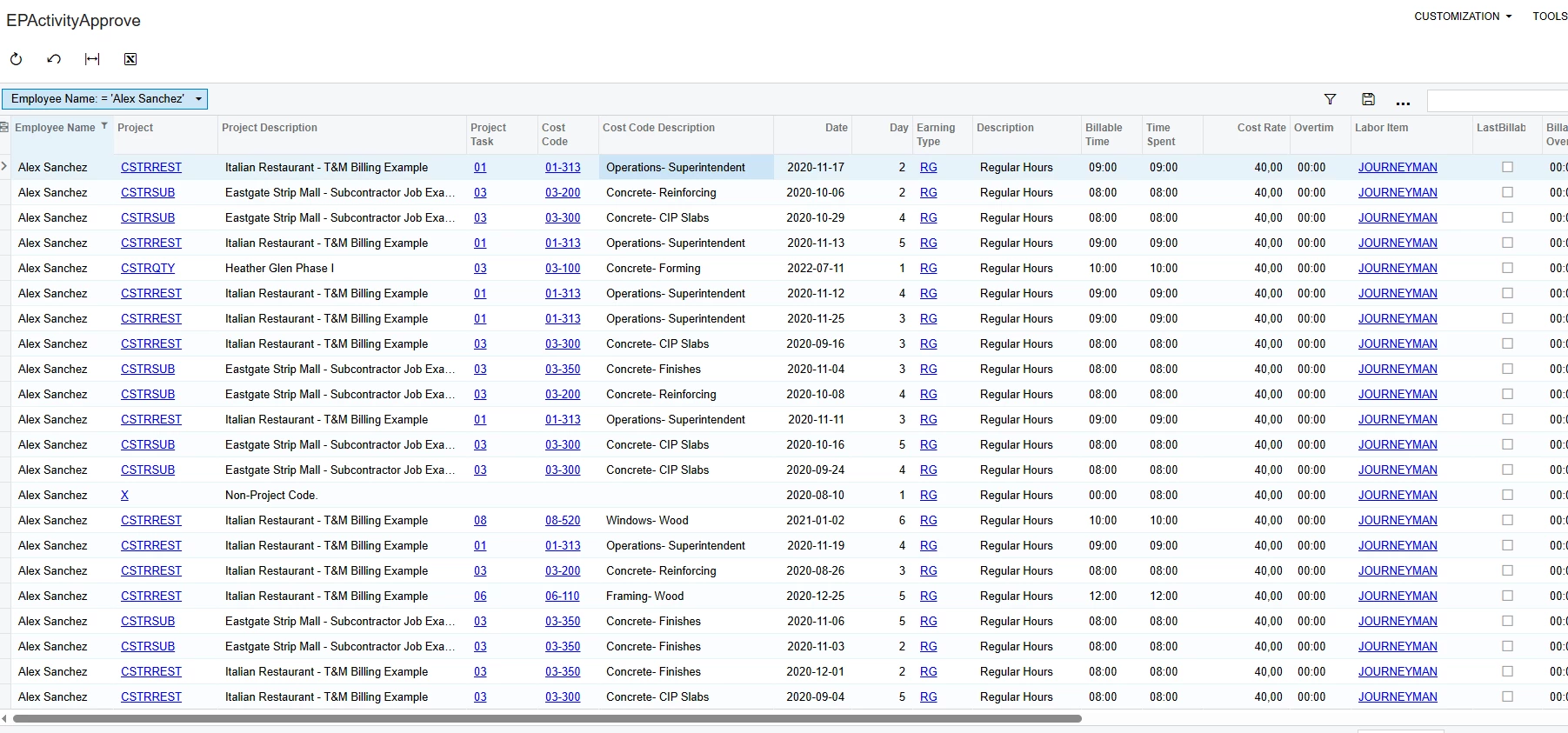
Please try creating a Generic Inquiry using DAC EPActivityApprove.


Best Regards,

NNT


aaghaei
Captain II
Forum|alt.badge.img+10
  • Captain II
  • November 14, 2025

There is no direct link between Project Issues and PMTimeActivity or its projection DAC called EpActivityApprove. If you wish to link time activities to issues, you will need to add a custom field to the Base DAC and its projection with a selector reference to the project issues. With this change you can acheive what you need.


Forum|alt.badge.img+1
  • Author
  • Captain I
  • November 15, 2025

There is no direct link between Project Issues and PMTimeActivity or its projection DAC called EpActivityApprove. If you wish to link time activities to issues, you will need to add a custom field to the Base DAC and its projection with a selector reference to the project issues. With this change you can acheive what you need.

Hi, your two replies makes sense. The challenge with trying to track time directly on project issues through a Generic Inquiry is that it requires too much manual work—especially when the end goal is to bill the time. Manually linking issues to time entries and filtering them later introduces too much risk and overhead.

That’s why we’re exploring a other approach: instead of reporting on issues directly, we plan to create a project task from each issue, and track time against that task. This makes billing straightforward—once we know whether it will be time and material or a flat rate, we just apply the correct billing rule to the task.

To streamline this, we're planning to add a button to the project issue screen (and possibly the change request and Request for Information) to auto-create the task. This way, time entries are structured properly from the start, and we avoid extra effort.

Do you think it’s a good workflow? Are there others who proceed in this way?
Raphael


aaghaei
Captain II
Forum|alt.badge.img+10
  • Captain II
  • November 16, 2025

Yes if you would like to do so then a better option is to add a logic to the RowPersisting event of those screens you are going to customize so a method checks to see if the task of the issue type exist or not and if doesn’t exist then create automatically. This way you will not need even user to click on something to create the project task.