Answer

Time Card showing the wrong hour day

  • December 16, 2024
  • 8 replies
  • 125 views

Forum|alt.badge.img

Hi Everyone,


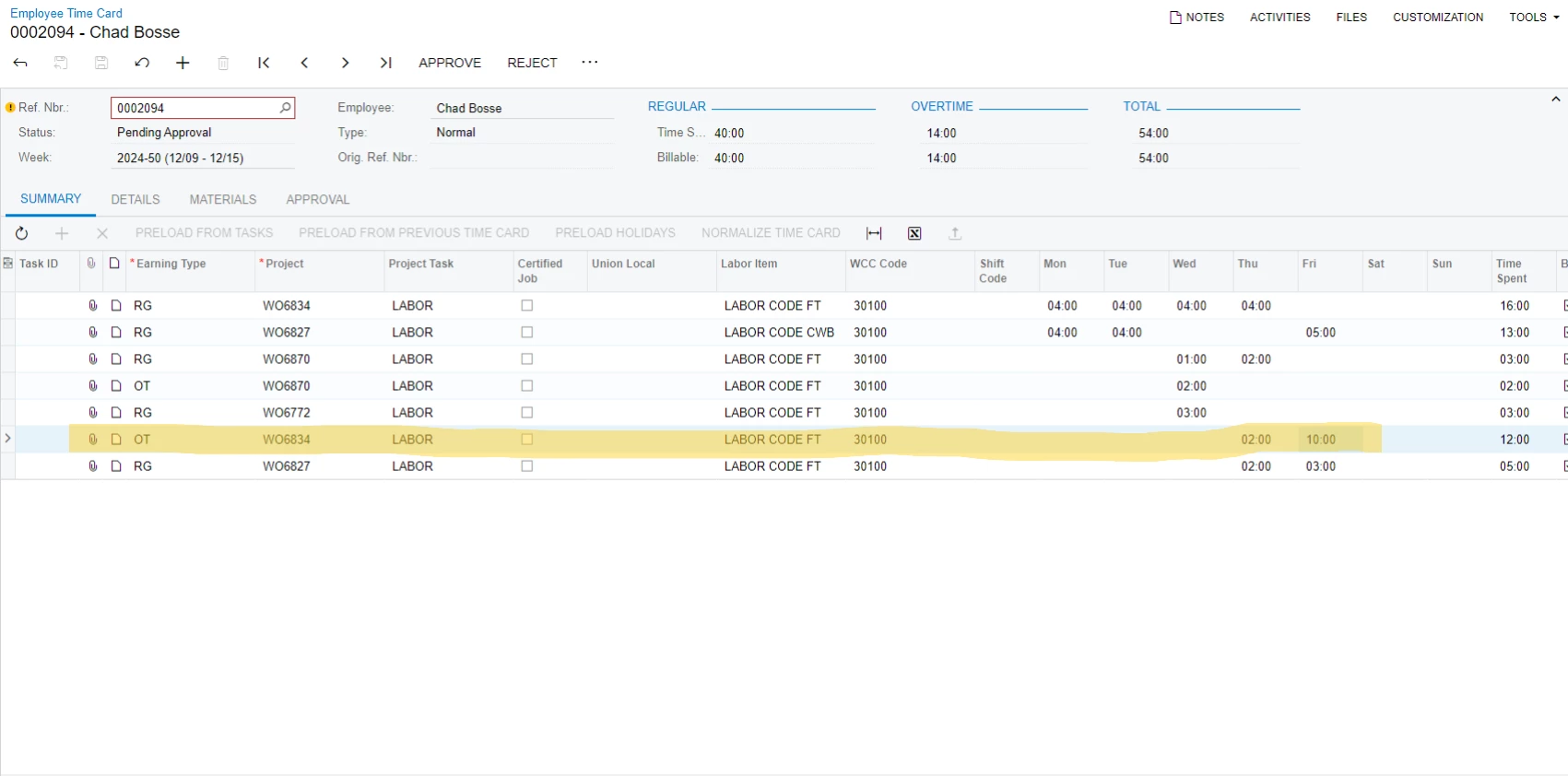
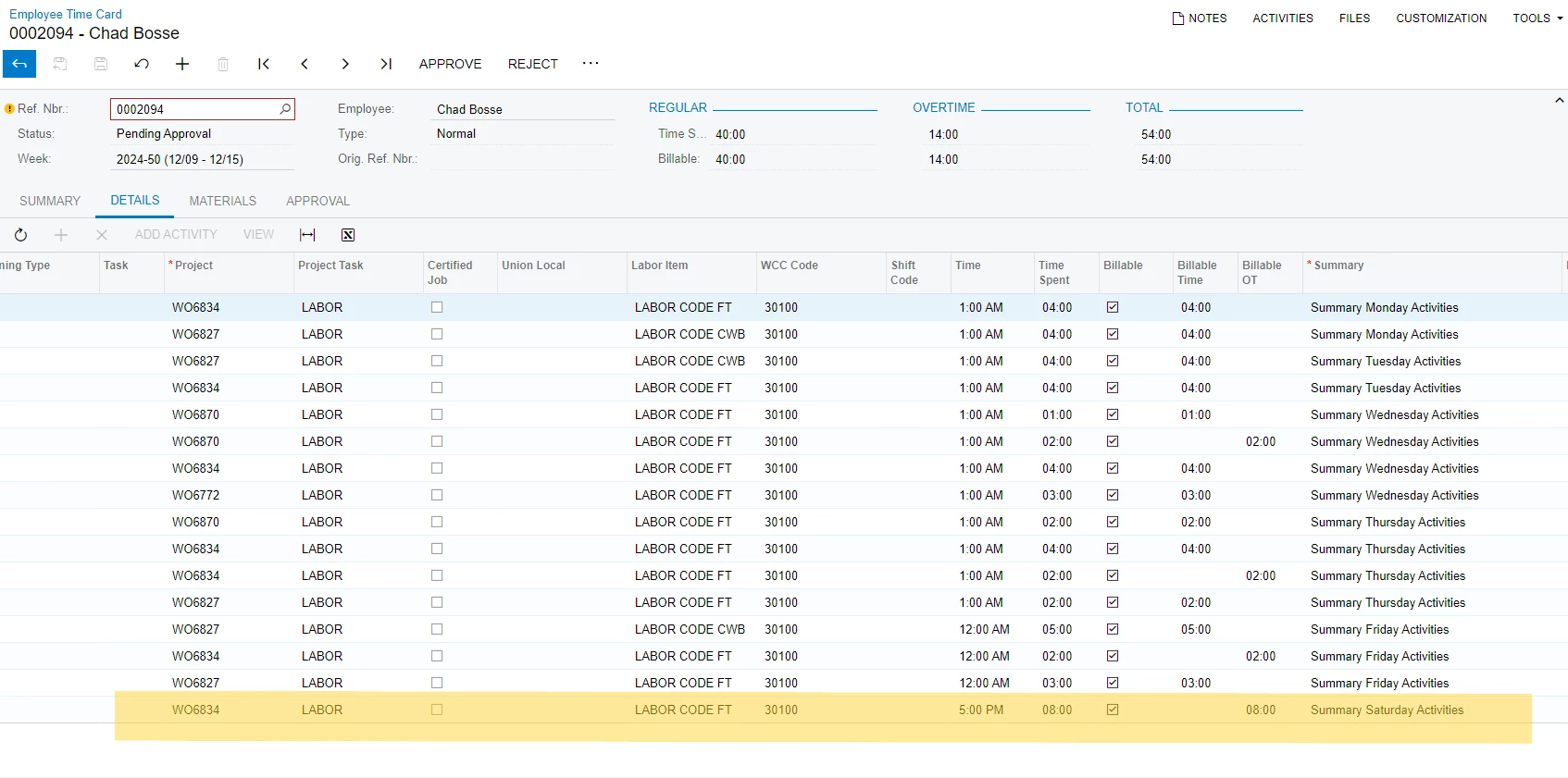
I got the issue when Employee Time Card was entered hour on Saturday for overtime, and when I Remove Hold it combined to the hours on Friday; However it still showing the Saturdays Summary Activities on Detail tab.

Can some one help me with it ?

Pictures attached below for reference.


Thank you
Best answer by Adelina Basyrova

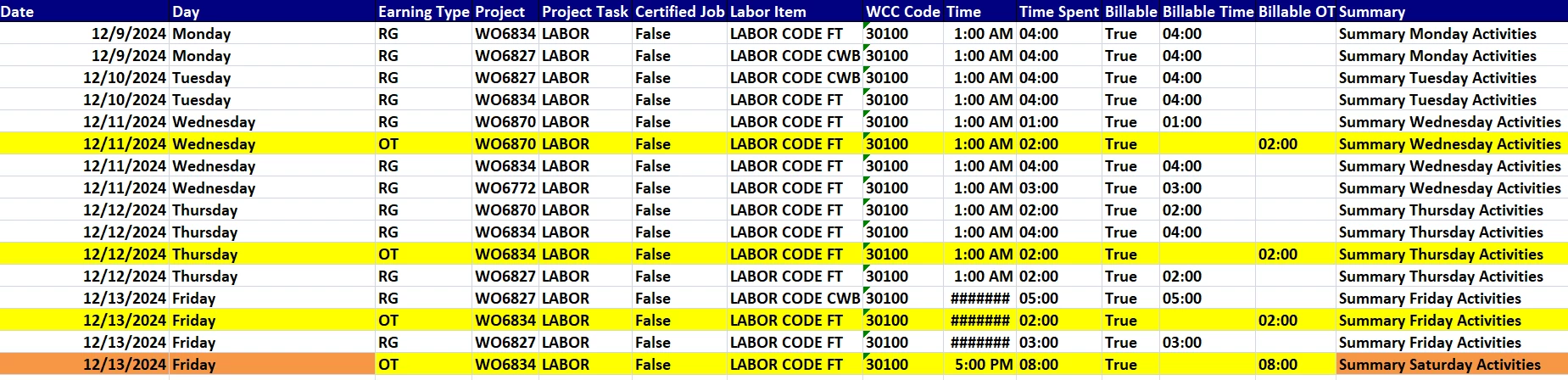
@trungrigshop , your last OT line has Date = 12/13/2024 and Day = Friday:

So, your Summary tab is aligned with the Details tab.

I may assume that the last line (for 8 overtime hours) was added to the Sat column on the Summary tab but the Date and/or Day was updated afterwards. The Summary filed on the Details tab is never updated automatically (even on the Date/Day manual change).

Let me know if you have more questions.

Thank you!

8 replies

Adelina Basyrova
Acumatica Moderator
Forum|alt.badge.img+1

Hello ​@trungrigshop , 

The screenshots miss the date column to justify your result. I’d recommend creating a support case.

Thank you!


Forum|alt.badge.img+1

Hello!

System is looking at the hours set up in the employee's calendar to determine how many hours he is supposed to work during a week.  The system is not looking at it for each day but really for the total hours per week.

So it won't work when the customer is using custom week with not full weeks.


Forum|alt.badge.img
  • Author
  • Jr Varsity II
  • January 2, 2025

Hi ​@HManmatharajan41 
The total hours is 40hrs per week but the hour on Saturday is Over Time Earning Type; somehow, it does not show at the right date at summary but does right at details tab.


Adelina Basyrova
Acumatica Moderator
Forum|alt.badge.img+1

Hi ​@trungrigshop ,

Do you have the custom weeks defined on the Custom Weeks tab of the Time and Expense Preferences? Would you please add a screenshot with the Date and Day from the Details tab of the Employee Time Cards form?

Thank you!


Forum|alt.badge.img
  • Author
  • Jr Varsity II
  • January 8, 2025

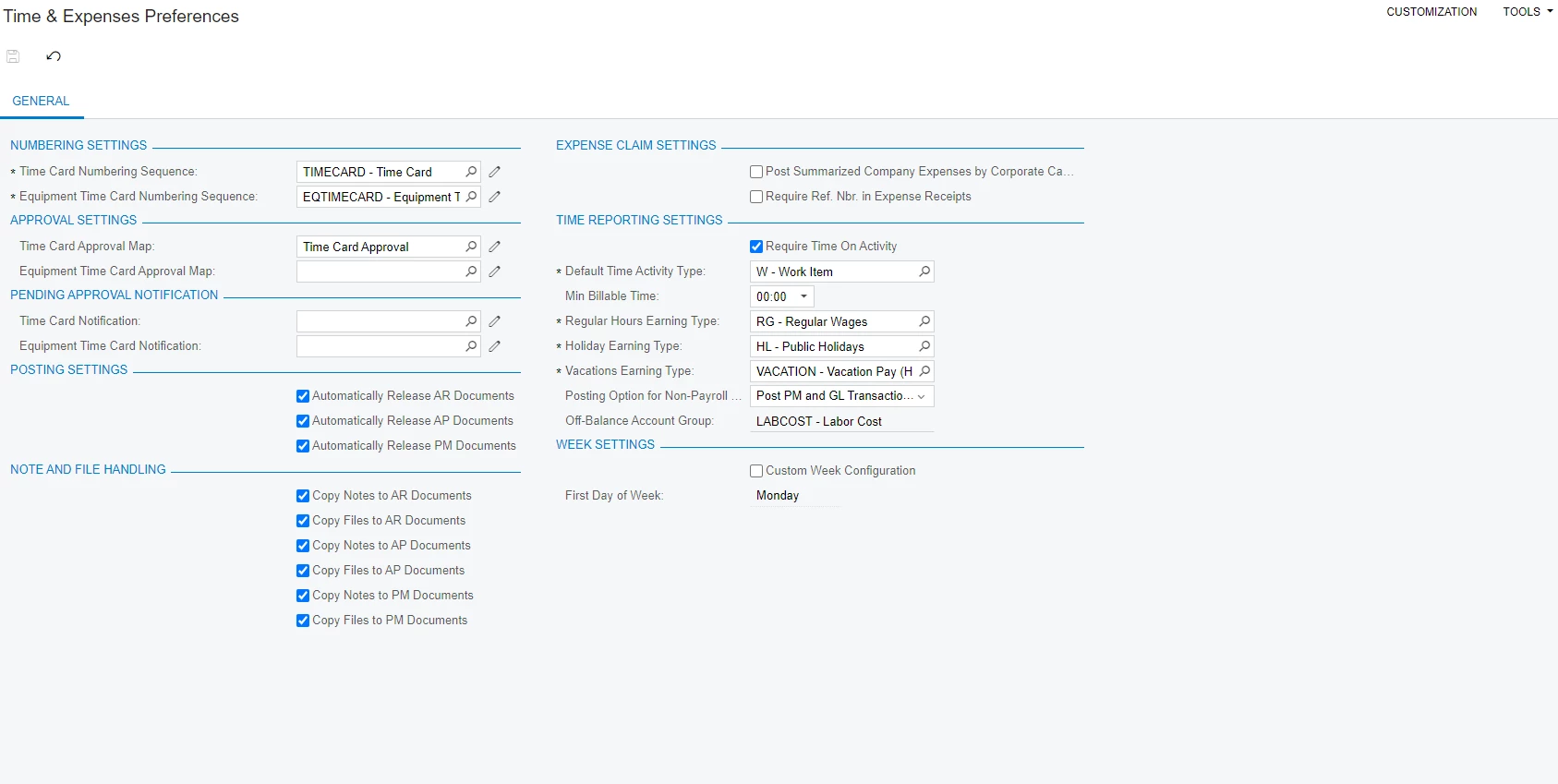
Hi ​@AdelinaBasyrova75, Here is the screen shot of Time and Expense preferences, and I do not have the custom week configuration check.
 
Also I attached the export excel file from detail tab of that time card here for you

Thank you !


Adelina Basyrova
Acumatica Moderator
Forum|alt.badge.img+1
  • Acumatica Moderator
  • Answer
  • January 8, 2025

@trungrigshop , your last OT line has Date = 12/13/2024 and Day = Friday:

So, your Summary tab is aligned with the Details tab.

I may assume that the last line (for 8 overtime hours) was added to the Sat column on the Summary tab but the Date and/or Day was updated afterwards. The Summary filed on the Details tab is never updated automatically (even on the Date/Day manual change).

Let me know if you have more questions.

Thank you!


Forum|alt.badge.img
  • Author
  • Jr Varsity II
  • January 8, 2025

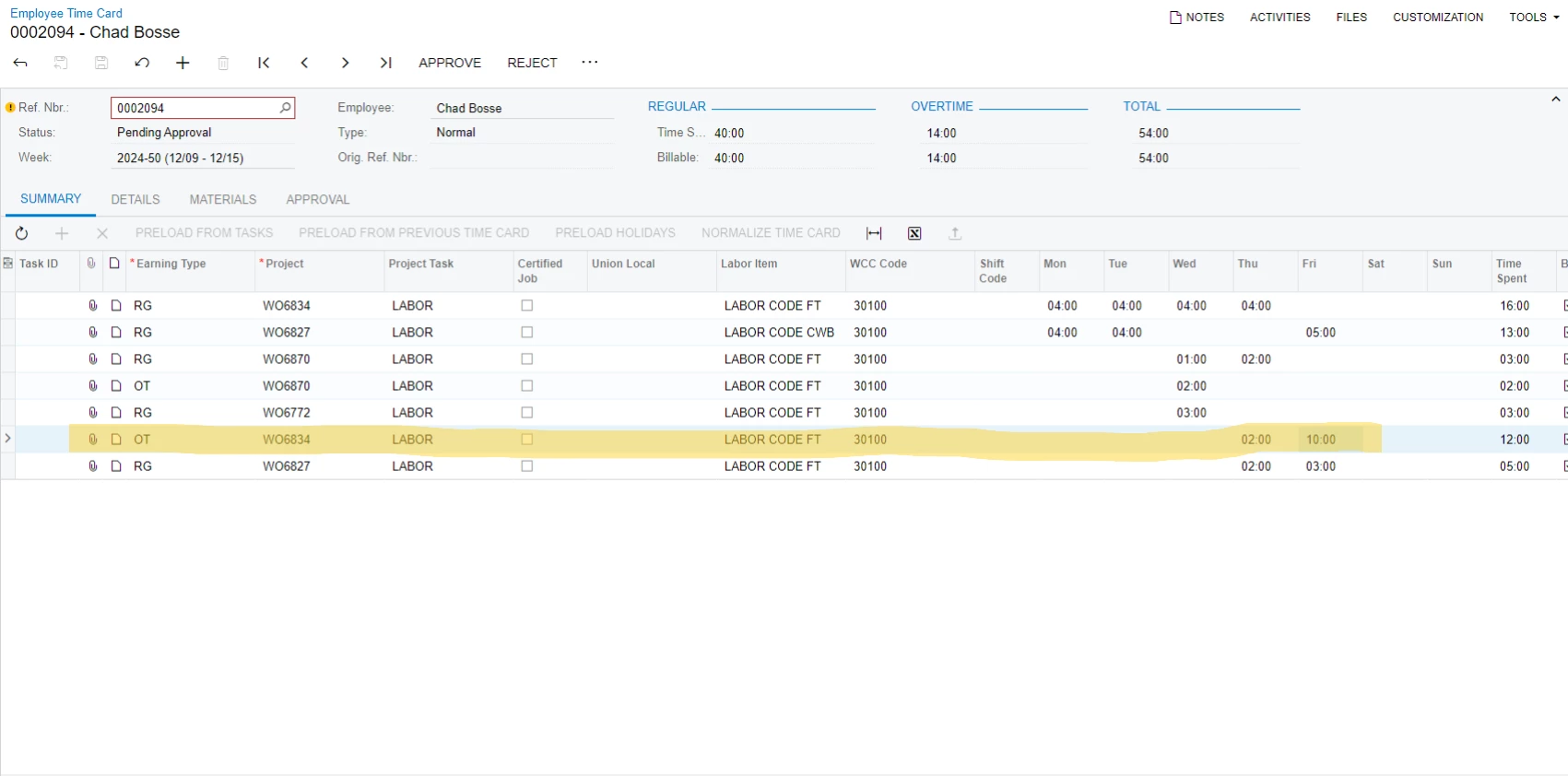
Hi ​@AdelinaBasyrova75, as you see in my first screen shot, the OT time of Saturday was added to Friday column.
I attached the screen below again, cause it does not make sense to me when we detail shows it right day ( Saturday) but in Summary Tab, it added to Friday column


Adelina Basyrova
Acumatica Moderator
Forum|alt.badge.img+1

@trungrigshop , as I see from your Excel file (in orange), the last 8 hour overtime record is for Friday (Day column):  

detail shows it right day ( Saturday)