Question

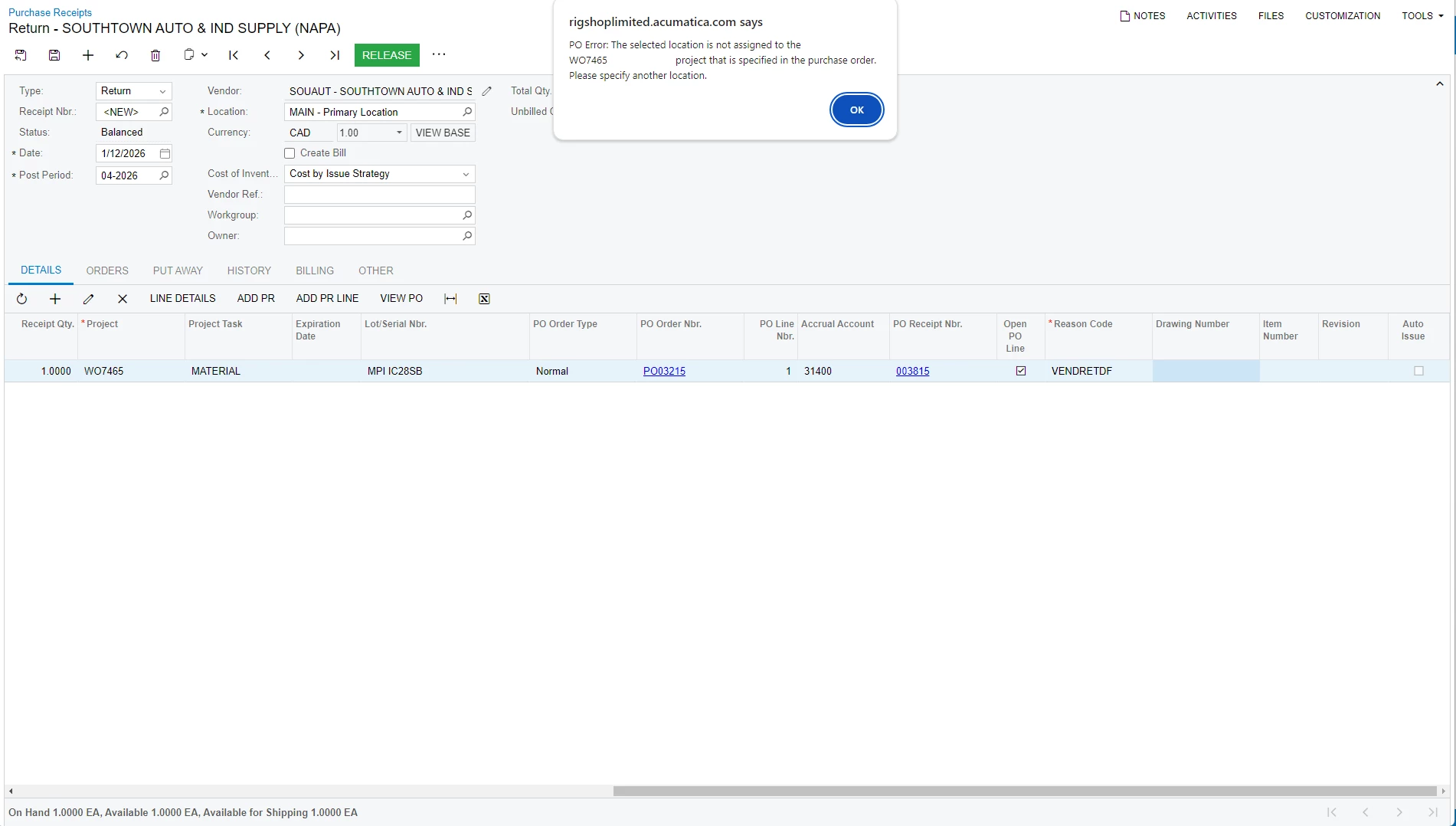
The selected location is not assigned to the project that is specified in the purchase order.

  • January 14, 2026
  • 5 replies
  • 47 views

Forum|alt.badge.img

Hi everyone, I tried to return the item and this error pop up.

Can someone help me with it ?


Thank you !!!


5 replies

meganfriesen37
Captain II
Forum|alt.badge.img+13

Here’s a couple things to check:

  • Is the item still in inventory or has it been issued to the project?  If it’s been issued to the project, you’ll need to do an inventory receipt to receive it back into stock before returning.
  • Do you have the correct cost layer type selected (Normal/Free Stock vs. Project) if you are using project specific inventory? 
  • Do you have the correct warehouse and warehouse location for this serial number?

mohammadnawaz51
Jr Varsity I
Forum|alt.badge.img+6

@trungrigshop This article Might be helpful for you!


Forum|alt.badge.img
  • Author
  • Jr Varsity II
  • January 14, 2026

Here’s a couple things to check:

  • Is the item still in inventory or has it been issued to the project?  If it’s been issued to the project, you’ll need to do an inventory receipt to receive it back into stock before returning.
  • Do you have the correct cost layer type selected (Normal/Free Stock vs. Project) if you are using project specific inventory? 
  • Do you have the correct warehouse and warehouse location for this serial number?
  1. Hi Megan,

    1.  The item is already issue to the project and I did Physical Inventory Count to bring it back with the exact cost and Lot/Serial Number.
    2. I would assume you are talking about PO type which is “Normal” or Inventory Source in Issue is “ Free Stock”
    3. The warehouse and location should be correct cause I only use one warehouse and location for the whole system.
     

Forum|alt.badge.img
  • Author
  • Jr Varsity II
  • January 14, 2026

@trungrigshop This article Might be helpful for you!


Thanks for recommendation, but I saw on mine the warehouse and warehouse location is the default one which we always use and it has just has problem since yesterday.
Is there anyway that I can check warehouse and warehouse location in Project and Task


  • January 20, 2026

Maybe you can check if the Location you try to return was link to Project or Not. Even it liked or didnt, make sure the Receipt and Return was the same. Example: on Receipt, Location was link to Project, as the time do Return, Location should link to Project too


