

Answer

Project quote customization field issue

  • October 9, 2025
  • 4 replies
  • 58 views

I was hoping that someone could help me out with a customized field issue with the project quotes. I am

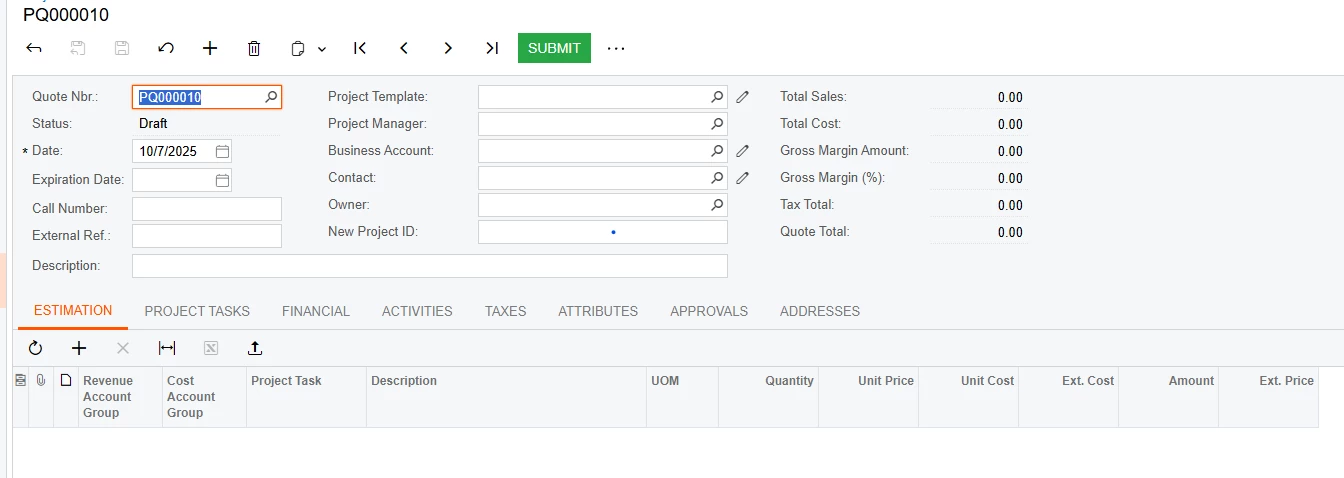
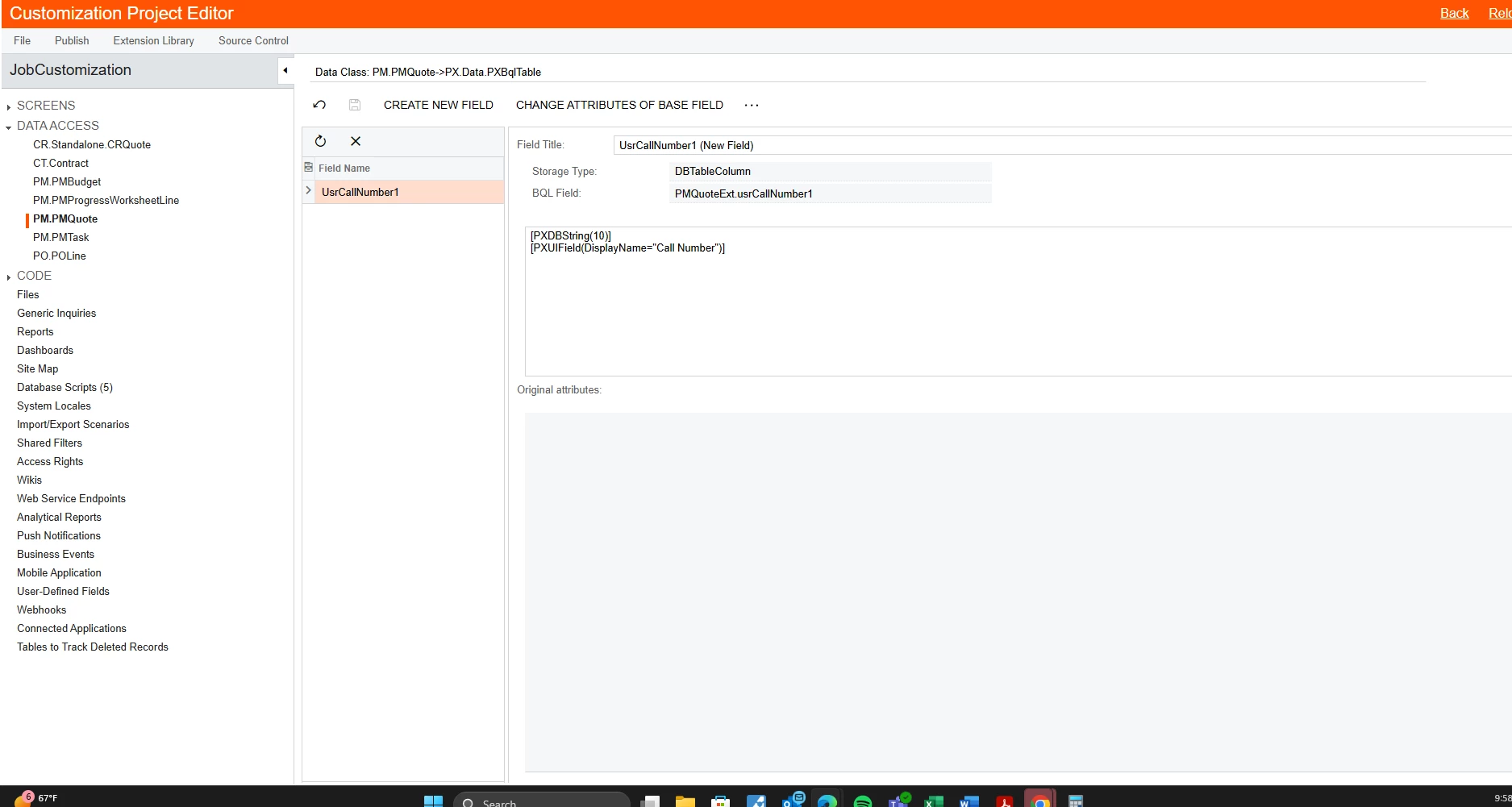
trying to add a field to the top of the quote screen (Call Number) in the example below. I will type in the call number, hit save and then everything will look fine. Once I leave this screen and go back in the call number disappears. I have tried multiple customization projects and have tried different customization fields with no success. I have done the exact same process in the projects side and have had no issues. Does anyone have any ideas on how to solve this?


Best answer by darylbowman

The modified attribute is going to look like this:

[PXDBString(10, BqlField = typeof(CRQuote_Extension.usrCallNumber1))]

You’ll need to replace the code indicated by the green arrow with the above text on the PMQuote custom field, substituting the value inside the ‘typeof()’ with the value indicated by the blue arrow, but use the value shown when editing the  Standalone.CRQuote custom field.


4 replies

darylbowman
Captain II
Forum|alt.badge.img+15

The PMQuote DAC is a projection. You need to also add an identical custom field to CR.Standalone.CRQuote. Then you need to add a BQLField parameter to the PXDBString attribute on the PMQuote field which points to the CRQuote field.

I'll post more later.


  • Author
  • Freshman I
  • October 14, 2025

Thanks!


darylbowman
Captain II
Forum|alt.badge.img+15
  • Answer
  • October 14, 2025

The modified attribute is going to look like this:

[PXDBString(10, BqlField = typeof(CRQuote_Extension.usrCallNumber1))]

You’ll need to replace the code indicated by the green arrow with the above text on the PMQuote custom field, substituting the value inside the ‘typeof()’ with the value indicated by the blue arrow, but use the value shown when editing the  Standalone.CRQuote custom field.


darylbowman
Captain II
Forum|alt.badge.img+15

Were you able to figure this out?

