Answer

PROJECT BALANCES - OPEN COMMITTED AMOUNT >0 WITH ALL ORDERS CLOSED

  • March 17, 2025
  • 5 replies
  • 109 views

Forum|alt.badge.img+1

Hi,

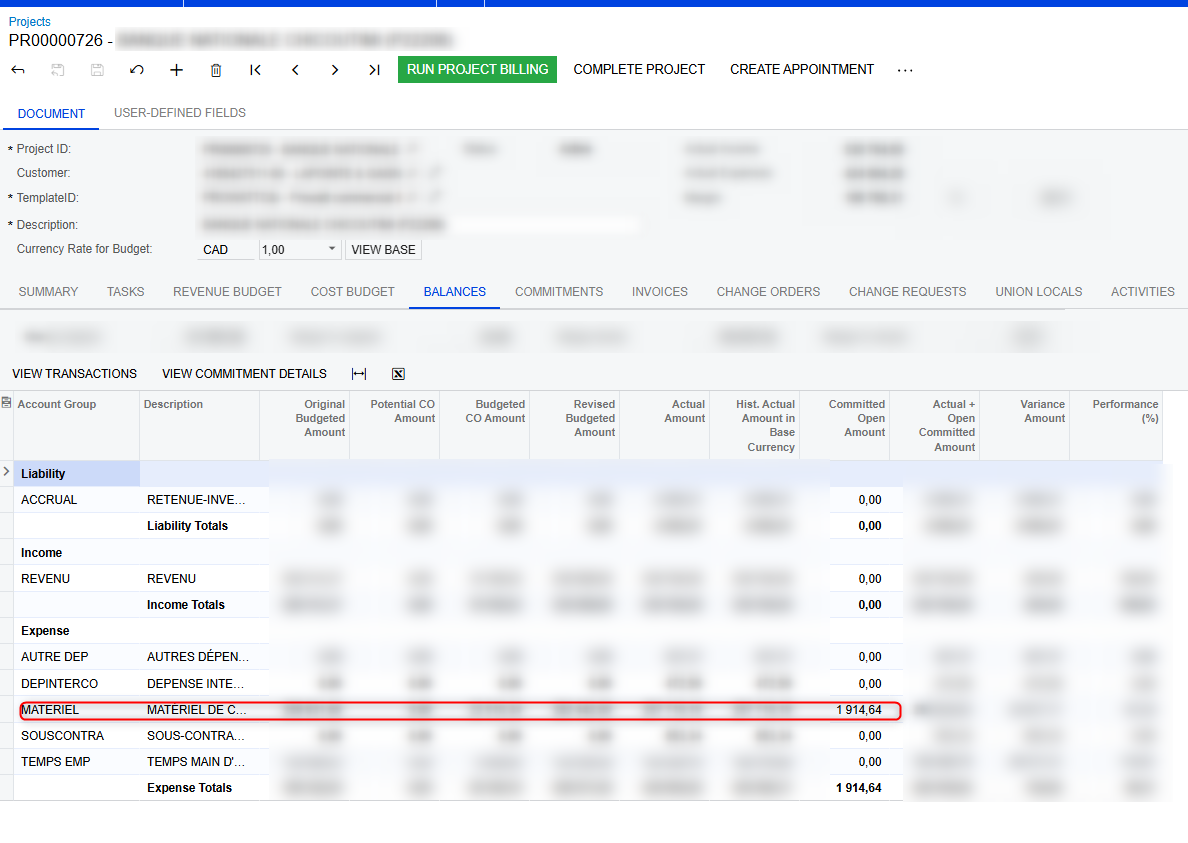
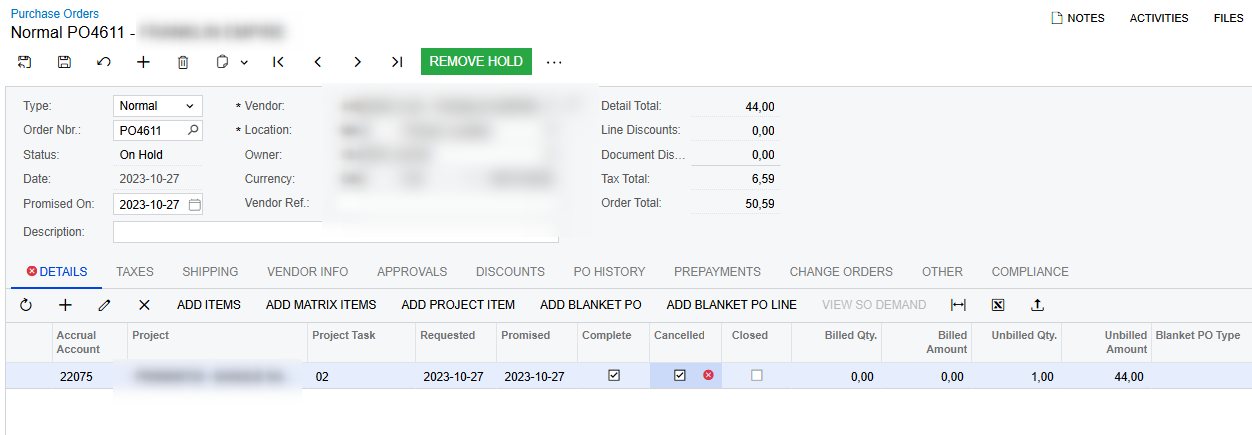
We dont understand why we have an amount here , all the commitment are closed/clompleted ?
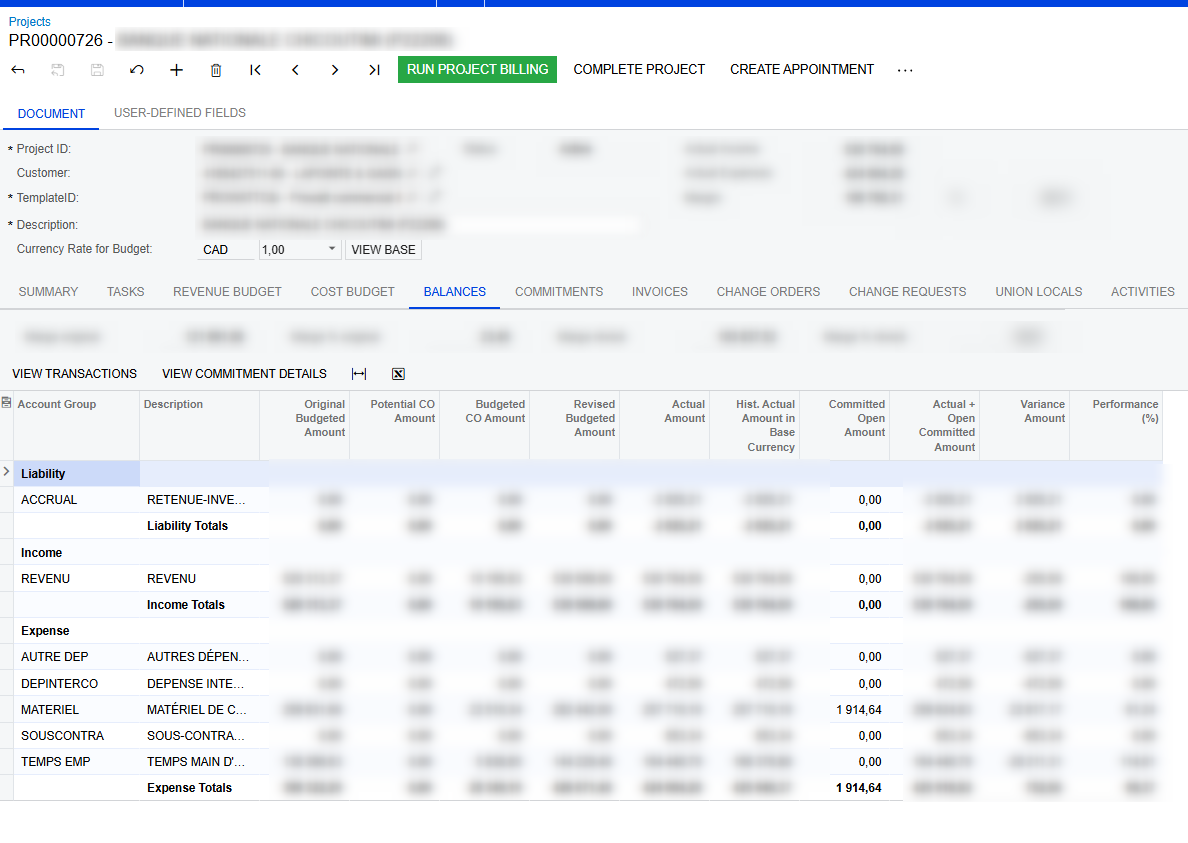
ssssws



What is the condition in order to be part of this total?

Thanks

Best answer by iqraharrison

@raphrf in order to correct this, you must create a commitment CO for the reduced amount against the PO.

I created a similar scenario as yours to show that we have a completed PO with an open balance of $1914.64
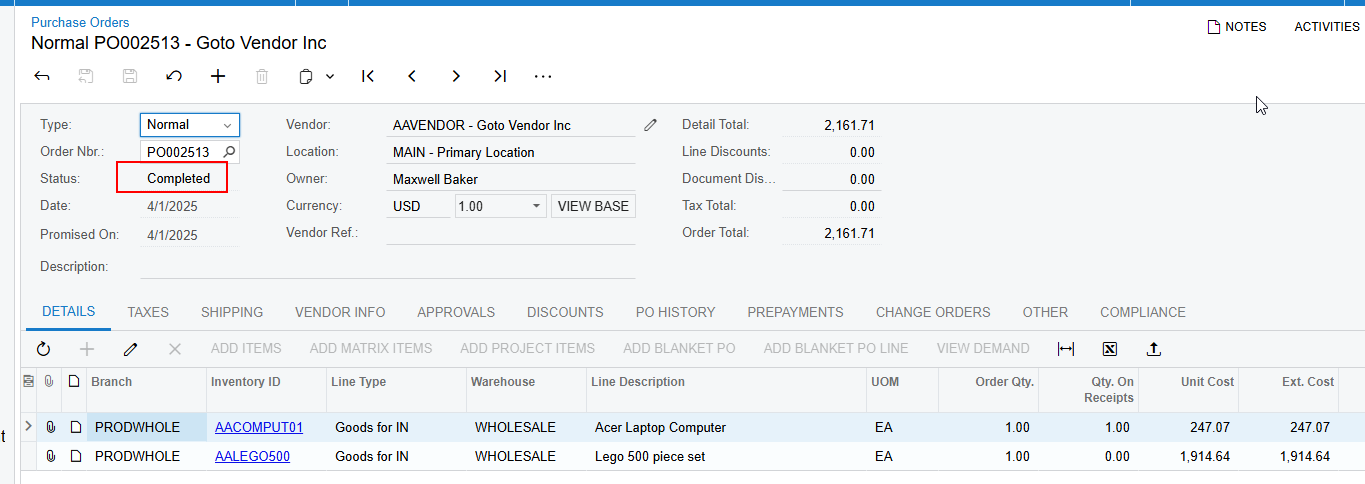
In order to clear the open amount, you must create a commitment CO against the PO:
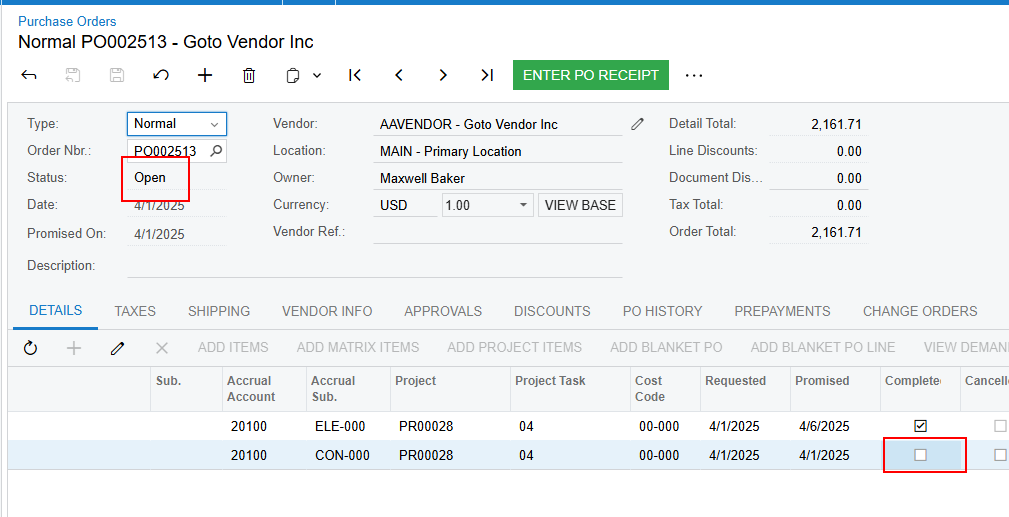
  1. make sure the PO is back in the Open status (you may need to uncheck the “completed checkbox” at the line level:
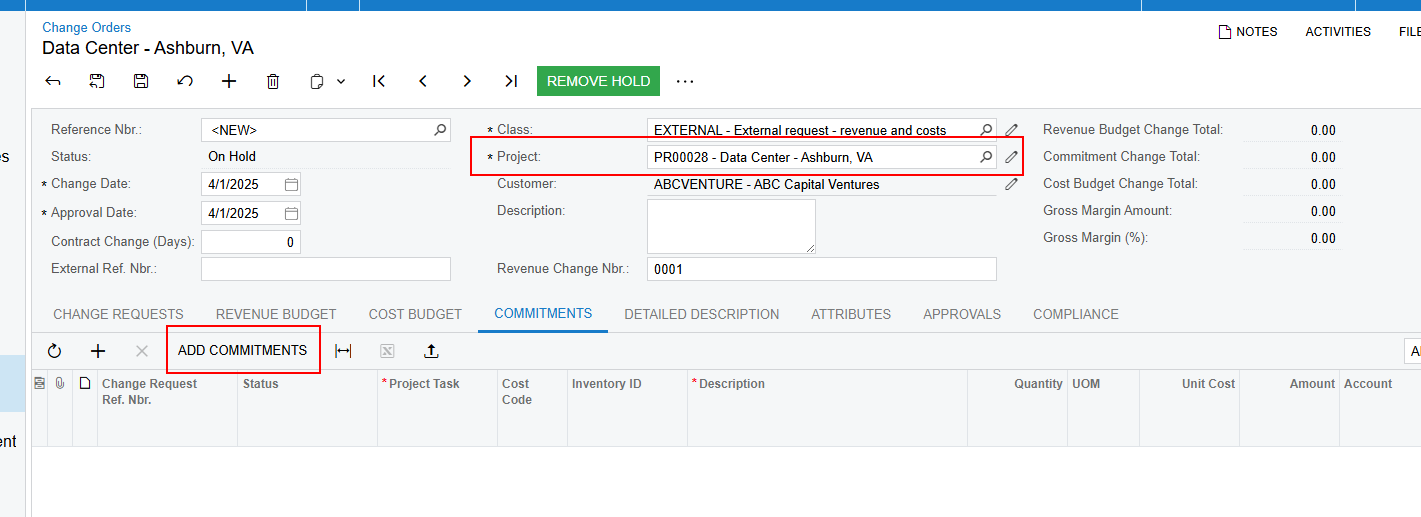
  1.  Create new CO with project and click add commitments: 
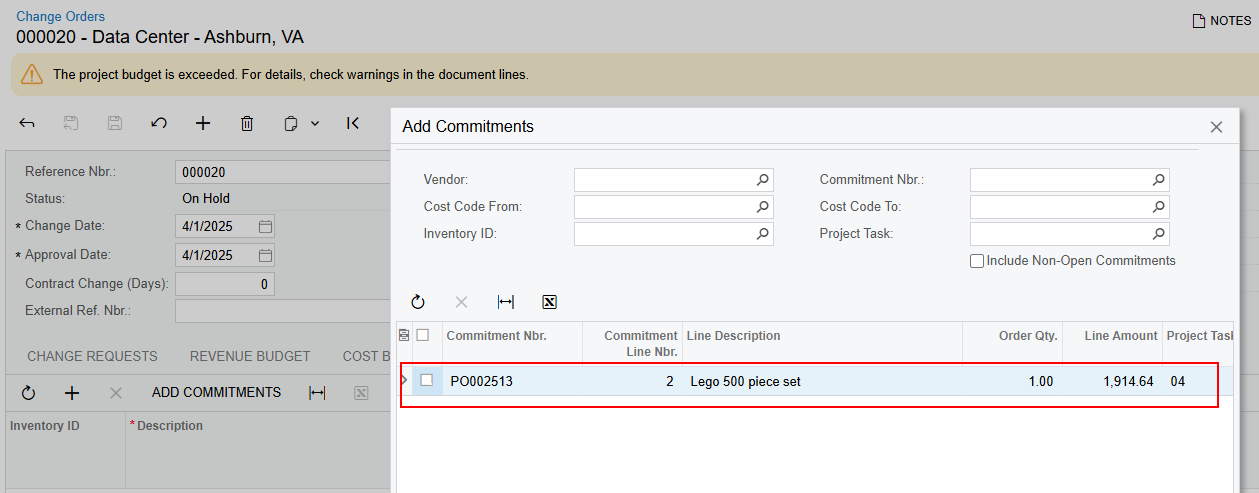
  1. Because the order is in the Open status, the line should pop up as shown below - click the checkbox and then click Add lines and close:
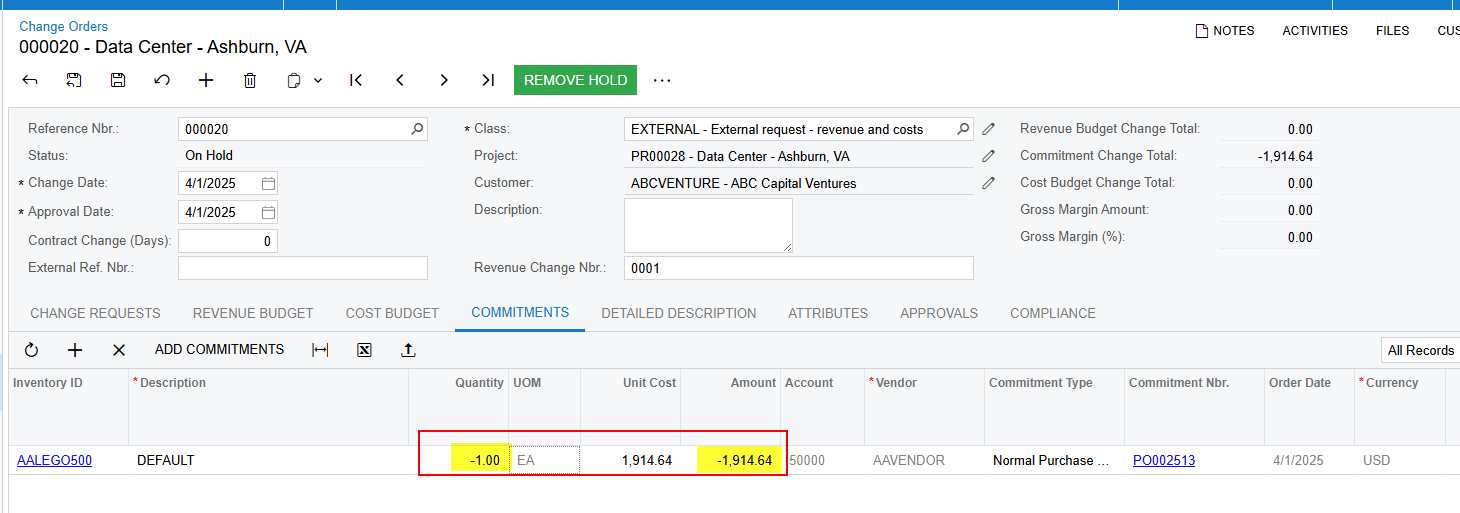
  1. specify the negative quantity or negative amount and release CO:
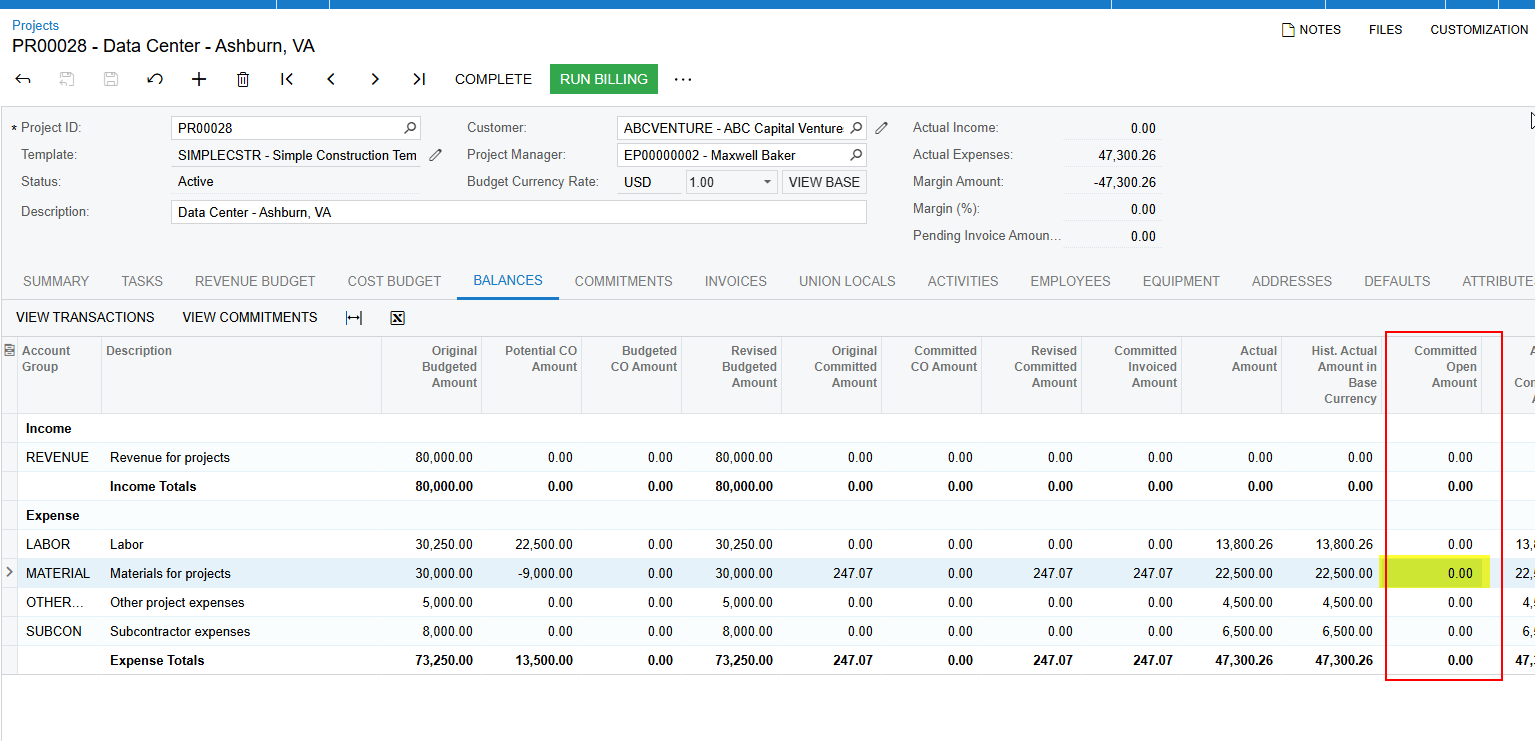
  1. Upon release, the project is updated and the open amount changes to zero: 
  1. the PO was also automatically completed because the remaining part of the PO i created was already received:

i know it’s not ideal but this is how i’ve managed to correct commitments in Acumatica!


Hope this helps!

5 replies

mike.gillum
Acumatica Moderator
Forum|alt.badge.img+2
  • Acumatica Moderator
  • March 17, 2025

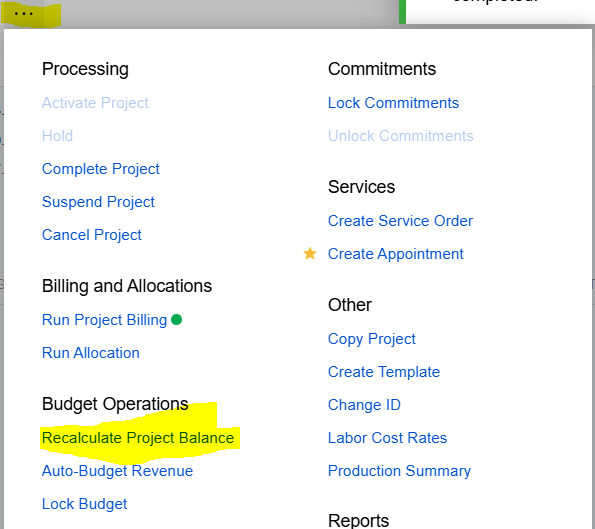
@raphrf Have you tried running the Recalculate Project Balance function from the Project Actions Menu? I’ve seen this address this issue. 


Forum|alt.badge.img+1
  • Author
  • Captain I
  • March 17, 2025

@raphrf Have you tried running the Recalculate Project Balance function from the Project Actions Menu? I’ve seen this address this issue. 


Hi tried it without success

I got all this amount into 1 account group


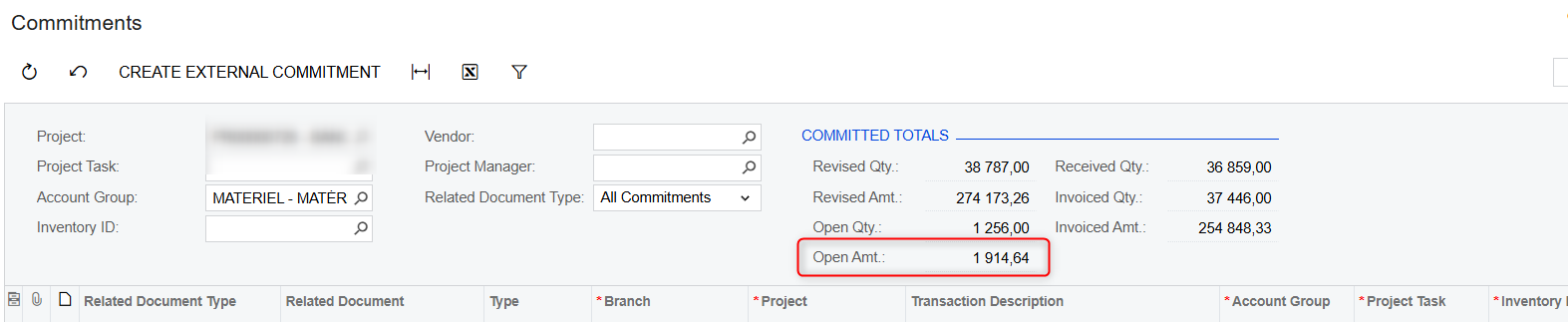
if I click on View Commitment i have this 

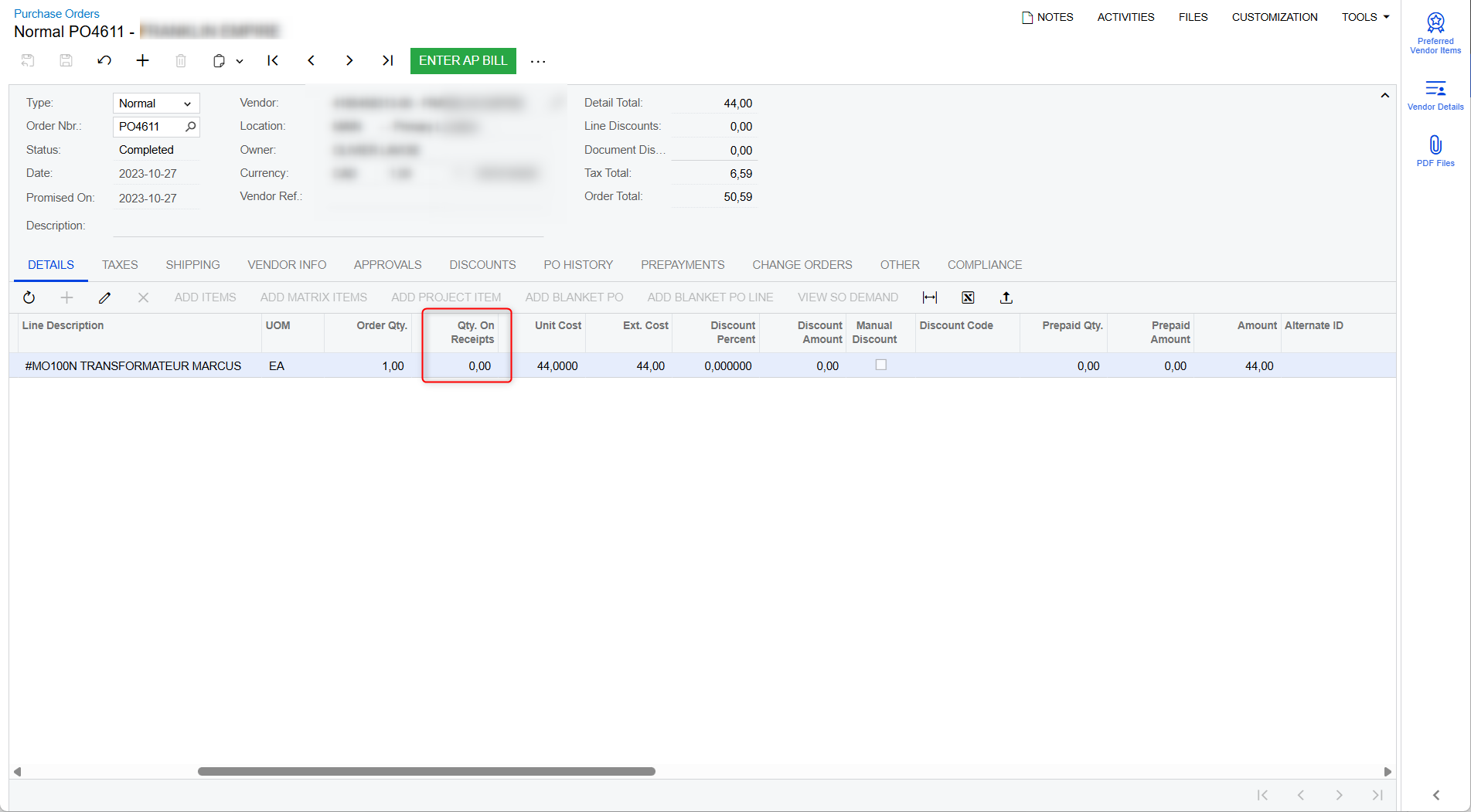
one row is this one


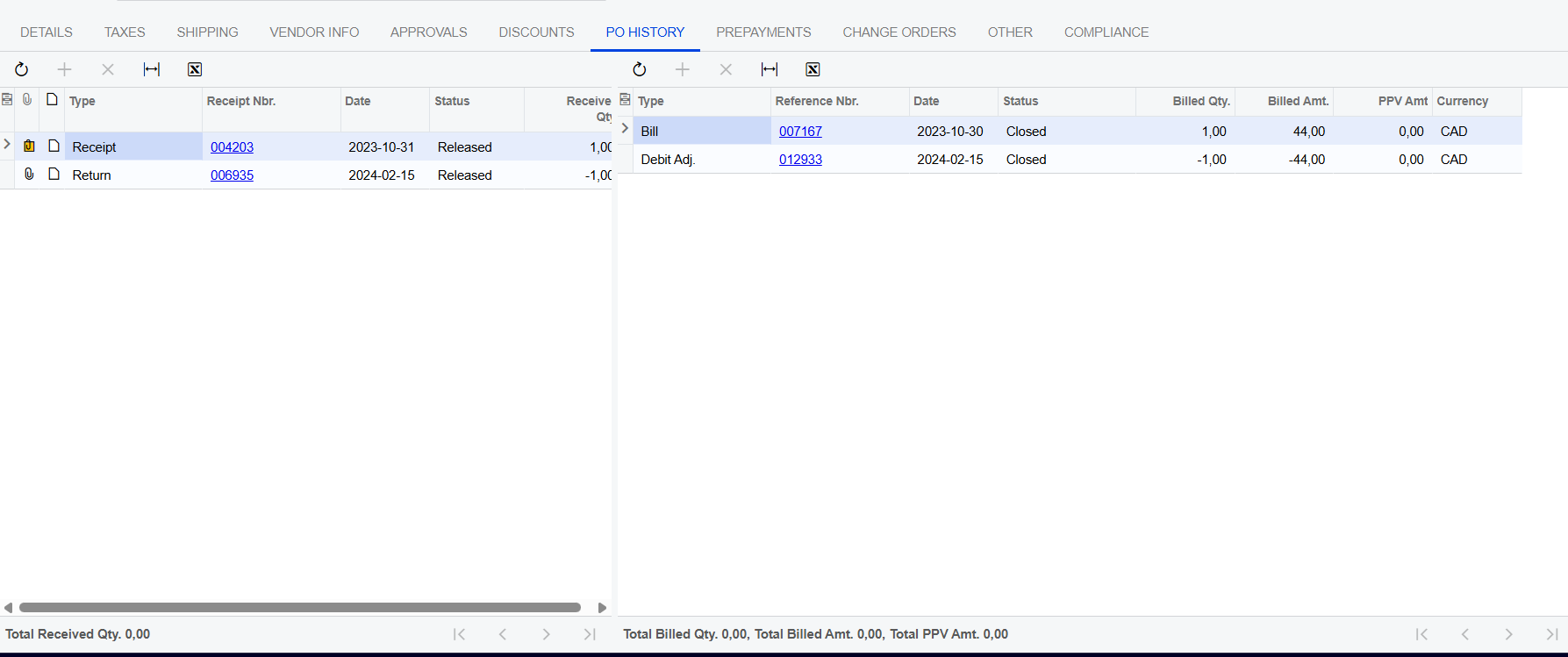
the item was returned so it’s logic, is there something we are doing wrong?

how to correct this in the “good way”?


Forum|alt.badge.img+1
  • Author
  • Captain I
  • March 17, 2025

In order to correct this PO, i tried this without succes :

On the line of the PO I cannot tick Cancelled because we already have reception/return


aaghaei
Captain II
Forum|alt.badge.img+10
  • Captain II
  • March 26, 2025

Hi Raph,

To me it seems like a system glitch. In my opinion when a PO/SC is completed/Closed, even if there is unbilled quantity/amount, the system should adjust the Project Commitment to read zero open committed quantity/cost for the associated PO/SC either by revising the existing commitment record or generating an adjusting transaction (i.e. “Commitment Close-out” type transaction) tied to the original commitment record.


iqraharrison
Captain II
Forum|alt.badge.img+8
  • Captain II
  • Answer
  • April 1, 2025

@raphrf in order to correct this, you must create a commitment CO for the reduced amount against the PO.

I created a similar scenario as yours to show that we have a completed PO with an open balance of $1914.64

In order to clear the open amount, you must create a commitment CO against the PO:
  1. make sure the PO is back in the Open status (you may need to uncheck the “completed checkbox” at the line level:
  1.  Create new CO with project and click add commitments: 
  1. Because the order is in the Open status, the line should pop up as shown below - click the checkbox and then click Add lines and close:
  1. specify the negative quantity or negative amount and release CO:
  1. Upon release, the project is updated and the open amount changes to zero: 
  1. the PO was also automatically completed because the remaining part of the PO i created was already received:

i know it’s not ideal but this is how i’ve managed to correct commitments in Acumatica!


Hope this helps!