Solved

Pro Forma Invoice Modern UI Bug

  • January 23, 2026
  • 3 replies
  • 55 views

johnnytanguts
Freshman I

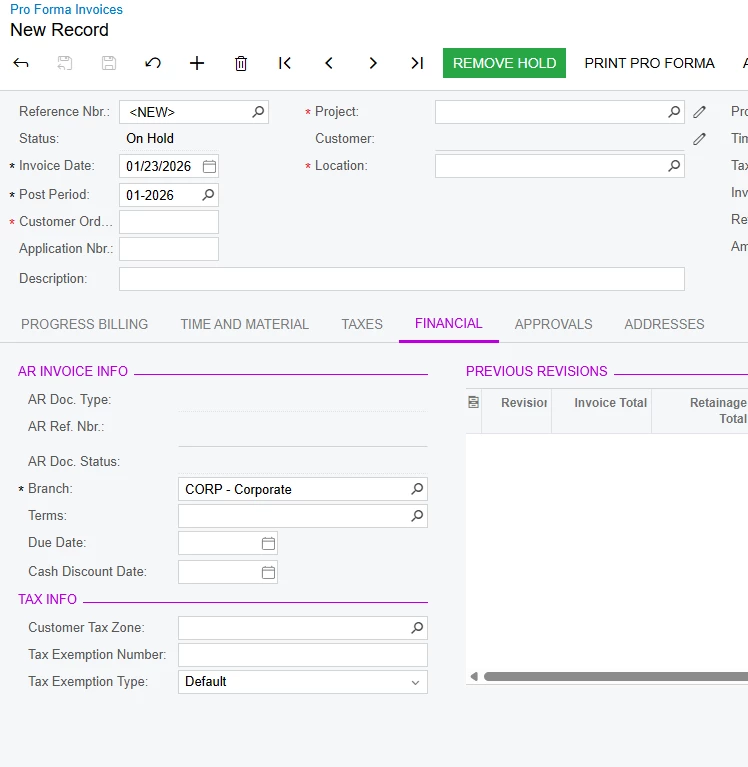
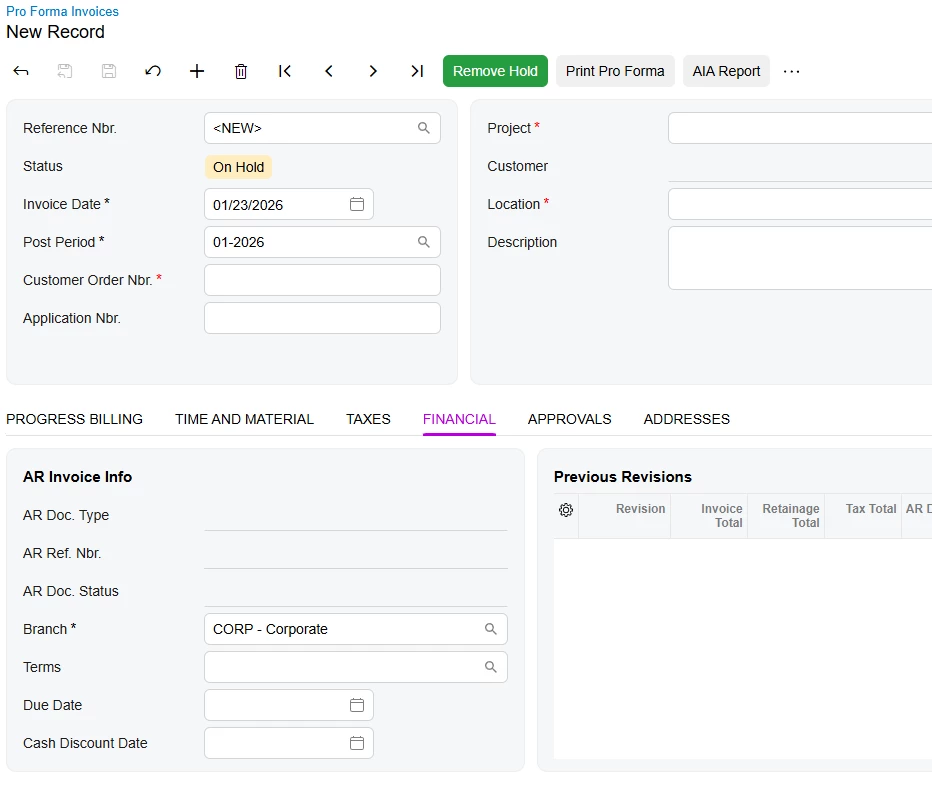
Hello we are on version 25.201.0213 and when using Modern UI on the pro forma invoice screen, users lose access to edit tax zone, exemption number, and tax type. While I will in the future be able to fix this by creating a customization to add the fields back to the view, currently don’t know how and this should have been standard out of the box with using Modern UI. 

Classic UI
 

Modern UI


Best answer by Vard86

​Hello @johnnytanguts

In version 25R2, some tabs and options may change their location after switching to the Modern UI.
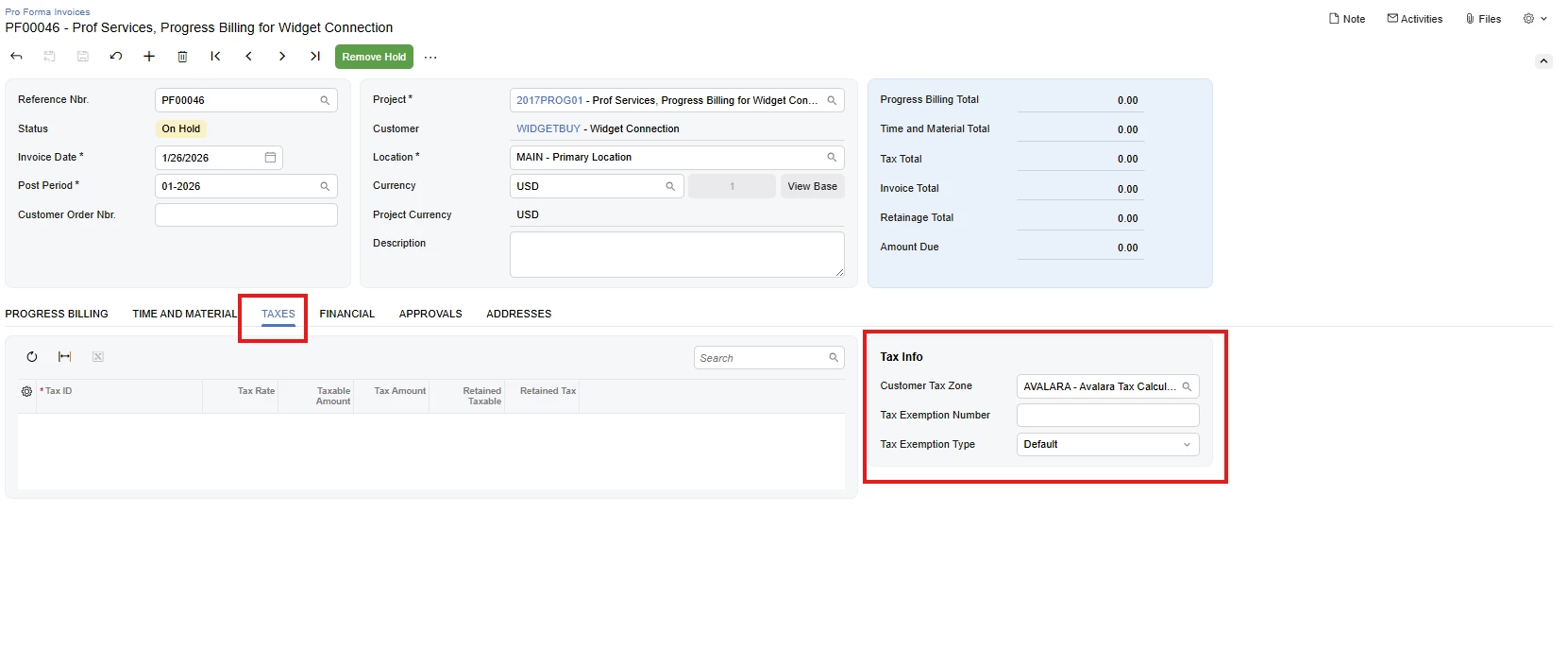
For the “Pro Forma Invoices ” screen, screen ID: PM307000, the ‘Tax Info’ section has been moved from the ‘Financial’ tab to the ‘Taxes’ tab in the Modern UI.

Regards,
Vard

3 replies

nhatnghetinh
Captain II
Forum|alt.badge.img+13
  • Captain II
  • January 26, 2026

Hi ​@johnnytanguts 

This is not a configuration or permission issue, but a limitation of Modern UI in Acumatica version 25.201.0213 on the Pro Forma Invoice screen.
In Modern UI, some tax fields (Tax Zone, Tax Exemption Number, Tax Type) are not exposed for editing, even though they are editable in Classic UI.

In short: Modern UI does not yet support these fields out of the box.

Temporary workaround (no customization): Switch to Classic UI to edit tax fields, then return to Modern UI to continue working.


Best Regards,

NNT


  • Jr Varsity II
  • Answer
  • January 26, 2026

​Hello @johnnytanguts

In version 25R2, some tabs and options may change their location after switching to the Modern UI.
For the “Pro Forma Invoices ” screen, screen ID: PM307000, the ‘Tax Info’ section has been moved from the ‘Financial’ tab to the ‘Taxes’ tab in the Modern UI.

Regards,
Vard


johnnytanguts
Freshman I
  • Author
  • Freshman I
  • January 26, 2026

Thank you!