Answer

Pro Forma Invoice - Change Order Line Items has not Tax Category

  • April 23, 2025
  • 5 replies
  • 121 views

Hi Everyone

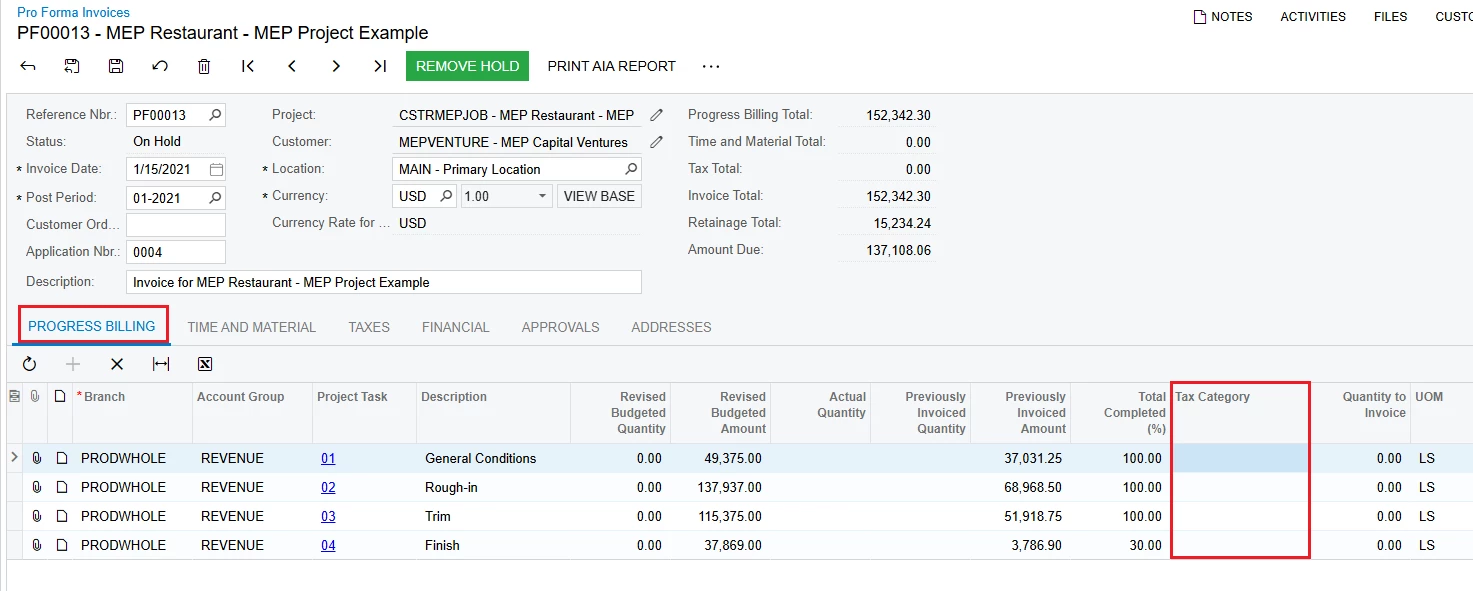
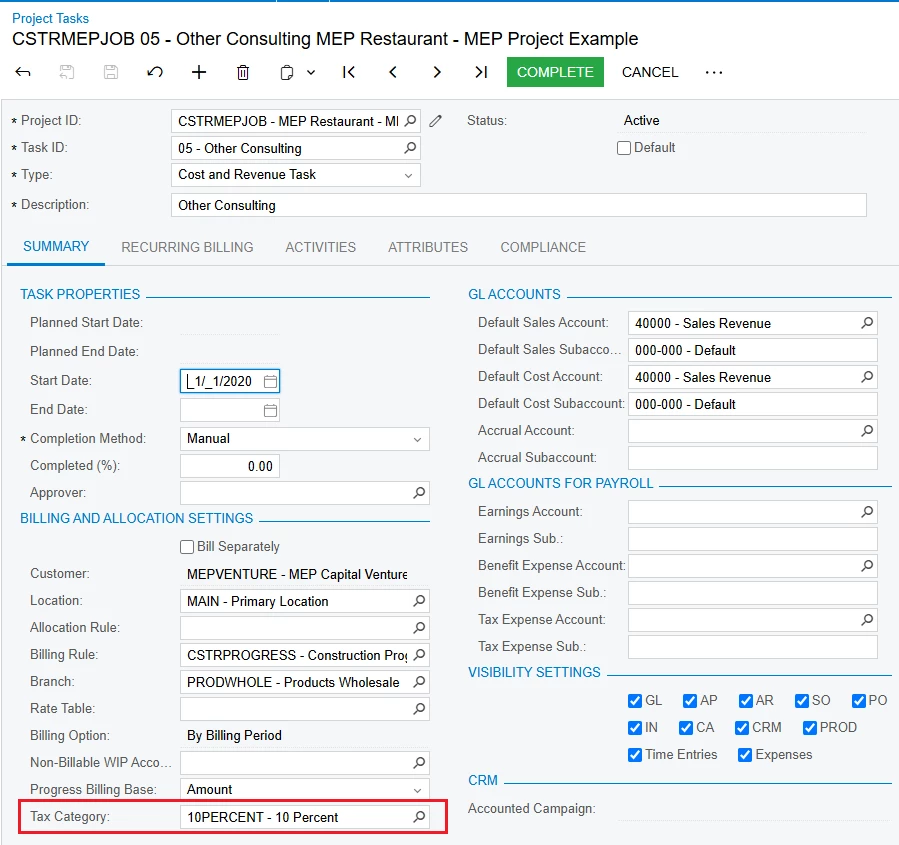
I noticed that when we generate project billing to create a pro forma invoice, the change order line items do not have tax category assigned. Although the associated project task does. 

I am wondering if this is similar to the situation described in this thread below, when commitment does not have a non-stock item, tax category is blank despite project task. 

Since this discussion was from two years ago, has there been any changes to this?

Anyone got any suggestion on how to improve this? It’s painful to assign tax category manually on the pro forma for change order items after generation.

Thanks.

Best answer by raphrf

I think we got the same problem, here is the answer of our case :

Hello,

The problem reported in this case has been fixed in 2025 R1 GA(build 25.100.0054).

Please refer to the following links https://community.acumatica.com/supported-releases-67/acumatica-2025-r1-ga-build-25-100-0054-29520


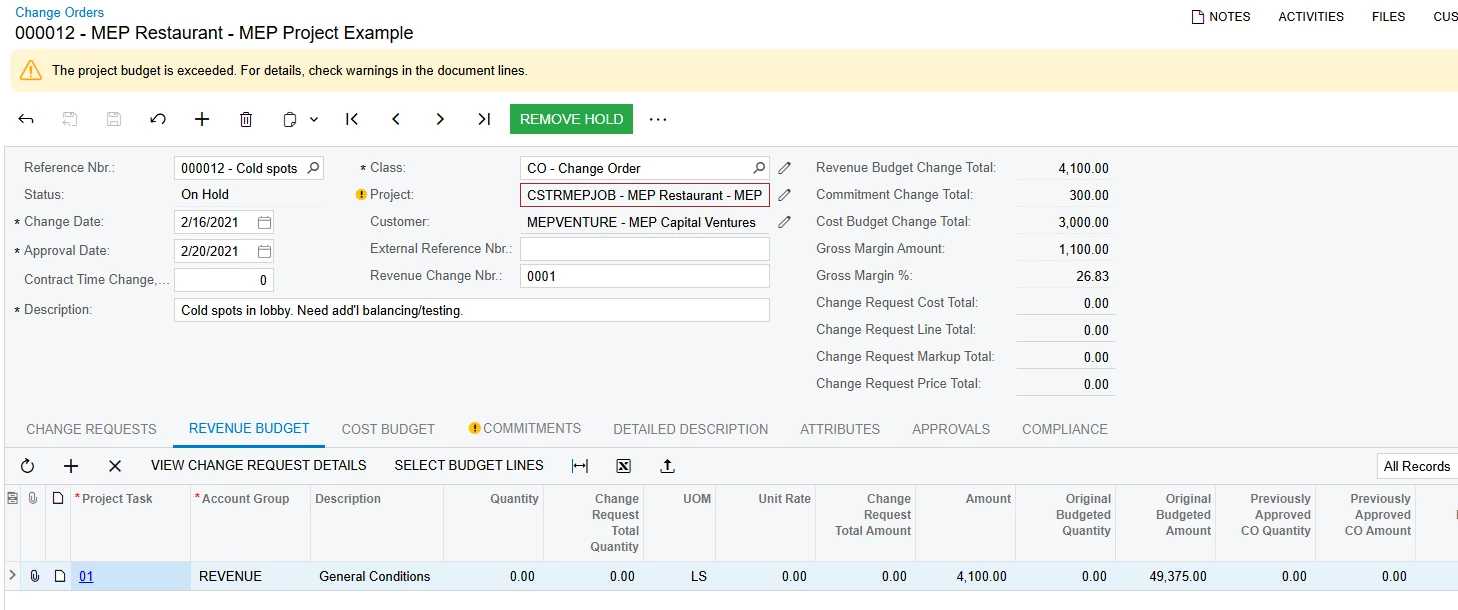
AC-318966: If a new project task with a tax category specified was created for an existing project, and a change order was created with that task selected in one of the lines on the Revenue Budget tab of the Change Orders 

(PM308000) form, the system did not assign the tax category of the project task to the revenue budget line created on the release of the change order.

5 replies

nhatnghetinh
Captain II
Forum|alt.badge.img+11
  • Captain II
  • April 23, 2025

Hi ​@snzhang 

On Acumatica Version 2024.R1 I see the detail line on the "Pro Forma Invoices" screen has a "Tax Category" field. However, the detail line on the "Change Orders" screen does not have the "Tax Category" field.


Best Regards,

NNT


  • Author
  • Freshman I
  • April 23, 2025

Hi ​@snzhang 

On Acumatica Version 2024.R1 I see the detail line on the "Pro Forma Invoices" screen has a "Tax Category" field. However, the detail line on the "Change Orders" screen does not have the "Tax Category" field.


Best Regards,

NNT

Thanks NNT.

I meant to say that the line item associated with the change order on pro forma invoice does not have a tax category, even though the project task does. 

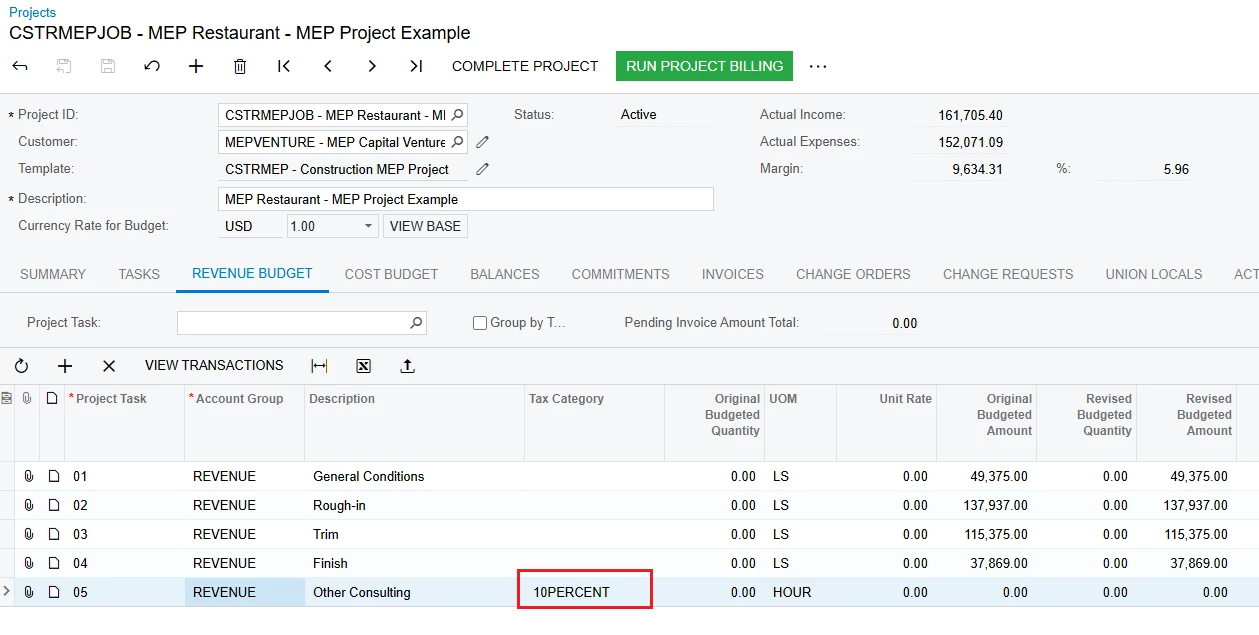
By the way, I just figured out why. The corresponding revenue budget (created for the change order) does not have a tax category. 

Any way to create revenue budget automatically with tax category the same as the project task associated?

Thanks.


nhatnghetinh
Captain II
Forum|alt.badge.img+11
  • Captain II
  • April 23, 2025

Hi ​@snzhang 

When I create Project Tasks with Tax Category. Then go to Projects screen > REVENUE BUDGET > Add Project Tasks created above > the system automatically adds Tax Category the same as Tax Category on Project Tasks screen.


Best Regards,

NNT


Forum|alt.badge.img+1
  • Captain I
  • Answer
  • April 23, 2025

I think we got the same problem, here is the answer of our case :

Hello,

The problem reported in this case has been fixed in 2025 R1 GA(build 25.100.0054).

Please refer to the following links https://community.acumatica.com/supported-releases-67/acumatica-2025-r1-ga-build-25-100-0054-29520


AC-318966: If a new project task with a tax category specified was created for an existing project, and a change order was created with that task selected in one of the lines on the Revenue Budget tab of the Change Orders 

(PM308000) form, the system did not assign the tax category of the project task to the revenue budget line created on the release of the change order.


Heidi Dempsey
Community Manager
Forum|alt.badge.img+3
  • Community Manager
  • April 23, 2025

@snzhang Thanks for the follow up.  This has been addressed and was released in 25R1. The tax category now defaults on a Revenue Budget line created by a Change Order.