Answer

Payment History Report by Vendor Class

  • January 9, 2025
  • 4 replies
  • 222 views

I am looking for an AP report that would show a summary of all payments made to subcontractors for the year, to assist in my annual insurance audits. Is there a way I can sort or filter the vendor transaction history report by vendor class, to show only subcontractors?

Best answer by iqraharrison

@MForrester i couldn’t find a report however, i was able to use the checks and payments inquiry screen to get this information.

the first thing i did was go to checks and payments screen and selected edit generic inquiry (you may need to check permissions for this): 

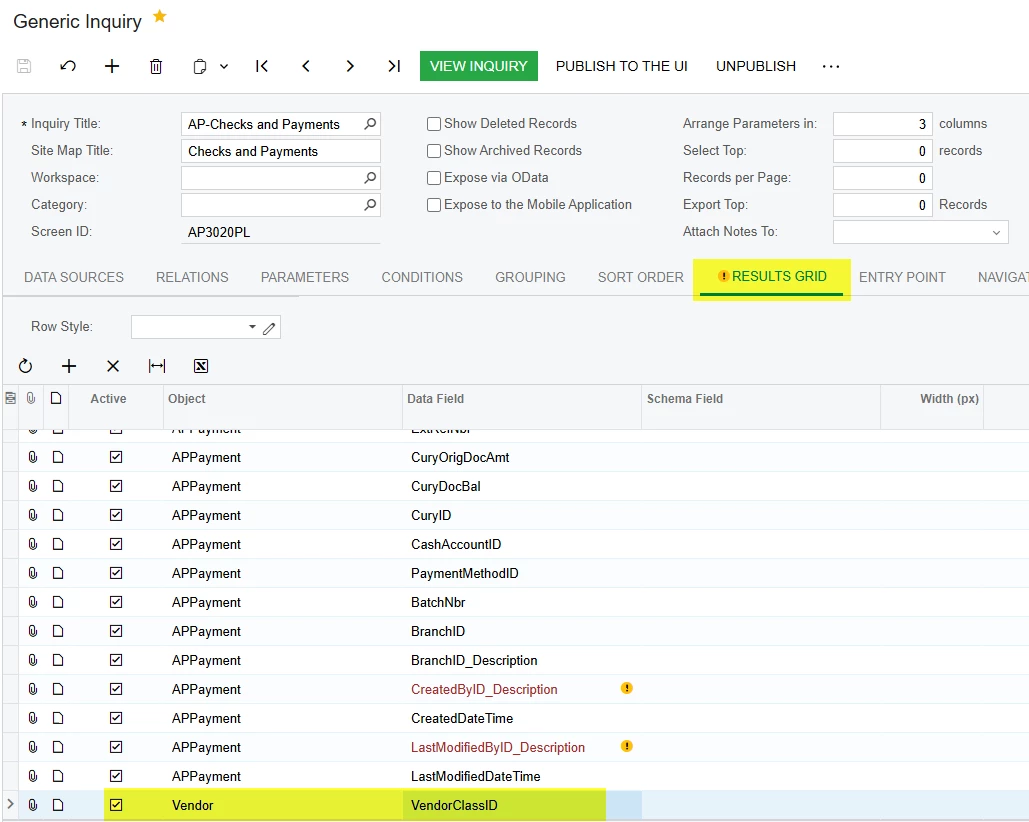
then on the inquiry i went to results grid and added a row which Object = Vendor and data field = VendorClassID:
after you save, you can go back to the inquiry screen by clicking view inquiry (you may need to scroll over to the right as it’s most likely going to be the last column): 
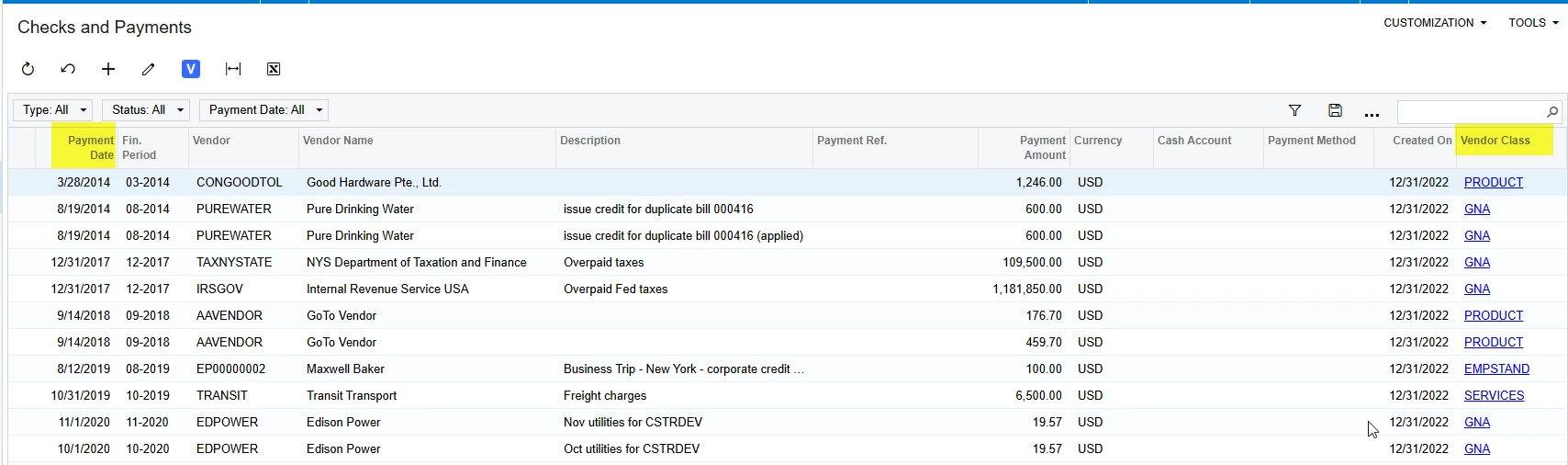
then you can filter on the vendor class as well as put a date range for the payment date column and it should give you what you need (in my example i used services instead of subcontractors, but use the ID that you are trying to filter by):

I hope this helps!

4 replies

iqraharrison
Captain II
Forum|alt.badge.img+8
  • Captain II
  • Answer
  • January 9, 2025

@MForrester i couldn’t find a report however, i was able to use the checks and payments inquiry screen to get this information.

the first thing i did was go to checks and payments screen and selected edit generic inquiry (you may need to check permissions for this): 

then on the inquiry i went to results grid and added a row which Object = Vendor and data field = VendorClassID:

after you save, you can go back to the inquiry screen by clicking view inquiry (you may need to scroll over to the right as it’s most likely going to be the last column): 

then you can filter on the vendor class as well as put a date range for the payment date column and it should give you what you need (in my example i used services instead of subcontractors, but use the ID that you are trying to filter by):

I hope this helps!



Kandy Beatty
Captain II
Forum|alt.badge.img+17
  • Captain II
  • January 9, 2025

Hi ​@MForrester 

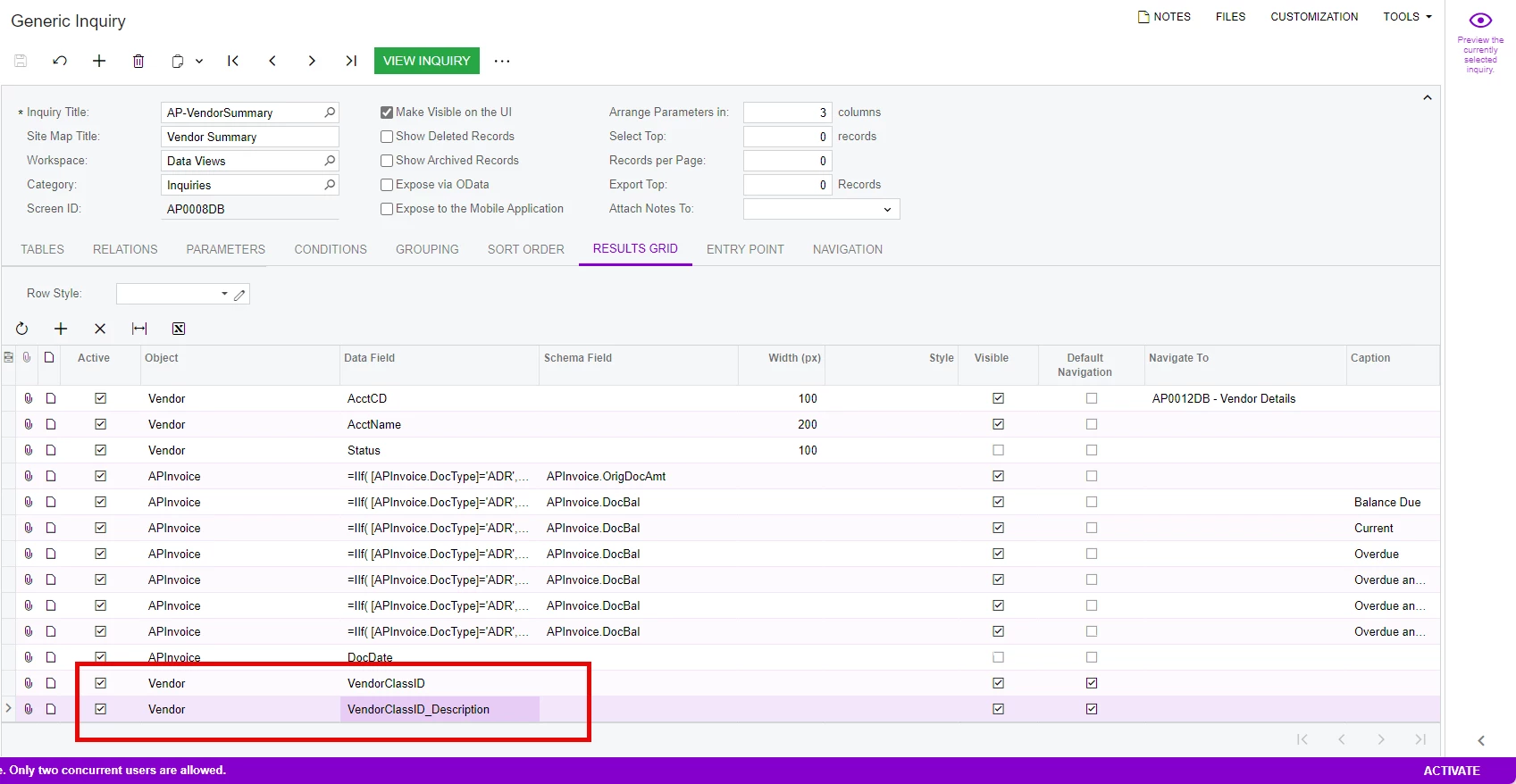
Along with ​@iqraharrison ‘s solution, there is an inquiry called Vendor Summary under Data Views, If your subcontractors are classified as subcontractors, you can pull it by Vendor Class.


You can edit the GI to pull by year with the correct parameters. 

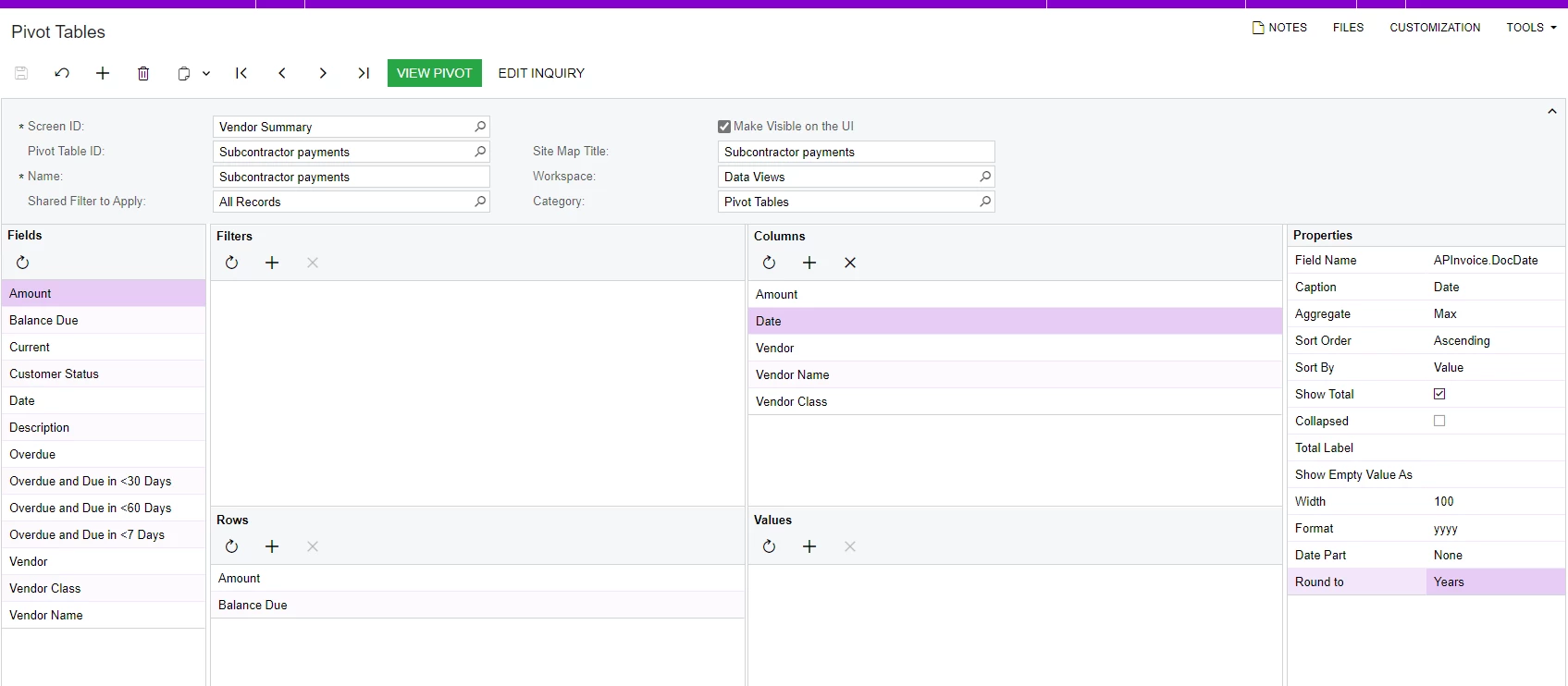
You can also use this to create a Pivot Table. 


  • Author
  • Freshman I
  • January 9, 2025

Thank you both for your solutions. 

@iqraharrison I did need to adjust permissions to allow the customization drop down. Very helpful!


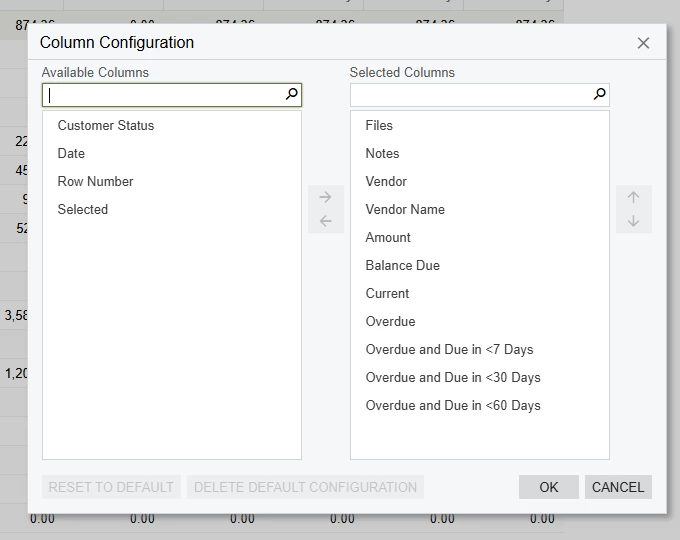
@Kandy Beatty I do not have Vendor Class available as a column. Do you know if this is also a permission setting?


Kandy Beatty
Captain II
Forum|alt.badge.img+17
  • Captain II
  • January 9, 2025

Thank you both for your solutions. 

@iqraharrison I did need to adjust permissions to allow the customization drop down. Very helpful!


@Kandy Beatty I do not have Vendor Class available as a column. Do you know if this is also a permission setting?


HI ​@MForrester 

You need to add it to the GI. You can do that by customizing the GI