Answer

Non Stock Item Descriptions do not Populate on Pro Forma Invoices

  • September 17, 2024
  • 4 replies
  • 92 views

Forum|alt.badge.img

Using 24R1 - After creating a proforma invoice from the Run Project Billing action, we add additional services to the proforma.  When we add the non-stock item (service), the description is blank - it doesn’t populate with the description from the non-stock item screen.

Best answer by hdussa

Hello @brucewarrell96 ,


The Description field is a free text with no default value set. I would customize the screen to fill in the selected inventory item description.

Hope this helps!

4 replies

iqraharrison
Captain II
Forum|alt.badge.img+8
  • Captain II
  • September 27, 2024

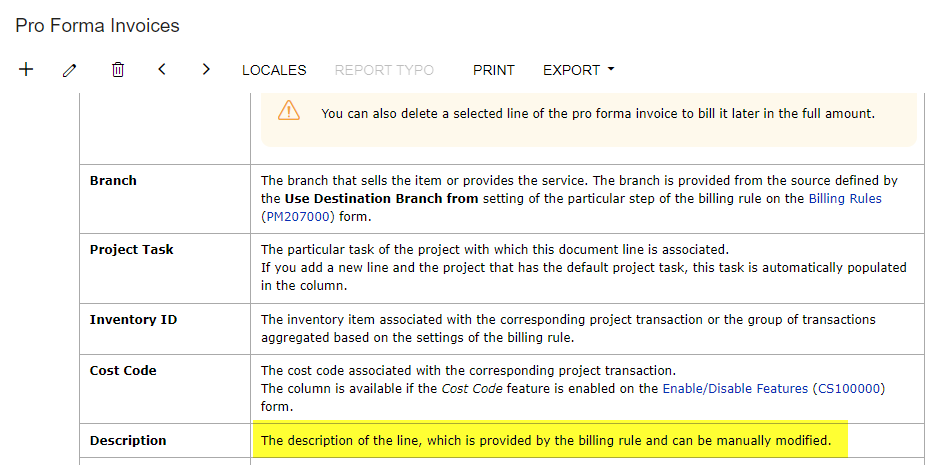
@brucewarrell96 looking at the help topic, the description is pulling from the billing rule.  this is applicable to both progress and T&M billing rules.


DipakNilkanth
Pro III
Forum|alt.badge.img+13

Hi @brucewarrell96,

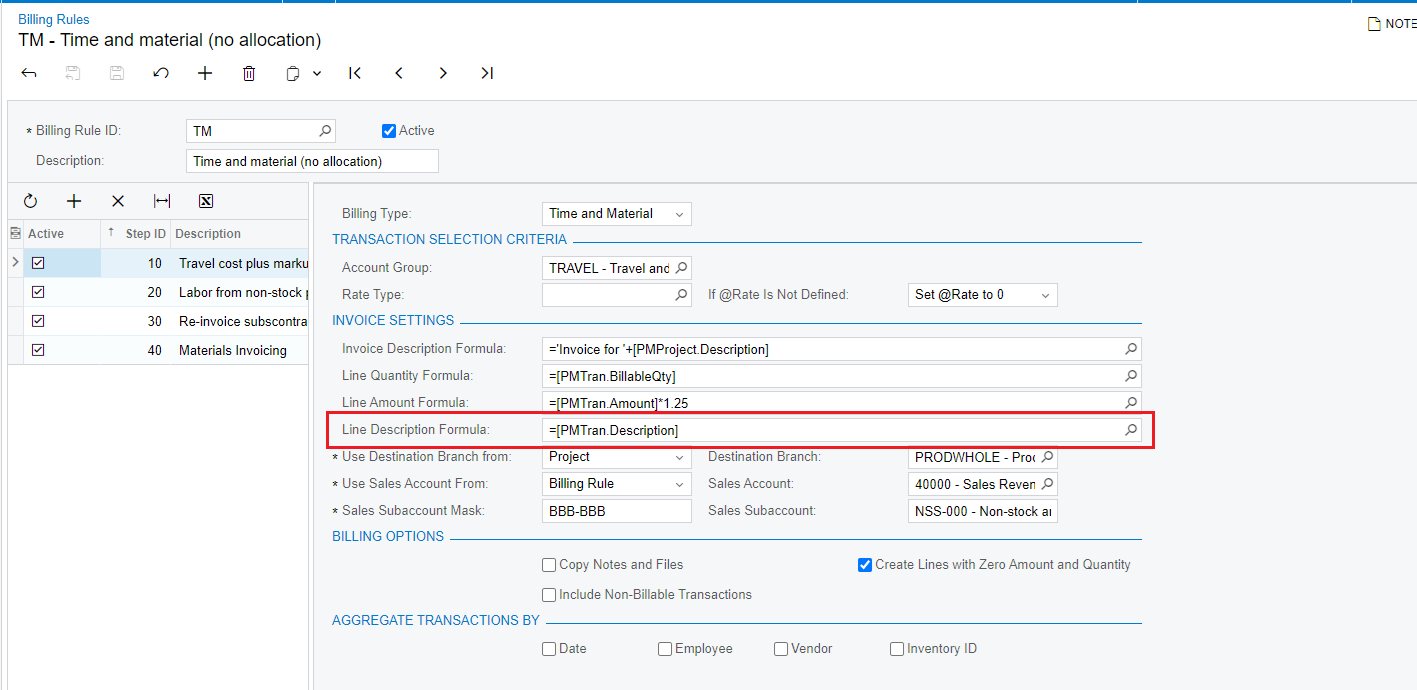
In the addition of @iqraharrison  answer, You can set Description from Billing Rules screen.

Hope, it helps!


Forum|alt.badge.img
  • Author
  • Varsity I
  • September 30, 2024

My issue relates to manually adding NEW lines directly to the proforma invoice.  You can select the non-stock item but most of the default information does not follow with it.


hdussa
Jr Varsity I
Forum|alt.badge.img+1
  • Jr Varsity I
  • Answer
  • September 30, 2024

Hello @brucewarrell96 ,


The Description field is a free text with no default value set. I would customize the screen to fill in the selected inventory item description.

Hope this helps!