Answer

Lock Out Specific Tenant

  • January 19, 2024
  • 9 replies
  • 221 views

Forum|alt.badge.img

Hi Acumatica Community,

Is there a way to lock out a specific tenant?

Thank you!

Best answer by MissyMain41

Thanks for the response.  My apologies, however, I still do not understand the difference or effect on the lock out whether or not I select the box. Outcome seems the same regardless.

Hey there,

Hope you are doing well today! 

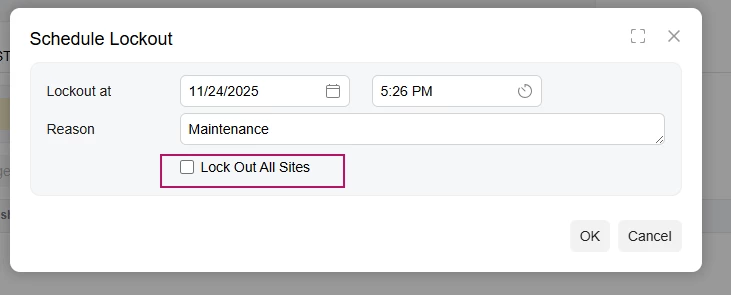
“Lock out all sites” on the Maintenance Mode pop-up is a way to lock out other sites that are connected to that database, such as for high availability environments running in a cluster (also known as a processing node), perhaps even for portal sites which also is a separate site connected to that same database. 

Lock out all sites is not tenant specific; there is no way to lock out only a specific tenant. 

More information on such configurations can be found here: How to configure cluster on the local environment | Community

Form help reference for Apply Updates



9 replies

Forum|alt.badge.img

@Fie 

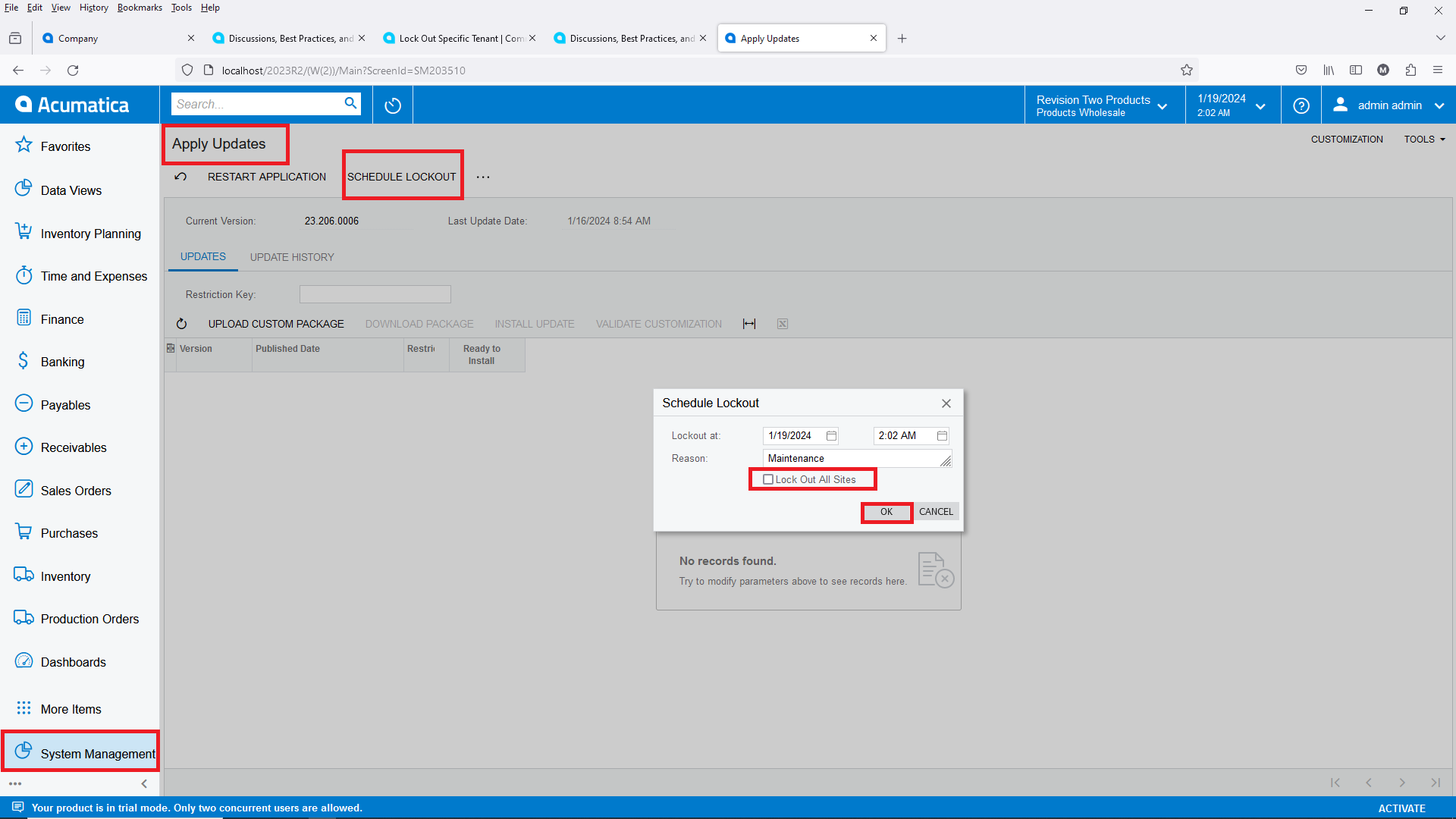
Yes there is, you need to log into the Tenant that you want to lock out, go to “Apply Updates” click on “SCHEDULE LOCK OUT” and deselect “Lock Out All Sites” and then click on “OK”:


Forum|alt.badge.img
  • Freshman II
  • April 8, 2025

So I tried that, but users still can’t login to the other tenants. Will show “in maintenance mode” anyway when they do login (2024R2 build 209)


Ahmed
Varsity II
Forum|alt.badge.img+1
  • Varsity II
  • April 9, 2025

There isn’t a way to lockout a specific tenant. Only the single instance or all instances used by the database.

What’s the use case by the way?


  • Freshman I
  • April 24, 2025

My use case is that my client has a new owner, and they want a copy of the production tenant that is frozen as of the acquisition date. We created a snapshot as of the sale date and created a tenant from the snapshot. The new tenant must stay frozen at that point in time, so I want to lock out just that tenant.


Ahmed
Varsity II
Forum|alt.badge.img+1
  • Varsity II
  • April 24, 2025

@mburns47 in that case you can just run a import scenario/script to reset all the passwords for users and suspend emails in that tenant except for one user (admin). So nobody will be able to access the tenant except by your one user.


  • November 24, 2025

Then what is the purpose of the “Lock Out All Sites” option?


Ahmed
Varsity II
Forum|alt.badge.img+1
  • Varsity II
  • November 25, 2025

@ggraham96 it will stop schedules in all instances (sites) tied to the database and kick out users that are not administrator. Generally locking out is done so that maintenance operations by administrators can be done safely (publishing, taking snapshots, restorations, etc.) that can interrupt work or worse mess up the database if people are working at the same time.


  • November 25, 2025

Thanks for the response.  My apologies, however, I still do not understand the difference or effect on the lock out whether or not I select the box. Outcome seems the same regardless.


MissyMain41
Jr Varsity I
Forum|alt.badge.img
  • Jr Varsity I
  • Answer
  • November 25, 2025

Thanks for the response.  My apologies, however, I still do not understand the difference or effect on the lock out whether or not I select the box. Outcome seems the same regardless.

Hey there,

Hope you are doing well today! 

“Lock out all sites” on the Maintenance Mode pop-up is a way to lock out other sites that are connected to that database, such as for high availability environments running in a cluster (also known as a processing node), perhaps even for portal sites which also is a separate site connected to that same database. 

Lock out all sites is not tenant specific; there is no way to lock out only a specific tenant. 

More information on such configurations can be found here: How to configure cluster on the local environment | Community

Form help reference for Apply Updates