Hi @All
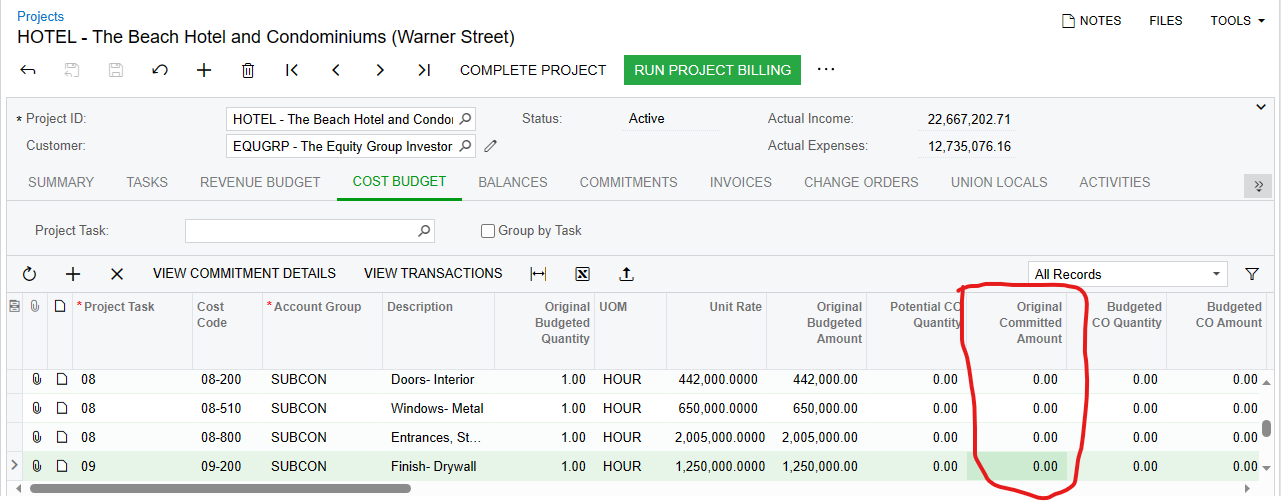
I created subcontract for a project but original committed amount values are not getting in the fields under project cost budget tab.
Hi @All
I created subcontract for a project but original committed amount values are not getting in the fields under project cost budget tab.
Best answer by Heidi Dempsey
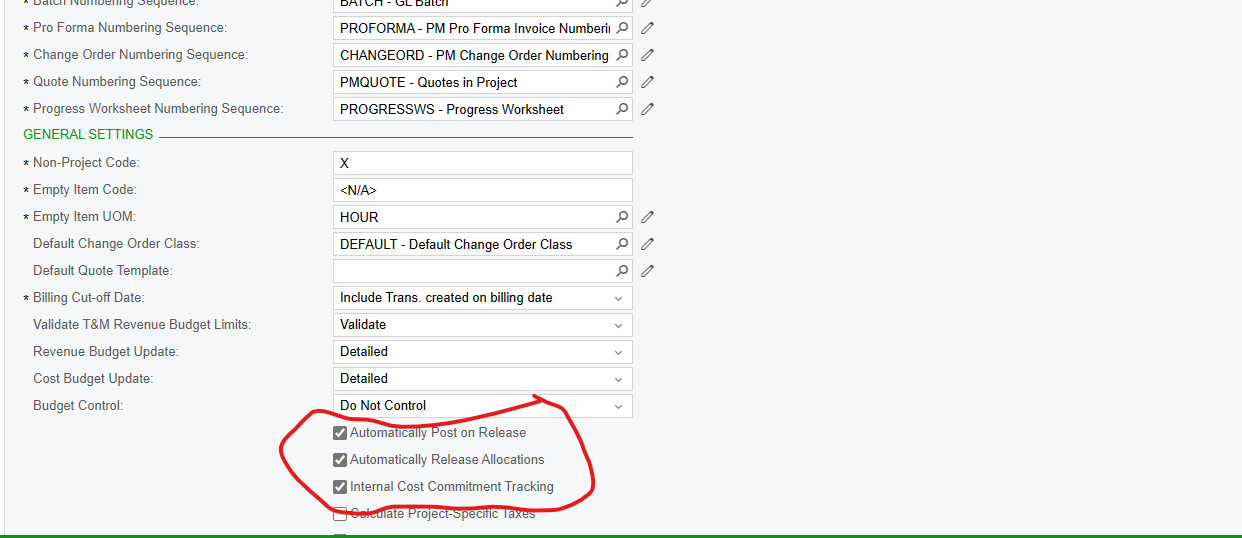
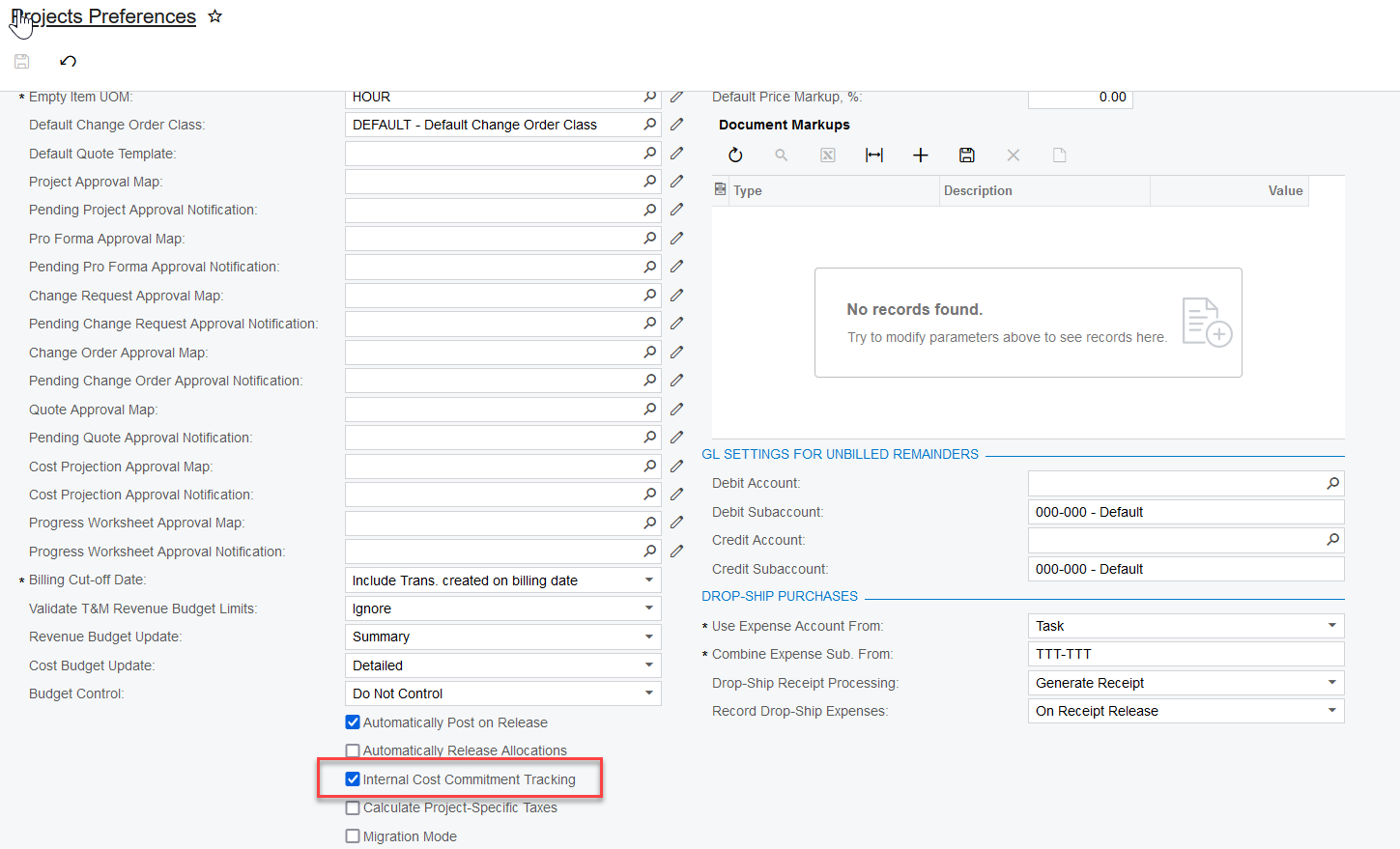
There are a few settings to look at -
Project Preferences - Internal Cost Commitment Tracking
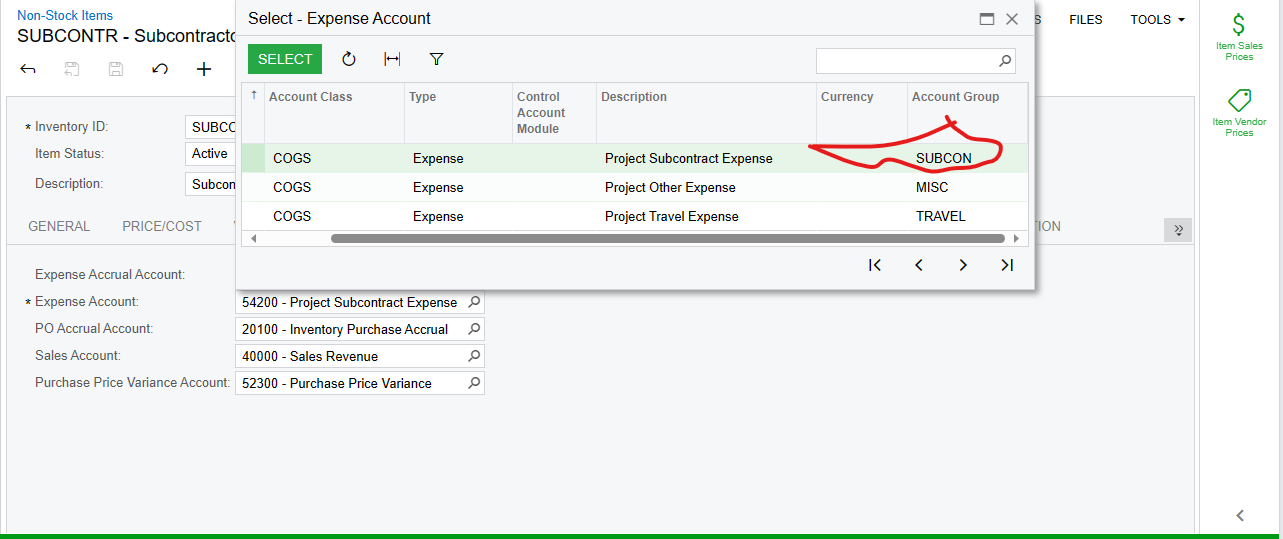
On the commitment, make sure that the Expense Account on the Item is attached to an account group
‘
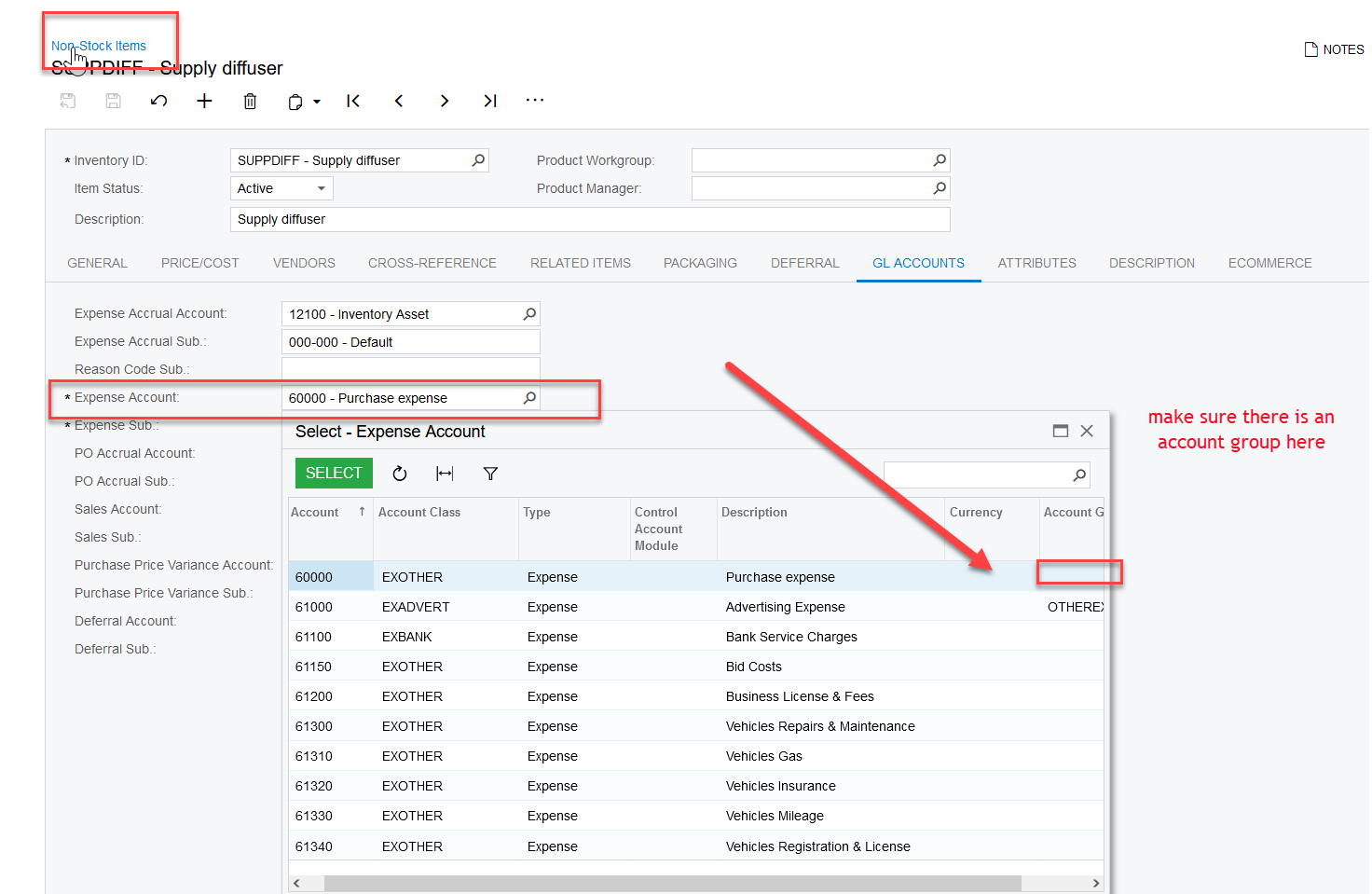
Once you verify these settings and change something, then you can recalculate project balances
No account yet? Create an account
Enter your E-mail address. We'll send you an e-mail with instructions to reset your password.