Question

How to identify if a particular AR invoice is coming from Pro-forma ?

  • November 7, 2025
  • 7 replies
  • 98 views


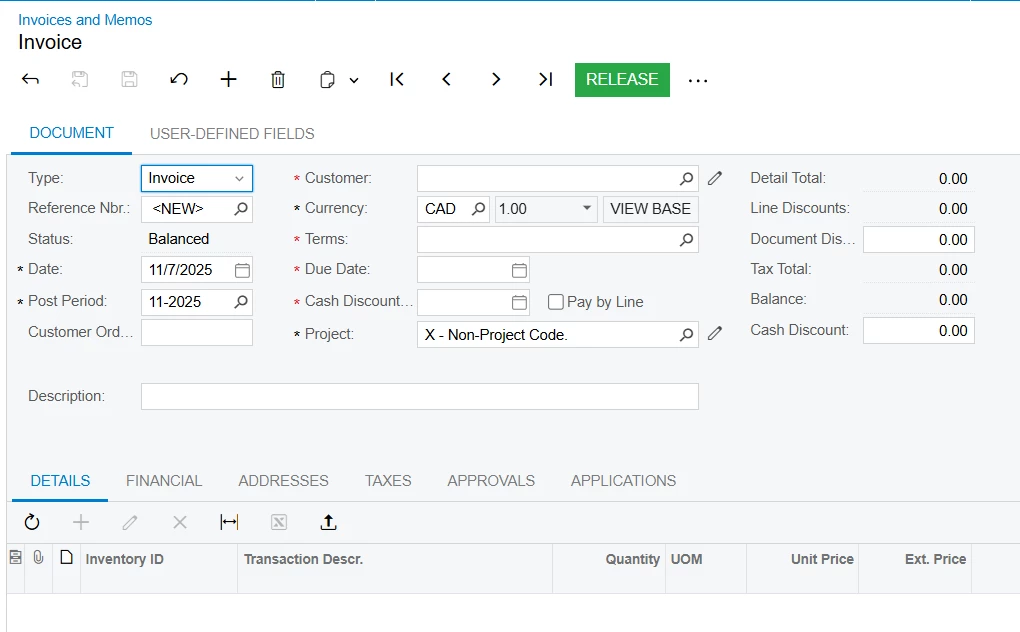
From this screen , how to know if this AR invoice was created manually in this AR Invoice and Memo screen or was it automatically created as part of creating a Pro-forma ?

is there a field that can enable me to identify this in the Invoice and Memo screen (AR301000) ?

7 replies

PaulMainard55
Captain I
Forum|alt.badge.img+2

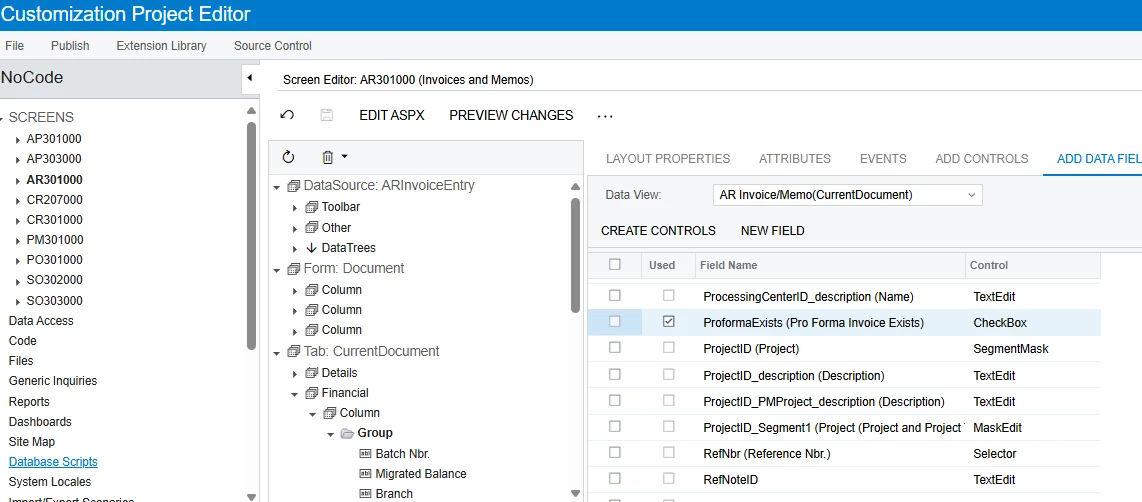
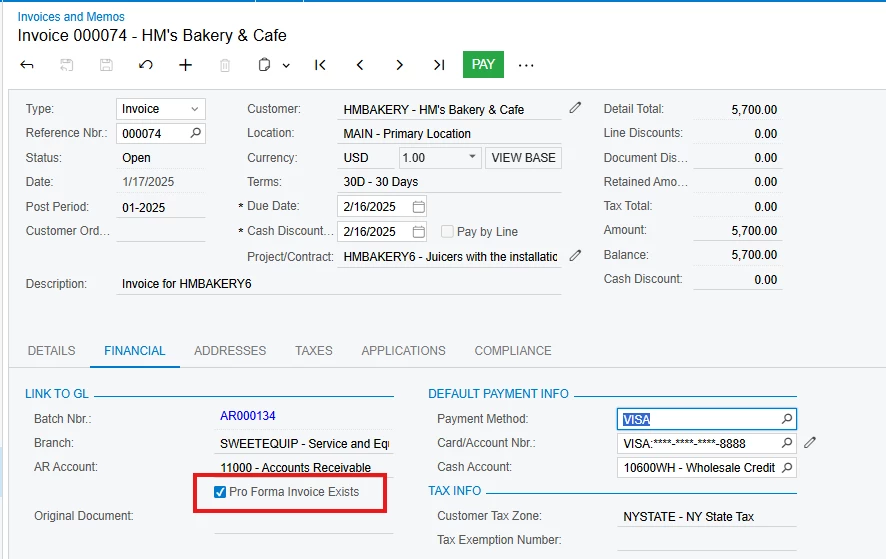
@SaravanaR - this is a great question.  Clearly, the field is not visible on the Invoice form since we can’t see it on the AR Invoices and Memos screen.  There is a check-box field that can be exposed through a no-code customization called “ProformaExists” that should allow you to see that the invoice was generated by way of a Proforma Invoice. 

In my example, I added it to the Financial Tab on the Invoice…


Unfortunately, I could not find the cross-reference data columns that would provide the actual pro forma invoice reference number within the available data schema.  In fact, I could not find these values within the ARInvoice DAC.  

There is a couple of “Incoming Reference” DAC objects acknowledging the relationship between the Pro Forma document and the AR Invoice, but there’s nothing in the ARInvoice DAC that is an obvious and specific x-reference to these documents.  Perhaps the data field is hiding or has an unrecognizable pseudonym..?

Maybe someone in Acumatica Support could provide us with the breadcrumbs as to whether this field is easily accessible.  ​@BenjaminCrisman - do you have any info on this that can be of any assistance?


BenjaminCrisman
Acumatica Employee
Forum|alt.badge.img+4
  • Acumatica Support Team
  • November 7, 2025

@SaravanaR In this case I’m not super familiar with the workflow of Pro Forma to AR Invoice, so some details may escape me in the process, but here’s what I see:

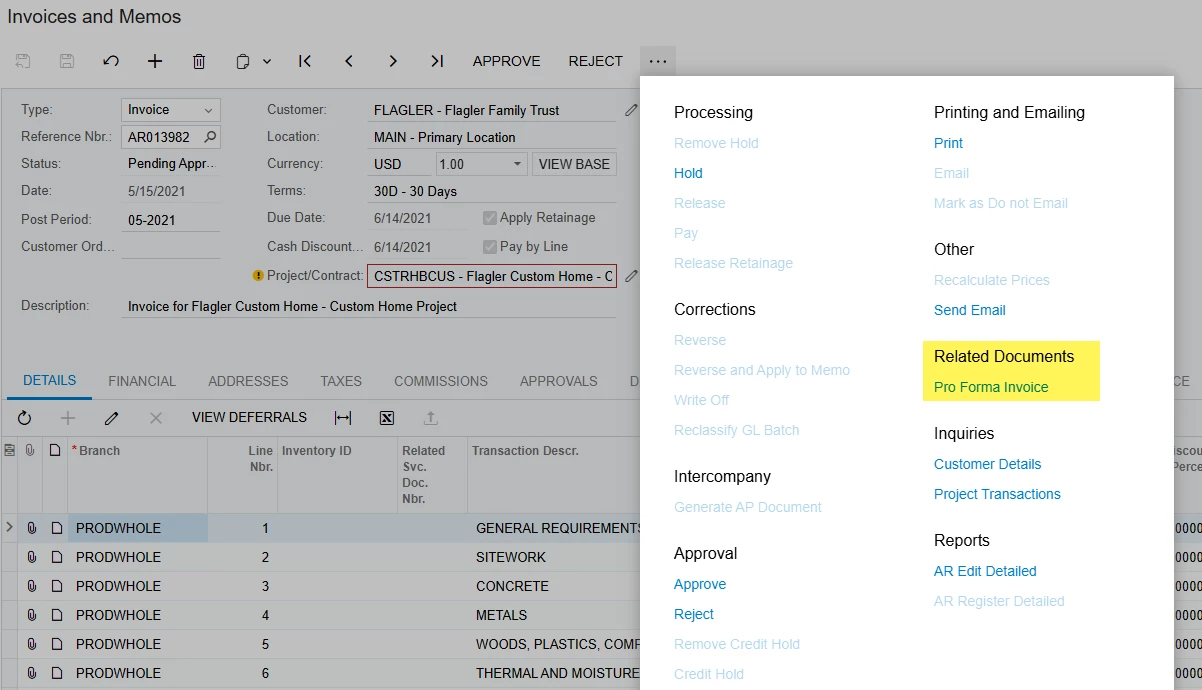
First thing is that you can click on the ellipses at the top of the screen and the option to see the Pro Forma Invoice:

If there is no related project invoice, this selection is not available. This is the most easily observable way to check.

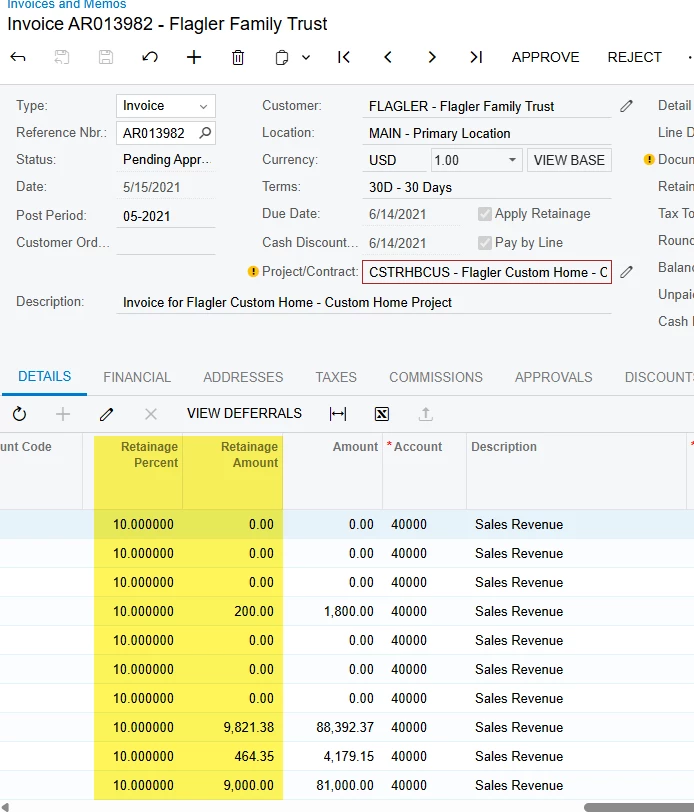
If using Retainage, you could also note that the Retainage Percent and Retainage Amount are added by default to the Details grid of invoices which are created off Pro Forma and on the Financial tab the Retainage Receivable Acct or Retainage Receivable Sub are filled in:

As ​@PaulMainard55 pointed out there is a field called ProFormaExists and this can be added, but it is already part of the ARInvoice table and can be added to the AR Invoice & Memo GI to quick see from the invoice list if it exists.

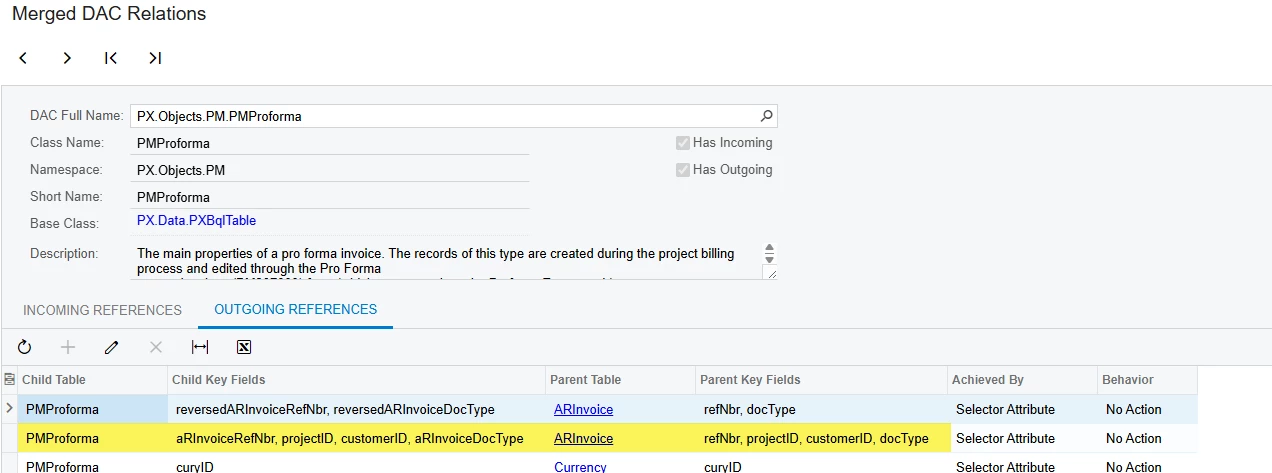
The AR Document details exist within the PMProforma table as well, so if you need to link in PMProforma to the ARInvoice list you can do this using ARInvoice.DocType, ARInvoice.RefNbr, and ARInvoice.ProjectID, joining them to PMProforma.ARInvoiceDocType and PMProforma.ARInvoiceRefNbr, and PMProforma.ProjectID respectively.

From the Merged DAC Relations screen:

That’s all I could see from a quick glance, is this along the lines of what was being requested?


  • Jr Varsity II
  • November 10, 2025

We have the Proforma Ref # on our Invoice & Memo GI

That way you can drill down to the proforma or the invoice from the GI.


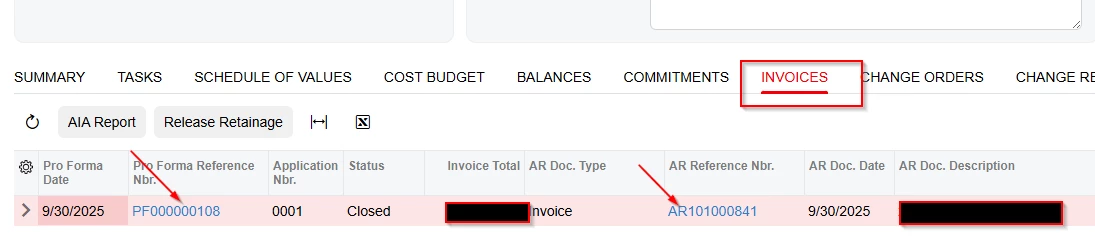
Also if you are on a project ( you can click to invoices and it will show if a proforma exists or if it came directly from the invoice.  Two places to get the same info and drill to source.  


  • Freshman II
  • November 14, 2025

You also could edit your GI for the Invoices and Memos, add in one row called “InvoiceNbr” in the result Grid tab from the “ARInvoice” table, this is the proforma invoice number if this AR is coming from Proforma invoice.

GI: AR-Invoices and Memos

in the “Result Grid” tab

Click the “+” button

Object: ARInvoice

Data field: InvoiceNbr

Style Visible: checked

You will see one column showing up in your report with the Proforma Invoice# if it is coming from proforma invoice.


  • Author
  • Freshman II
  • November 25, 2025

@jianlin679 Invoice number column is already there in the result grid of the GI . I can see the invoice numbers but the challenge is how to identify which invoices are from proforma (In the Invoices and Memos screen)


nickcerri32
Jr Varsity III
Forum|alt.badge.img+1
  • Jr Varsity III
  • November 25, 2025

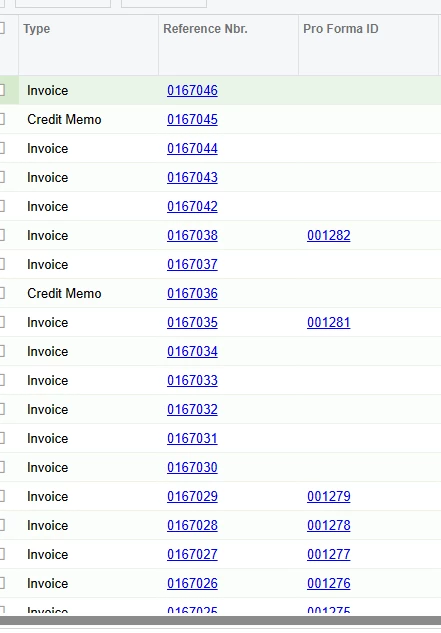
@SaravanaR - I tried to read through the comments, so hopefully I’m not stepping on anyone’s toes here.  This is effectively what ​@BenjaminCrisman suggested.  I just tested this out and was able to join ARInvoice to PMProforma as follows.  

Then I just pulled the Reference number from PMProforma and renamed it Pro Forma ID.  You can get creative here going a step further and do a formula column that looks for a Pro Forma reference number and if it isn’t Null have it say “Has Pro Forma”.


PaulMainard55
Captain I
Forum|alt.badge.img+2

What a vibrant community we have.  A lot of good suggestions that can help ​@SaravanaR with navigating the data.

The original question from ​@SaravanaR was, how can users recognize the existence of a Proforma Invoice by looking at the AR Invoice transaction screen. No mention of GIs, but within the transaction screen itself.

I think adding the field to the Invoices and Memos GI as ​@BenjaminCrisman suggested is likely the best answer as it makes it easier to find see at a glance those invoices generated from Proformas.  Adding joins to the Proforma table to the GI and enabling navigation also makes a lot of sense.  

If the the user wants the invoice transaction screen to reflect that the invoice was generated from a proforma as stated by the OP (twice), then adding the field through no-code serves that purpose.  It appears though that additional coding will be necessary to bring in the Proforma Invoice number onto the screen along with the checkbox, unless I’m miss reading the available fields listing within the customization packet.