Solved

How to auto create tasks under Projects?

  • February 10, 2026
  • 2 replies
  • 46 views

Forum|alt.badge.img

Hello all,

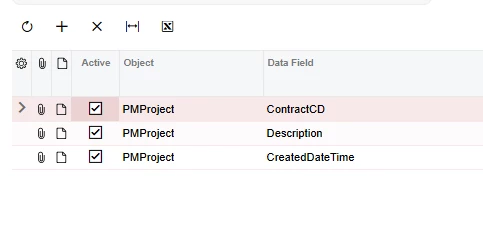
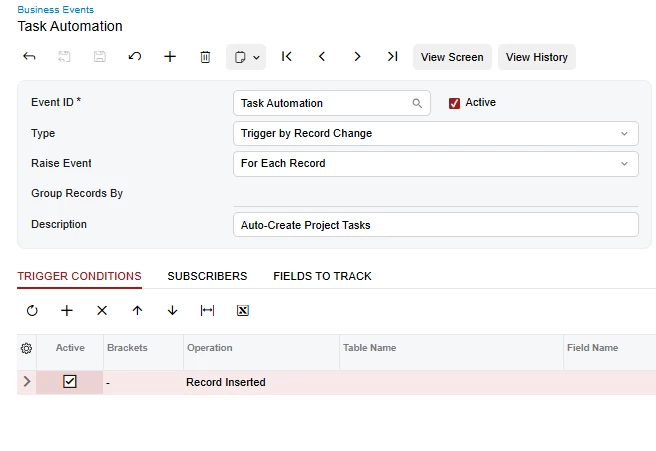
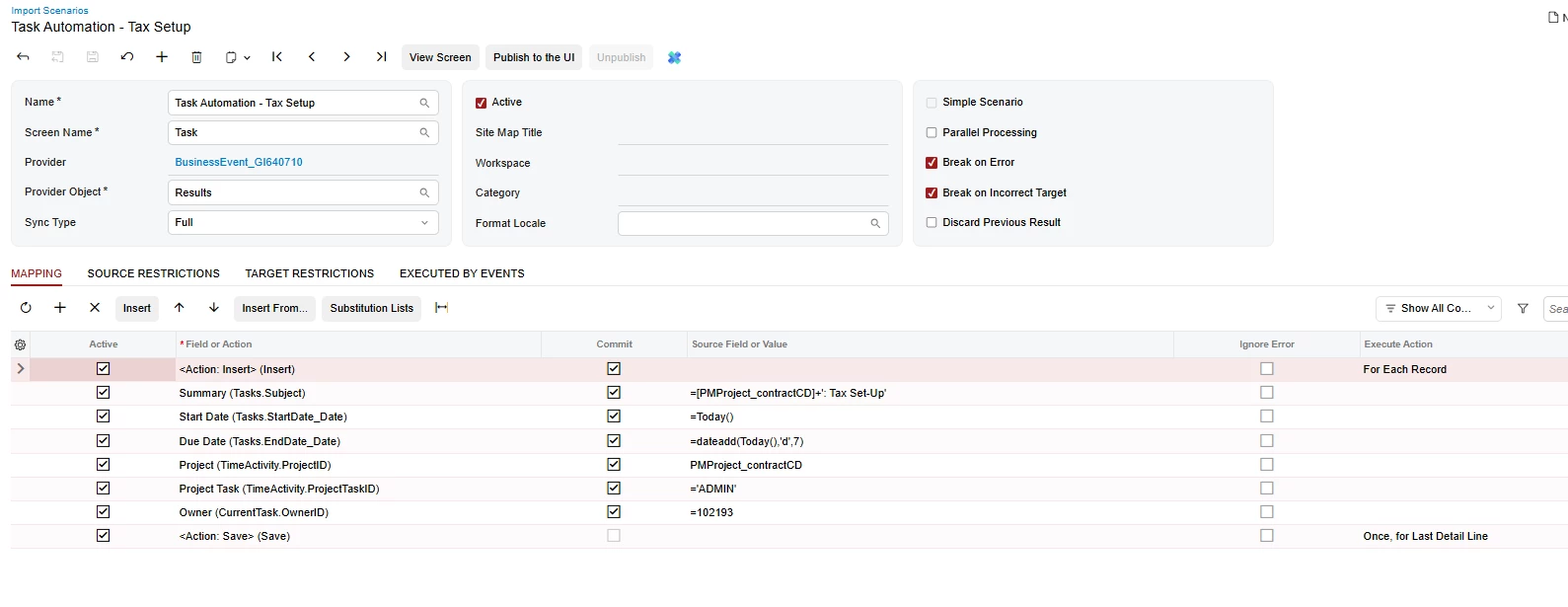
How can one create task situated under Activities tab in PM301000. I came across Task templates screen, so I mapped the values and then setup the biz event that should be triggered when the Project status changes to Active. But it is not firing off. Can anyone guide me on this?

Best answer by harshitasethia74

@Harry , Can you make sure if the Business Event is firing off based on a schedule? Can you also share the triggering conditions for the Biz event?

Thanks.

2 replies

Forum|alt.badge.img

Hi ​@Harry,

You can try the following approach to create tasks under projects:

  1. Task Templates – Set up tasks in PM302000 with all required fields.

  2. Import Scenario – Create a scenario to generate PMActivity (Project Tasks) using the template values.

  3. Business Event – Configure a event:

    • Trigger: Field Updated → Status

    • Condition: Status = Active

    • Action: Run the Import Scenario.


Forum|alt.badge.img+1

@Harry , Can you make sure if the Business Event is firing off based on a schedule? Can you also share the triggering conditions for the Biz event?

Thanks.