

How can I update multiple cost codes by modifying existing values? I am trying to change the description and numbering sequence of cost codes. When I import, new values are added. How to I import and modify the existing cost coded without manually editing over 2000 cost codes and descriptions. Thank you.
Solved
How can I update multiple cost codes in Acumatica by modifying existing values?
Best answer by vkumar
Hi
You can use an import scenario to update the Cost code and description. Cost can be modified using ‘ChangeID’ action on Cost Code entry screen (PM209500)
Here is a sample import scenario I got it to work on my demo tenant :
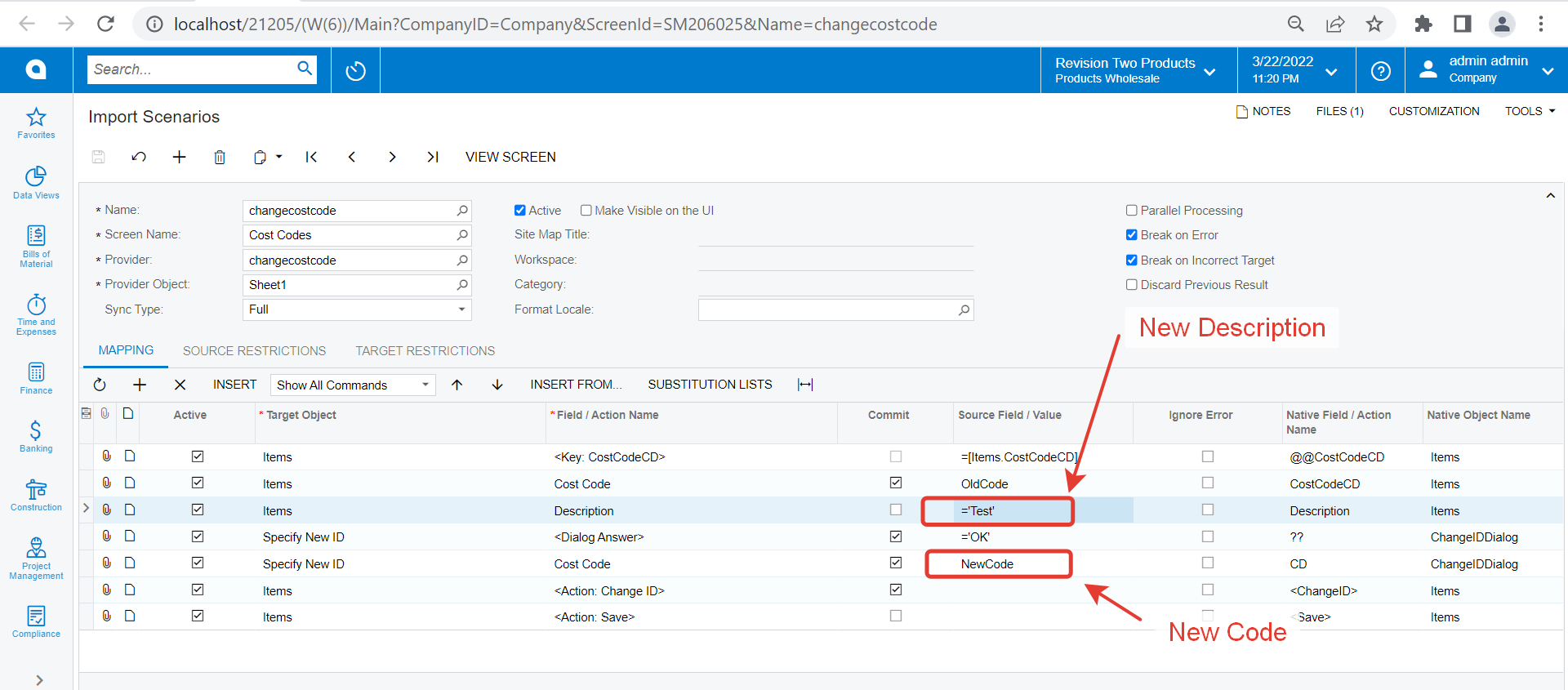
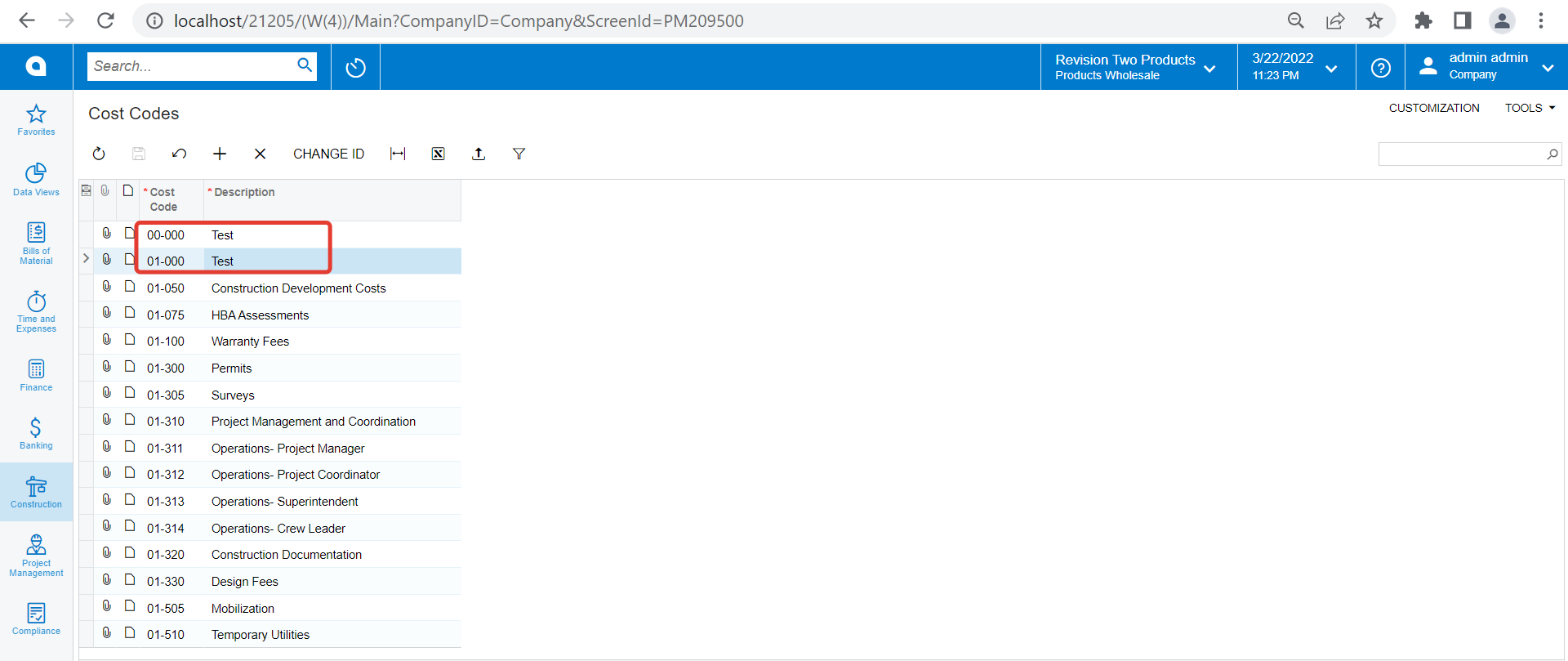
I have attached the xml file of the import scenario as well.
Hope this helps.
Regards,



Login to the community
No account yet? Create an account
Social Login
Login with your Acumatica accountEnter your E-mail address. We'll send you an e-mail with instructions to reset your password.