Question

Employees added in Company tree are not showing in Employee selector of Employee Time Activities screen

  • June 20, 2025
  • 5 replies
  • 97 views

Forum|alt.badge.img

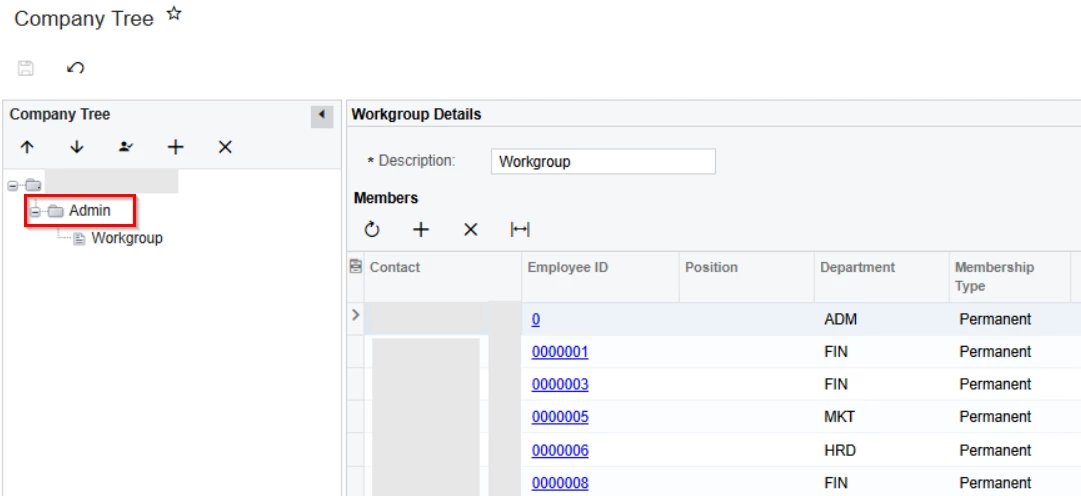
We would like to Import Time activities for multiple employee. So we have added required Employees in Company tree > Admin > under Workgroup section. But the Employees are not showing in Employee selector of Employee Time Activities screen.

Are we missing any setting, please let me know.

5 replies

Forum|alt.badge.img+3

@shyamalav71 
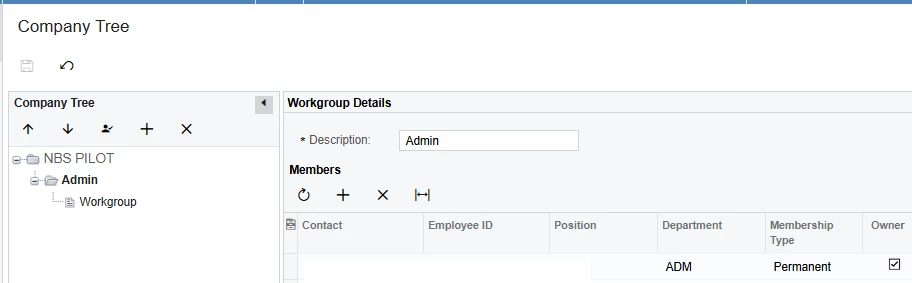
Could you please add the API User or user doing the Time Entry sync in Admin workgroup, as highlighted in the screenshot below.

Ideally, the API User/ user doing the employee sync should be higher in the hierarchy level than the other employees.


Forum|alt.badge.img
  • Author
  • Jr Varsity III
  • June 22, 2025

Hi ​@ruchikasharma23, Thanks for the reply.


API User/ user doing the employee sync has been already added in Admin workgroup. But we are still not able see the Employees in Time Activities/Timecards screen.


mohammadnawaz51
Jr Varsity I
Forum|alt.badge.img+4

Hi ​@shyamalav71 


Are you getting same issue for every newly created employee, can you create  a new one and do the needful?


Forum|alt.badge.img
  • Author
  • Jr Varsity III
  • June 23, 2025

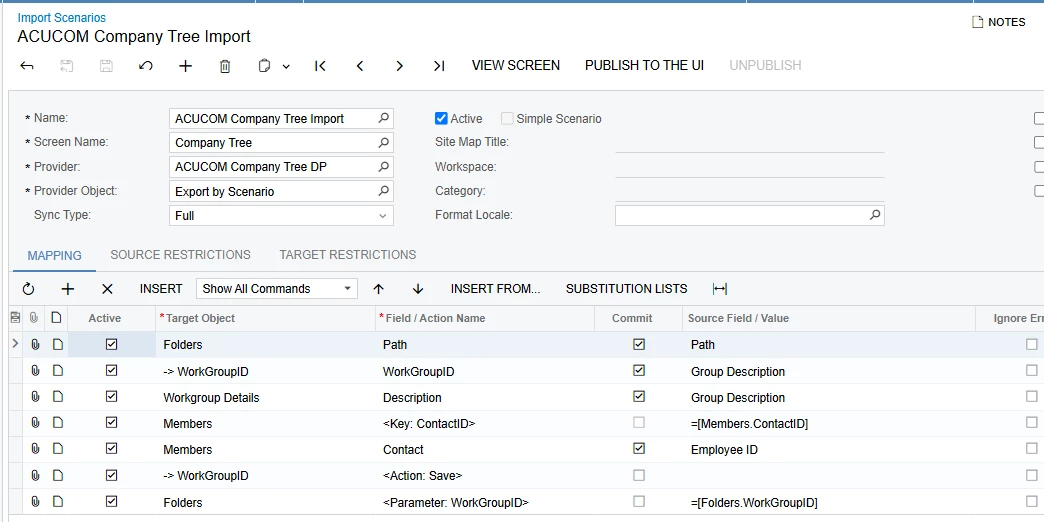
We have imported Employees to assign workgroups in Company tree. This issue is coming after the import scenario is processed.

We are able to see the employees when add manually in Company tree. As we have 2000+ employees, we have run this import scenario for assigning the workgroup. after this the employee are not showing in Employee selector of Time activities screen for Admin workgroup.

Most of out Employee are not linked to the user and it is not required to give access to the application. so we cannot import Workgroup directly in Employee master when User ID is not linked to the employee.
So we have tried to import in company tree and facing this issue.
Is there any issue in this import scenario. Or please share the correct Import scenario for adding employees to existing Workgroup in Company tree.


Chris Hackett
Community Manager
Forum|alt.badge.img
  • Acumatica Community Manager
  • September 23, 2025

Hi ​@shyamalav71 were you able to find a solution? Thank you!