Answer

Business event to Release Proforma - Error

  • April 18, 2025
  • 8 replies
  • 74 views

Forum|alt.badge.img+1

Hi everyone,

I'm trying to create a simple import scenario to release Proforma invoices. However, I consistently receive the error:

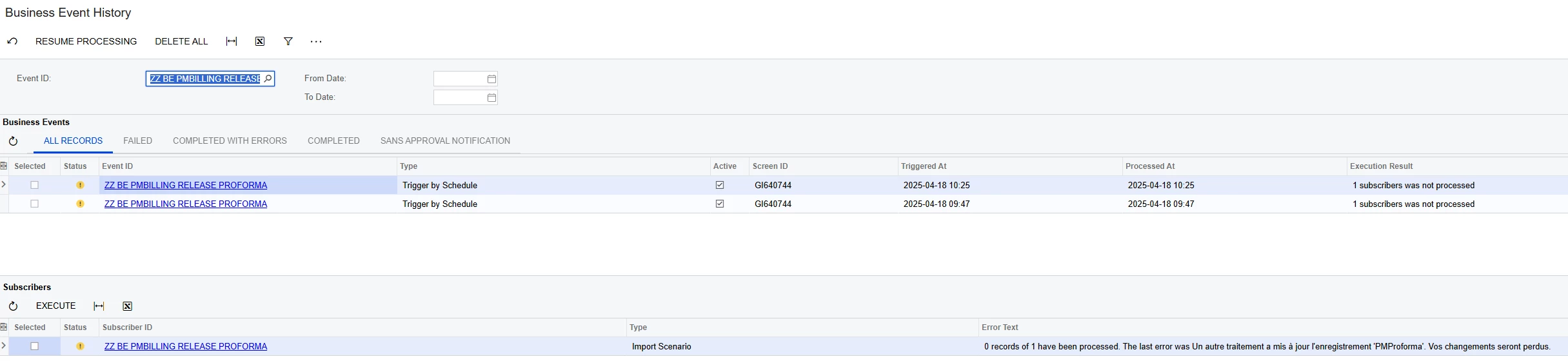
"0 records of 1 have been processed. The last error was: Another process has updated the 'PMProforma' record. Your changes will be lost."

What’s strange is that it seems to perform the Release from Hold action, as the AR invoice is created — but the Proforma itself remains in Open status instead of moving to Closed.

Could it be that I’m doing this the wrong way? Any ideas or recommendations would be greatly appreciated!
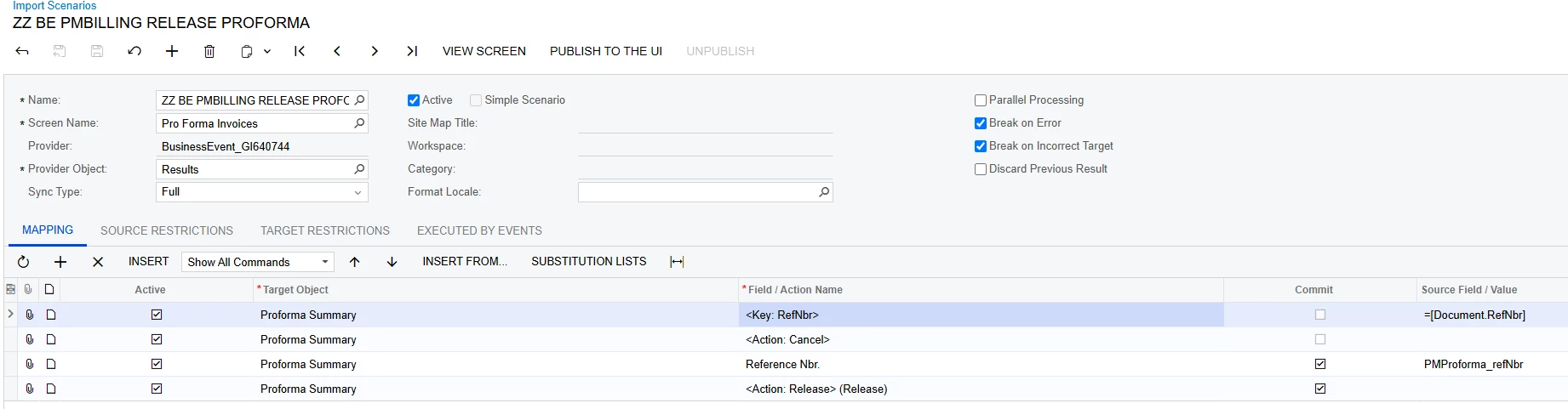



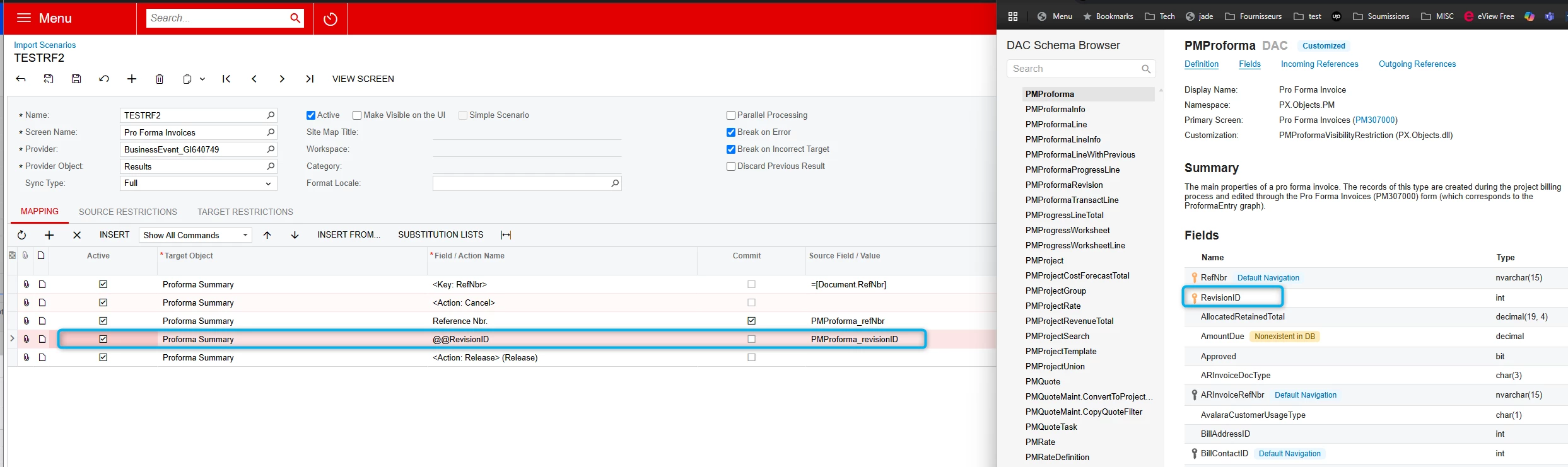
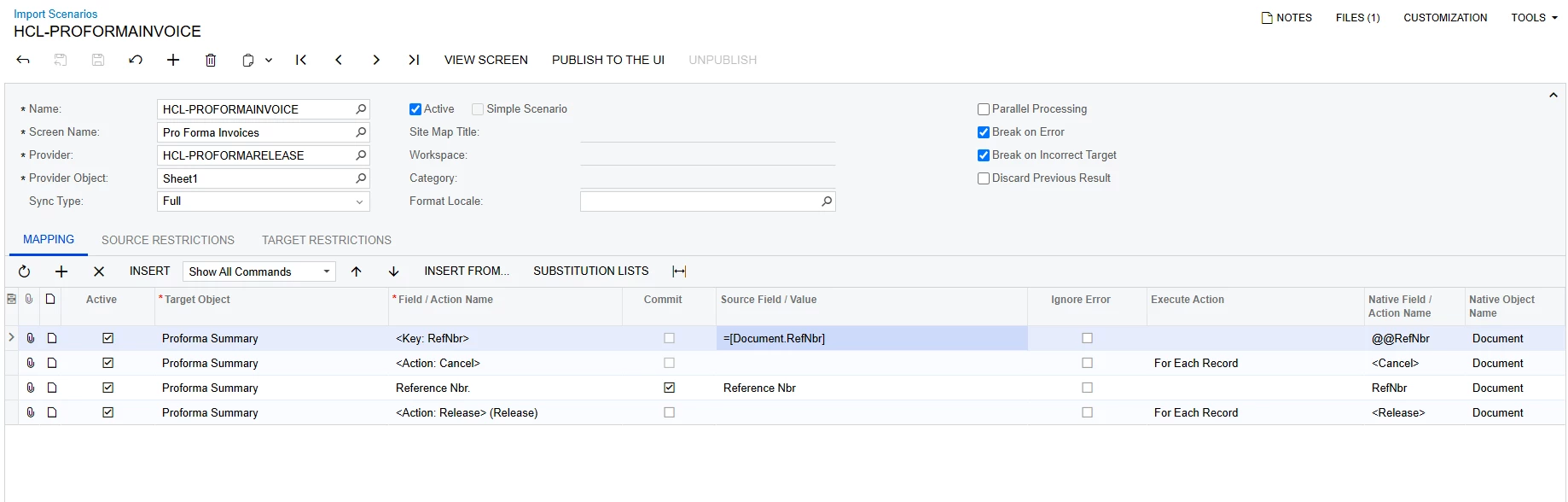
Import scenario
Before B.E.


After B.E.
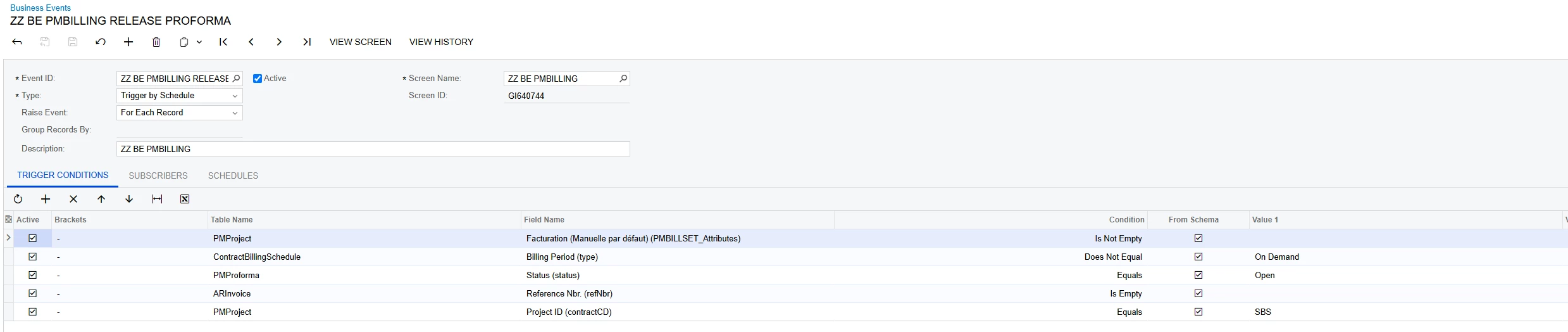
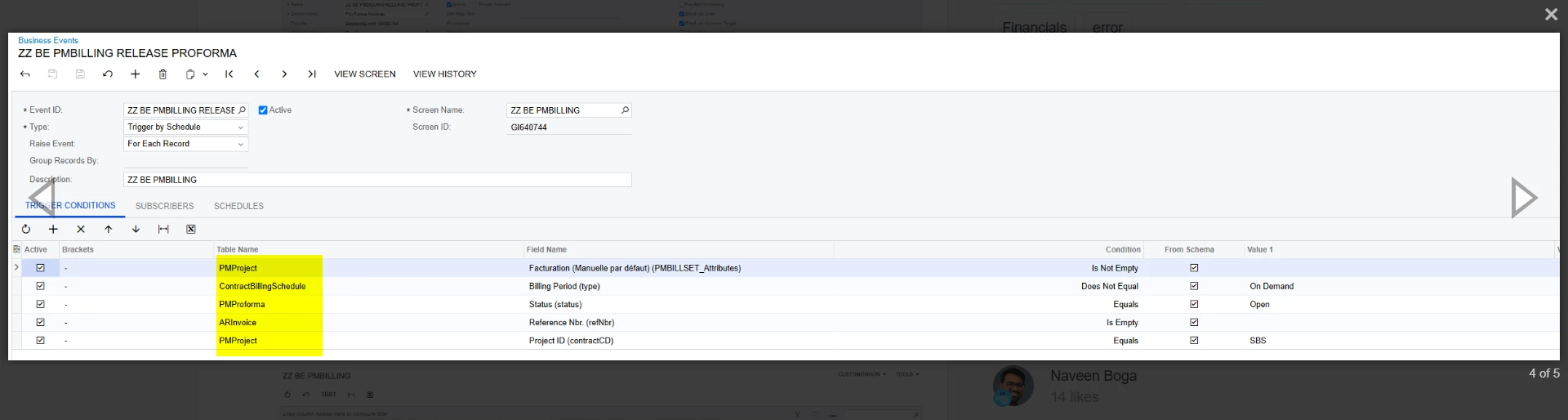
B.E. Conditions
ERROR


Best answer by raphrf

Hi, it work with a manual import scenario, but it let the proforma Open.

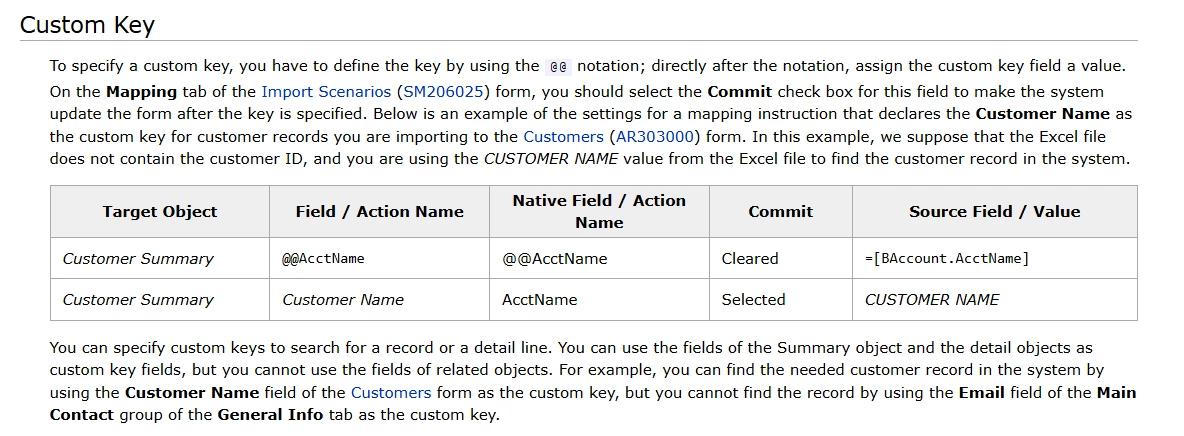
I figured it out. There a second primary key, but this key is not mapped in the form fields! i forced it with the help as a Custom Key!


8 replies

Manikanta Dhulipudi
Captain II
Forum|alt.badge.img+15

@raphrf If you run the Import scenario individually ? Working?


Forum|alt.badge.img+1
  • Author
  • Captain I
  • April 18, 2025

Hi ​@Manikanta Dhulipudi 

two things :

  • If I run it By action button instead of schedule, i got the same error
  • If i do it manually exactly as the import scenario, it work as it should.


what chatgpt told me: The import scenario triggered by a Business Event does not wait for the complete end of the processing (and the transaction): the update is therefore blocked by a row version conflict, typical of a double simultaneous update on the same record (PMProforma in this case).


Forum|alt.badge.img+1
  • Author
  • Captain I
  • April 18, 2025

here is my custom attribute and business event


Manikanta Dhulipudi
Captain II
Forum|alt.badge.img+15

@raphrf 

Can you disable one by one and see which condition causing the issue.


Forum|alt.badge.img+1
  • Author
  • Captain I
  • April 18, 2025

@raphrf 

Can you disable one by one and see which condition causing the issue.


I’m not sure to understand why, we can removing conditions in case it doesn’t trigger, but the B.E. trigger , the problem is i got an error, is this a misunderstanding?


aaghaei
Captain II
Forum|alt.badge.img+10
  • Captain II
  • April 19, 2025

Hi ​@raphrf , I tested the below successfully.


Forum|alt.badge.img+1
  • Author
  • Captain I
  • Answer
  • April 20, 2025

Hi, it work with a manual import scenario, but it let the proforma Open.

I figured it out. There a second primary key, but this key is not mapped in the form fields! i forced it with the help as a Custom Key!


Chris Hackett
Community Manager
Forum|alt.badge.img
  • Acumatica Community Manager
  • April 22, 2025

Thank you for sharing your solution with the community ​@raphrf!