Answer

Archiving Projects

  • November 18, 2024
  • 7 replies
  • 93 views

Forum|alt.badge.img+1

Does anyone know of any existing functionality around archiving projects that are no longer active? I’d like to be able to archive/inactivate them to the point that they do not show up on search lists when using the search bar.

Best answer by noorula77

Override your field on screen level and add below mentioned code:
[PXMergeAttributes(Method = MergeMethod.Merge)]
[PXRestrictor(typeof(Where<DACName.isActive, Equal<True>>), "Only active records are allowed")] // Restrictor to filter by isActive

OR

[PXSelector( typeof(Search<Project.contractID, Where<Project.isActive, Equal<True>>>), typeof(Project.contractCD), typeof(Project.description), SubstituteKey = typeof(Project.contractCD), DescriptionField = typeof(Project.description))] [PXRestrictor(typeof(Where<Project.isActive, Equal<True>>), "Only active projects are allowed")]

7 replies

darylbowman
Captain II
Forum|alt.badge.img+15

Could you clarify what search bar you mean?


Forum|alt.badge.img+1
  • Author
  • Jr Varsity II
  • November 20, 2024

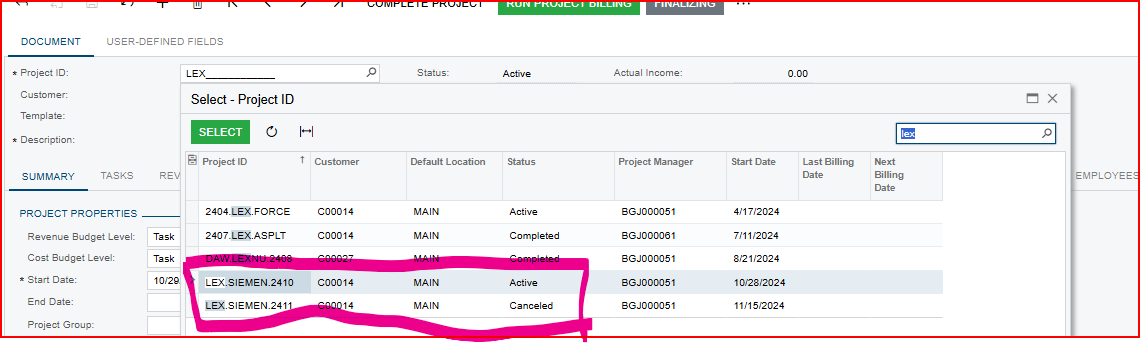
Yes, on the Projects Screen. You can see below when I search LEX, it still brings up cancelled/completed jobs. Is there a way to archive jobs to not show up in search (but still be able to access another way?) Reason I ask is, we have been in Acumatica for 4 months. In a few years, this list is going to be extremely long and consist of jobs no longer relevant, making search more cumbersome.


darylbowman
Captain II
Forum|alt.badge.img+15

I don't believe this is possible out-of-the-box. However, this would be a relatively simple customization.


  • Freshman I
  • November 21, 2024

Hi Leah,

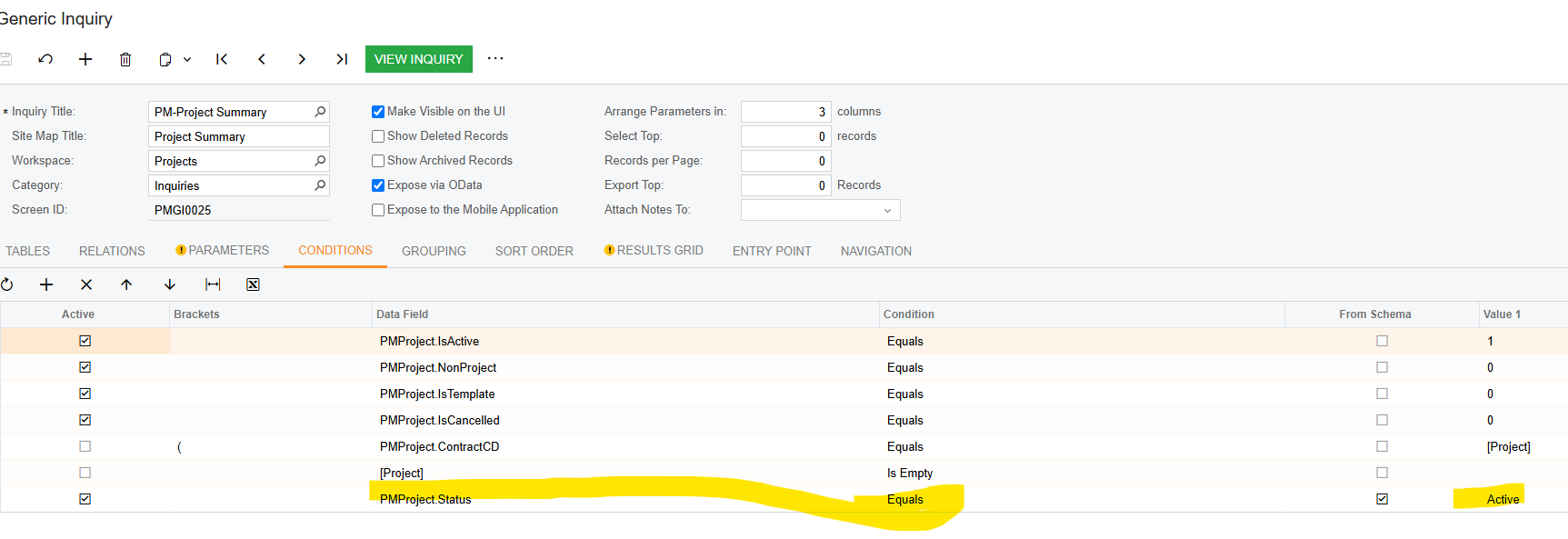
We are new to Acumatica as well and the list you refer to is run from a Generic Inquiry and you can modify the GI to exclude jobs with a certain status.

I have a Project Summary GI that only picks up active projects but the condition can be set to “Does not equal”.

Hope this makes sense


Forum|alt.badge.img+1
  • Jr Varsity III
  • Answer
  • November 21, 2024

Override your field on screen level and add below mentioned code:
[PXMergeAttributes(Method = MergeMethod.Merge)]
[PXRestrictor(typeof(Where<DACName.isActive, Equal<True>>), "Only active records are allowed")] // Restrictor to filter by isActive

OR

[PXSelector( typeof(Search<Project.contractID, Where<Project.isActive, Equal<True>>>), typeof(Project.contractCD), typeof(Project.description), SubstituteKey = typeof(Project.contractCD), DescriptionField = typeof(Project.description))] [PXRestrictor(typeof(Where<Project.isActive, Equal<True>>), "Only active projects are allowed")]



DipakNilkanth
Pro III
Forum|alt.badge.img+13

Hi ​@leahcarpenito,

If you want to display only active projects in the selector, it would require a customization.

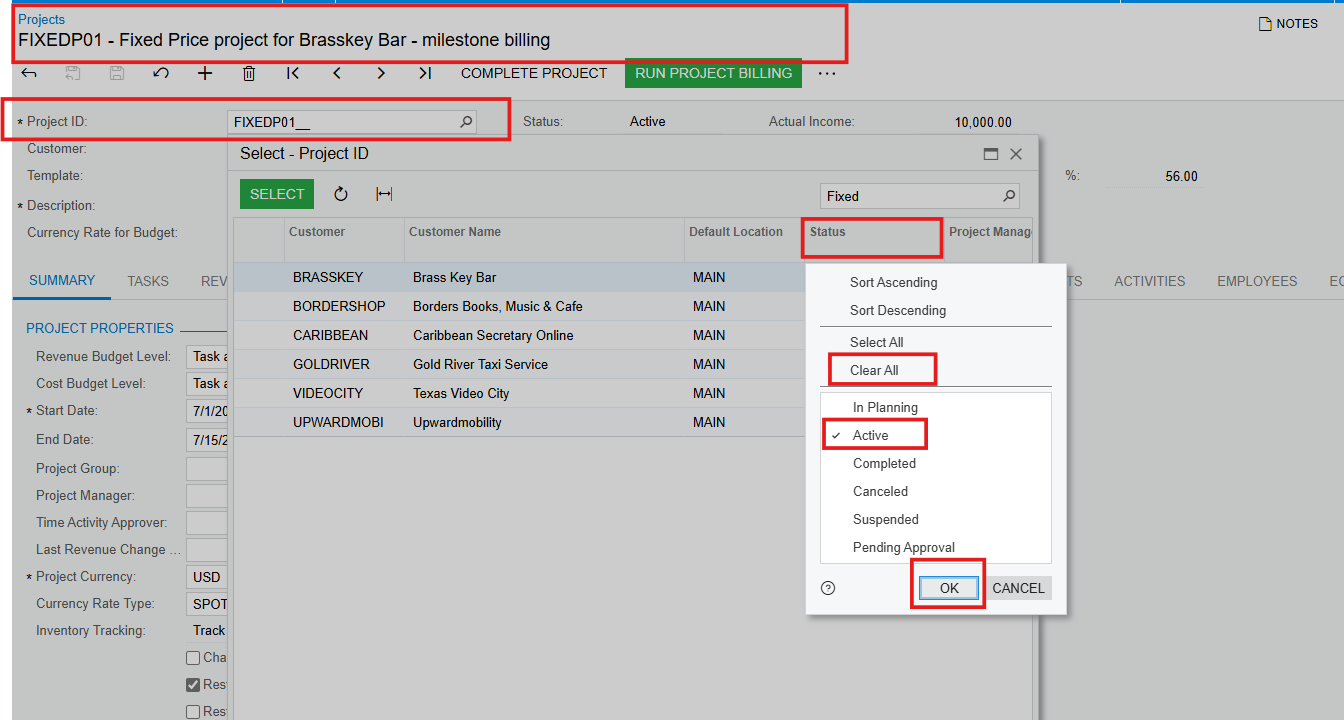
However, if you're not comfortable with customization, an alternative solution is to apply a filter based on the status (e.g., "Active Projects Only"). This will display only the projects with an active status.

Hope, it helps!


darylbowman
Captain II
Forum|alt.badge.img+15

...the list you refer to is run from a Generic Inquiry

The screenshot she posted is a selector, not a GI. It can't be modified without code.