Answer

Approval Map - Project Issues

  • July 26, 2023
  • 2 replies
  • 91 views

APistorius
Jr Varsity II
Forum|alt.badge.img+1

Is it possible to have an approval map for the ‘Close’ process of certain classes of ‘Project Issues’?  We have figured out how to use Project Issues as a custom form entry platform, but we’re getting to the point where it would be nice (for some forms) to have an approval workflow before they close.

Best answer by Laura03

Hello @APistorius ,

In version 2023 R1, Approval Maps can be added to the following screens/documents/transactions:

  • AP Bills & Adjustments
  • Cash Purchases
  • Cash Sales
  • Cash Transactions
  • Employee Time Card
  • Expense Claim
  • Expense Receipt
  • Invoices & Memos
  • Journal Transactions
  • Payments & Applications
  • Purchase Orders
  • Sales Orders

To add controls to the ‘Close’ process of certain classes of ‘Project Issues’ will require Business Events or some Customization.

Laura

2 replies

Laura03
Captain II
Forum|alt.badge.img+19
  • Captain II
  • Answer
  • July 26, 2023

Hello @APistorius ,

In version 2023 R1, Approval Maps can be added to the following screens/documents/transactions:

  • AP Bills & Adjustments
  • Cash Purchases
  • Cash Sales
  • Cash Transactions
  • Employee Time Card
  • Expense Claim
  • Expense Receipt
  • Invoices & Memos
  • Journal Transactions
  • Payments & Applications
  • Purchase Orders
  • Sales Orders

To add controls to the ‘Close’ process of certain classes of ‘Project Issues’ will require Business Events or some Customization.

Laura


iqraharrison
Captain II
Forum|alt.badge.img+8
  • Captain II
  • July 28, 2023

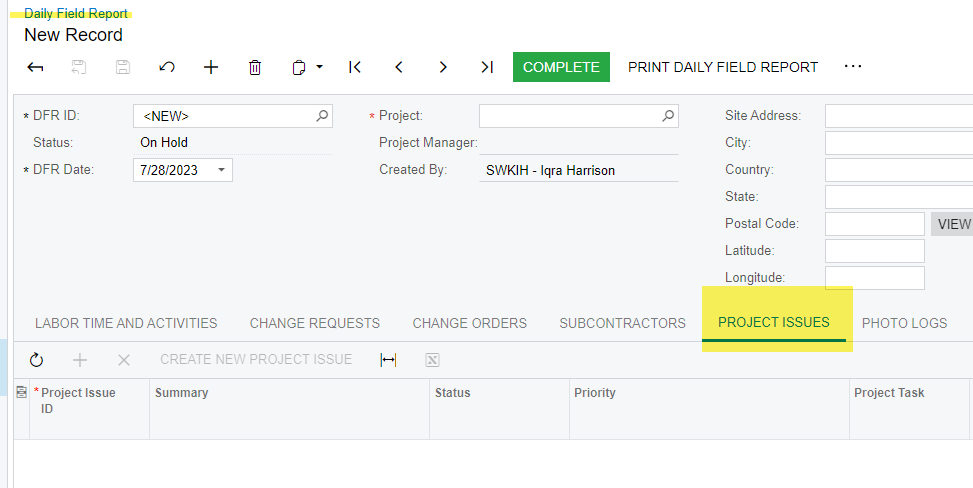
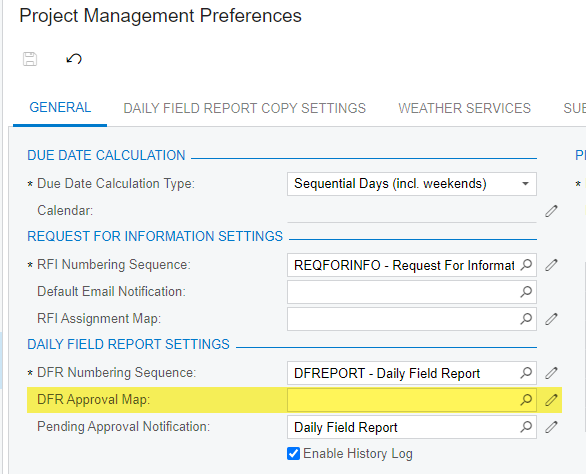
@APistorius as Laura stated there isn’t an approval map that you can set on the actual project issue without the Business event/schedule or customization, however, you can add an approval map to the Daily field report which have a tab for project issues.  

hope this helps!