

Solved

Apply to All Feature in Approvals & Preassigning Tasks/Cost Codes

  • August 8, 2025
  • 1 reply
  • 56 views

Hello Acumatica Community,

Our AP workflow is based on Account Group, Tasks, and Cost Codes. I’m looking for guidance on two points: 

  • Apply to All Feature - In the Approvals screen (and also in Bills and Adjustments), is there an “Apply to All” feature for tasks and cost codes. For example, if multiple lines on a bill need the same task and cost code, can we assign them in one step rather than editing each line individually? 
  • Preassigning Tasks and Cost Codes - Is there a way to improve our workflow by having Acumatica automatically assign tasks and/or cost codes based on specific vendor and project? Ideally, when we select a vendor (and project), the system would prepopulate the correct task and cost code for all lines. 

Any advice, configuration tips, or add-on recommendations would be greatly appreciated. 

Thanks,

Konrad | Cratus Inc. 
Best answer by JohnMichels

@Konrad428  Couple of Ideas:

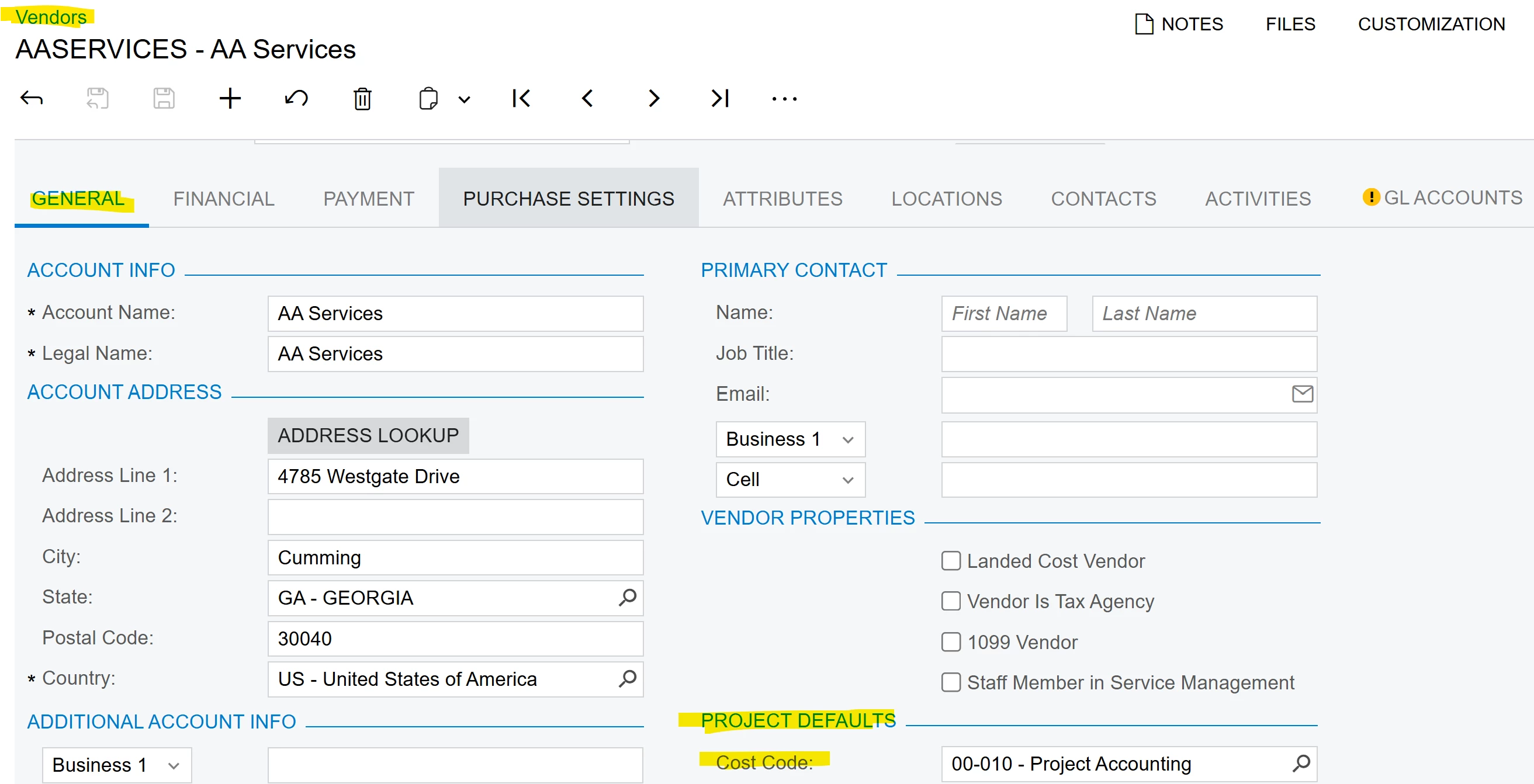
-Vendor record has default cost code which will be populated on AP bill and PO


-If PO’s are used, the Project, Task & Cost Code can be added to the PO Lines at creation of PO.   On PO, click on ADD PROJECT ITEMS which will load the cost budget lines with tasks & cost codes.

Purchase Orde with pop-up; Add Project Items


1 reply

Forum|alt.badge.img+1
  • Jr Varsity I
  • Answer
  • August 10, 2025

@Konrad428  Couple of Ideas:

-Vendor record has default cost code which will be populated on AP bill and PO


-If PO’s are used, the Project, Task & Cost Code can be added to the PO Lines at creation of PO.   On PO, click on ADD PROJECT ITEMS which will load the cost budget lines with tasks & cost codes.

Purchase Orde with pop-up; Add Project Items
