Answer

AP Bill - Amount Field

  • December 3, 2025
  • 6 replies
  • 41 views

Many of our customers have the Amount field on their AP Bill entry screen, like this:
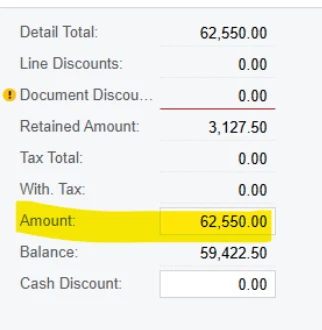
 

On my instance this field is not showing up.  I’m trying to debug why things aren’t matching up and need to get this to display on my test server.  Any advice would be GREATLY appreciated.

I’ve looked in Enable/Disable Features, and didn’t see anything.

I have generally only worked with the API directly, and am not very familiar with the UI customization.

 

Best answer by Laura03

Hello,

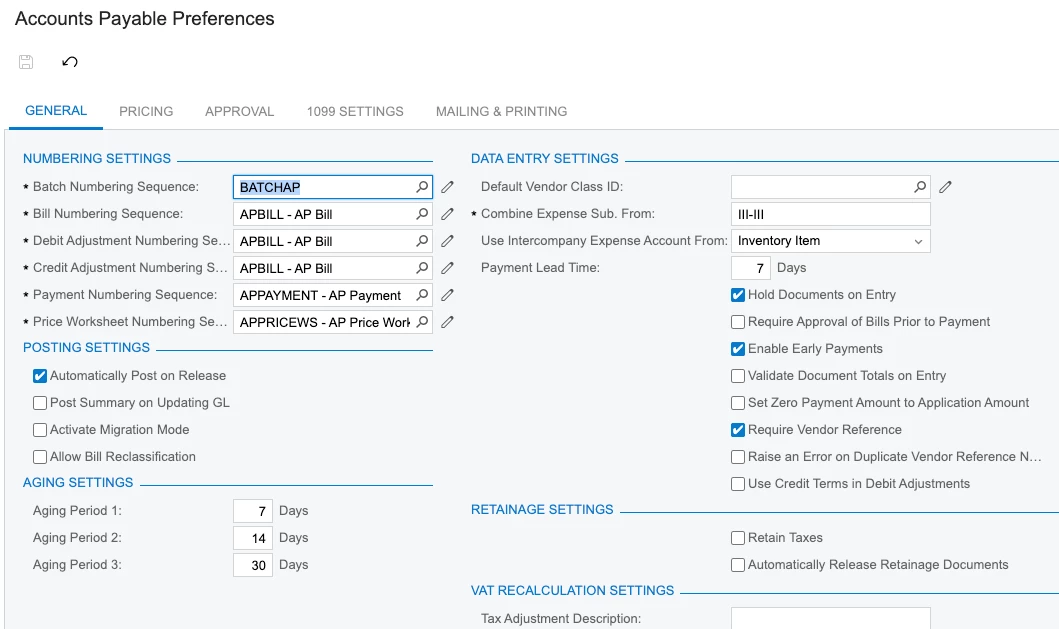
If you want to see the Amount (Control Total), turn on the AP Preferences option: Validate Document Totals on Entry.


6 replies

nickcerri32
Jr Varsity III
Forum|alt.badge.img+1
  • Jr Varsity III
  • December 3, 2025

@kwilson71 - What does your ap preferences look like?  Do you have migration mode on?  If so, uncheck that box


  • Author
  • Freshman I
  • December 3, 2025

Thanks for the quick reponse!   Just checked and I do NOT have migration mode on:  


DipakNilkanth
Pro III
Forum|alt.badge.img+13

Hi ​@kwilson71,
Could you please send a screenshot of the AP Bill Entry screen?
Also, is there any customization published on that screen?
And please confirm whether the Amount field has been renamed.


  • Author
  • Freshman I
  • December 3, 2025

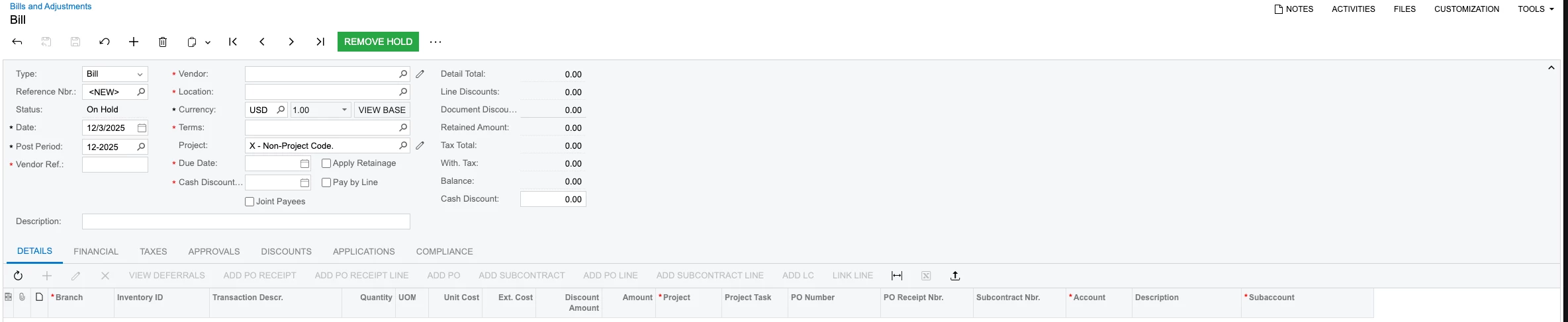
Here’s the AP Bill Entry Screen:  


This is a relatively new install.  The only customizations that have been made are some added Generic Inquiries and an API extension to the Bill endpoint.  The Amount field has NOT been renamed.


Laura03
Captain II
Forum|alt.badge.img+19
  • Captain II
  • Answer
  • December 3, 2025

Hello,

If you want to see the Amount (Control Total), turn on the AP Preferences option: Validate Document Totals on Entry.


  • Author
  • Freshman I
  • December 3, 2025

@Laura03  YES!  that was it.  Thank you so much!