Answer

2025R1 : elimination of "require single project per document"

  • October 15, 2025
  • 6 replies
  • 108 views

Hello,


I read online that the feature "require single project per document" in the AP bills preferences was eliminated in the 2025 version. Is there an alternative that would allow us to have a similar restriction?

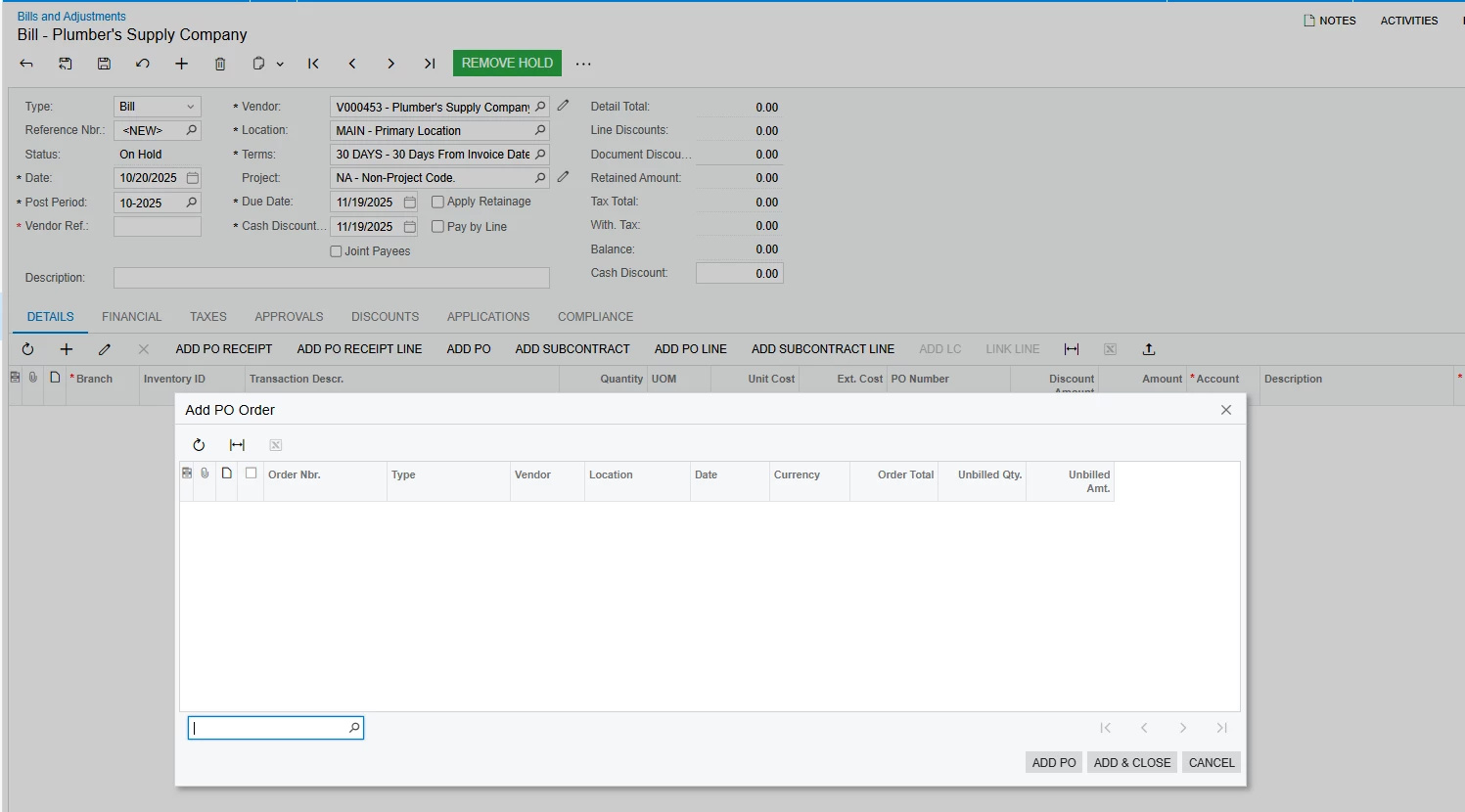
When we want to add a PO to an AP bill, we now have a list of all the opened POs of the vendor showing instead of only showing the POs related to the specific project. This is a bit of an inconvenience for us and a also more risky to apply the invoice to the wrong PO.


Thank you in advance for your help! 

Best answer by joelhoffman

Hi ​@GrahamMartin , ​@AP13 

We appreciate the dialogue and continue usage of Community.

During our product discussions, we review usability, feedback, and other criteria. 

For this scenario, deciding on one method (single or multiple projects) generated feedback and confusion around the Pay by Line, Retainage Calculations, Reporting, and overall flexibility.  One example was having the single-project flag set, receiving a corporate card AP bill for multiple project expenses and steps to process.  Or bulk/multiple purchase from same vendor for costing different projects.

However, situations like you have identified surfaced and we are actively working to provide options and solutions.  We have addressed several within our 25R1 patches being released.

Thank you for your patience as we deliver additional solutions.


6 replies

darylbowman
Captain II
Forum|alt.badge.img+15

Customization?


Forum|alt.badge.img
  • Varsity I
  • October 20, 2025

My suggestion is to do a customization and add project field to the pop up add PO selector window on the AP screen.  You do it on add PO order, PO Receipt or Add PO Receipt line depending on what you use on the Bills and Adjustments window.

If you add the project field from the PO as a column in the Add PO, PO receipt or PO receipt window then you could filter your list by Project.  It’s doesn’t restrict it but would make it easier to find the POs with that project on it. 


GrahamMartin
Freshman I
Forum|alt.badge.img
  • Freshman I
  • October 29, 2025

Out of interest, can anyone remind me why this feature was removed?


Thank you,


joelhoffman
Acumatica Moderator
Forum|alt.badge.img+2
  • Acumatica Moderator
  • Answer
  • October 29, 2025

Hi ​@GrahamMartin , ​@AP13 

We appreciate the dialogue and continue usage of Community.

During our product discussions, we review usability, feedback, and other criteria. 

For this scenario, deciding on one method (single or multiple projects) generated feedback and confusion around the Pay by Line, Retainage Calculations, Reporting, and overall flexibility.  One example was having the single-project flag set, receiving a corporate card AP bill for multiple project expenses and steps to process.  Or bulk/multiple purchase from same vendor for costing different projects.

However, situations like you have identified surfaced and we are actively working to provide options and solutions.  We have addressed several within our 25R1 patches being released.

Thank you for your patience as we deliver additional solutions.


GrahamMartin
Freshman I
Forum|alt.badge.img
  • Freshman I
  • November 3, 2025

Hi ​@GrahamMartin , ​@AP13 

During our product discussions, we review usability, feedback, and other criteria. 

For this scenario, deciding on one method (single or multiple projects) generated feedback and confusion around the Pay by Line, Retainage Calculations, Reporting, and overall flexibility.  One example was having the single-project flag set, receiving a corporate card AP bill for multiple project expenses and steps to process.  Or bulk/multiple purchase from same vendor for costing different projects.


Hi ​@joelhoffman, thanks for taking time to explain. All makes perfect sense.

The  comment regarding same vendor purchases across multiple projects was seen as negative for the (relatively few) people I spoke with and is what made me ask the question. However, points raised concerning Pay by Line etc. weren’t being considered.

Retaining the ability to set a flag that copies Project Details (and even Task) when adding a PO from the Commitments tab of a Project is still very desirable. In fact, maybe the flag should control display (and logic) for a dialog when performing the PO add operation within the Project screen?

Setting a “default task” for line items does however touch a wider issue I’ve raised as a wishlist point some years back - setting the ability for new line items added to a grid to copy down data from the line above (in that wishlist item the column configurator “Tab” order functionality would be extended to carry a “Copy Down” flag as well).

Anyway, all part of the conversation - again, thank you for the detailed response

BR


GrahamMartin
Freshman I
Forum|alt.badge.img
  • Freshman I
  • November 4, 2025


Retaining the ability to set a flag that copies Project Details (and even Task) when adding a PO from the Commitments tab of a Project is still very desirable.

I just realised the comment isn’t very clear - of course adding a PO from the Project Committment tab copies in the Project ID. My point was to extend the functionality by potentially adding a default task for PO lines, however that would be better served IMHO by amending the grid control column configurator logic to add a “Copy Down” flag to the already existent “Tab” functionality. That way it serves the purpose of speeding document grid entry across the system. This is something that Professional Services such as solicitors find very useful, especially when entering disbursements.