

Answer

Workflow for Shipment Screen

  • April 12, 2022
  • 3 replies
  • 267 views

Hi,

I had a small customisation project which was working on 2020R2 but seems to have stopped working on 2021R1

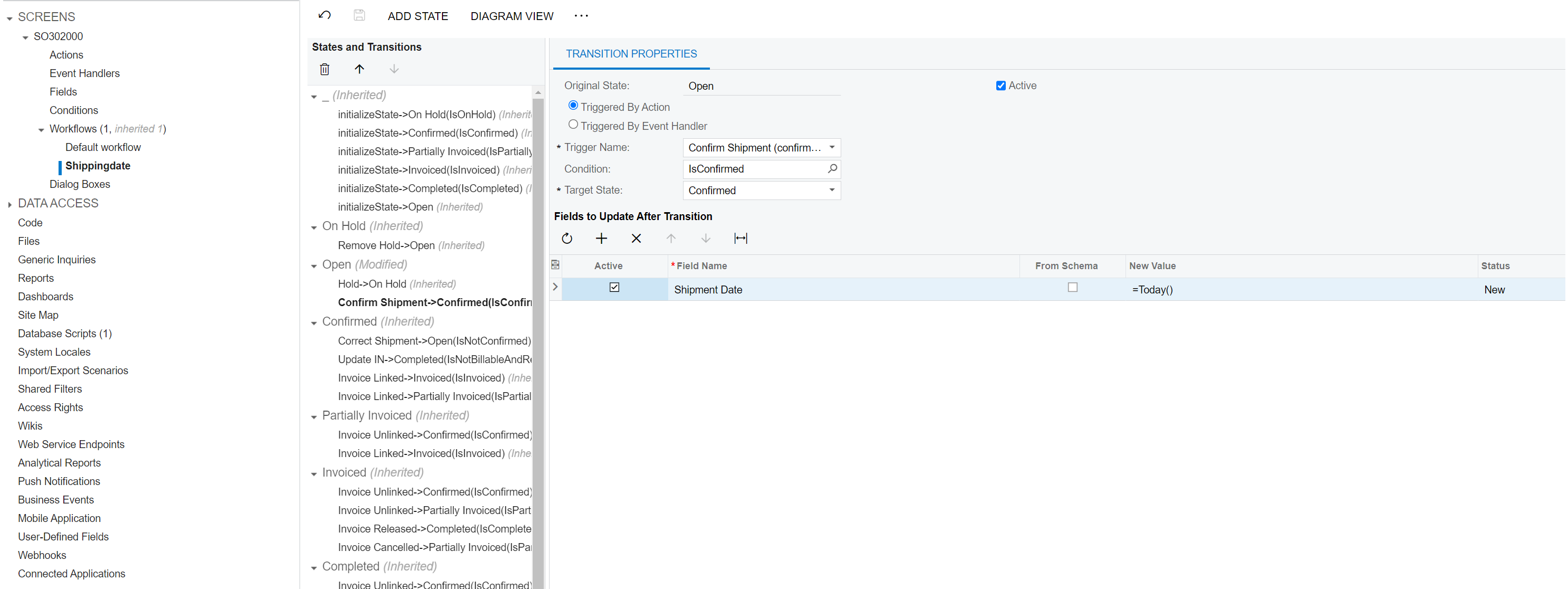
The workflow for Shipments (SO3020000) would change the shipment date on the shipment document to todays date when the shipment was confirmed

Attached is screenshot of the workflow, I have tried with =Today() and checked the from schema box to use @Today but neither work. I would appreciate any suggestions
 

Best answer by Naveen Boga

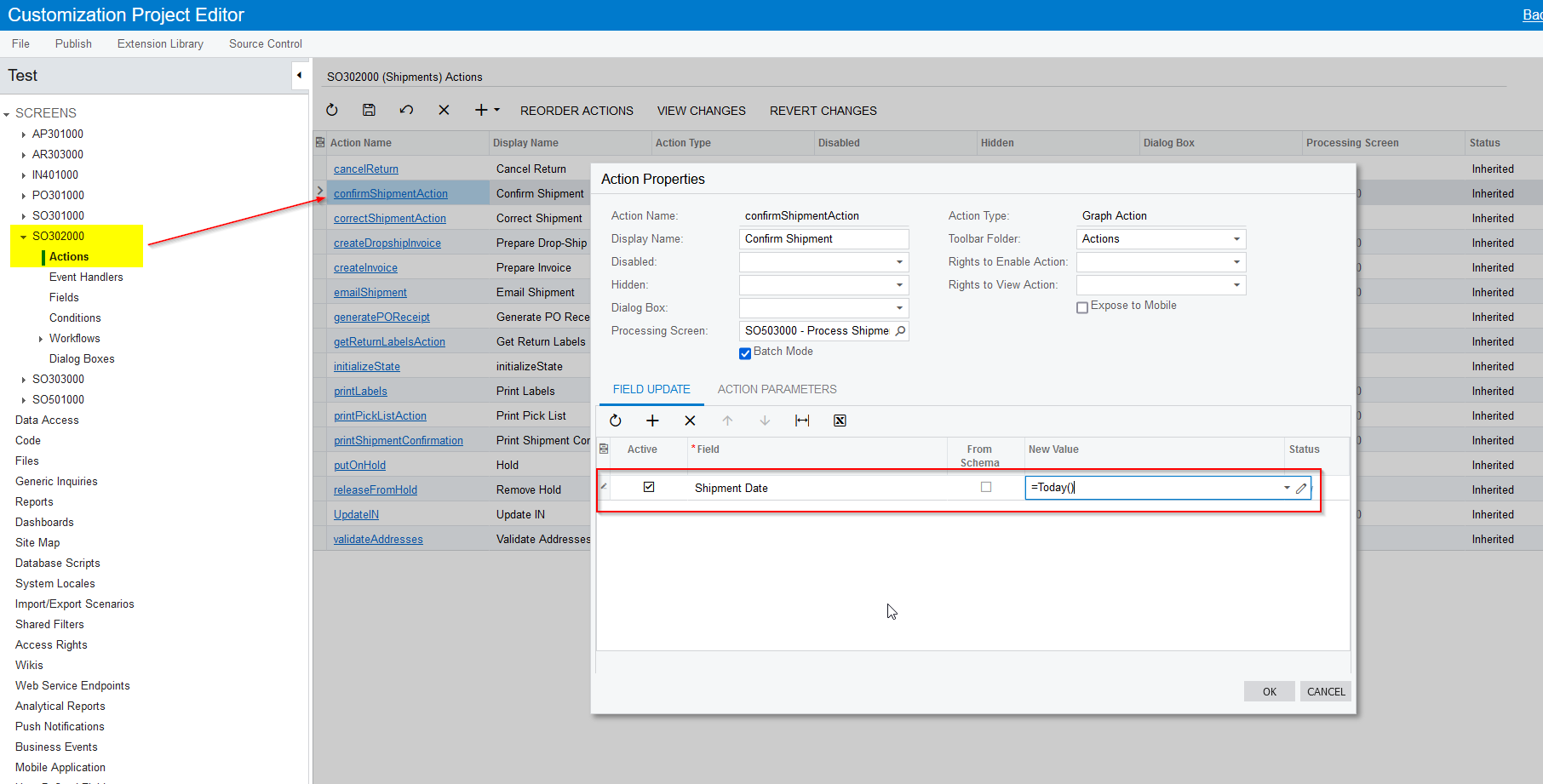
Hi @aconroy35  This requirement can be done like below. 

  • Add Shipment screen using “Add Screen → Customize Existing Screen” → SO302000
  • Expand Actions
  • Select the Confirm Shipment Action
  • In the Field Update tab, provide Shipment Date = Today's date, so that when shipment confirms it will update the Shipment date as today's date.

Please find the screenshot for reference.


3 replies

Naveen Boga
Captain II
Forum|alt.badge.img+19
  • Captain II
  • Answer
  • April 16, 2022

Hi @aconroy35  This requirement can be done like below. 

  • Add Shipment screen using “Add Screen → Customize Existing Screen” → SO302000
  • Expand Actions
  • Select the Confirm Shipment Action
  • In the Field Update tab, provide Shipment Date = Today's date, so that when shipment confirms it will update the Shipment date as today's date.

Please find the screenshot for reference.


  • Author
  • Jr Varsity I
  • April 18, 2022

Thanks Naveen, it seems like I was trying to over-engineer it with the workflow modification


Naveen Boga
Captain II
Forum|alt.badge.img+19
  • Captain II
  • April 18, 2022

Hi, @aconroy35  No problem :) Everyone will do this sometimes :)  I was also over-engineered in the first release of workflow modifications.

