Answer

Why is the file format incorrect if the field value contains a 'dot'?

  • June 6, 2024
  • 3 replies
  • 55 views

Forum|alt.badge.img

Hi all, 

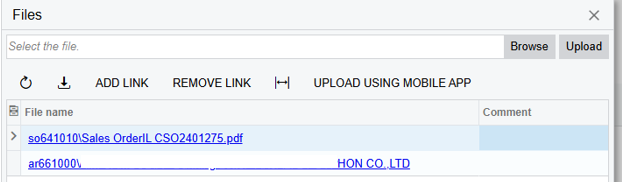
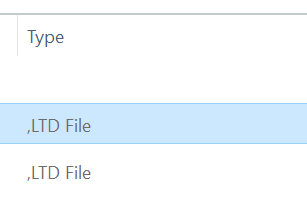
I have a question about the export file format. I set it up as usual in the report designer. However, if my field "billing name" contains a company name like "ABC Co. Ltd", the  file attach in email will be incorrect and won't have the PDF format. Instead, it will have an "LTD" format.

 

Best answer by craig2

Hi @dilys,

Perhaps try the Replace function in the Report Designer, to just remove the periods altogether?

So something like:

=Replace([BillingContact.FullName], ‘.’, ‘’)

Hope that helps!

3 replies

craig2
Pro I
Forum|alt.badge.img+3
  • Pro I
  • Answer
  • June 6, 2024

Hi @dilys,

Perhaps try the Replace function in the Report Designer, to just remove the periods altogether?

So something like:

=Replace([BillingContact.FullName], ‘.’, ‘’)

Hope that helps!


Forum|alt.badge.img
  • Author
  • Jr Varsity II
  • June 7, 2024

Thanks @craig2 , can you explain why the system is behaving in that way?


meganfriesen37
Captain II
Forum|alt.badge.img+12

Typically the file extension type is indicated by .pdf or .jpg etc.  So the period / dot character is telling the system what the extension is. So the system is reading the “. LTD” in the file name as the extension and then the .pdf file extension is not being added.

The suggestion above from @craig2 to remove all the periods/dots from your file name is a good solution.