


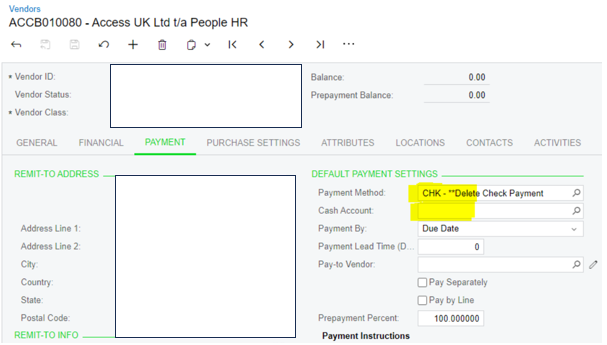
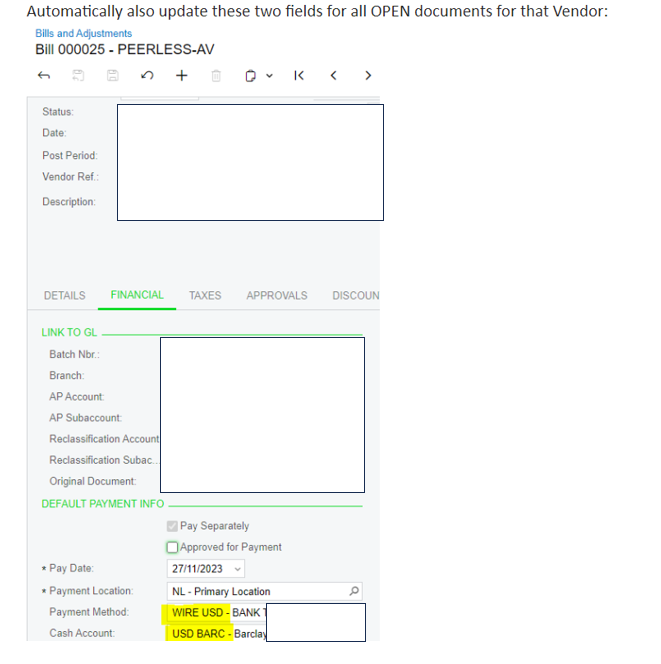
How will I update in Bills and Adjustment's Screen Payment Method and Cash Account?
How will I update in Bills and Adjustment's Screen Payment Method and Cash Account?
Best answer by Laura03
Hello,
I recommend leaving Cash Account blank on the vendor profile records, and instead defaulting the Cash Account for each Company/Branch and each Payment Method in Banking → Payment Methods screen.
Configured as recommended, when a Bill is entered for any vendor, the Payment Method will default from the vendor, then the Cash account will default from the Payment Method and company/branch combination. With this configuration, no vendors need to be updated if the company changes banks.
There are ways to mass update Vendors’ Cash accounts using Generic Inquiry settings (search this community for “Mass Update”). Changes to Vendors’ payment methods may also be imported with import scenarios.
Please add your Idea to the Ideas section of this Community: option to update open documents (prompt or checkbox option) when Payment Method of a Vendor is updated.
I haven’t worked with Business Events much, but will try to give you some ideas, as a start: I think the first step of creating your Business Event is to configure a Generic Inquiry that contains all Vendors whose Payment Methods were recently changed. Then, create a Business event that acts on new records that appear in the GI. Another community member may be able to add more details & instructions for you, to help you accomplish your Business Event.
Laura
Enter your E-mail address. We'll send you an e-mail with instructions to reset your password.




