


Answer

System Email Accounts - Set Reply Address to user that created the document being sent

  • September 13, 2023
  • 11 replies
  • 664 views

rwhetsell77
Freshman II
Forum|alt.badge.img

The client would like to set the “Reply Address” to default to the email address of the user that created the document being sent. So if the account is “purchasing@email.com” and the receiver replies to the sent email, the reply would go to “person@email.com” who had created the purchase order that was sent. If there was an additional field on the Email Template form for it would be easy:
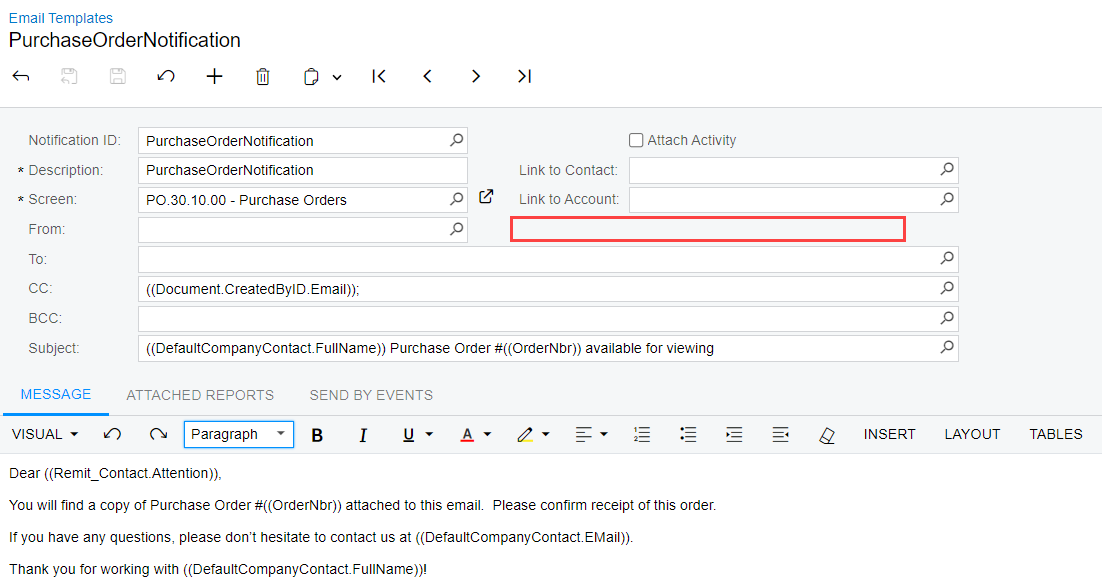
 

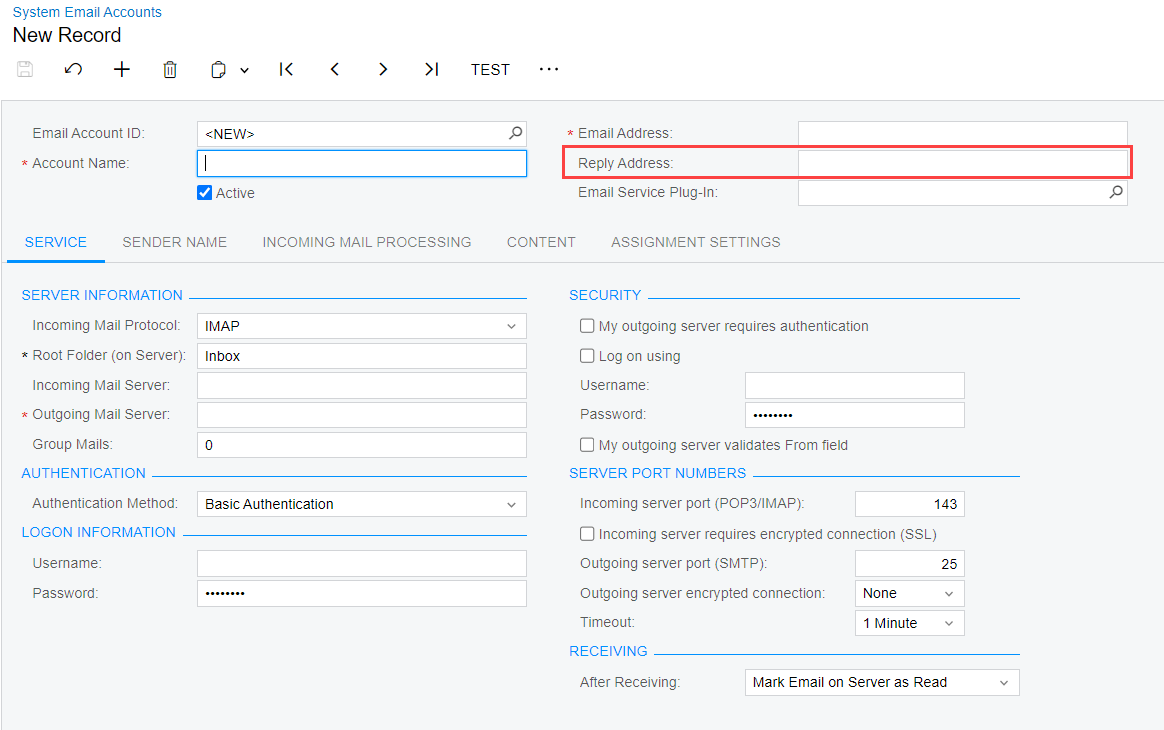
Unfortunately that doesn’t exist, so I went to the System Email Accounts form, but the “Reply Address” field will only allow a valid email address. I haven’t found any info on coding that field so not sure if it’s even possible.
 

Best answer by stephenbologna39

Hi @rwhetsell77 

As far as I know, the ‘Reply-to’ field on the System Email Accounts screen does not support replying to the user who sent the original email.

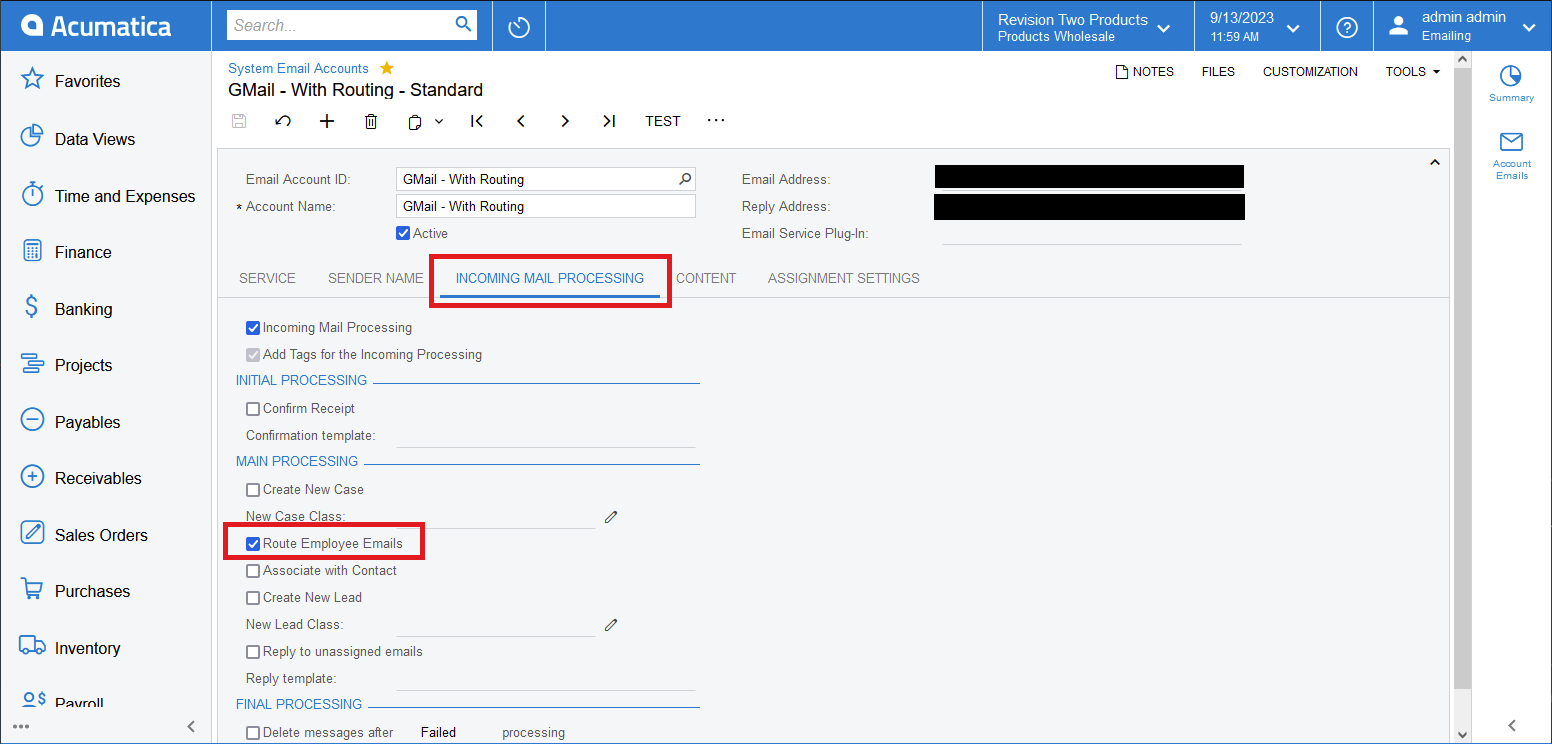
Depending on how your client is using their ‘purchasing@email.com’ style System Email Accounts, you might consider Acumatica’s email Routing functionality.


This requires configuring Acumatica for inbound emailing capabilities.  With Inbound Emailing and Routing turned on, Acumatica will support the following workflow:

  1. An email is generated and sent by a user from within Acumatica (ie, email sent from ‘purchasing@email.com’)
  2. The recipient responds to the email (ie, reply email sent to ‘purchasing@email.com’)
  3. Reply email is received into Acumatica (result of inbound email settings)
  4. Acumatica forwards a copy of the reply email to the direct mailbox of the user who sent the original email in the thread (result of Routing).

Basically, emails will get ‘routed’ through Acumatica to the appropriate user’s direct mailbox using the ‘purchasing@email.com’ account as an intermediary.  It’s admittedly a bit convoluted, but very cool.

11 replies

darylbowman
Captain II
Forum|alt.badge.img+15

From the screenshot, it appears you’ve already contemplated just adding the creator as a CC. This isn’t good enough?


rwhetsell77
Freshman II
Forum|alt.badge.img
  • Author
  • Freshman II
  • September 13, 2023

From the screenshot, it appears you’ve already contemplated just adding the creator as a CC. This isn’t good enough?

No, as they don’t want to have to monitor another email inbox for replies. I deal with it every day when folks don’t “Reply All.”


Forum|alt.badge.img+2

Hi @rwhetsell77 

As far as I know, the ‘Reply-to’ field on the System Email Accounts screen does not support replying to the user who sent the original email.

Depending on how your client is using their ‘purchasing@email.com’ style System Email Accounts, you might consider Acumatica’s email Routing functionality.


This requires configuring Acumatica for inbound emailing capabilities.  With Inbound Emailing and Routing turned on, Acumatica will support the following workflow:

  1. An email is generated and sent by a user from within Acumatica (ie, email sent from ‘purchasing@email.com’)
  2. The recipient responds to the email (ie, reply email sent to ‘purchasing@email.com’)
  3. Reply email is received into Acumatica (result of inbound email settings)
  4. Acumatica forwards a copy of the reply email to the direct mailbox of the user who sent the original email in the thread (result of Routing).

Basically, emails will get ‘routed’ through Acumatica to the appropriate user’s direct mailbox using the ‘purchasing@email.com’ account as an intermediary.  It’s admittedly a bit convoluted, but very cool.


rwhetsell77
Freshman II
Forum|alt.badge.img
  • Author
  • Freshman II
  • September 18, 2023

Hi @rwhetsell77 

As far as I know, the ‘Reply-to’ field on the System Email Accounts screen does not support replying to the user who sent the original email.

Depending on how your client is using their ‘purchasing@email.com’ style System Email Accounts, you might consider Acumatica’s email Routing functionality.


This requires configuring Acumatica for inbound emailing capabilities.  With Inbound Emailing and Routing turned on, Acumatica will support the following workflow:

  1. An email is generated and sent by a user from within Acumatica (ie, email sent from ‘purchasing@email.com’)
  2. The recipient responds to the email (ie, reply email sent to ‘purchasing@email.com’)
  3. Reply email is received into Acumatica (result of inbound email settings)
  4. Acumatica forwards a copy of the reply email to the direct mailbox of the user who sent the original email in the thread (result of Routing).

Basically, emails will get ‘routed’ through Acumatica to the appropriate user’s direct mailbox using the ‘purchasing@email.com’ account as an intermediary.  It’s admittedly a bit convoluted, but very cool.

Client is testing this out.


Forum|alt.badge.img
  • Freshman II
  • April 24, 2025

I have the same request about REPLY TO and agree this type of basic functionality for transaction based emailing should be part of the core Acumatica application.  

The concept of REPLY TO in the email template would solve this using placeholders.

I’m also looking for a placeholder that uses the CURRENT LOGGED IN USER and its properties.

Does anyone know how to do this?

Thank you.


Forum|alt.badge.img
  • Freshman II
  • May 28, 2025

So, a work around we’re doing with a client is to make multiple email accounts with the same same generic email but the reply is the user’s email themselves. Then set the email account record as a personal email and have the user assign it as their default. Obviously not useful if you have like 100 users but if you only need to handle a dozen users, it’s a decent workaround.


Forum|alt.badge.img
  • Freshman II
  • November 19, 2025

@asnell64 is this working well for you?  Any issues?  We have around 40 people that would need to use this approach.  I’ve tried to do this and it doesn’t appear to let me configure a second account with the same details as the default account but linked to a different user and a different reply-to address.


Forum|alt.badge.img
  • Freshman II
  • November 19, 2025

@asnell64 is this working well for you?  Any issues?  We have around 40 people that would need to use this approach.  I’ve tried to do this and it doesn’t appear to let me configure a second account with the same details as the default account but linked to a different user and a different reply-to address.

Client has not reported any issues about it even after upgrading to 2025R1. As long as your Account Name for each email account is unique, it shouldn’t be throwing any save errors.


Forum|alt.badge.img
  • Freshman II
  • November 19, 2025

The problem saving is that the External Application selector is empty and it won’t save the record even though there is an external application defined for the O365 app using the Authentication Method Exchange Online SMTP/IMAP/POP3.

Is it now a requirement that you must have a separate external application for each email account?  It appears that once it’s used it no longer shows up in the list of External Applications.


Forum|alt.badge.img
  • Freshman II
  • November 20, 2025

The problem saving is that the External Application selector is empty and it won’t save the record even though there is an external application defined for the O365 app using the Authentication Method Exchange Online SMTP/IMAP/POP3.

Is it now a requirement that you must have a separate external application for each email account?  It appears that once it’s used it no longer shows up in the list of External Applications.

Hi, Pre 2025R1, you’ve always needed one external application for every email account. You can reuse the same OAuth credentials in each external application definition provided they exist in the same domain. Starting in 2025R1, there’s a new OAuth 2.0 option that lets you reuse the same external app for all email accounts from the same domain (requires a few extra values from your Entra application during setup).


Forum|alt.badge.img
  • Freshman II
  • November 20, 2025

I must have set these up on 2024 R2 where the same External App was used multiple times on Email Accounts.   

So is the current best Practice to use the new OAuth 2.0 option?

I will try that out.  Thanks.

