Answer

Stop Discount Code from being applied automatically

  • August 5, 2024
  • 3 replies
  • 143 views

Michaelh
Pro I
Forum|alt.badge.img+2

How do I enable a document-level discount code for a Customer that must be manually entered on a Sales Order?

I created a Discount Type (Group), a Sequence, and applied it to my customer. Now it auto-applies this discount on every sales order for that Customer. I just want it when it is asked for directly by the user. I assume I’m just overlooking a toggle somewhere.


Thanks!

Best answer by dcomerford

Set the Manual checkbox to true on the Discount Code and then the discount will have to be manually added to the Sales Order


3 replies

nhatnghetinh
Captain II
Forum|alt.badge.img+11
  • Captain II
  • August 6, 2024

Hi @Michaelh 

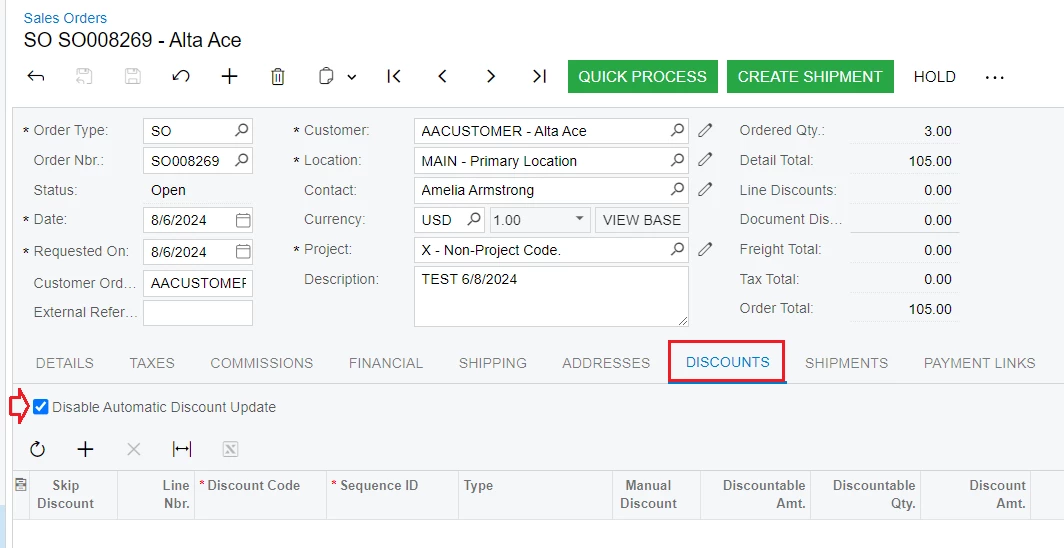
Case 1: If you have not entered Inventory information in the Detail Tab
Go to the "DISCOUNTS" Tab and click "Disable Automatic Discount Update"


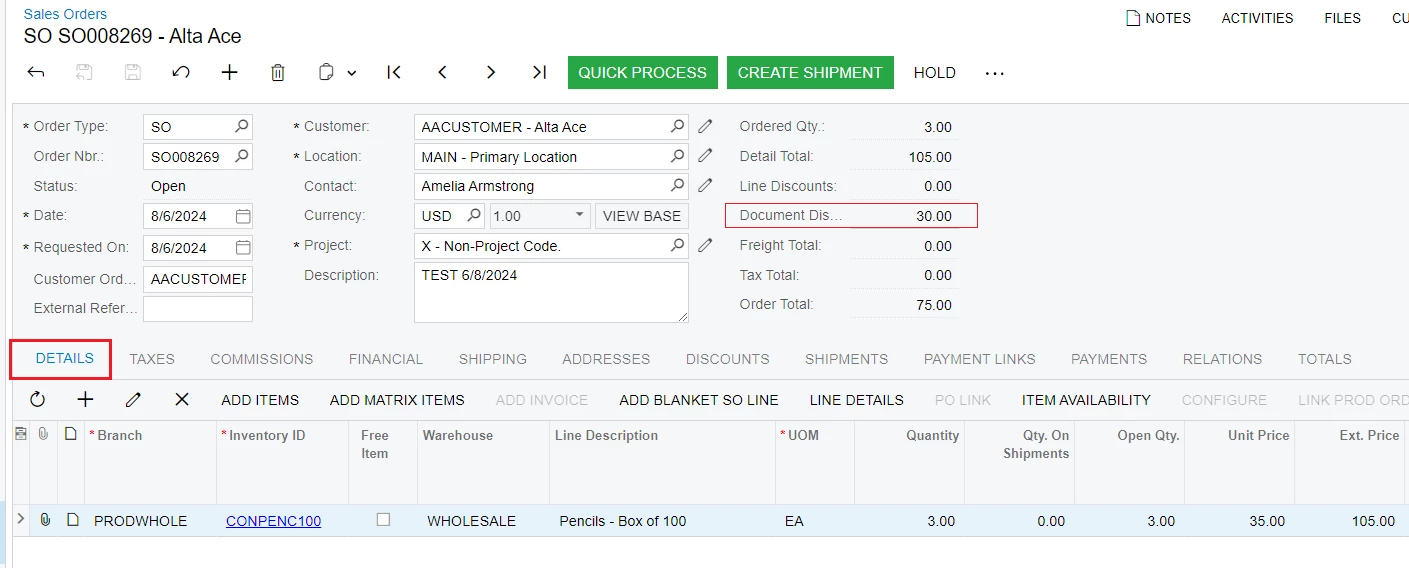
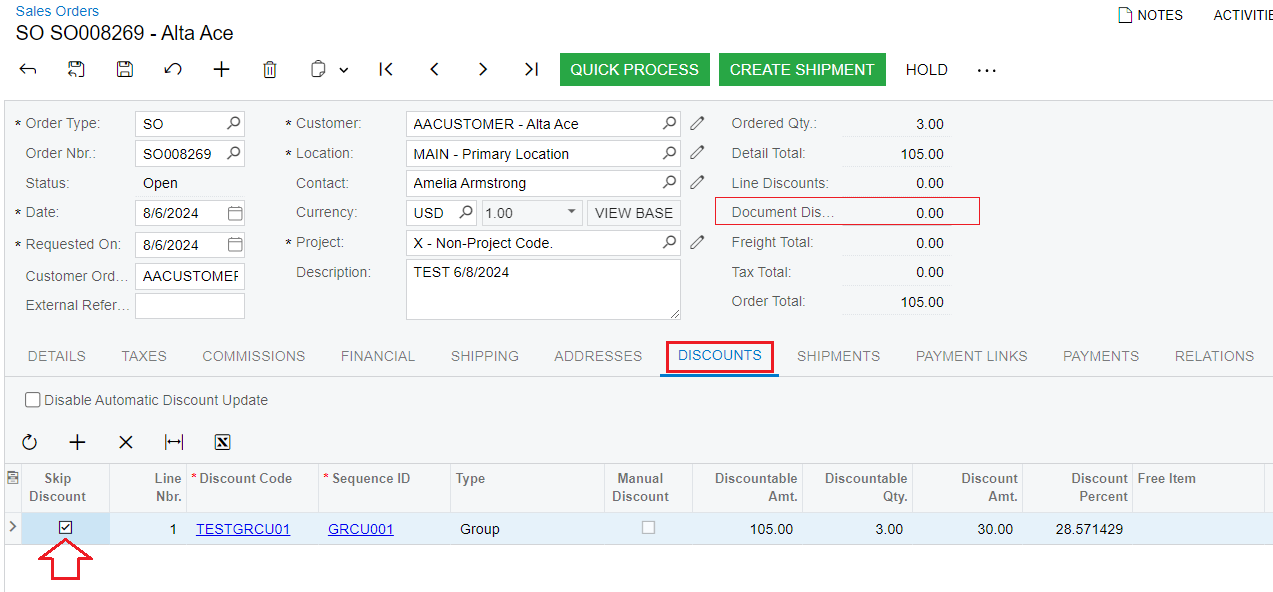
Case 2: If you have entered Inventory information in the Detail Tab
Go to the "DISCOUNTS" Tab and click "Skip Discounts"


Best Regards,

NNT


dcomerford
Captain II
Forum|alt.badge.img+15
  • Captain II
  • Answer
  • August 6, 2024

Set the Manual checkbox to true on the Discount Code and then the discount will have to be manually added to the Sales Order


Michaelh
Pro I
Forum|alt.badge.img+2
  • Author
  • Pro I
  • August 6, 2024

Ha, I was in the screen where you have the sequence defined too and that option isn’t in that screen. I KNEW I was missing a checkbox somewhere, thank you!!!!!