

Answer

Require specific subaccount for a GL account

  • September 8, 2025
  • 8 replies
  • 126 views

Forum|alt.badge.img

A client is requesting restriction groups to limit what accounts/subaccounts can be used with each branch. I have this mostly configured but they would also like: when a user selects a certain GL account, only 1 subaccount should be available for selection. So, for example, the user selects account 123456, only the 1000 subaccount is available. The catch is, they still want to be able to use the 1000 subaccount outside of the GL accounts that it’s required for. I set up 2 restriction groups per this knowledge base article: 
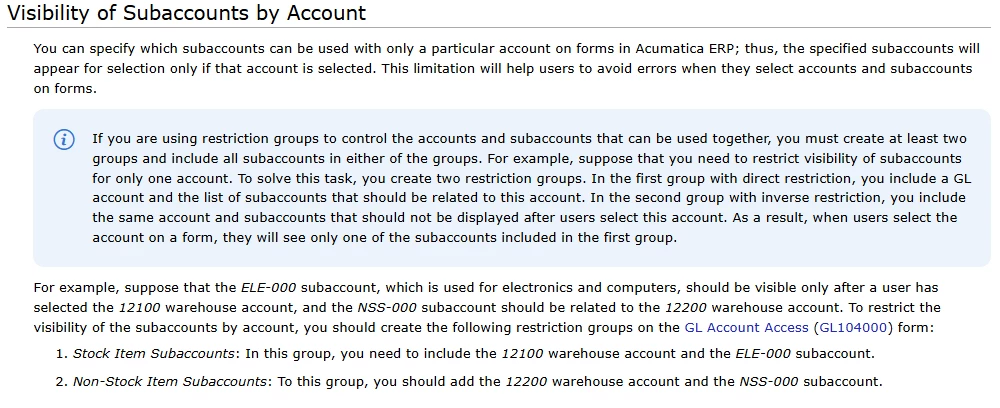
Visibility of Subaccounts by Account Knowledge Base Article

And it works. When 123456 is selected, only 1000 is shown. But I also need 1000 to be available (not required) when GL account 789101 is selected. 

Best answer by jhouser

@raghaei97 It’s essentially what I described in first comment. You need a restriction group for each set of combinations. In other words, any GL account(s) that should allow certain subaccount(s), create a group with those accounts and subaccounts. If other GL account(s) should allow different subaccount(s), create a separate group. I used about a dozen groups when I did this. You shouldn’t need to add accounts to more than one group, but you may need to add subaccounts to multiple groups. 

8 replies

jhouser
Captain II
Forum|alt.badge.img+6
  • Captain II
  • September 9, 2025

@dgranger70 78901 will need to be in a restriction group with subaccount 1000. You will probably need more restriction groups. For example, if there are GL accounts for which any subaccount should be allowed, you need a restriction group with those accounts and all subaccounts. 


Forum|alt.badge.img
  • Jr Varsity II
  • September 9, 2025

@dgranger70 I do not you will be able to make this work with restriction Groups. One side of restriction groups (Acumatica terminology in the code “Neighbor Entity”) is user so limitations will apply to users at the end. I am asked this questions for years but unfortunately I doubt you will be able to make it work out-of-the-box. See the below post and my response “aaghaei” and solution that works exactly as you need at the end of the thread.


jhouser
Captain II
Forum|alt.badge.img+6
  • Captain II
  • September 9, 2025

@raghaei97 It's doable, I've done it. 


Forum|alt.badge.img
  • Jr Varsity II
  • September 9, 2025

Sure thing ​@jhouser 

In this case that will be great if you share your solution for the befit of community.


jhouser
Captain II
Forum|alt.badge.img+6
  • Captain II
  • Answer
  • September 9, 2025

@raghaei97 It’s essentially what I described in first comment. You need a restriction group for each set of combinations. In other words, any GL account(s) that should allow certain subaccount(s), create a group with those accounts and subaccounts. If other GL account(s) should allow different subaccount(s), create a separate group. I used about a dozen groups when I did this. You shouldn’t need to add accounts to more than one group, but you may need to add subaccounts to multiple groups. 


Forum|alt.badge.img
  • Author
  • Varsity I
  • September 10, 2025

@jhouser thank you for your solution!


Forum|alt.badge.img
  • Jr Varsity II
  • September 10, 2025

@jhouser Thanks for the explanation. Do you know if this will be honored by the transactions automatically created by the system like Inter-branch transactions or PPVs or exchange gain & loss … or further validations required?


jhouser
Captain II
Forum|alt.badge.img+6
  • Captain II
  • September 10, 2025

@raghaei97 You’re welcome. It should be universal, but would need to test your scenarios to be 100% certain.
