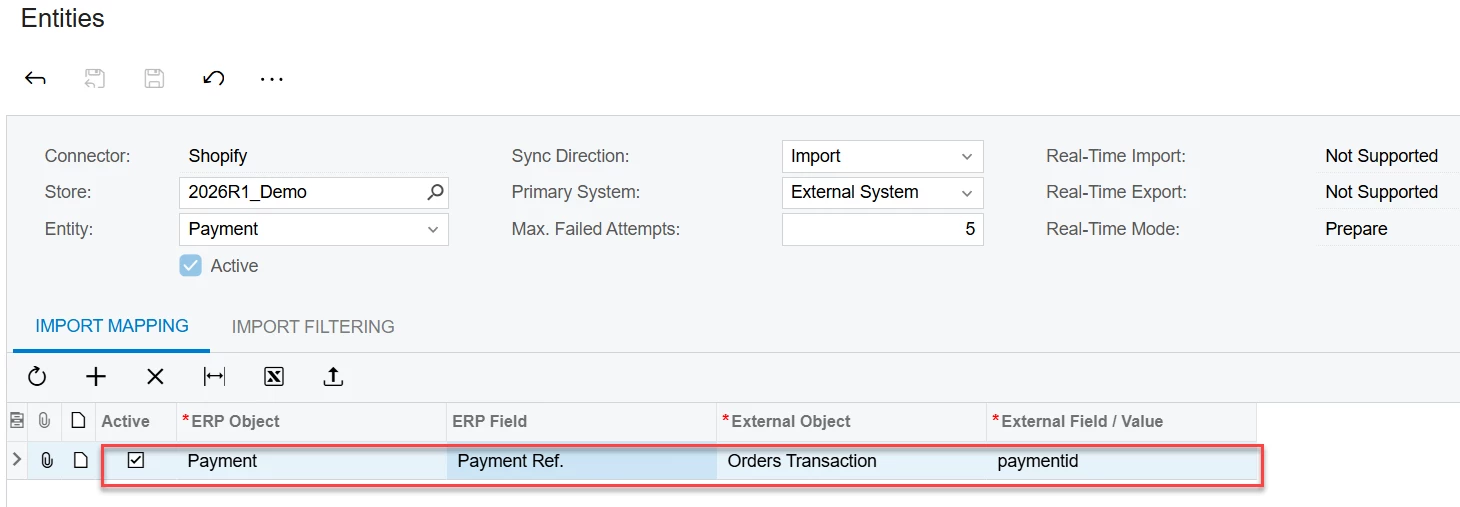
When passing payment information from Shopify to Acumatica via the connector, by default the ‘id’ is pushed to the Payment Ref field on the prepayment record.
I need to pass our internal payment ID to the Payment Ref field.
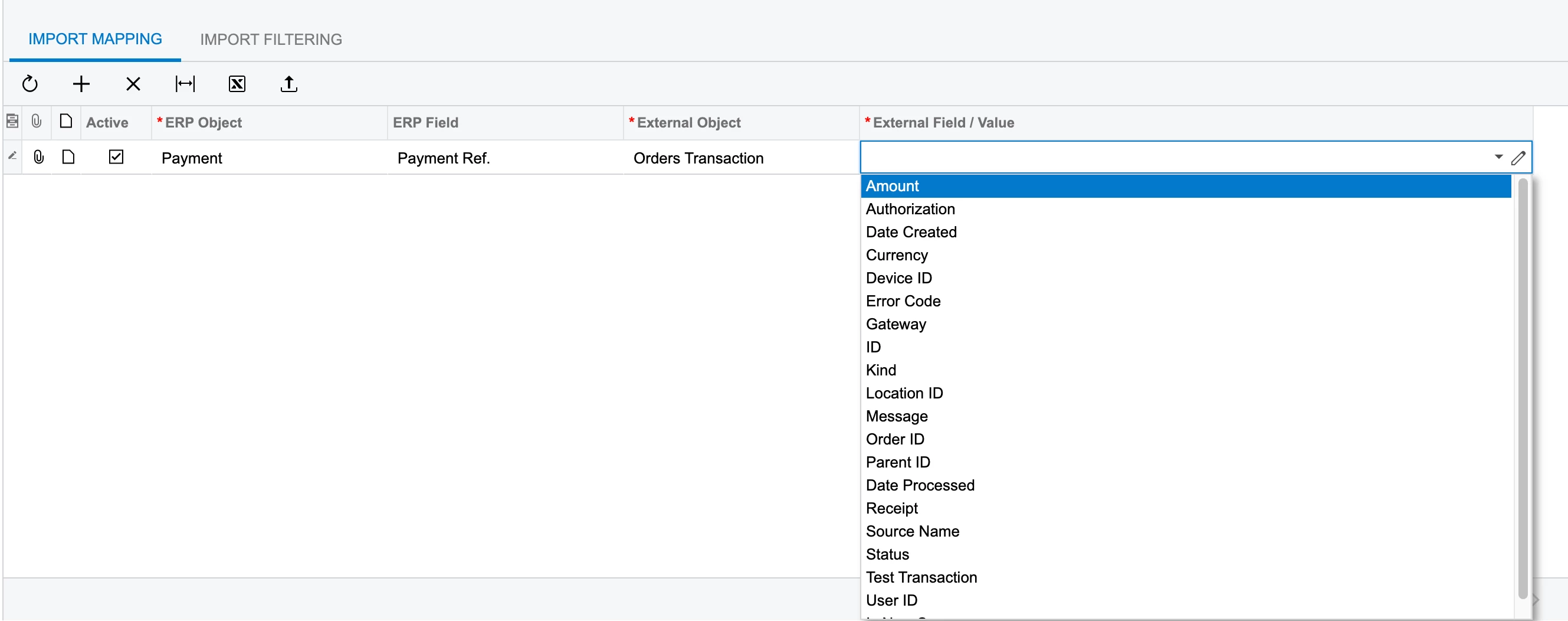
As you can see in the transaction example data below, the payment ID 12345678910aa is held in the ‘receipt’ as well as the payment ID. The issue is, only receipt is accessible from the dropdown of data options in Acumatica.
I’ve created this mapping using a formula to strip the extra characters from the receipt data:
      "receipt": {

        "payment_id": "12345678910aa"

      },
Using this formula:
=IsNull(

    Trim(

        Replace(

            Replace(

                Replace(

                    Replace(

                        [OrderTransaction.Receipt],

                        '{',

                        ''

                    ),

                    '}',

                    ''

                ),

                '"payment_id":',

                ''

            ),

            '"',

            ''

        )

    ),

    'NA'

)
The issue is, sometimes additional data is in here, so it’s not a clean solution.
I would love it if the payment_id data was available in the entity mapping, but it seems to be the only bit of data that is not available for mapping.
Anyone have any insight into getting this data passed over?
Example payment data below.
{

  "transactions": [

    {

      "id": 1234a,

      "order_id": 123,

      "kind": "sale",

      "gateway": "gateway",

      "status": "success",

      "message": null,

      "created_at": "2025-10-14T14:51:54-06:00",

      "test": false,

      "authorization": null,

      "location_id": null,

      "user_id": null,

      "parent_id": null,

      "processed_at": "2025-10-14T14:51:54-06:00",

      "device_id": null,

      "error_code": null,

      "source_name": "web",

      "payment_details": {

        "credit_card_bin": "123",

        "avs_result_code": "Y",

        "cvv_result_code": "M",

        "credit_card_number": "•••• •••• •••• 1234",

        "credit_card_company": "Visa",

        "buyer_action_info": null,

        "credit_card_name": "Customer Name",

        "credit_card_wallet": null,

        "credit_card_expiration_month": 1,

        "credit_card_expiration_year": 2099,

        "payment_method_name": "visa"

      },

      "receipt": {

        "payment_id": "12345678910aa"

      },

      "amount": "100.00",

      "currency": "USD",

      "payment_id": "12345678910aa",

      "total_unsettled_set": {

        "presentment_money": {

          "amount": "0.0",

          "currency": "USD"

        },

        "shop_money": {

          "amount": "0.0",

          "currency": "USD"

        }

      },

      "manual_payment_gateway": false,

      "amount_rounding": null,

      "admin_graphql_api_id": "gid://shopify/OrderTransaction/123"

    }

  ]

}