Answer

How to Remove "Agree to Proceed" Warning on Every Login

  • February 7, 2025
  • 1 reply
  • 48 views

SergioSP
Freshman II

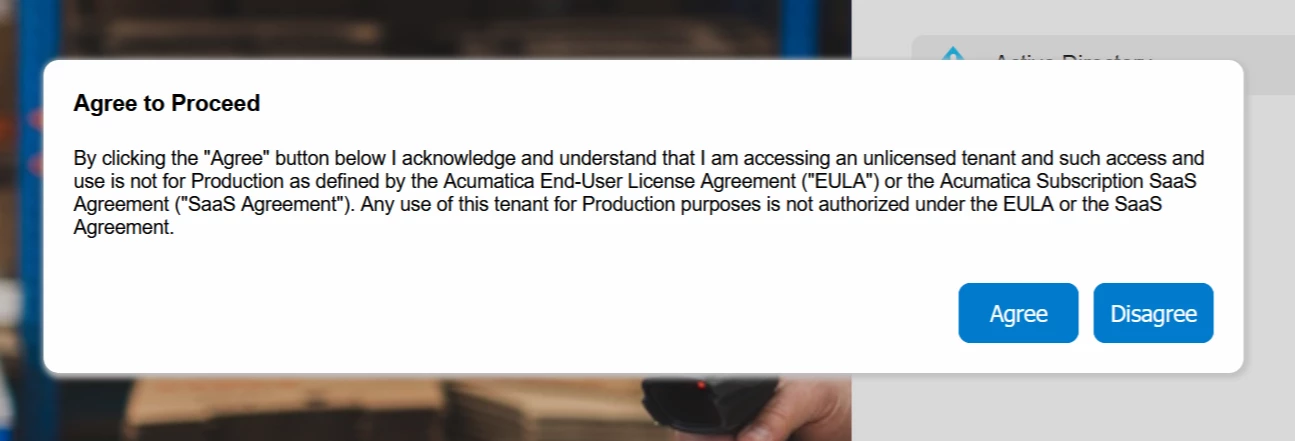
In our test environment, every time a user logs in, they are presented with an "Agree to proceed" warning that must be accepted before accessing the system. This is understandable for first-time logins, but it's becoming annoying for our team since it appears on every single login.


Has anyone encountered this before, and is there a way to disable it?

Thanks in advance!

Best answer by Missy Main

Hey there,
This was implemented in 22R1 (can be found discussed in release notes for 22R1 - page 215) for all test tenants. 
https://acumatica-builds.s3.amazonaws.com/builds/22.1/ReleaseNotes/AcumaticaERP_2022R1_ReleaseNotes_full.pdf

The way to make the message go away via UI would be to activate the tenant as a licensed tenant 

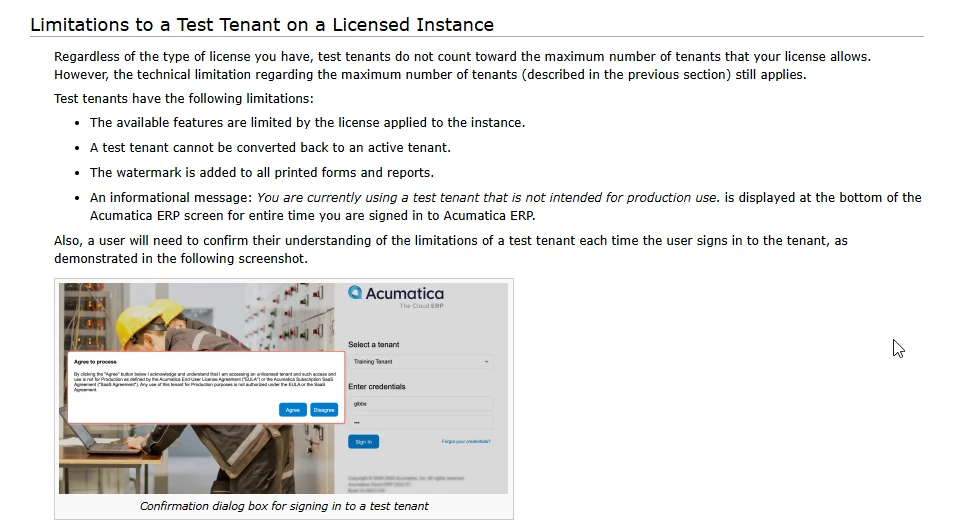
This is discussed in the following help article as a limitation for test tenants that are on a licensed instance as well. 
https://help.acumatica.com/Help?ScreenId=ShowWiki&pageid=dd966afb-b1d1-4e7d-85d7-5d5fc61a44a3

“Also, a user will need to confirm their understanding of the limitations of a test tenant each time the user signs in to the tenant, as demonstrated in the following screenshot.”




1 reply

Forum|alt.badge.img+3
  • Acumatica Support Team
  • Answer
  • February 7, 2025

Hey there,
This was implemented in 22R1 (can be found discussed in release notes for 22R1 - page 215) for all test tenants. 
https://acumatica-builds.s3.amazonaws.com/builds/22.1/ReleaseNotes/AcumaticaERP_2022R1_ReleaseNotes_full.pdf

The way to make the message go away via UI would be to activate the tenant as a licensed tenant 

This is discussed in the following help article as a limitation for test tenants that are on a licensed instance as well. 
https://help.acumatica.com/Help?ScreenId=ShowWiki&pageid=dd966afb-b1d1-4e7d-85d7-5d5fc61a44a3

“Also, a user will need to confirm their understanding of the limitations of a test tenant each time the user signs in to the tenant, as demonstrated in the following screenshot.”