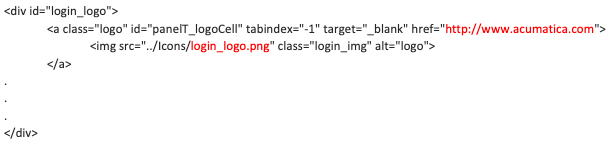
I need to customise the login page for a client. The login logo was replaced but I found out that the logo has a link attached to it which is defined as follows:
I was not able to find a way to replace that url with the customer’s web site url in a customisation project. Does anyone know a way to replace that URL , please?
Many thanks...
Best answer by Tony Lanzer
Is this a SaaS site or on-prem? If you have IIS server access, you should be able to modify the Login.master file where the logo is referenced. For SaaS, I can suggest trying these, but someone else might know of an easier way…
Ask Acumatica support to modify Login.master
In a customization, write an OnPublish handler that writes to Login.master to modify the url
In a customization, include a new JavaScript file which you create to change the url on page load
Is this a SaaS site or on-prem? If you have IIS server access, you should be able to modify the Login.master file where the logo is referenced. For SaaS, I can suggest trying these, but someone else might know of an easier way…
Ask Acumatica support to modify Login.master
In a customization, write an OnPublish handler that writes to Login.master to modify the url
In a customization, include a new JavaScript file which you create to change the url on page load