Answer

How can I setup incoming mail processing?

  • February 25, 2025
  • 6 replies
  • 127 views

Forum|alt.badge.img

Hello all,

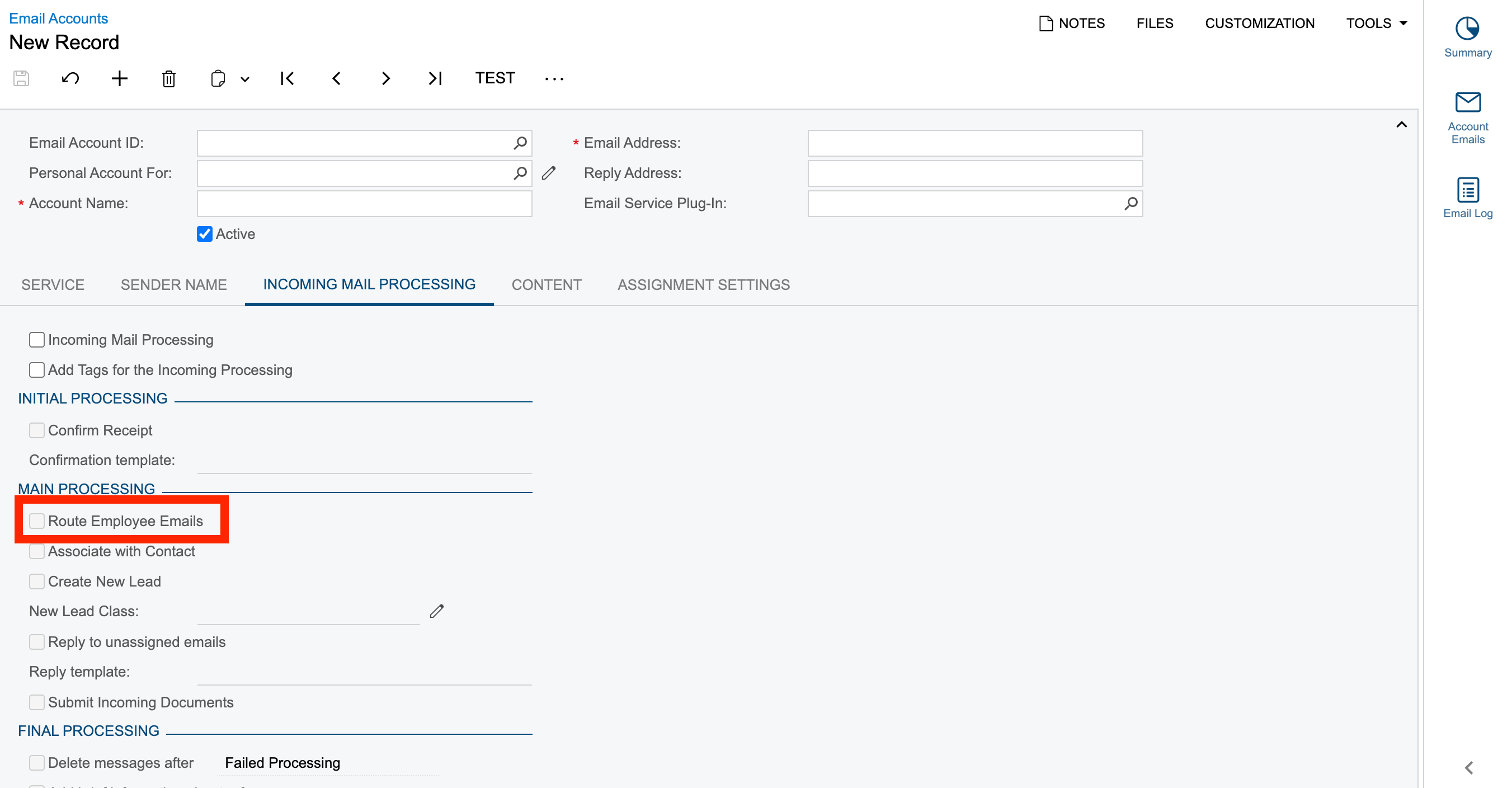
I am trying to setup the incoming mail processing where if a mail is received it should be forwarded to an employee.

Under the Incoming Mail Processing tab, we have the option to Routing the mails. How to setup this?
Thanks in advance.

Best answer by CJayalath49

Hi ​@Harry ,

With regards to your initial question, you need to activate incoming email processing and route to employee functionality.

This phrase “emails intended for a particular employee should be routed from the system email account to the employee's email address” means Acumatica forwards a copy of the reply email to the direct mailbox of the user who sent the original email in the thread.

About the third scenario, you can submit a case to Acumatica support.

Hope this helps.


6 replies

hdussa
Jr Varsity I
Forum|alt.badge.img+1
  • Jr Varsity I
  • February 25, 2025

Hello ​@Harry ,
 

I would try the below for routing employee emails.

https://help.acumatica.com/(W(9))/Help?ScreenId=ShowWiki&pageid=cc8b8172-254f-4dbc-9897-a0493554fe27


Forum|alt.badge.img
  • Author
  • Semi-Pro II
  • February 25, 2025

Hello ​@Harry ,
 

I would try the below for routing employee emails.

https://help.acumatica.com/(W(9))/Help?ScreenId=ShowWiki&pageid=cc8b8172-254f-4dbc-9897-a0493554fe27


Hey ​@hdussa , thanks for your prompt suggestion. I tried by sending out a mail to the reply address & system mail account where incoming mail processing & route emails are setup as stated. Still it is not getting forwarded to the intended routing mail.


Forum|alt.badge.img
  • Author
  • Semi-Pro II
  • February 25, 2025

Also ​@hdussa , I am kinda getting confused at this point:
emails intended for a particular employee should be routed from the system email account to the employee's email address


For my scenario, I have a separate mail address - abc@test.com and the reply address is xyz@test.com

So now, a mail is sent out it will sent out from anc@test.com whereas when the recipient replies to the same mail it comes under xyz@test.com and then this incoming should be automatically redirected to route emails option, which upon activating the route emails checkbox and for the same employee record it is not getting routed.

What m I missing here?


hdussa
Jr Varsity I
Forum|alt.badge.img+1
  • Jr Varsity I
  • February 26, 2025

Hi ​@Harry ,

The email account configuration needs a detailed review. Please raise a case with Acumatica.

Good luck!


Chris Hackett
Community Manager
Forum|alt.badge.img
  • Acumatica Community Manager
  • May 27, 2025

Hi ​@Harry were you able to find a solution? Thank you!


Forum|alt.badge.img+1
  • Acumatica Employee
  • Answer
  • June 11, 2025

Hi ​@Harry ,

With regards to your initial question, you need to activate incoming email processing and route to employee functionality.

This phrase “emails intended for a particular employee should be routed from the system email account to the employee's email address” means Acumatica forwards a copy of the reply email to the direct mailbox of the user who sent the original email in the thread.

About the third scenario, you can submit a case to Acumatica support.

Hope this helps.