As Controller, I am looking for credit memos to hit a different GL than my sales. I have been informed that Acumatica cannot do this. I don’t believe it. Can someone please direct me how to do this? Second, I have items that are not inventory related and would like to direct those sales to ‘Other Sales’. Can someone help with that?
Regards,
Best answer by Eric Ratté
Hi,
Let’s go back a bit.
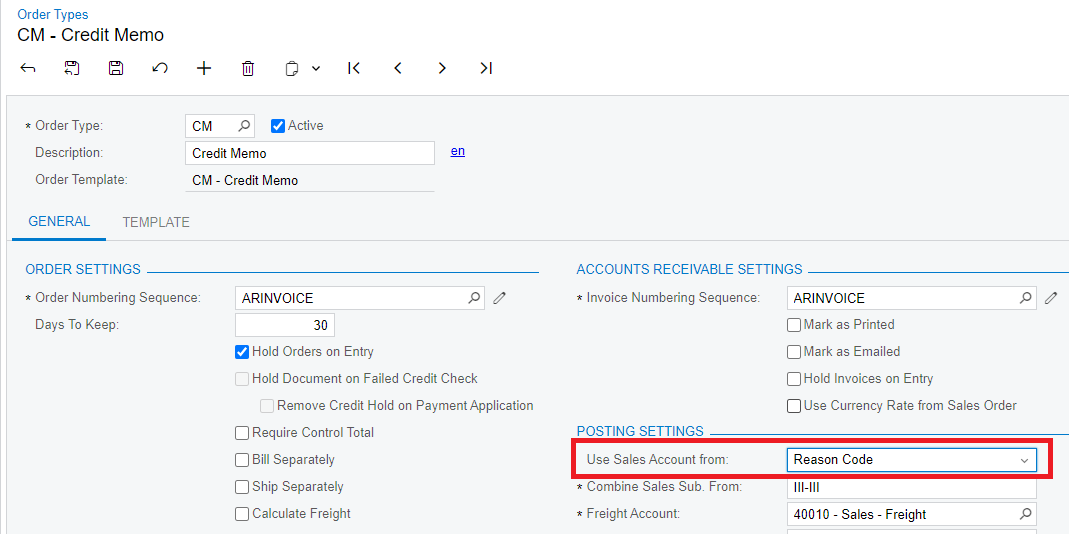
The order type will determine the source of the GL account used for sales. For Credit memos, I would use Reason Code.
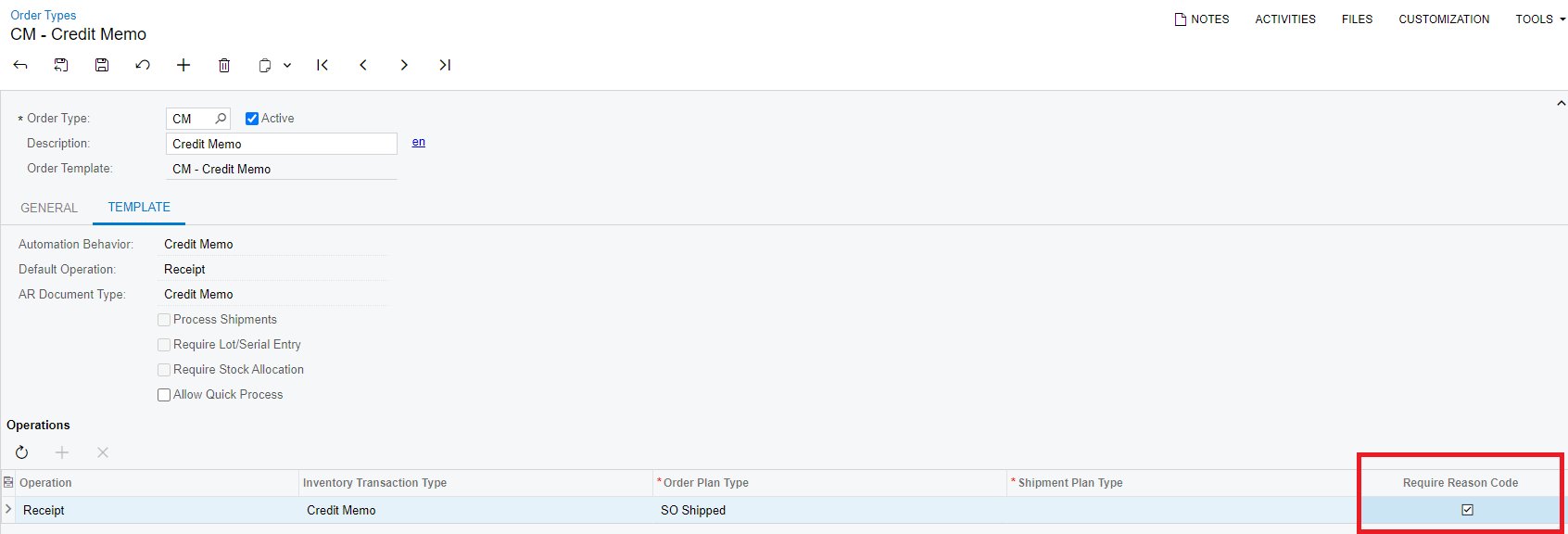
Then, form the Order Types screen, the reason code must be made required to make sure users won’t forget to specify the reason why the credit memos are made.
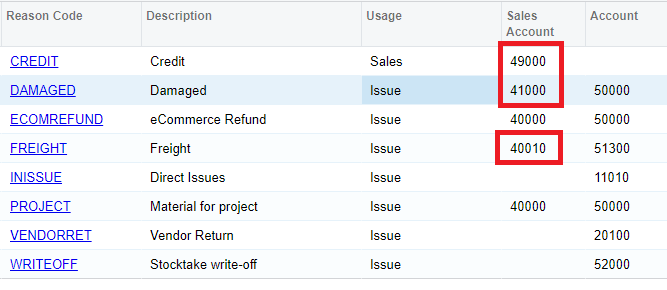
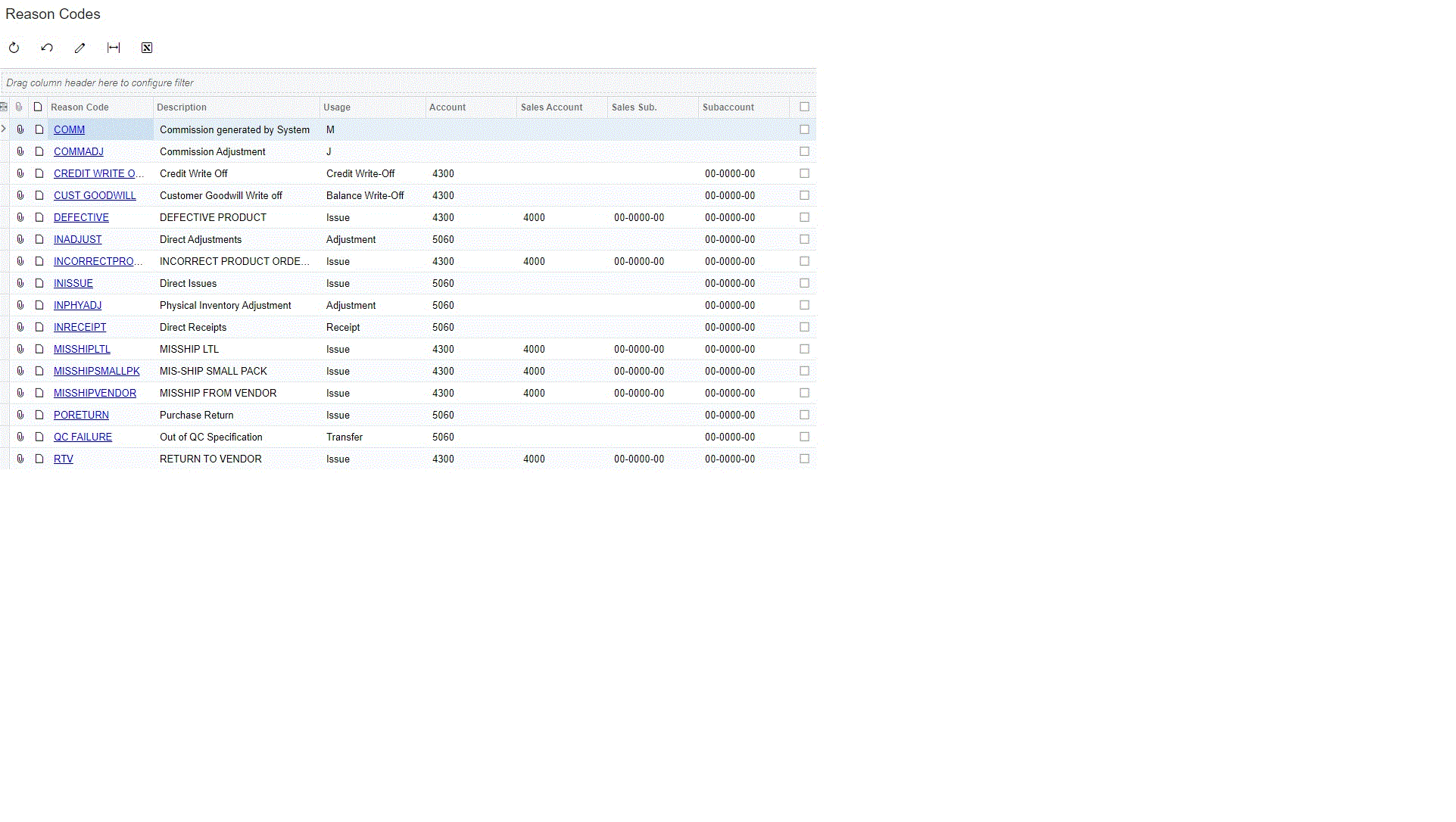
You create reason codes to justify the credit memos. For example, I created some reason codes using different GL accounts for sales and for COGS.
Users will have to select a reason code from the listed filtered for 2 usages, either Sales or Issues.
The usage Sales will only affects the Sales GL account as opposed to Issue where it will affect the Sales GL account as well as the COGS GL account. When no sales account is defined, it will ask the user to enter one otherwise, he won’t be able to release the transaction.
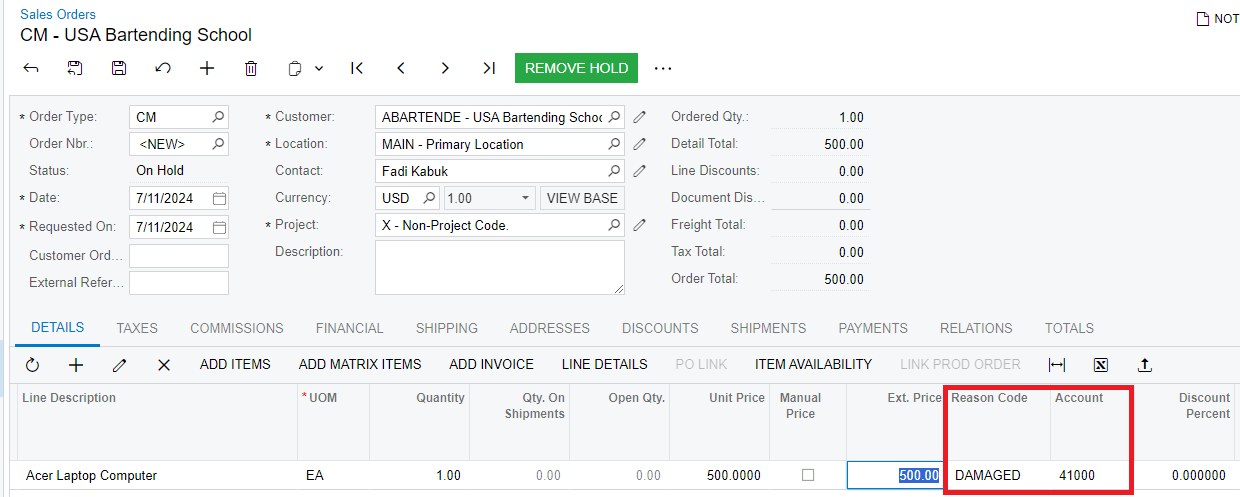
At the Sales Orders entry screen, the reason code will be mandatory and by selecting one, the corresponding GL account for sales will be used.
The order type will determine the source of the GL account used for sales. For Credit memos, I would use Reason Code.
Then, form the Order Types screen, the reason code must be made required to make sure users won’t forget to specify the reason why the credit memos are made.
You create reason codes to justify the credit memos. For example, I created some reason codes using different GL accounts for sales and for COGS.
Users will have to select a reason code from the listed filtered for 2 usages, either Sales or Issues.
The usage Sales will only affects the Sales GL account as opposed to Issue where it will affect the Sales GL account as well as the COGS GL account. When no sales account is defined, it will ask the user to enter one otherwise, he won’t be able to release the transaction.
At the Sales Orders entry screen, the reason code will be mandatory and by selecting one, the corresponding GL account for sales will be used.
To specify a different AR account for Credit Memos, you can try to customize the CM workflow and set a default value for AR account.
Or
The other place where a different AR account can be specified is at the Customer Locations screen. That would require to duplicate the customer locations per customer (one for sale and another one for credit). This workaround would also require approvals to make sure credit are made using the credit specific location. Statistics per location would also be difficult to obtain.
Or
Change the AR account manually and raise an approval when the AR account is not correct.
Thanks, we ended up letting the refund get processed and then creating a prepayment for the credit amount when the customer decides to receive a store credit or they do remember the credit card they used.