Question

Employee Position field won't accept values selected from lookup table

  • May 2, 2026
  • 6 replies
  • 56 views

Forum|alt.badge.img

Hi there,

We’re on 25R2 and trying to use the Employees page’s History tab to track employee Position, Start and End Dates, Termination Reason, etc.

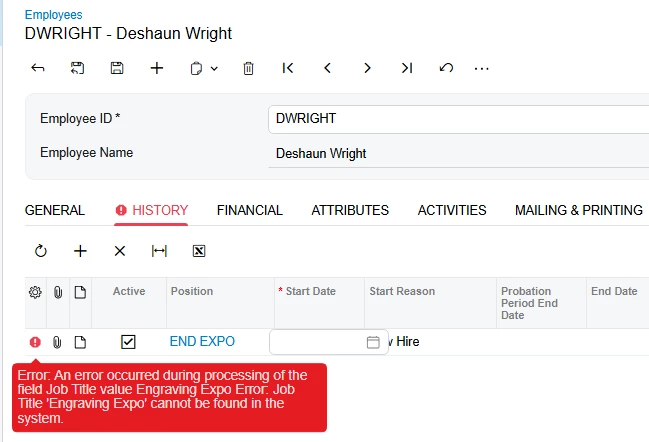
For the Position field when I choose one of the available options it accepts it, but when I add a Start Date it throws and error about the Position field: 

“Error: An error occurred during processing of the field Job Title value Engraving Expo Error: Job Title 'Engraving Expo' cannot be found in the system.”

It’s not the biggest deal in the world, but we would like to use this page if there’s an easy fix. I’ve tried in both Modern and Classic UI, fwiw.

Thank you!

Jon
 

6 replies

Forum|alt.badge.img+3

Hello ​@jon12 You might be dealing with a cache issue. Try clearing the cache from the Apply Updates screen and check again. Just note that if you're on the Live environment, this will log out all users.


Forum|alt.badge.img
  • Author
  • Freshman I
  • May 3, 2026

Hi Abhishek, I just Reset Caches from the Apply Updates screen and still got the same behavior. Thanks for the idea! 


Forum|alt.badge.img+3

In case then share full Trace log when this error is appear & is there any customization on Employee screen ? if yes then  unpublish that & try.


Dipak Nilkanth
Pro III
Forum|alt.badge.img+14

Hi ​@jon12

I noticed that some of the Position IDs contain spaces, which may be causing the error. Could you please try selecting a Position ID that does not include any spaces and check if the issue persists?

If that works, I would recommend updating the options so that Position IDs do not contain any spaces. Please let us know your findings.


Naveen Boga
Captain II
Forum|alt.badge.img+20
  • Captain II
  • May 4, 2026

@jon12  I don’t see any issues with the spaces.

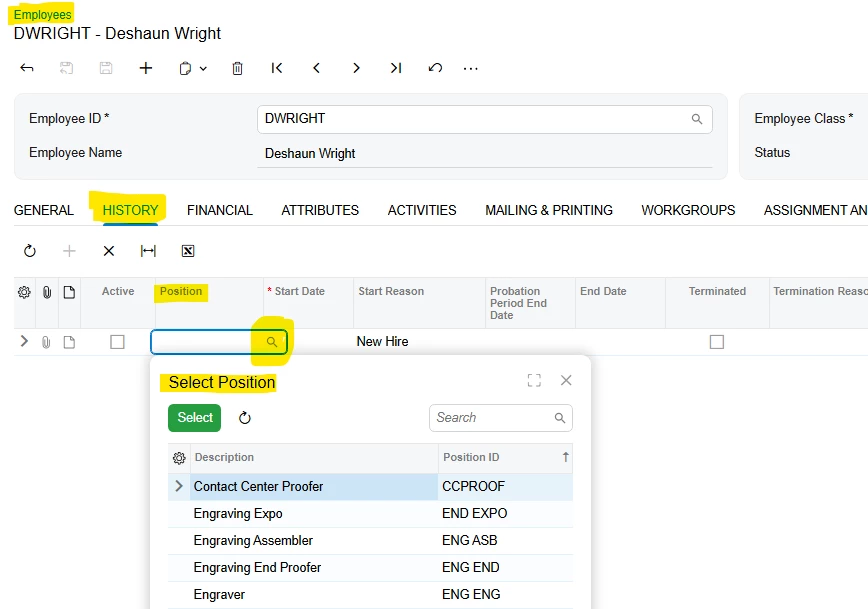
For the Position field, you should enter the Postion ID, it will give us an error. Look up the field and select the Position from the look up, then Acumatica is updating the Description value in the Position field in the grid.


Forum|alt.badge.img
  • Author
  • Freshman I
  • May 4, 2026

Hi ​@Abhishek Niikam,

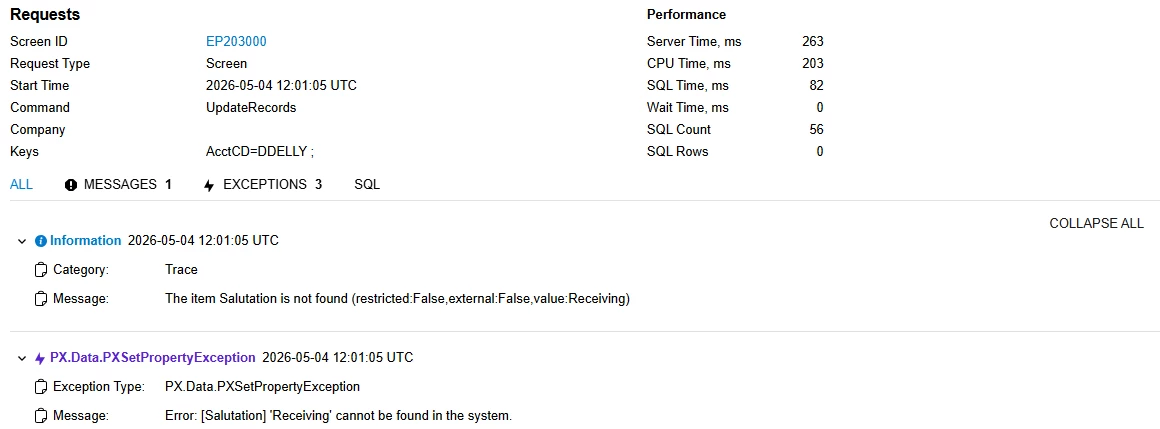
Here is the trace log when I tried to select a Position without a space:


The attached text file has the full trace log. Apologies, I don’t know the best way to share trace logs here. 

Thank you!

Jon