We’ve restored the snapshot on a new Tenant on the same site, changed credentials, and Printers were populated to the system. When we execute a Print Job, DeviceHub receives it, getting Poll but failing Printing after a couple of attempts. If having the same settings, we changed credentials to the other tenant, and everything is working as expected.
Has anybody encountered a similar issue? Please share your thoughts
Best answer by valentynbeznosiuk
Hi there,
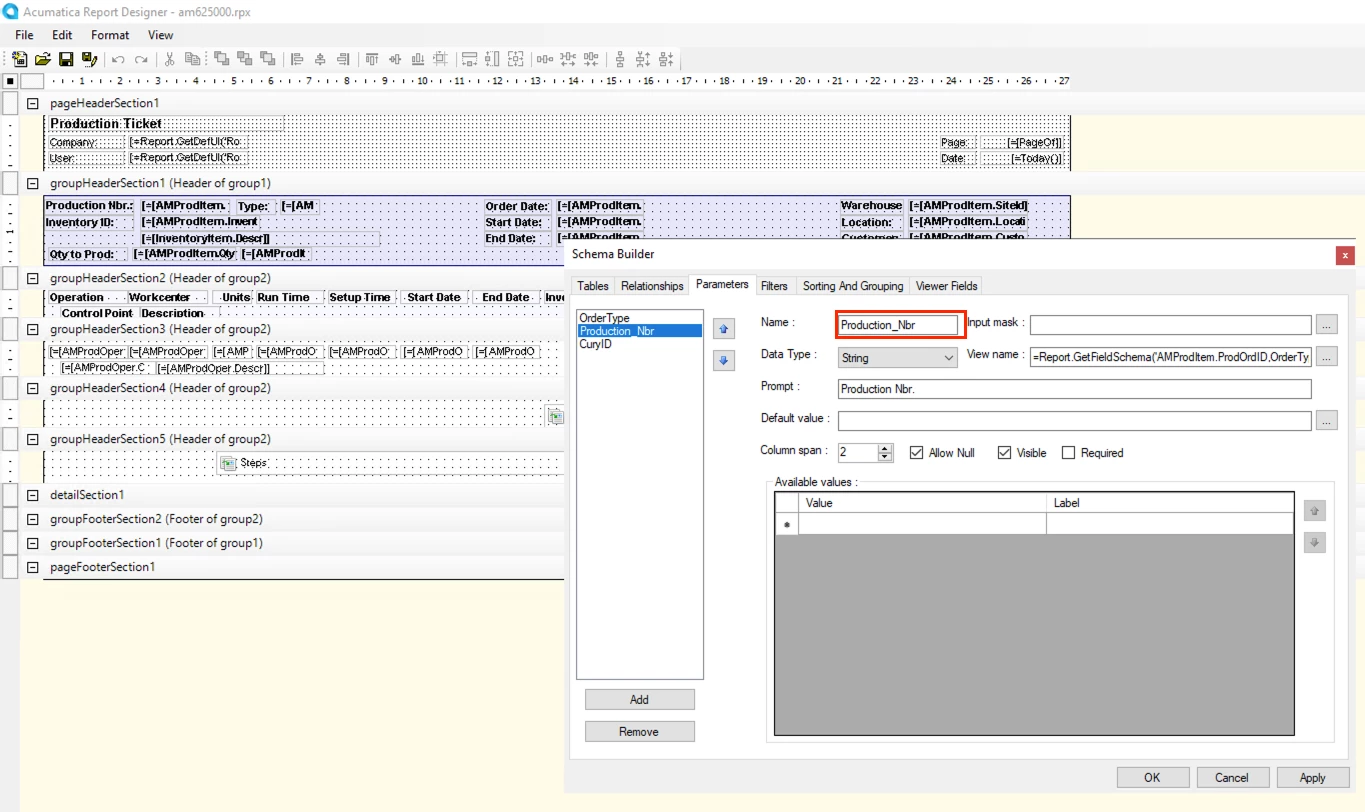
We just found a reason and fixed it. The reason was that the parameter being stored on the Print Jobs was different from the one in the report. So it was printing with one of two parameters - OrderType, and as a result, it printed all Production Orders under OrderType
That caused retrieving a huge file to be polled with a couple of hundred Production Orders inside, which made this job too heavy for the API and was delaying or cancelling all other Print Jobs
I'm quite surprised that it's similarly different from the out-of-the-box copy of this report, which I believe is being used by everyone as a starting point, expecting it to be correct.
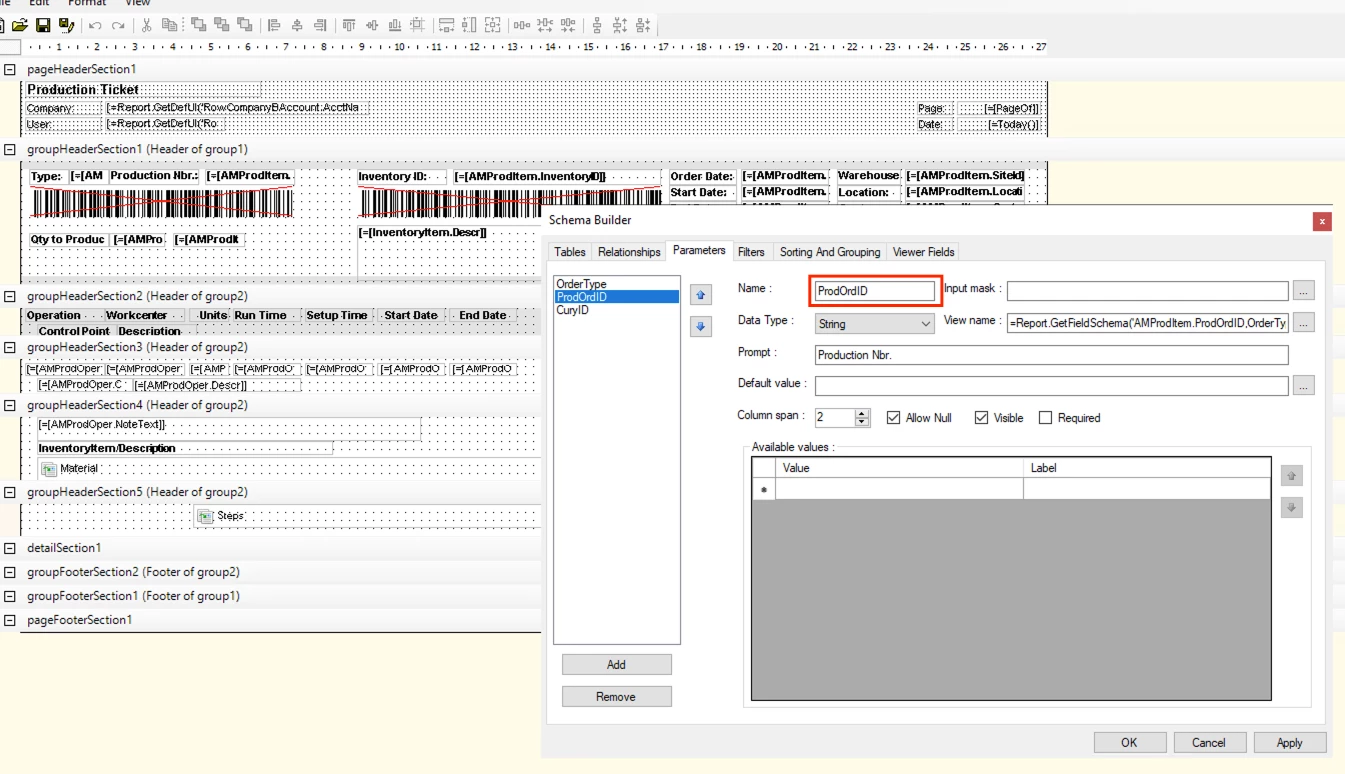
Below is how it should be
The complication in the investigation was caused because, through the UI system populating parameter, even though its name is different, either through manual opening on the form directly or through Print Jobs using the same stored parameters, but DeviceHub is working differently and just leaving this parameter wide open
Have you clicked, “update printers list” on the printers screen (SM206510) within the tenant?
Either that or delete all of the existing printers and then click that button? I’m thinking the printers might need to be resynced with the system.
You said that the tenant was defined in the device hub settings, so that should be all set. That would be the only other configuration issue I can think of.
Thank you for your answer. Yes, we've already tried both ways. DeviseHUB logs show that it receives a Print Job from the system, polls, and attempts to print, but after a few attempts, it fails and changes the status on the Print Jobs screen to 'failed'.
But if after that we change credentials in DeviceHUB to the other tenant (without changing anything else) and repeat the same exercise on the other tenant, it works perfectly.
On the tenant with the issue was restored a Settings and Business accounts snapshot taken from the tenant where everything works.
We just found a reason and fixed it. The reason was that the parameter being stored on the Print Jobs was different from the one in the report. So it was printing with one of two parameters - OrderType, and as a result, it printed all Production Orders under OrderType
That caused retrieving a huge file to be polled with a couple of hundred Production Orders inside, which made this job too heavy for the API and was delaying or cancelling all other Print Jobs
I'm quite surprised that it's similarly different from the out-of-the-box copy of this report, which I believe is being used by everyone as a starting point, expecting it to be correct.
Below is how it should be
The complication in the investigation was caused because, through the UI system populating parameter, even though its name is different, either through manual opening on the form directly or through Print Jobs using the same stored parameters, but DeviceHub is working differently and just leaving this parameter wide open