Question

Automation schedule on recalculate customer balances

  • December 3, 2025
  • 10 replies
  • 50 views

Forum|alt.badge.img

Hi, 

I’m setting up a automation schedule for recalculate customer balances. I have about 1000 customers, but the schedule only run for two customers all the time. I have tried the same schedule setup in a local environment which runs for all customers without any issues. 

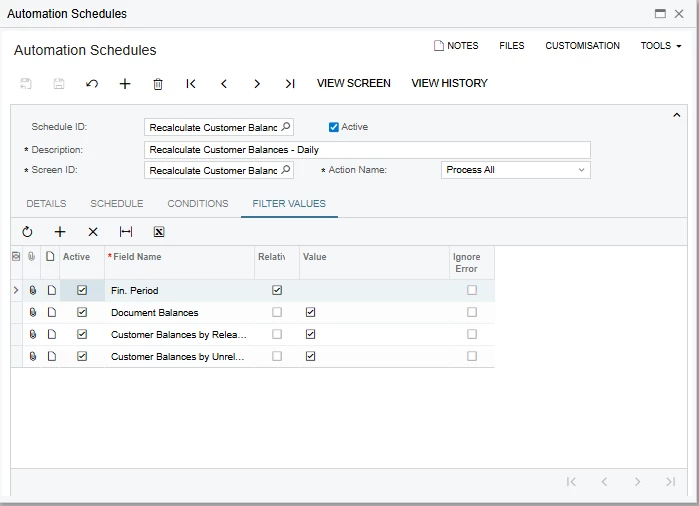
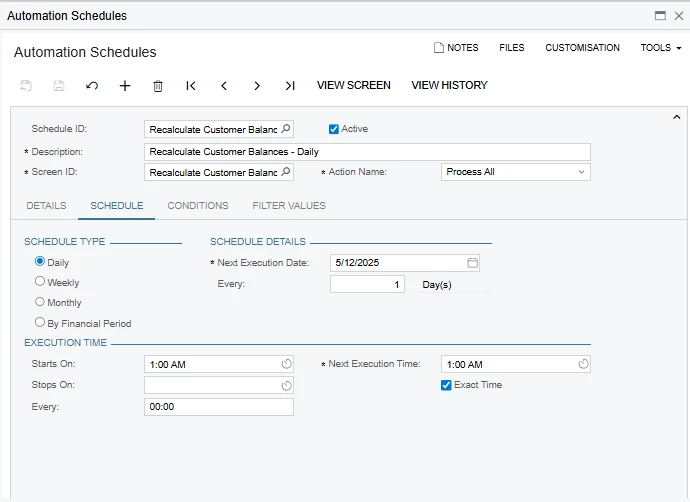
Below is the schedule I have added. Trying to figure out why it is limited to two customers all the time. 

No conditions are available and here are the other settings.
 

Thank you,

Dulanjana

10 replies

mohammadnawaz51
Jr Varsity I
Forum|alt.badge.img+4

@dsenevirathne54 Did unpublish the customizations and verified this. Also share your filter values.?


Forum|alt.badge.img

Hi ​@mohammadnawaz51 ,

There are no customizations available for AR related screens. and filter values are available in the above images. 

Thanks,

Dulanjana


mohammadnawaz51
Jr Varsity I
Forum|alt.badge.img+4

@mohammadnawaz51 Did you recreate any new schedule and verify this.


nickcerri32
Jr Varsity III
Forum|alt.badge.img+1
  • Jr Varsity III
  • December 3, 2025

@dsenevirathne54 Is there anything unique about the two customers that this runs for successfully that sets them apart from the other customers? Any visibility or branch restrictions that may be used?


Forum|alt.badge.img

Hi ​@nickcerri32 , Thank you for your feedback. I think the point you have mentioned is correct. The two customers that are running the schedule are the customers who has no restrictions. All other customers have visibility restrictions for branches. 

I don’t think user level access to branch affects the automation schedule, does it?

Thanks,

Dulanjana


nickcerri32
Jr Varsity III
Forum|alt.badge.img+1
  • Jr Varsity III
  • December 3, 2025

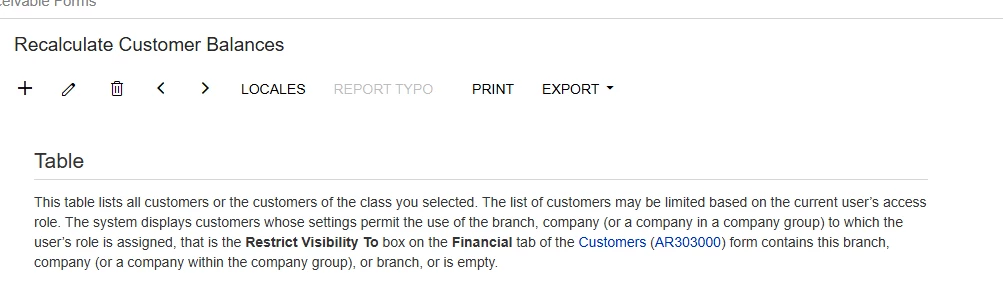
@dsenevirathne54 from the screenshot the list of customers may be limited based on the current user’s access role.  It wouldn’t have an impact on the Automation schedule, just on who’s viewing the list in that screen. Are you running the schedule out of a specific branch?


Forum|alt.badge.img

@nickcerri32  I want to run the process for all branches hence I have not mentioned any branch in the process with branch field. and the user I’m using have access to all branches as well. But still the schedule picks customers only with no restrictions. I tried adding branches to the schedule to run for specific customers related to the branch., But still the result is the same.


nickcerri32
Jr Varsity III
Forum|alt.badge.img+1
  • Jr Varsity III
  • December 3, 2025

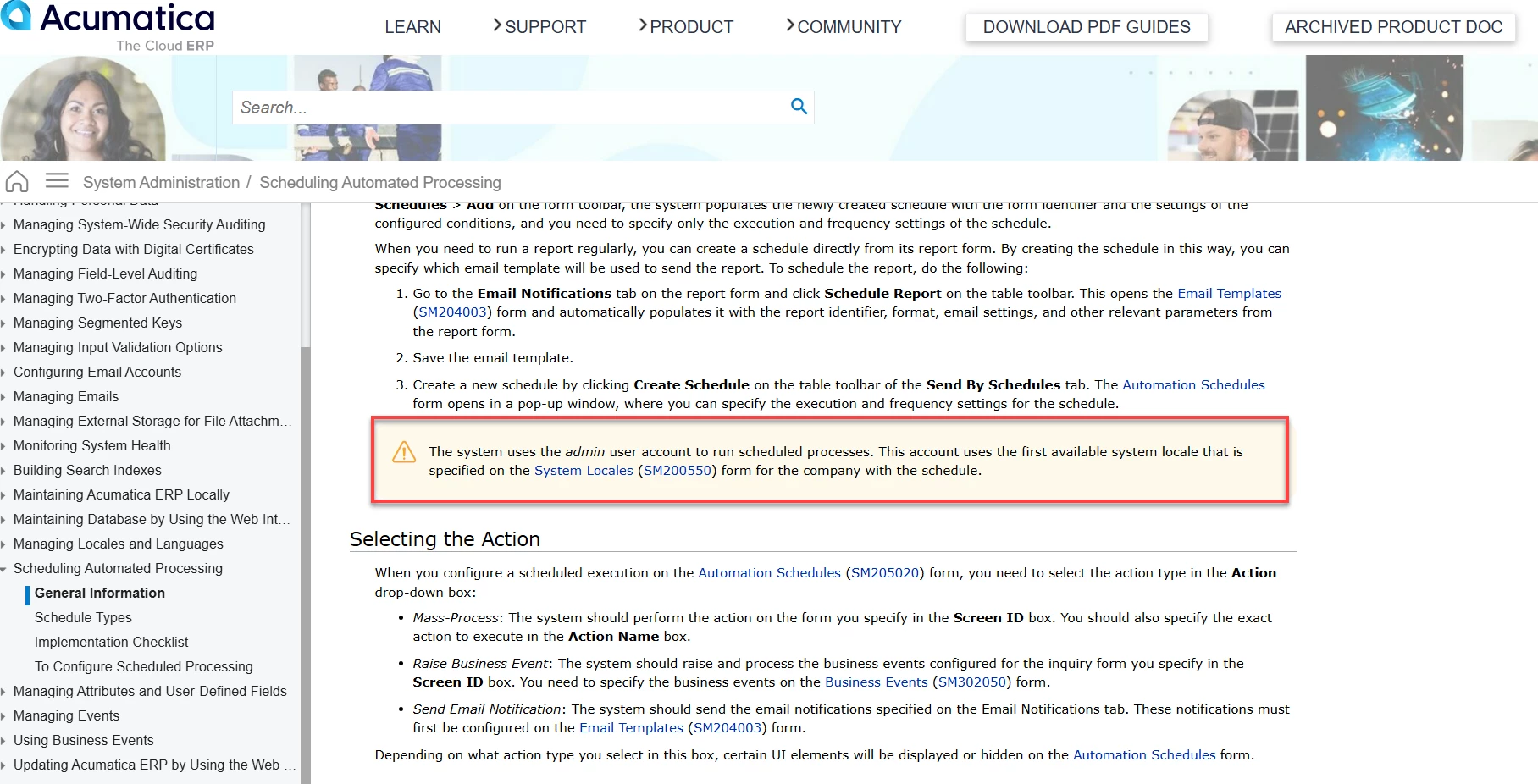
@dsenevirathne54 - I remember hearing from an integration I work with that the automation schedules are ran by the Admin user account.  Can you check and make sure that the Admin account has all the relevant restrictions enabled?  This includes User Roles and Restriction Groups.


mohammadnawaz51
Jr Varsity I
Forum|alt.badge.img+4

@nickcerri32 Login as admin account as the schedulers run from the admin user account.

Verify if you are able to see all the customers in the recalculate screen.


MissyMain41
Jr Varsity I
Forum|alt.badge.img
  • Jr Varsity I
  • December 4, 2025

Hello,

Just as others have stated, the global admin user account specifically is what runs automations in Acumatica.

That user account must be able to see all the data associated with an automation for it to run. 

This information is documented as well in Acumatica help documentation. 

Automated Processing: General Information