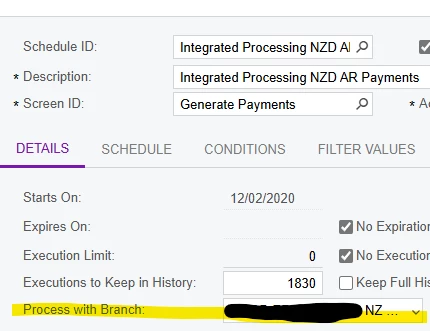
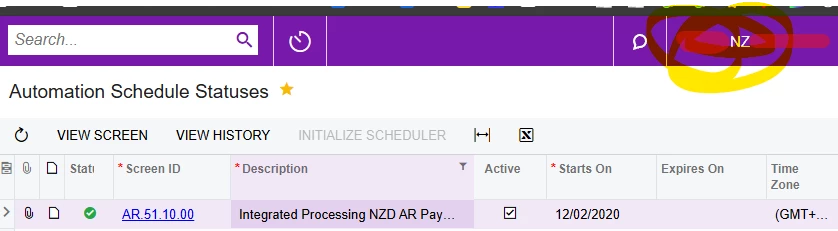
The Automation Schedule is setup with the branch to run with:
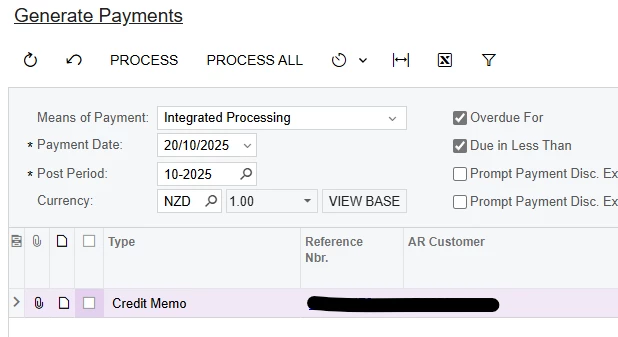
But this is not being “applied” when running. How do I know? Because the Autom. Schedule History tells no records processed and if I open the screen with the default branch, it doesn’t show the NZ records. But if I change the branch on the top menu, open the screen and apply the filters it does have records to process:
This is happening to any Automation Schedule that we have to set the Branch as different that the default one. There’s currently Automation for Generate Payments and Run Recognition.
Any thoughts?
Best answer by MissyMain41
Hey there!
I’ve seen this happen quite often, and I would say 80% of the time this happens it is because the global admin user does not have access to that branch. The global admin user (defined in Acumatica as “admin”), is used for back-end processes more often than not.
One troubleshooting step mentioned in this post was to “change the branch on the top menu, open the screen and apply the filters it does have records to process:”
This is a fantastic step to perform troubleshooting, however the image provided appears that this possibly was done via a normal user account. Does this same step work if logged in with the “admin” account which is what processes Automation Schedules and Business events? The admin account may be missing a role to that branch in order to process that branch specific schedule.
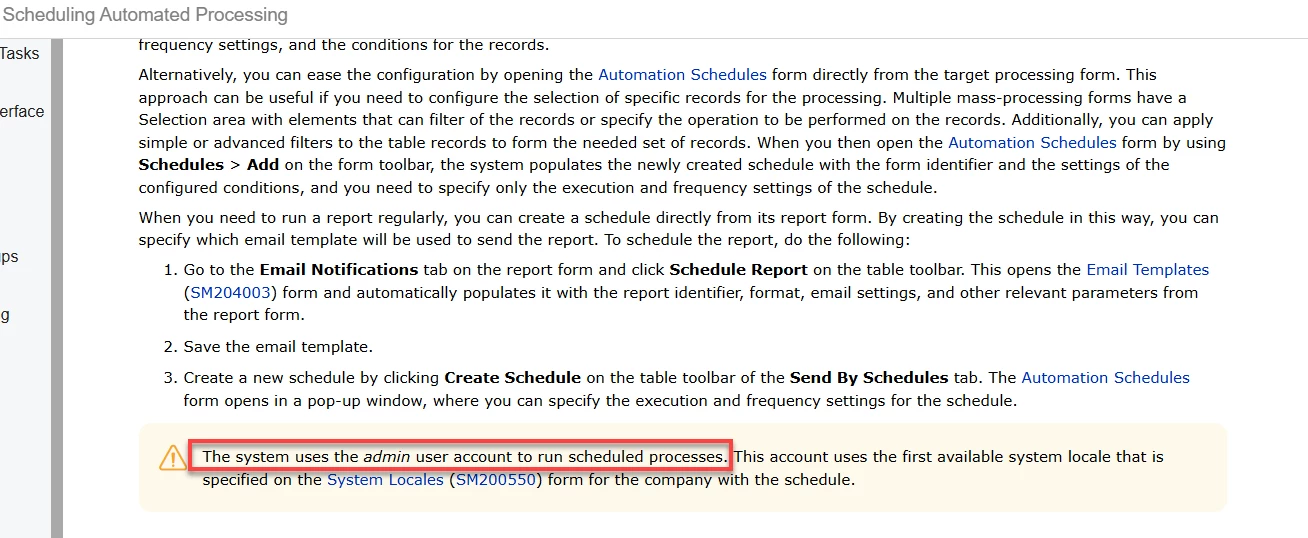
Information regarding the use of global admin account being used for back-end processing can be found in the automation schedule help documentation found here:
Here is what the help documentation says about the process with branch field.
Process with Branch
The branch or the company without branches under which the schedule should be processed. For example, if documents are created by this schedule, the system creates these documents and specifies the selected branch or company for each document. By default, when the schedule is created, the system inserts in this box the default branch specified for the admin user. This box appears on the form only if multiple branches or companies are configured in the system and the currently signed-in user has access to multiple branches or companies on the form selected in the Screen ID box of the Summary area.
Here is what the help documentation says about the process with branch field.
Process with Branch
The branch or the company without branches under which the schedule should be processed. For example, if documents are created by this schedule, the system creates these documents and specifies the selected branch or company for each document. By default, when the schedule is created, the system inserts in this box the default branch specified for the admin user. This box appears on the form only if multiple branches or companies are configured in the system and the currently signed-in user has access to multiple branches or companies on the form selected in the Screen ID box of the Summary area.
Thanks Ed. Yes, filters and settings are all right.
I’ve seen this happen quite often, and I would say 80% of the time this happens it is because the global admin user does not have access to that branch. The global admin user (defined in Acumatica as “admin”), is used for back-end processes more often than not.
One troubleshooting step mentioned in this post was to “change the branch on the top menu, open the screen and apply the filters it does have records to process:”
This is a fantastic step to perform troubleshooting, however the image provided appears that this possibly was done via a normal user account. Does this same step work if logged in with the “admin” account which is what processes Automation Schedules and Business events? The admin account may be missing a role to that branch in order to process that branch specific schedule.
Information regarding the use of global admin account being used for back-end processing can be found in the automation schedule help documentation found here:
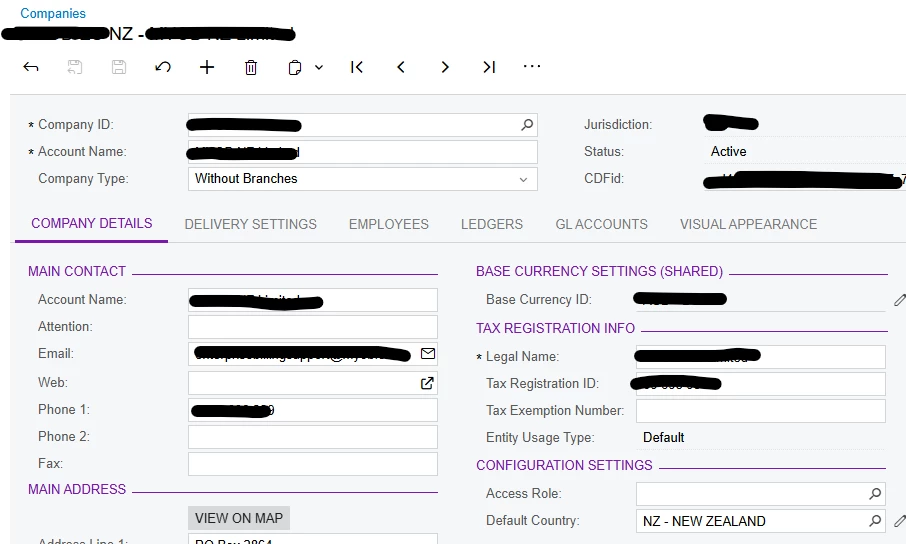
Yes @MissyMain41 , that’s what I most saw when searching out there. But there’s no Role associated to the Company:
Thank you very much for your detailed info.
Hey there!
I’ve seen this happen quite often, and I would say 80% of the time this happens it is because the global admin user does not have access to that branch. The global admin user (defined in Acumatica as “admin”), is used for back-end processes more often than not.
One troubleshooting step mentioned in this post was to “change the branch on the top menu, open the screen and apply the filters it does have records to process:”
This is a fantastic step to perform troubleshooting, however the image provided appears that this possibly was done via a normal user account. Does this same step work if logged in with the “admin” account which is what processes Automation Schedules and Business events? The admin account may be missing a role to that branch in order to process that branch specific schedule.
Information regarding the use of global admin account being used for back-end processing can be found in the automation schedule help documentation found here:
Of course, anytime! It may still be worthwhile to login as that global admin and confirm it sees those records to process as well - perhaps restriction groups or some other security role could be a factor! Hope the solution is found soon I understand how frustrating this can be.
Of course, anytime! It may still be worthwhile to login as that global admin and confirm it sees those records to process as well - perhaps restriction groups or some other security role could be a factor! Hope the solution is found soon I understand how frustrating this can be.
Thank you, I appreciated it. Yes, I had it initially checked with the super admin - Acumatica admin. Records are shown once I change the Branch. What I’d expect is that the Branch is changed to NZ as setup in the Automation Schedule when the schedule is run by the admin, but it looks like it isn’t changing and just tries to run with the default Branch.