Answer

Anyone Successfully Installed Acumatica 2025 R1 Locally?

  • April 22, 2025
  • 11 replies
  • 336 views

DipakNilkanth
Pro III
Forum|alt.badge.img+13

Hello Community,

Has anyone successfully installed the Acumatica 2025 R1 instance locally?

I’ve attempted the installation multiple times, but I keep running into the same issue. After selecting the Sales Demo data and choosing DefaultAppPool as the application pool, the installation process starts — but shortly after, the dialog box simply disappears without any error message or confirmation. No instance is created, and nothing else happens.

I’ve followed the same steps that worked perfectly for earlier versions (2023 R2 and 2024 R1), so I’m wondering if there’s anything different or additional that needs to be considered for 2025 R1.

Has anyone else faced this behavior or found a workaround?
Is there any change in prerequisites or installation flow for this release?

Any insights, tips, or documentation references would be greatly appreciated!

Thanks in advance!

Best answer by DipakNilkanth

Hi All,

It turns out that the following folder was set as Read-Only:
C:\Program Files\Microsoft SQL Server\MSSQL16.MSSQLSERVER\MSSQL\DATA\

Additionally, the "Compress contents to save disk space" option was also enabled.
I had to uncheck both the Read-Only attribute and the Compress contents to save disk space option for the folder.

Thank you all for your insights on this — I truly appreciate your time and support.

11 replies

Samvel Petrosov
Jr Varsity II
Forum|alt.badge.img+8

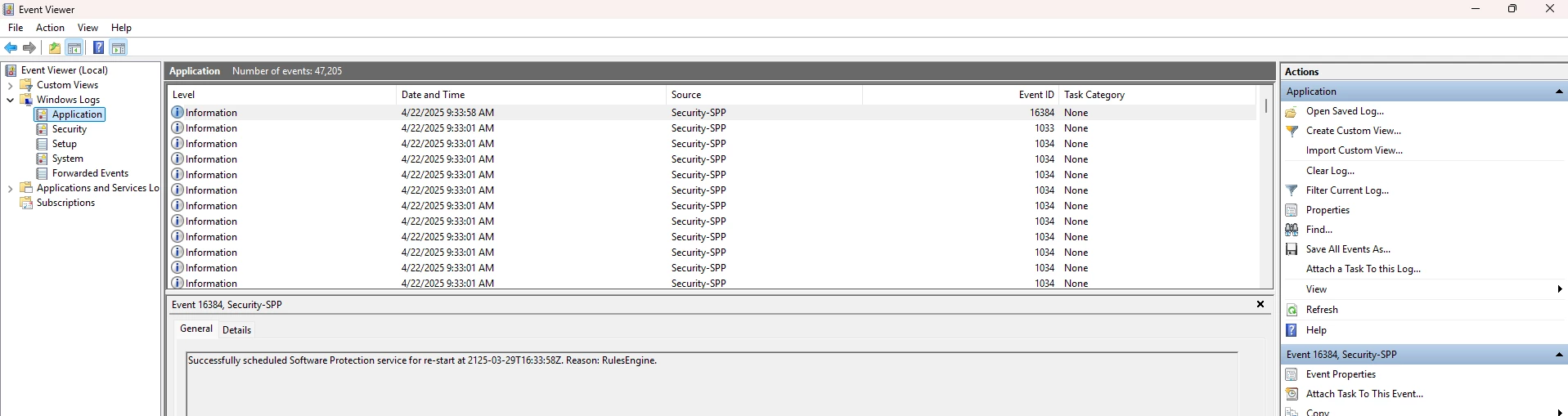
Have you checked the system’s Event Viewer? Any errors/messages there?


darylbowman
Captain II
Forum|alt.badge.img+15


Hello Community,

Has anyone successfully installed the Acumatica 2025 R1 instance locally?

Yes


Check the Logs folder of the configuration utility


valentynbeznosiuk
Jr Varsity I
Forum|alt.badge.img+3

@Nilkanth Dipak I don’t know if it’s valid in your case, but I’ve faced the same behavior when I had a little space on the disk. Once I freed up some space, the issue disappeared.


Forum|alt.badge.img+8
  • Captain II
  • April 22, 2025

@Nilkanth Dipak 

Yes,

Uninstalling and reinstalling worked for me when I encountered something similar.


DipakNilkanth
Pro III
Forum|alt.badge.img+13
  • Author
  • Pro III
  • April 23, 2025

Have you checked the system’s Event Viewer? Any errors/messages there?


Hi ​@Samvel Petrosov, Thank you for the response.

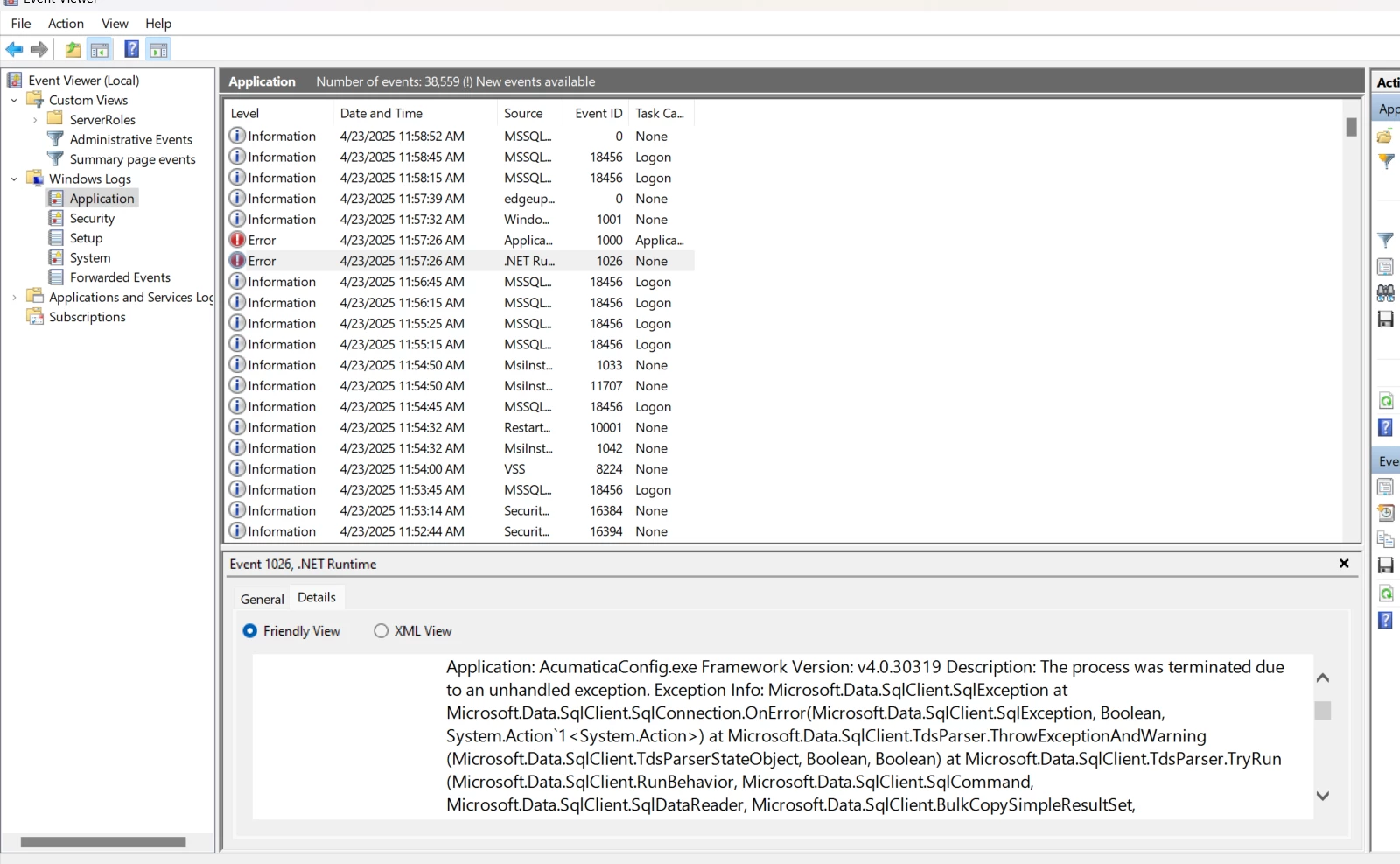
Previously, I hadn’t checked the Event Viewer, but after reproducing the issue again, I followed the same steps and experienced the same behavior — the installer dialog disappears without creating an instance.

This time, I checked the Event Viewer under the Application section and found an entry indicating a SQL connection issue. Here's a portion of the error:


 Application: AcumaticaConfig.exe Framework Version: v4.0.30319 Description: The process was terminated due to an unhandled exception. Exception Info: Microsoft.Data.SqlClient.SqlException at Microsoft.Data.SqlClient.SqlConnection.OnError(Microsoft.Data.SqlClient.SqlException, Boolean, System.Action`1<System.Action>) at Microsoft.Data.SqlClient.TdsParser.ThrowExceptionAndWarning(Microsoft.Data.SqlClient.TdsParserStateObject, Boolean, Boolean) at Microsoft.Data.SqlClient.TdsParser.TryRun(Microsoft.Data.SqlClient.RunBehavior, Microsoft.Data.SqlClient.SqlCommand, Microsoft.Data.SqlClient.SqlDataReader, Microsoft.Data.SqlClient.BulkCopySimpleResultSet, Microsoft.Data.SqlClient.TdsParserStateObject, Boolean ByRef) at Microsoft.Data.SqlClient.SqlCommand.RunExecuteNonQueryTds(System.String, Boolean, Int32, Boolean) at Microsoft.Data.SqlClient.SqlCommand.InternalExecuteNonQuery(System.Threading.Tasks.TaskCompletionSource`1<System.Object>, System.String, Boolean, Int32, Boolean ByRef, Boolean, Boolean) at Microsoft.Data.SqlClient.SqlCommand.ExecuteNonQuery() at PX.DbServices.Points.DbmsBase.DefaultExecutor`1[[System.__Canon, mscorlib, Version=4.0.0.0, Culture=neutral, PublicKeyToken=b77a5c561934e089]].executeDbCommand(System.Data.IDbCommand, Double ByRef) at PX.DbServices.Points.DbmsBase.DefaultExecutor`1[[System.__Canon, mscorlib, Version=4.0.0.0, Culture=neutral, PublicKeyToken=b77a5c561934e089]].Execute(System.Func`1<System.Data.IDbCommand>) Exception Info: PX.DbServices.Scripting.ScriptExecutionException at PX.DbServices.Points.DbmsBase.DefaultExecutor`1[[System.__Canon, mscorlib, Version=4.0.0.0, Culture=neutral, PublicKeyToken=b77a5c561934e089]].Execute(System.Func`1<System.Data.IDbCommand>) at PX.DbServices.Points.DbmsBase.PointDbmsBase.executeSingleCommand(PX.DbServices.Commands.CommandBase, PX.DbServices.Points.ExecutionContext, Boolean) at AcumaticaConfig.Installation.CreateDatabase(PX.BulkInsert.Installer.BaseInstallProvider, System.String) at AcumaticaConfig.Installation.DatabaseWork(PX.BulkInsert.Installer.BaseInstallProvider, AcumaticaConfig.UI.ProgressBase) at System.Threading.ExecutionContext.RunInternal(System.Threading.ExecutionContext, System.Threading.ContextCallback, System.Object, Boolean) at System.Threading.ExecutionContext.Run(System.Threading.ExecutionContext, System.Threading.ContextCallback, System.Object, Boolean) at System.Threading.ExecutionContext.Run(System.Threading.ExecutionContext, System.Threading.ContextCallback, System.Object) at System.Threading.ThreadHelper.ThreadStart()  


It appears the issue is occurring during the database creation phase.

I’m able to connect to the SQL Server using Windows Authentication in SSMS without any issues, and I’m also selecting Windows Authentication when creating the instance in the Acumatica Configuration Wizard.


DipakNilkanth
Pro III
Forum|alt.badge.img+13
  • Author
  • Pro III
  • April 23, 2025

@Nilkanth Dipak 

Yes,

Uninstalling and reinstalling worked for me when I encountered something similar.

@aiwan , thanks for insights , I tried this couple of times.


DipakNilkanth
Pro III
Forum|alt.badge.img+13
  • Author
  • Pro III
  • April 23, 2025

@Nilkanth Dipak I don’t know if it’s valid in your case, but I’ve faced the same behavior when I had a little space on the disk. Once I freed up some space, the issue disappeared.

@valentynbeznosiuk  That could be the issue — I currently have only 11 GB of free space on my C drive. I’ll try to free up some space and let you know how it goes.


DipakNilkanth
Pro III
Forum|alt.badge.img+13
  • Author
  • Pro III
  • Answer
  • April 28, 2025

Hi All,

It turns out that the following folder was set as Read-Only:
C:\Program Files\Microsoft SQL Server\MSSQL16.MSSQLSERVER\MSSQL\DATA\

Additionally, the "Compress contents to save disk space" option was also enabled.
I had to uncheck both the Read-Only attribute and the Compress contents to save disk space option for the folder.

Thank you all for your insights on this — I truly appreciate your time and support.


Chris Hackett
Community Manager
Forum|alt.badge.img
  • Acumatica Community Manager
  • April 28, 2025

Thank you for sharing your solution with the community ​@Nilkanth Dipak!


Forum|alt.badge.img
  • Freshman I
  • June 6, 2025

Where is the download link for Acumatica and Acumatica 25 R1? Do you need a demo license in order to run everything in Acumatica local?


valentynbeznosiuk
Jr Varsity I
Forum|alt.badge.img+3

Hi ​@jparoski72 

You can download it using the following link:

https://acumatica-builds.s3.amazonaws.com/index.html?prefix=builds/25.1/

You can run it locally with a free trial mode. It has some limitations, i.e. allows concurent users is only 2 and is not capable of production use, but it’s more than enough when you need to test certain things