Solved

AI Assistant in 26R1 beta?

  • February 12, 2026
  • 6 replies
  • 192 views

jhouser
Captain II
Forum|alt.badge.img+7

Has anyone successfully used the AI Assistant in 26R1 beta? 

I obtained a license key for it and am able to access the assistant, but when I ask it questions it just spins. 

Things I tried:

  1. Opened browser console and found this error: Warning: No client method with the name 'usermessagesent' found.
  1. Cleared browser cache.
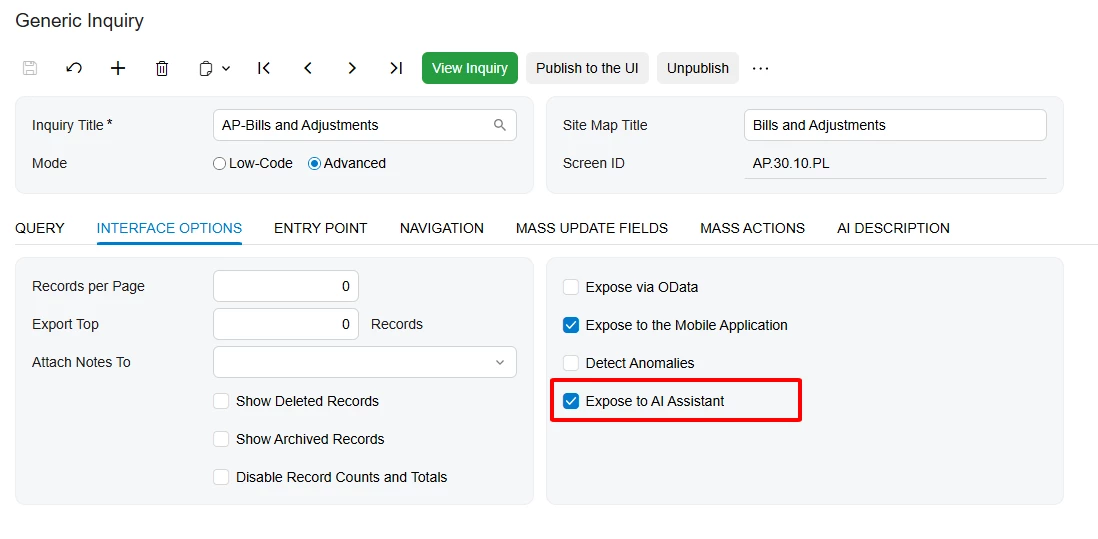
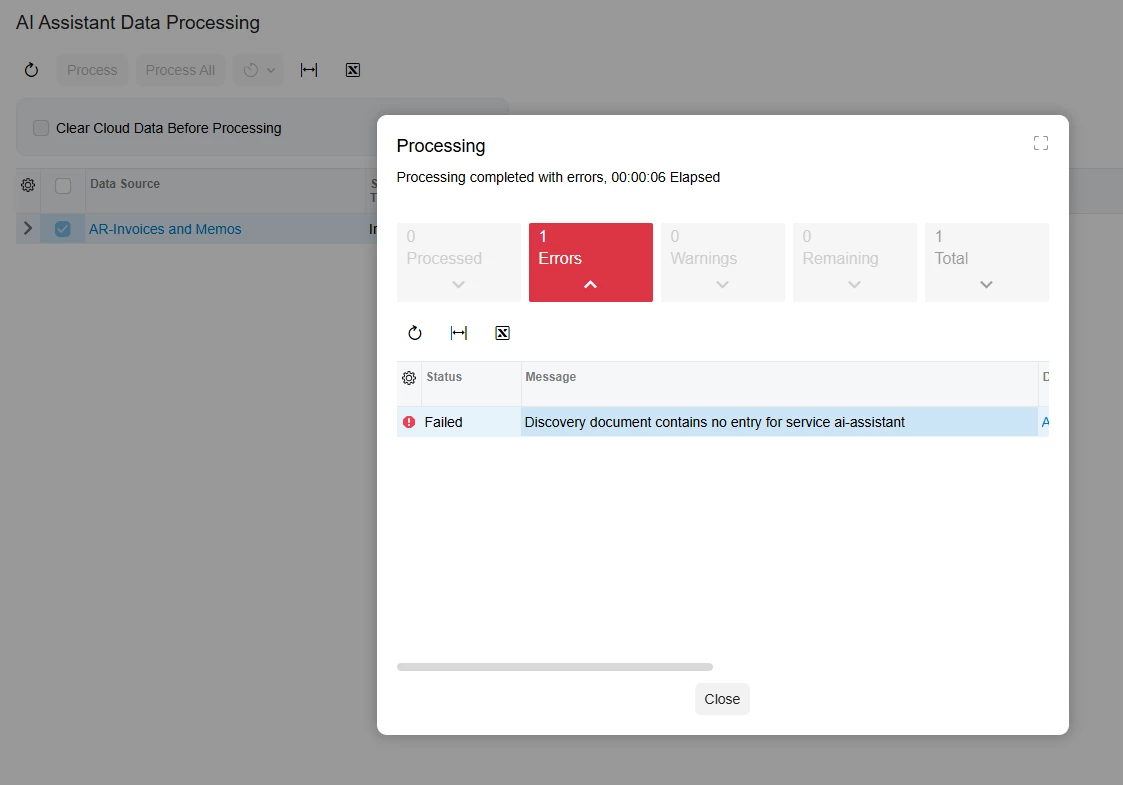
  1. Exposed a GI to AI Assistant, then located AI Assistant Data Processing screen (ML503010) to process it. Got the error in screenshot below. 

Is AI Assistant not intended to work in beta version? 
 

Best answer by Omar Ghazi

@jhouser it’s not quite ready with 2026 R1 Beta yet. We are working through some licensing decisions before rolling this experimental feature out. Thank you for your patience!

6 replies

  • Freshman I
  • February 20, 2026

Having the same issue with available 26R2 Beta release from builds.acumatica.com


any success??


jhouser
Captain II
Forum|alt.badge.img+7
  • Author
  • Captain II
  • February 20, 2026

Having the same issue with available 26R2 Beta release from builds.acumatica.com


any success??

I think you mean 26R1. No resolution as of yet, but I’ll let you know. 


Omar Ghazi
Community Manager
Forum|alt.badge.img
  • Community Manager
  • Answer
  • February 21, 2026

@jhouser it’s not quite ready with 2026 R1 Beta yet. We are working through some licensing decisions before rolling this experimental feature out. Thank you for your patience!


  • Freshman I
  • February 23, 2026

Thanks


jhouser
Captain II
Forum|alt.badge.img+7
  • Author
  • Captain II
  • February 23, 2026

Thanks ​@Omar Ghazi


This behavior usually comes from either an incomplete upgrade or missing AI data exposure. Based on similar cases, check these two points:

1. Make sure the upgrade to 2026 R1 is fully successful

AI Assistant depends on backend services introduced in 2026 R1, reference guide:
https://s4.com.vn/en/how-to-upgrade-to-acumatica-2026-r1-to-use-ai-assistant-and-shop-floor-kiosk/?utm_source=acumatica.com

2. Expose your Generic Inquiry to AI Assistant

Even if AI Assistant is enabled, it cannot work unless data sources are exposed.

From your screenshot, you are on the right track — just confirm:

  • Open your Generic Inquiry
  • Go to Interface Options
  • Tick: Expose to AI Assistant
  • Save & Publish


Fixing these two points usually resolves the issue immediately.