Answer

Acumatica Shopify connector, mapping items with multiple stores

  • July 4, 2025
  • 6 replies
  • 159 views

Forum|alt.badge.img

In Acumatica we sell stock and matrix stock items on two Shopify stores - D2C and Wholesale. We have both stores connected to Acumatica. The two Shopify stores share the same Stock items and Inventory, but we don’t sell the same items on both stores.

In Acumatica, each item has an attribute that defines if it’s sold on the D2C Only, Wholesale Only, or Both stores.

Using the Entity mapping per store, we’ve been able to accomplish restricting stock items (not matrix) from passing to one store or the other using a statement: IF Shopify Stores Is D2C Only or Both. This prevents Wholesale Only items from going to the D2C store.

The issue is that we haven’t been able to do the same with matrix items.

These attributes are mapped at the stock item level, not at the matrix template level. We tried applying the same logic at the matrix template level, but it simply removes the entire matrix template item from syncing.

It seems that when the eCommerce connector for Acumatica pushes a matrix template item over to Shopify, it pushes every single matrix stock item associated with the template item and we have no control.

We want to only push over the matrix stock items according to the D2C Only, Wholesale Only, or Both stores attribute mapping, but have not figured out a way to do so.

Any ideas? Is this possible?

Best answer by valentynbeznosiuk

@hammervince 

I’ve played a little bit more with this and can only confirm your assumption that the Template Items import does not respect attributes set on the Variance stock items. It seems not to be possible with the current connector.

I suggest you log this as a feature request for the community to vote on and to be reviewed by the Acumatica team.

6 replies

valentynbeznosiuk
Jr Varsity I
Forum|alt.badge.img+3

Hi ​@hammervince 

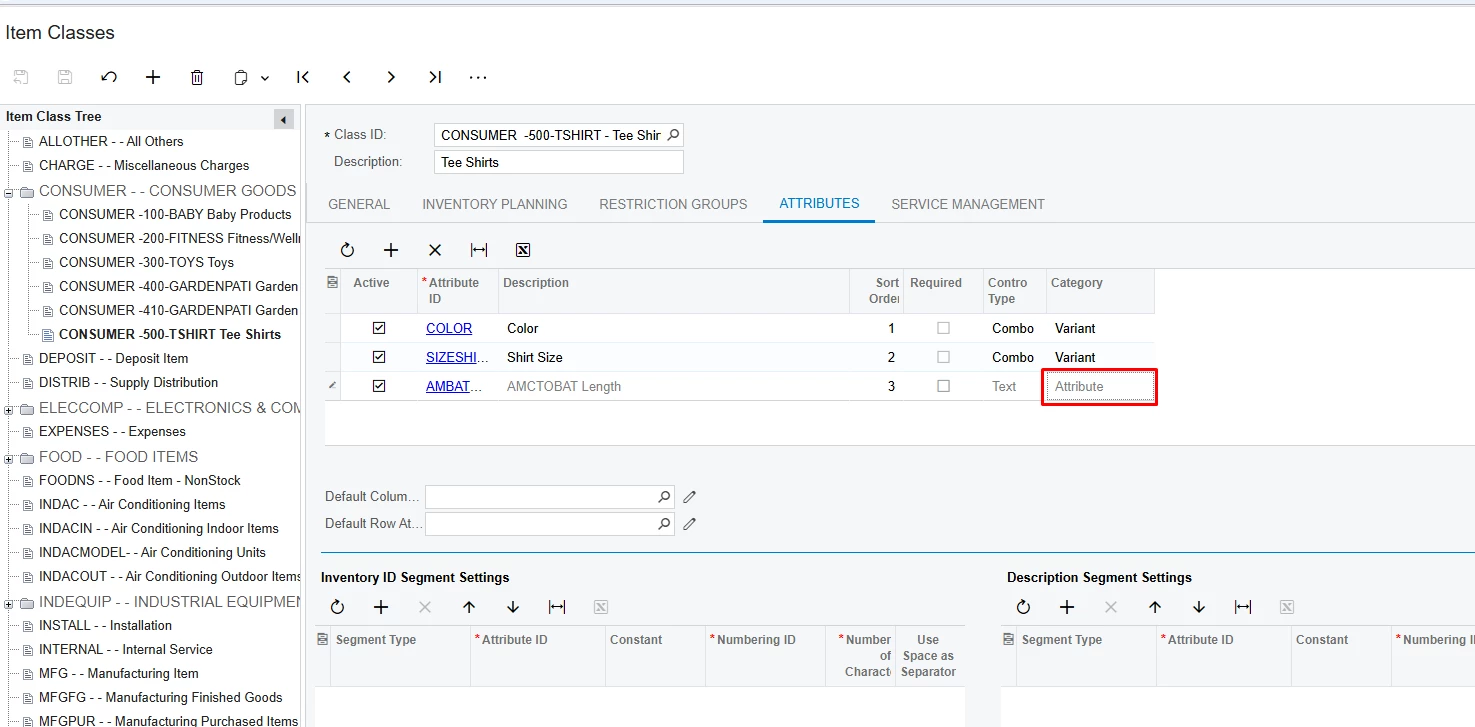
As you said, the Shopify connector sends every single Stock Item generated by Matrix Template. To make your filter work, you have to make sure generated stock items have the needed attributes and values there. You can achieve this by going to Item Class that has been used and add the needed attribute making sure it has the Attribute value in the Category column

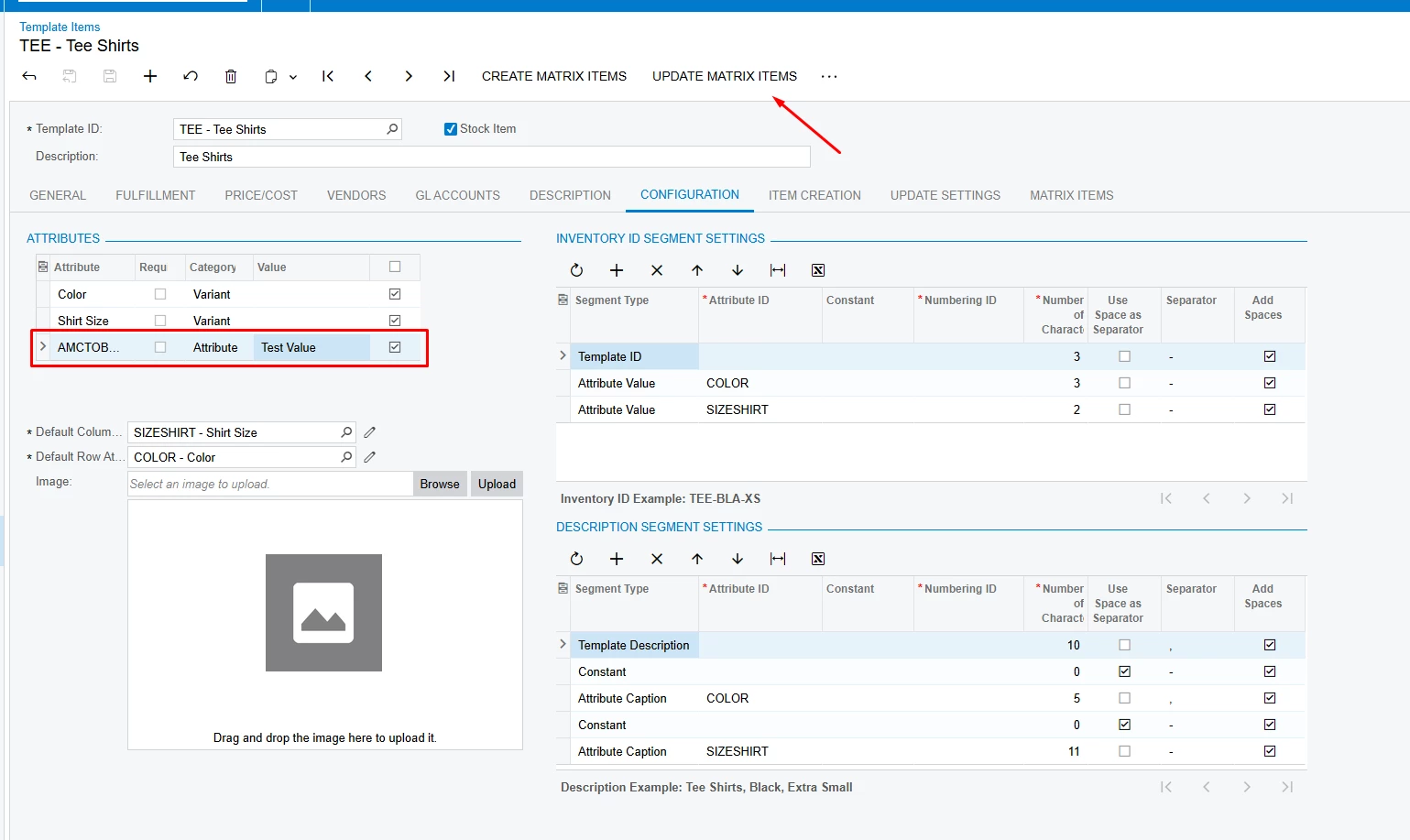
Then go to the Template Items screen → Configuration tab, select needed value for the attribute and use Update Matrix Items action button

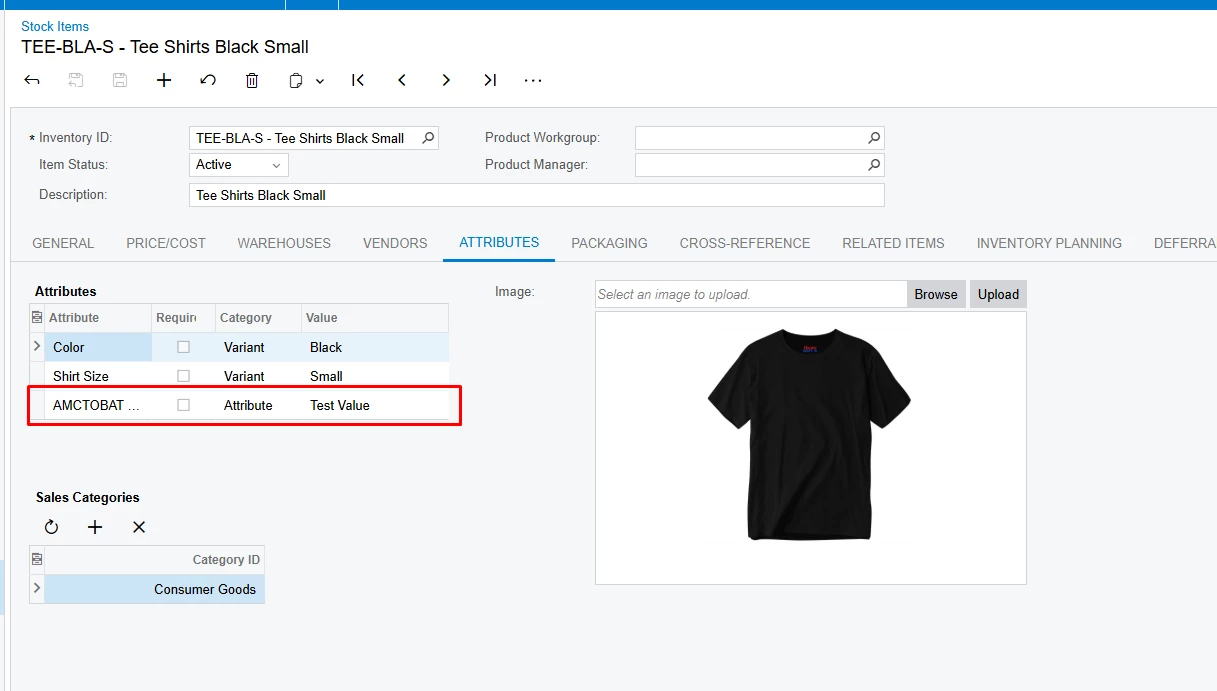
Once done, related Stock Items should receive value in the attribute and then be recognized by your Entity filtering


Forum|alt.badge.img
  • Author
  • July 7, 2025

@valentynbeznosiuk thank you for your answer, but this does not solve our issue. Your solution restricts all the stock items associated with a matrix template item to one Shopify site. Simply setting this at the matrix template already does this.

We are looking to selectively pass some, but not all stock items from a matrix to either or both websites.

For example this is how the 4 stock items within a matrix template need to behave:

  • Stock Item 1: Not listed on either website
  • Stock Item 2: Listed on D2C only
  • Stock Item 3: Listed on Wholesale only
  • Stock Item 4: Listed on D2C and Wholesale

valentynbeznosiuk
Jr Varsity I
Forum|alt.badge.img+3

@hammervince 

In this case, the only way would be to set the needed attribute value for every specific Stock Item, and the easiest way would be through the Import Scenario. That will allow you to change it again to needed values if at any point you will mass update items from the template and it will replace desired values


Forum|alt.badge.img
  • Author
  • July 7, 2025

@valentynbeznosiuk We already have this data in the stock items as you suggest, and this doesn’t solve the issue. The matrix template import does not respect the attributes set at the child matrix stock item level.

For example using the stock items I listed above configured with the appropriate attributes, importing this matrix template to our D2C site when the stock items are configured this way should only import Stock Item 2 and 4, but it imports all 4 items.


valentynbeznosiuk
Jr Varsity I
Forum|alt.badge.img+3

@hammervince 

I’ve played a little bit more with this and can only confirm your assumption that the Template Items import does not respect attributes set on the Variance stock items. It seems not to be possible with the current connector.

I suggest you log this as a feature request for the community to vote on and to be reviewed by the Acumatica team.


Forum|alt.badge.img
  • Author
  • July 10, 2025

@valentynbeznosiuk thank you for your confirmation. I will certainly log the feature request. To support that, here are supporting details for the Acumatica team:

The Acumatica Shopify connector allows for connection of multiple websites to a single Acumatica instance, but then fails to provide for store-level control of items passing to Shopify from Acumatica.

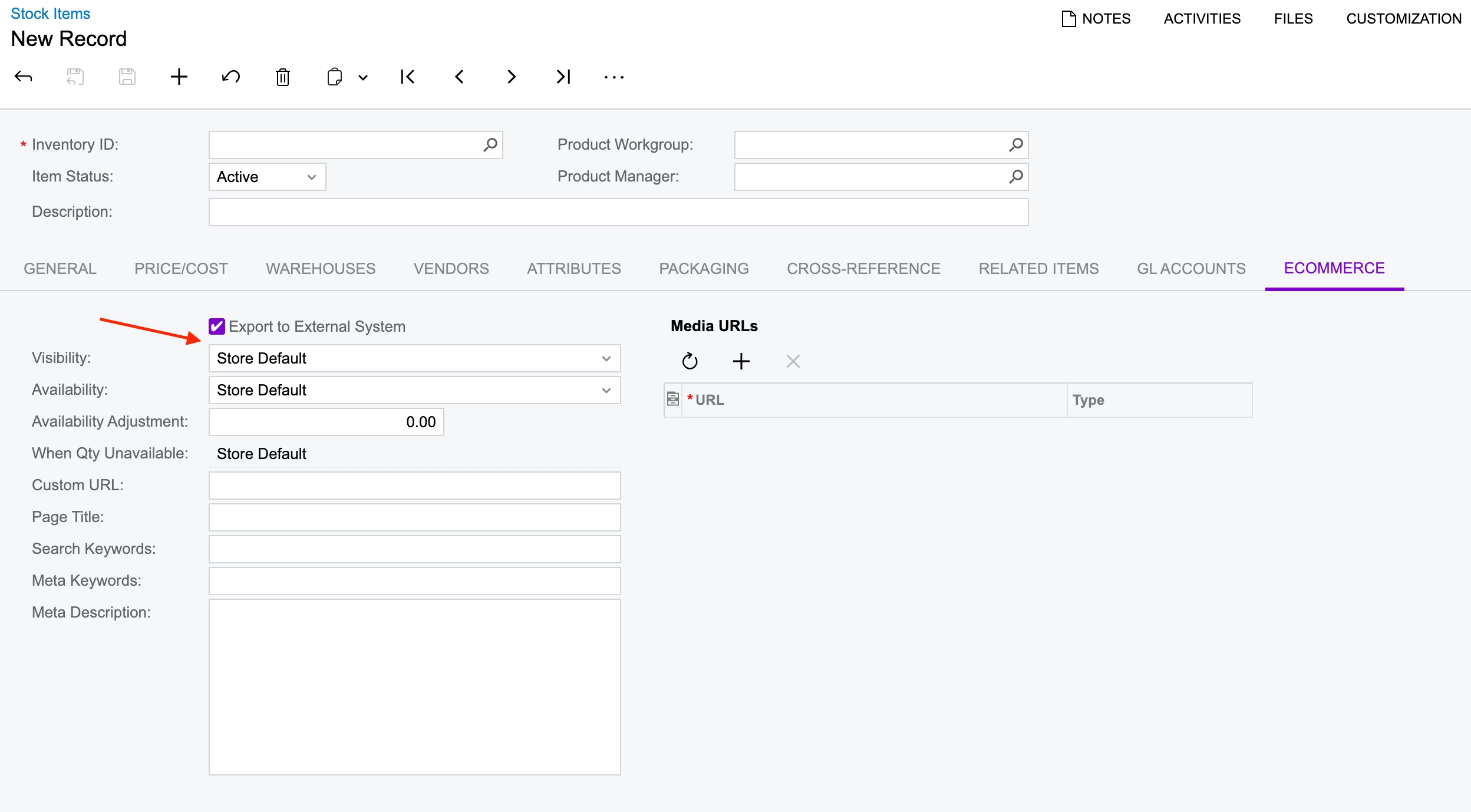
In the eCommerce tab on an item record in Acumatica, there is a simple ‘Export to External System’ checkbox which prevents the item from being exported to all Shopify stores. Item-level store control needs to be added to compliment this global control.

Below ‘Export to External System’ there should be a multi select, allowing you to select one or more Shopify stores that the item will pass to:

This needs to work for simple flat non-stock and stock items, but also needs to work for matrix items. That is that the global setting should exist at the matrix template item level, and the global AND store-level settings should exist at the matrix stock item level.

Here is the feature request if you or anyone else reading this would like to upvote: