Solved

How to map BigCommerce Order metafield in formula editor

  • August 19, 2024
  • 4 replies
  • 163 views
  • Translate All

Forum|alt.badge.img

Hello everyone,

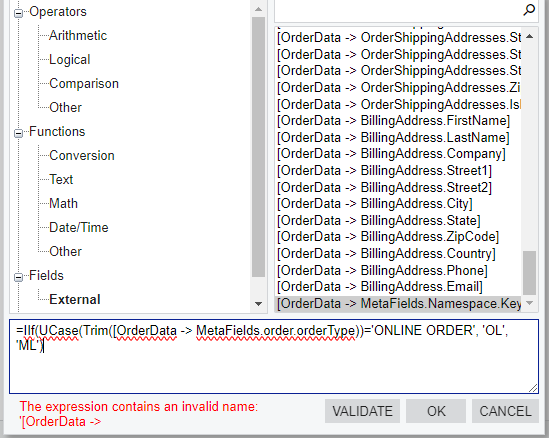
How to effectively map meta fields of BigCommerce order in the Entities mapping of BigCommerce connector under Formula editor?

This doesn’t work. (order is the namespace and orderType is the key)
 

Best answer by gabrielpaz86

Hi @jib87, Could you please elaborate why it doesn’t work?

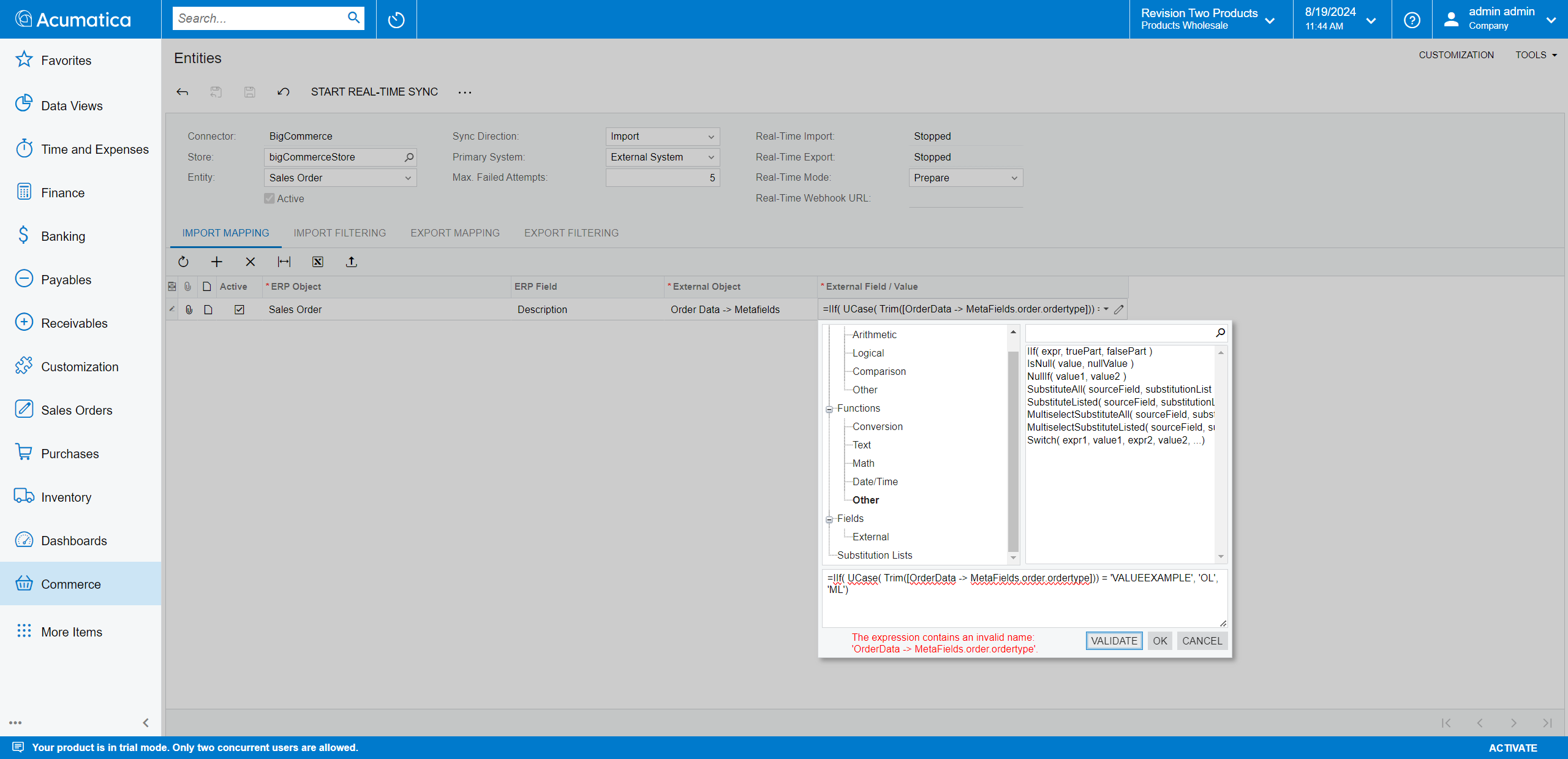
Despite being displayed that the formula is invalid, the logic should work.

Please check my example:
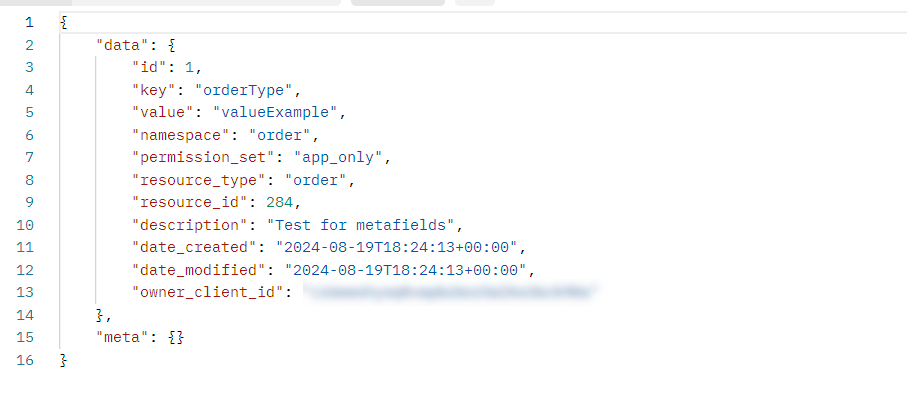
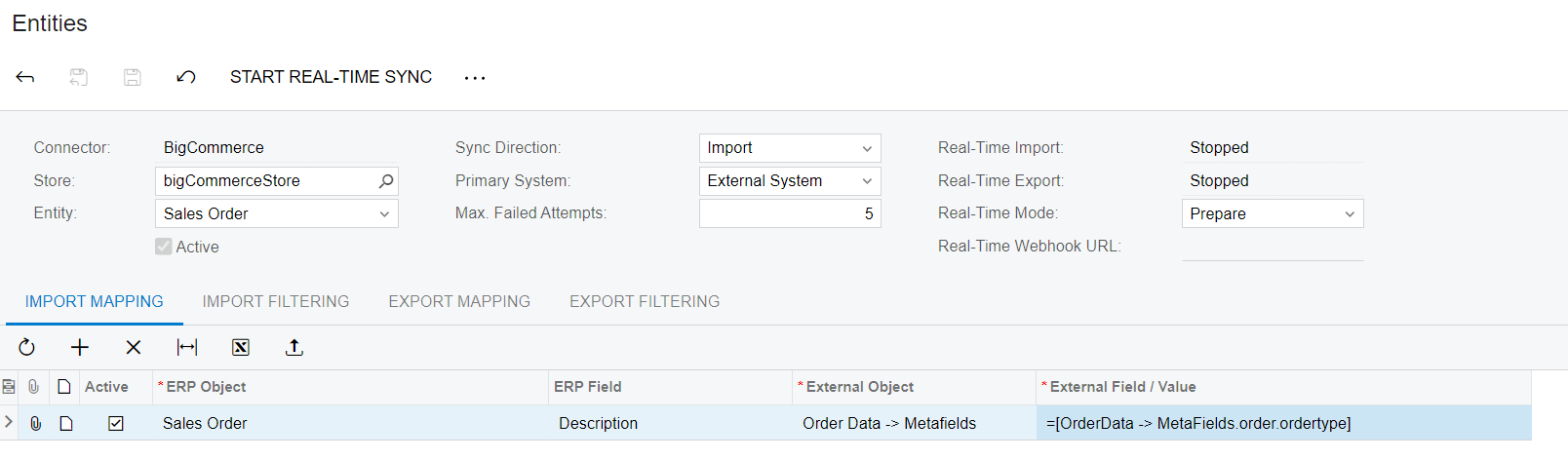
  1. I created the order metafield.
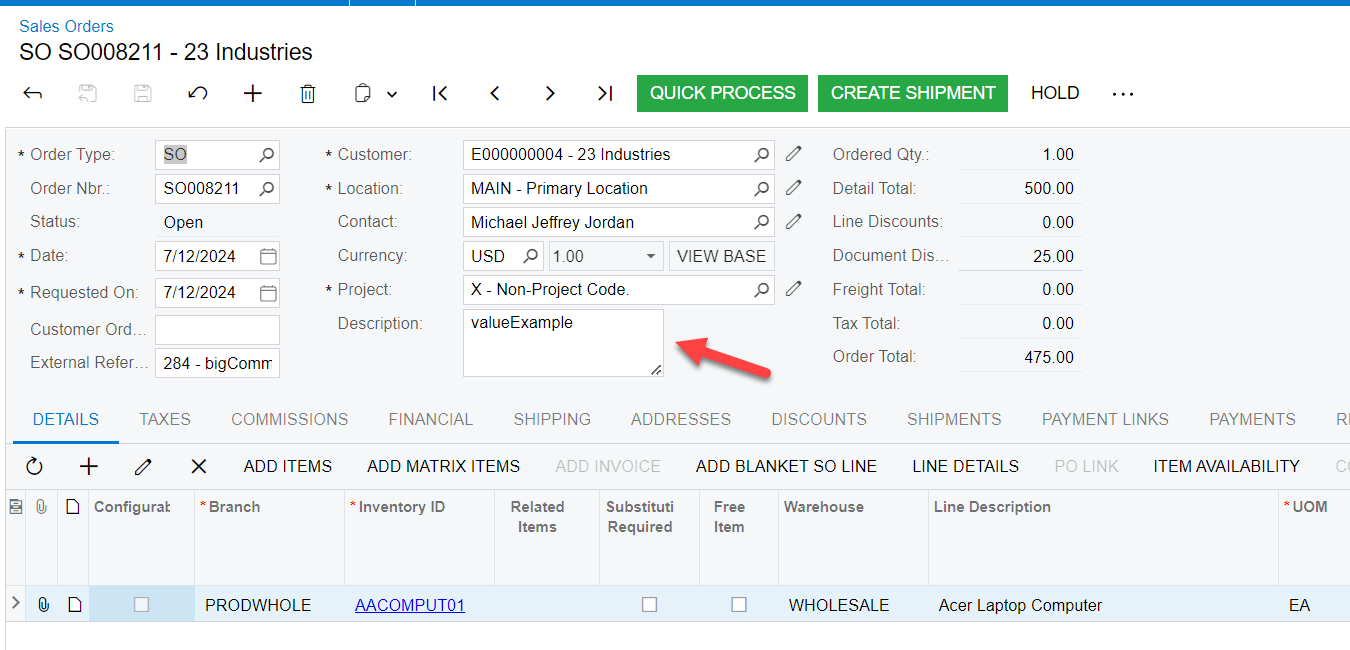
  2. Mapped and synced the order. In images we have two ways of mapping. 
    Remark: It doesn’t matter if you use “orderType” or “ordertype” in formula.
  3. In both scenarios it works.
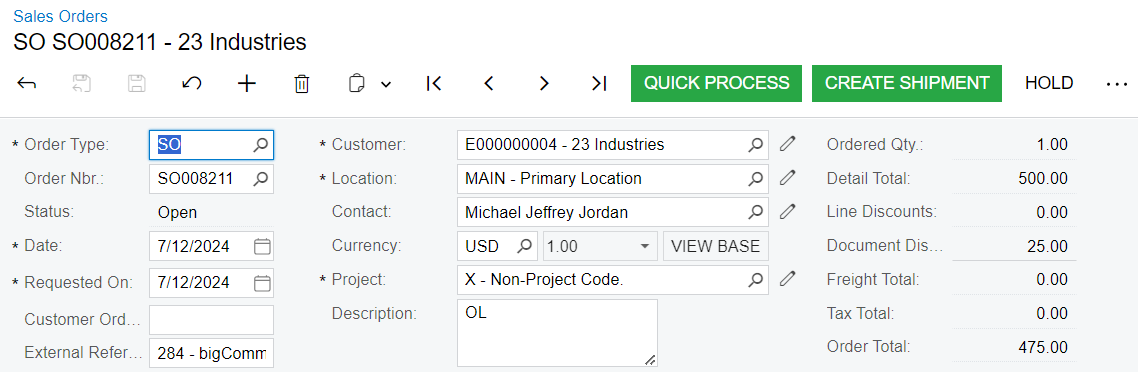
  4. Added some logic and resync order. Since the expected result was ‘OL’. 


View original

4 replies

gabrielpaz86
Acumatica Employee
Forum|alt.badge.img+1
  • Acumatica Employee
  • Answer
  • August 19, 2024

Hi @jib87, Could you please elaborate why it doesn’t work?

Despite being displayed that the formula is invalid, the logic should work.

Please check my example:
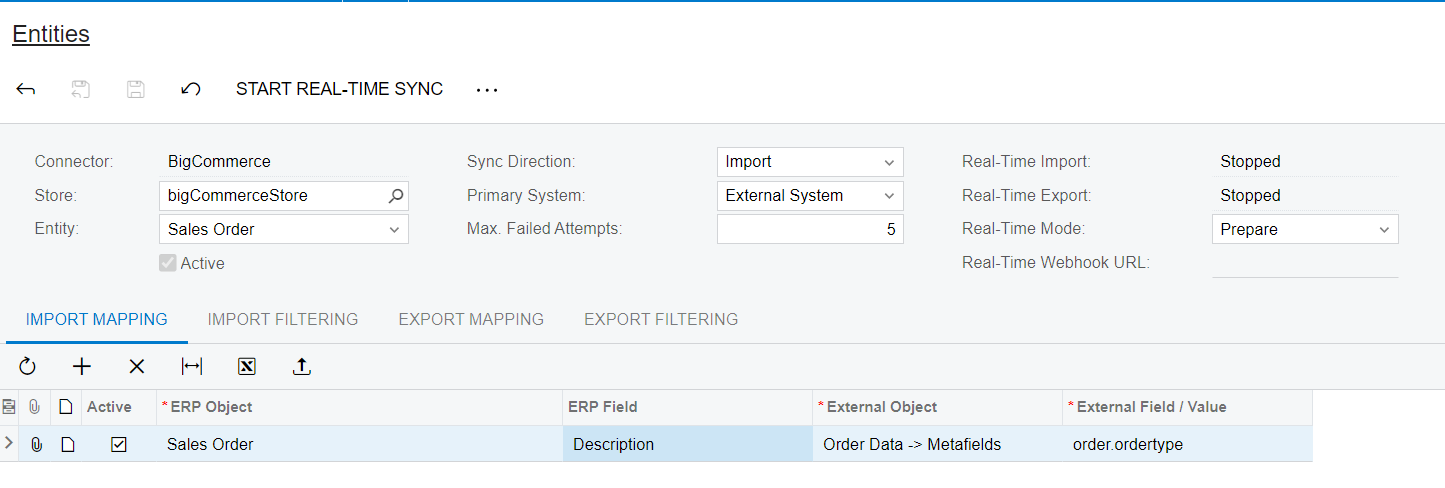
  1. I created the order metafield.
  2. Mapped and synced the order. In images we have two ways of mapping. 
    Remark: It doesn’t matter if you use “orderType” or “ordertype” in formula.
  3. In both scenarios it works.
  4. Added some logic and resync order. Since the expected result was ‘OL’. 


Translate

Yuri Karpenko
Captain II
Forum|alt.badge.img+7

@gabrielpaz86 , I’m going to be testing this very soon. Hope it works.

P.S. I have nothing to do with the original request above :)

Translate

Forum|alt.badge.img
  • Author
  • Varsity I
  • August 29, 2024

Thank you for your answers and apologies. I haven’t got the chance last week to test the solution. I’ll try it and will keep you updated.

Translate

Forum|alt.badge.img
  • Author
  • Varsity I
  • August 29, 2024

Just to confirm that the solution worked! Thank you

Translate