Answer

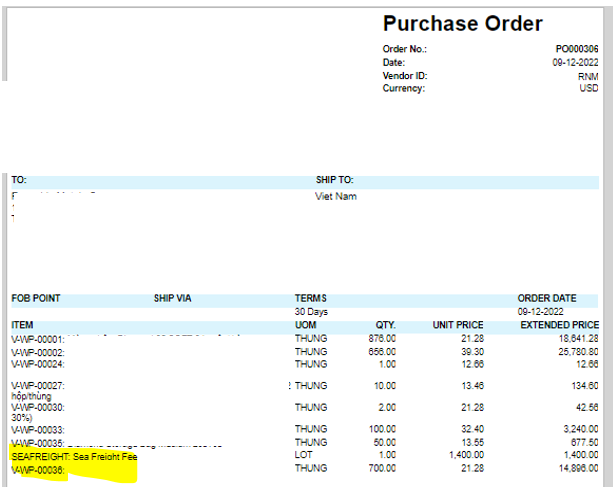
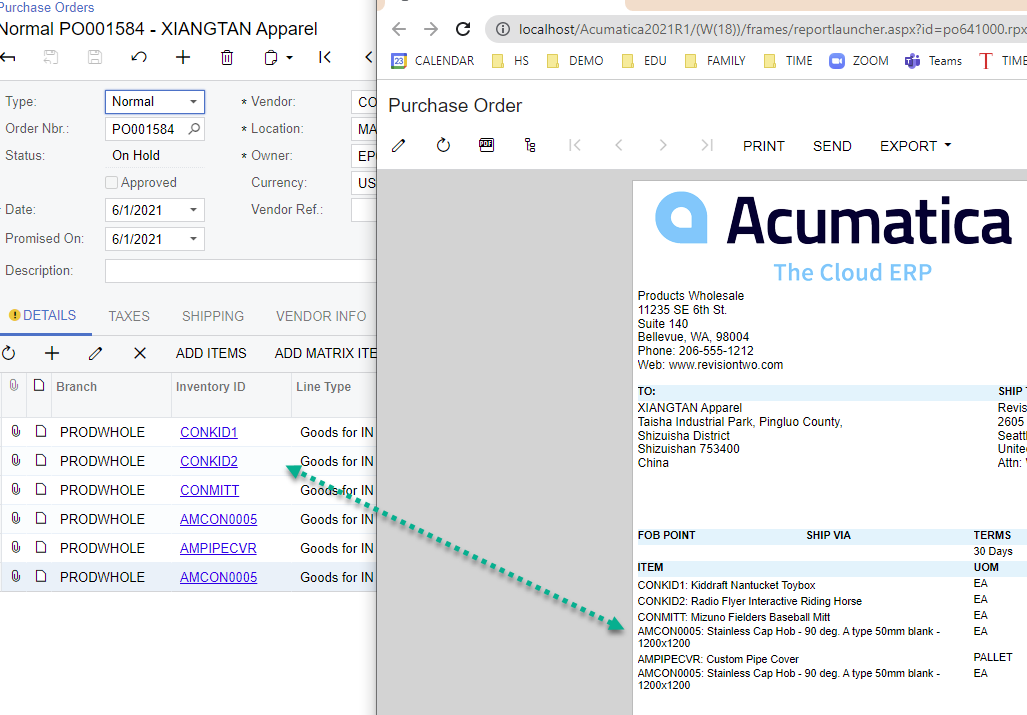
Why is the item order not printed in the order entered on the PO print screen (PO641000)?

  • December 11, 2022
  • 9 replies
  • 327 views

Forum|alt.badge.img

Hi everyone,

I have a question with Purchase Order that the order of the rows is reversed, I want the lines to be printed in the order they were entered. 

I use the print version of the system and have not edited anything.
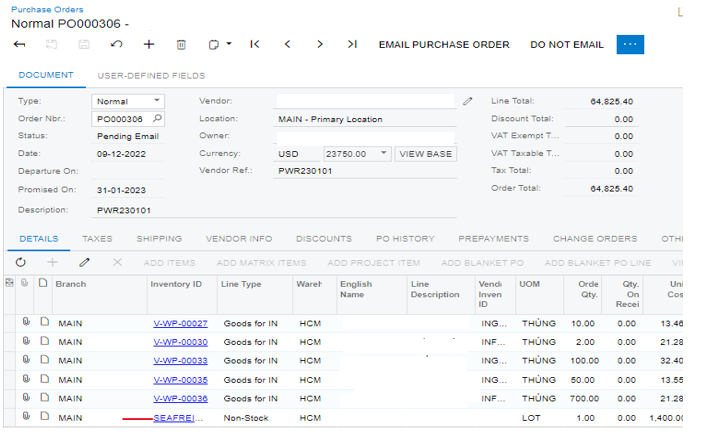
Pls advice me if you have any idea.

Thanks in advanced.
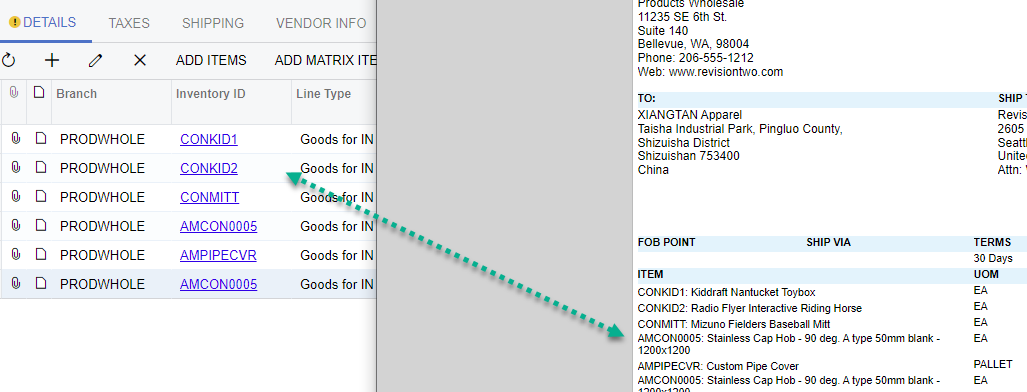
Best answer by aborisova37

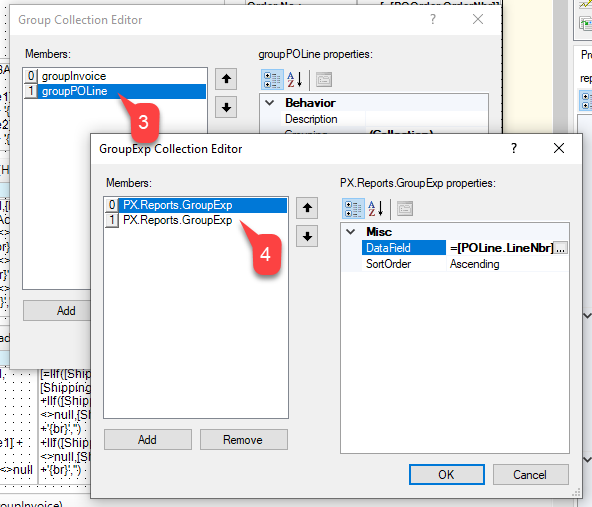
@dougmcbride79 I was able to get the desired result by changing the grouping first, see the screenshot below. See the attachment.


9 replies

dougmcbride79
Semi-Pro I
Forum|alt.badge.img
  • Semi-Pro I
  • December 12, 2022

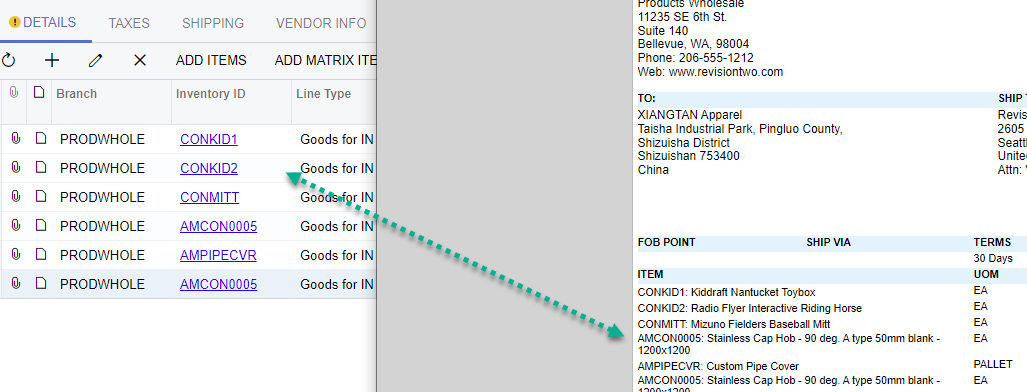
We have the same issue.  We want the items on the Printed PO to be in the same order as the “screen po”.  


aborisova37
Semi-Pro I
Forum|alt.badge.img+1
  • Semi-Pro I
  • December 12, 2022

@hthuy24 @dougmcbride79 Try changing the sorting order in the PO form. Sort by the POLine.LineNbr


Forum|alt.badge.img
  • Author
  • Jr Varsity II
  • December 12, 2022

@hthuy24 @dougmcbride79 Try changing the sorting order in the PO form. Sort by the POLine.LineNbr

I have tried but it’s still like that, nothing change :( 


aborisova37
Semi-Pro I
Forum|alt.badge.img+1
  • Semi-Pro I
  • December 12, 2022

@dougmcbride79   Do you have multiple lines per Inventory item? Check out this article>>

I was able to get the order by changing the grouping first. See attached a report for your reference.


aborisova37
Semi-Pro I
Forum|alt.badge.img+1
  • Semi-Pro I
  • December 12, 2022

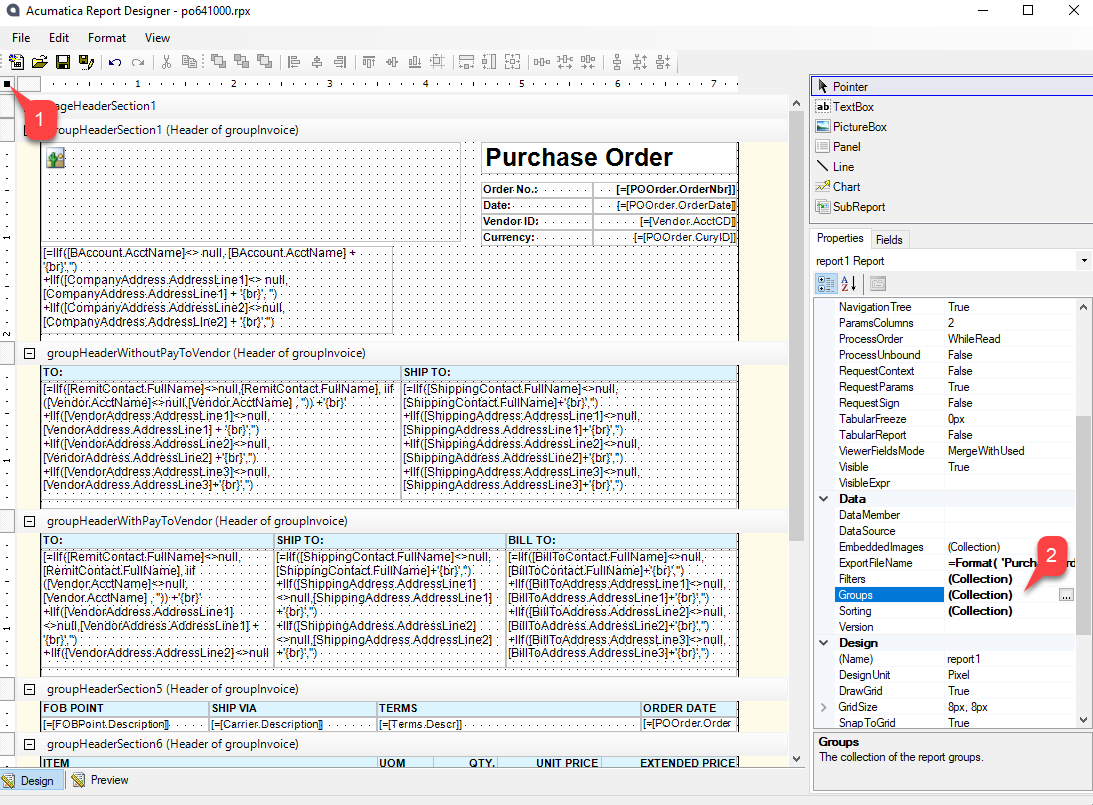
I was able to get the desired result by changing the grouping first, see the screenshot below.

Attached is a report for your reference.

referring to this article>. 


aborisova37
Semi-Pro I
Forum|alt.badge.img+1
  • Semi-Pro I
  • Answer
  • December 12, 2022

@dougmcbride79 I was able to get the desired result by changing the grouping first, see the screenshot below. See the attachment.


Forum|alt.badge.img
  • Author
  • Jr Varsity II
  • December 12, 2022

@dougmcbride79 I was able to get the desired result by changing the grouping first, see the screenshot below. See the attachment.


OMG, thanks @aborisova37 so much, it’s work 


dougmcbride79
Semi-Pro I
Forum|alt.badge.img
  • Semi-Pro I
  • December 12, 2022

Where / how do I change the “grouping”?


aborisova37
Semi-Pro I
Forum|alt.badge.img+1
  • Semi-Pro I
  • December 12, 2022

@dougmcbride79 do you have the Report Designer App installed on your laptop? If so, open up the report and change the out-of-the-box grouping for the GroupPOLine group.

I have attached a modified report in the comment above.