Solved

Grouping Generic Inquiry by Formula

  • March 8, 2023
  • 7 replies
  • 1166 views
  • Translate All

Forum|alt.badge.img

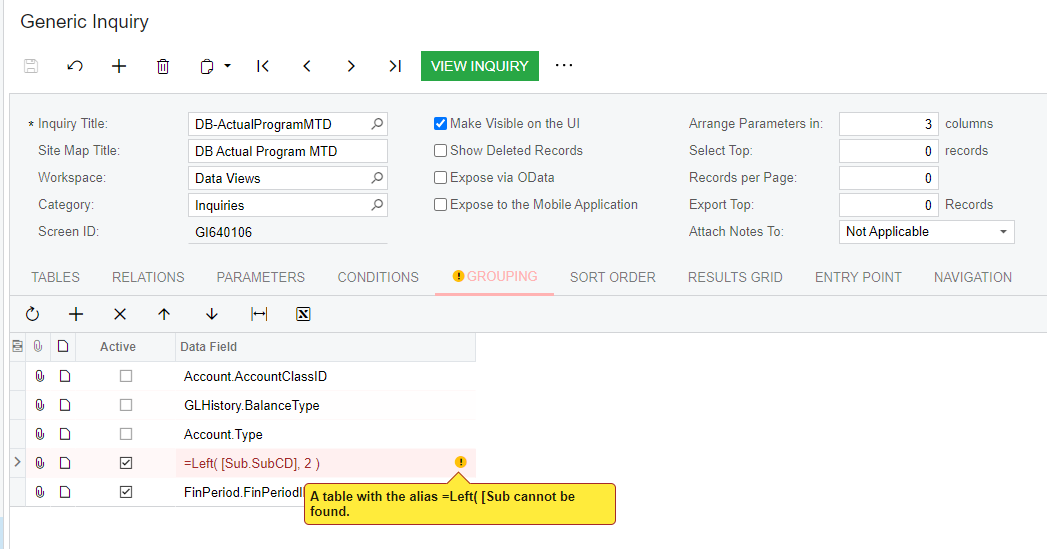
I am trying to create a generic inquiry that groups on a formula.  However I am getting the error in the following screenshot:
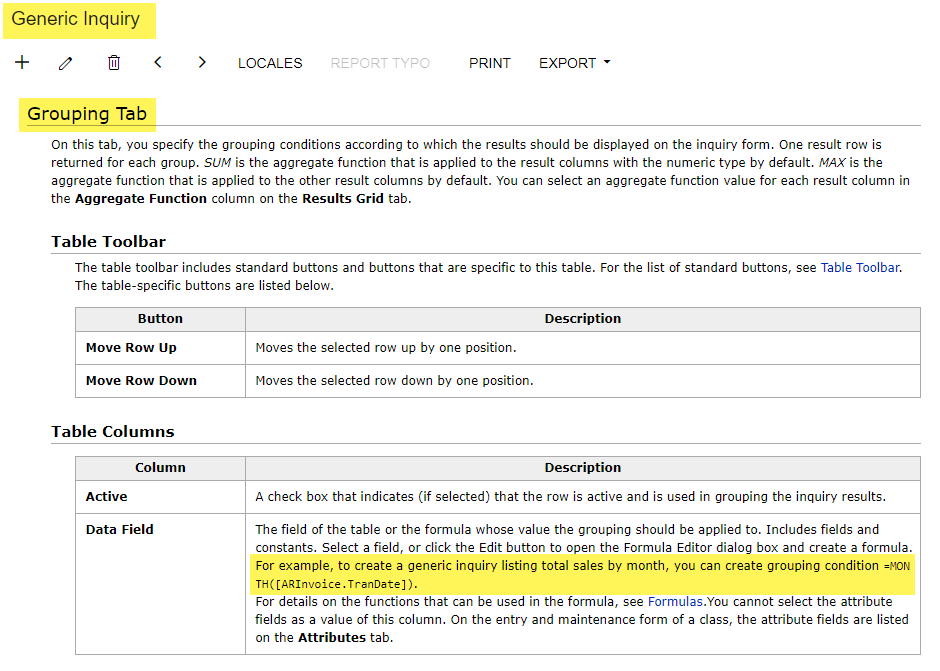
The help file for the Generic Inquiry screen specifically states that I can add a formula so I am not sure what I am doing wrong.  Any ideas?
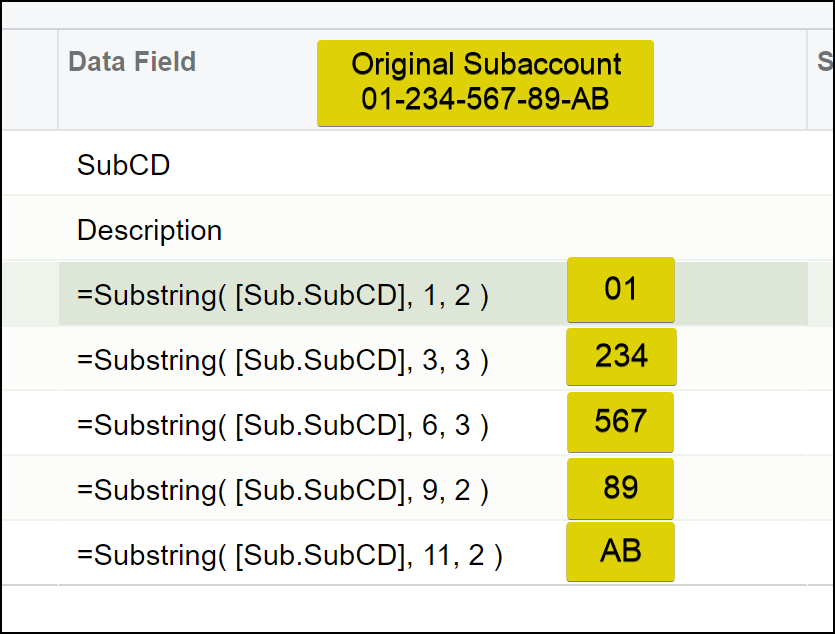
 On another note, if there is a table in Acumatica that breaks the subaccount into their segments I would much prefer to use that but I have been unable to find one.

Appreciate any help that you can provide!
Best answer by Robert Sternberg

Hi Stephanie, 

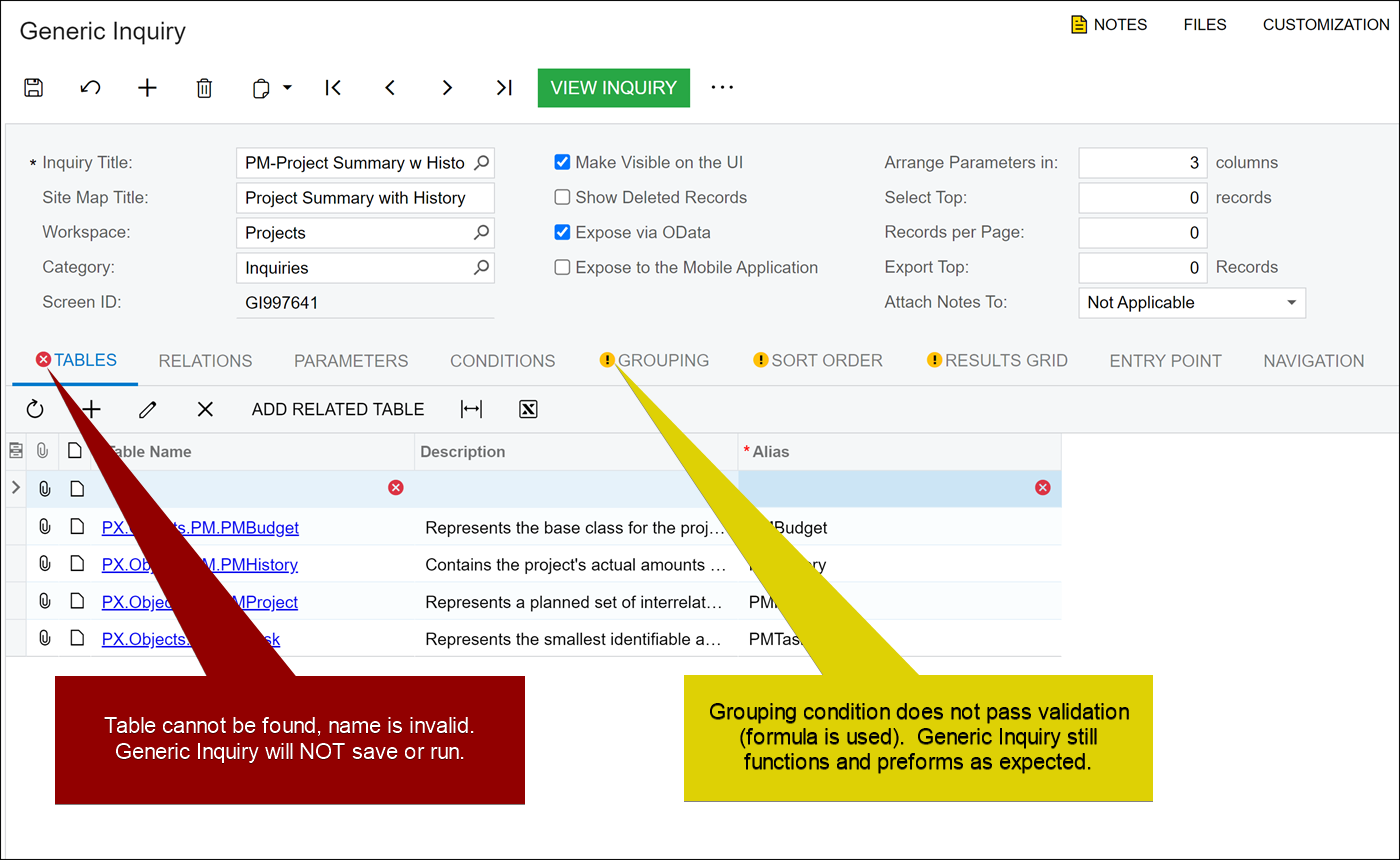
The yellow icon in Acumatica is a warning to provide possible issues with the field indicated.  If the warning was a red X then you would not be able to save and run the generic inquiry.  You will receive similar warnings when running any calculation in a Generic Inquiry for grouping. 


An example of the different warnings


View original

7 replies

dcomerford
Captain II
Forum|alt.badge.img+16

Hi

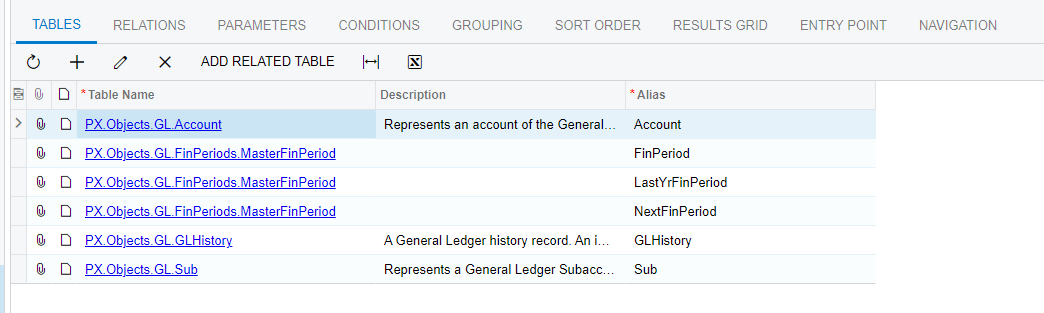
Can you send me the screenshot of the Tables on the GI as i have used something like this before and it works fine. I just did a quick test and it works fine on 23R1 for your example. Just check that the Alias is Sub for this Table on the GI

Translate

Forum|alt.badge.img

Thanks for your help!

Translate

dcomerford
Captain II
Forum|alt.badge.img+16

Strange can you send me the GI in xml format will plug it in to my pack and check it

Translate

Forum|alt.badge.img

Here you go.

Translate

Robert Sternberg
Captain II
Forum|alt.badge.img+7

Hi Stephanie, 

The yellow icon in Acumatica is a warning to provide possible issues with the field indicated.  If the warning was a red X then you would not be able to save and run the generic inquiry.  You will receive similar warnings when running any calculation in a Generic Inquiry for grouping. 


An example of the different warnings


Translate

Forum|alt.badge.img

Good grief.  I should have caught that.  It was originally red and would not save but I hade fixed that problem so the yellow one threw me off.  I appreciate your help with this.  Sorry I didn’t figure it out myself.


Just in case you might now, is there a table in Acumatica that contains the subaccount with each segment as a column.  They used to have one in Dynamics SL and I was hoping Acumatica had done something similar but I have been unable to find it.

Translate

Robert Sternberg
Captain II
Forum|alt.badge.img+7

No problem at all, maybe it will help someone in the future. 

There are a few DACs that contain the subaccounts as segments however if you already have Sub in your structure try this:


=Substring( [Sub.SubCD], START POS, LENGTH )


Translate