Question

Group in Report running over two pages

  • November 25, 2021
  • 21 replies
  • 924 views
  • Translate All

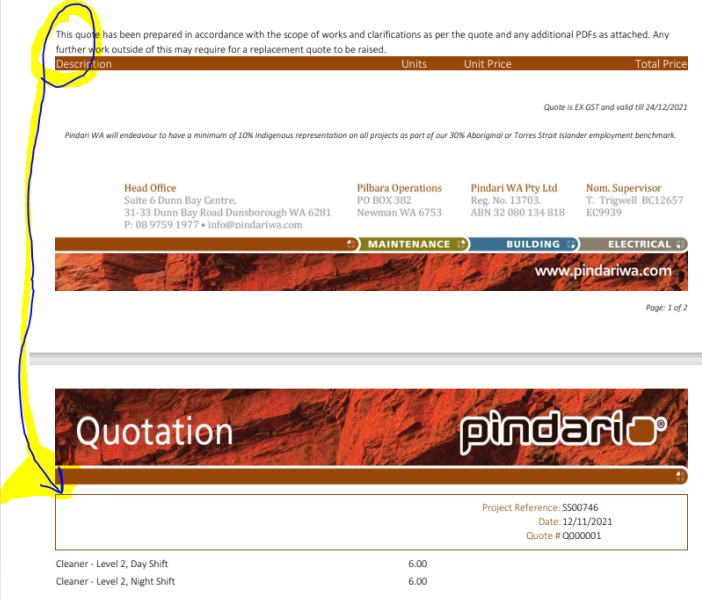
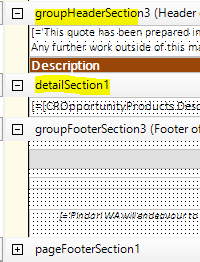
Is anyone able to help me with getting these headers to stick together on one page? I am very new to this system and just fumbling my way through however when groupHeaderSection3 and detailSection1 run over two different pages it doesn’t look right. I have tried a page break however then the section above is small it also looks odd



21 replies

Naveen Boga
Captain II
Forum|alt.badge.img+20

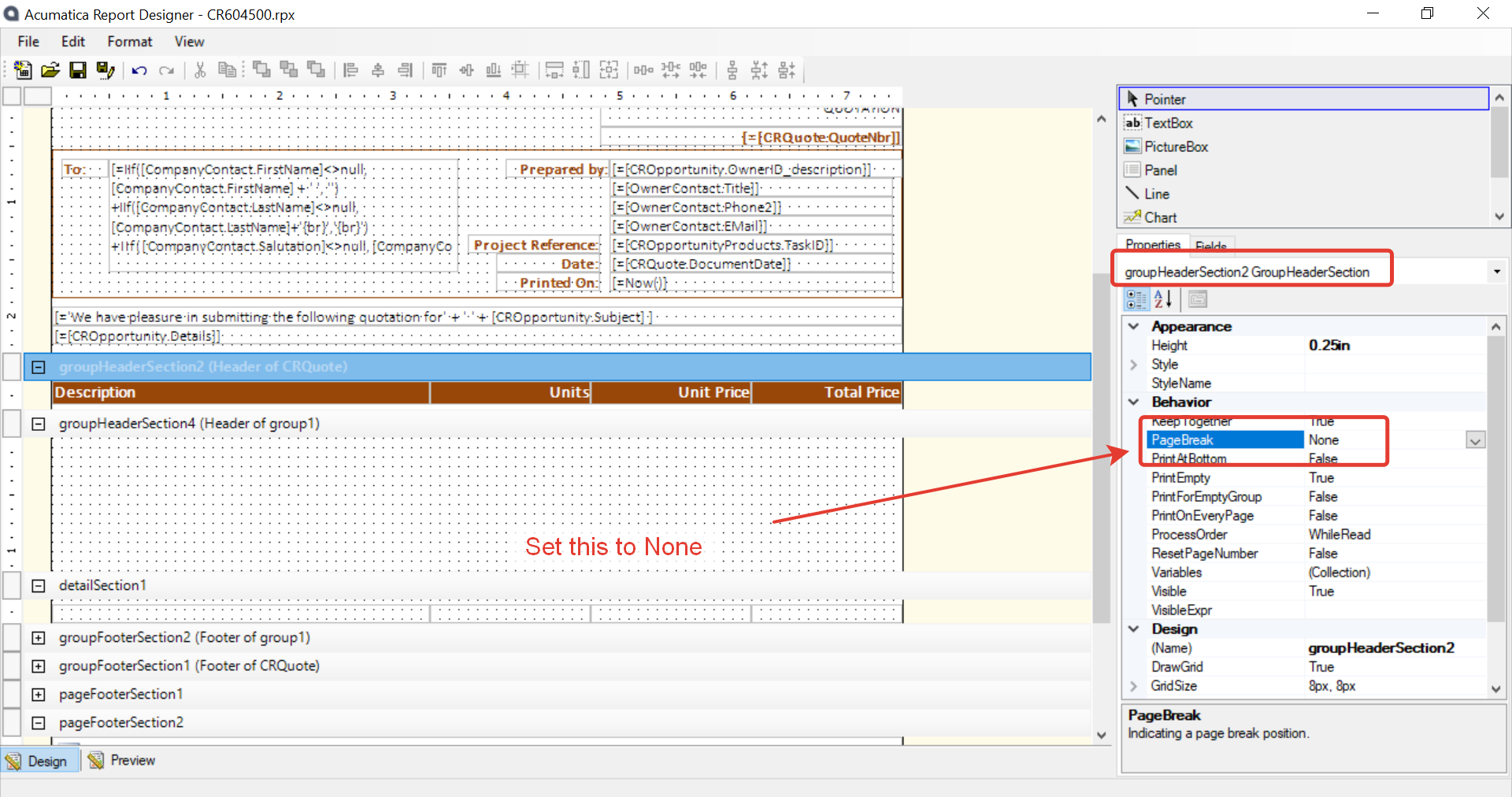
Hi @PamLeek  Have provided “Page Break” = NONE and verified?

If you already verified and did not work, can you please share the report here.


Translate

Forum|alt.badge.img+12
  • Acumatica Support Team
  • November 25, 2021

Hi @PamLeek 

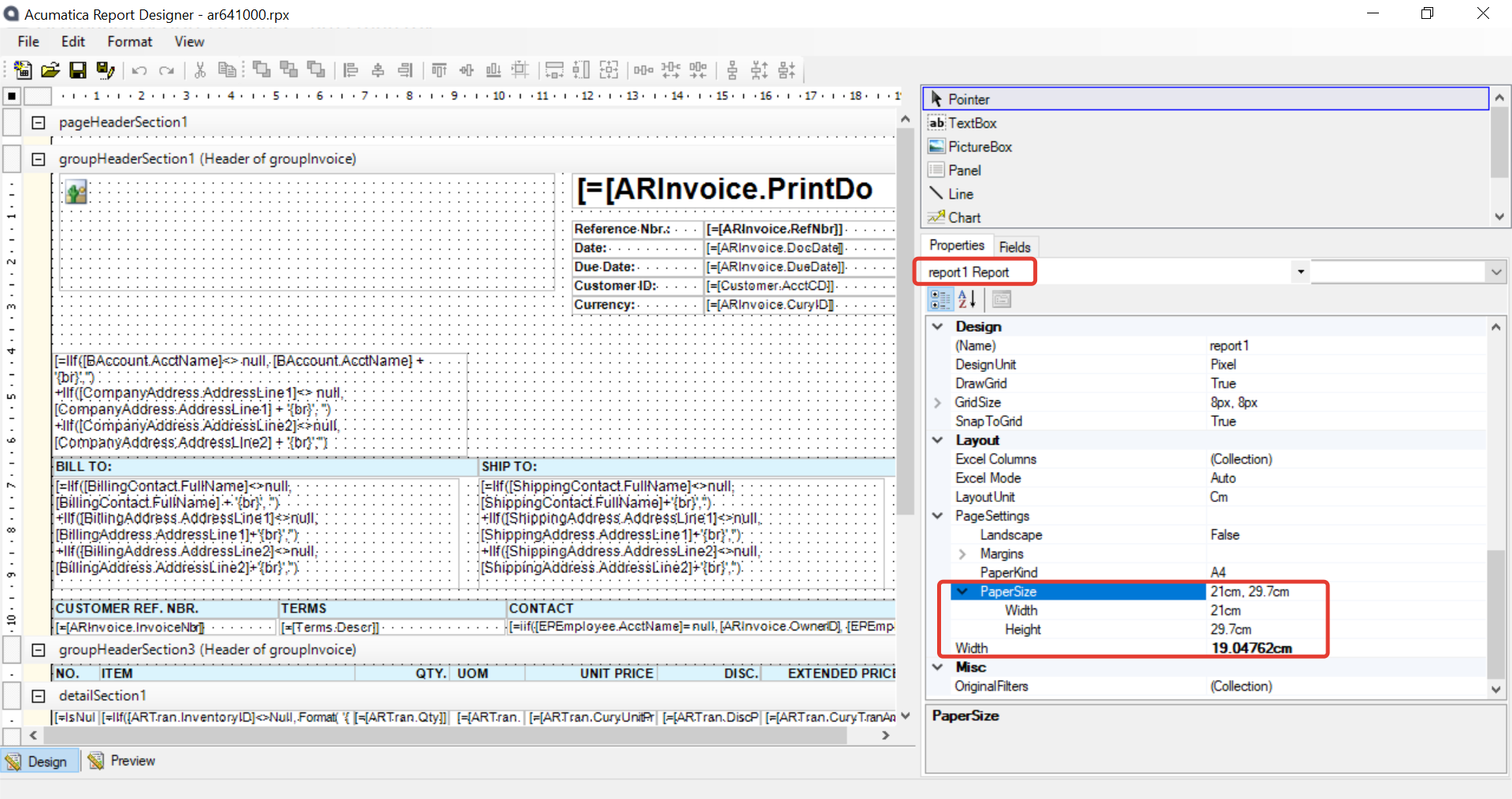
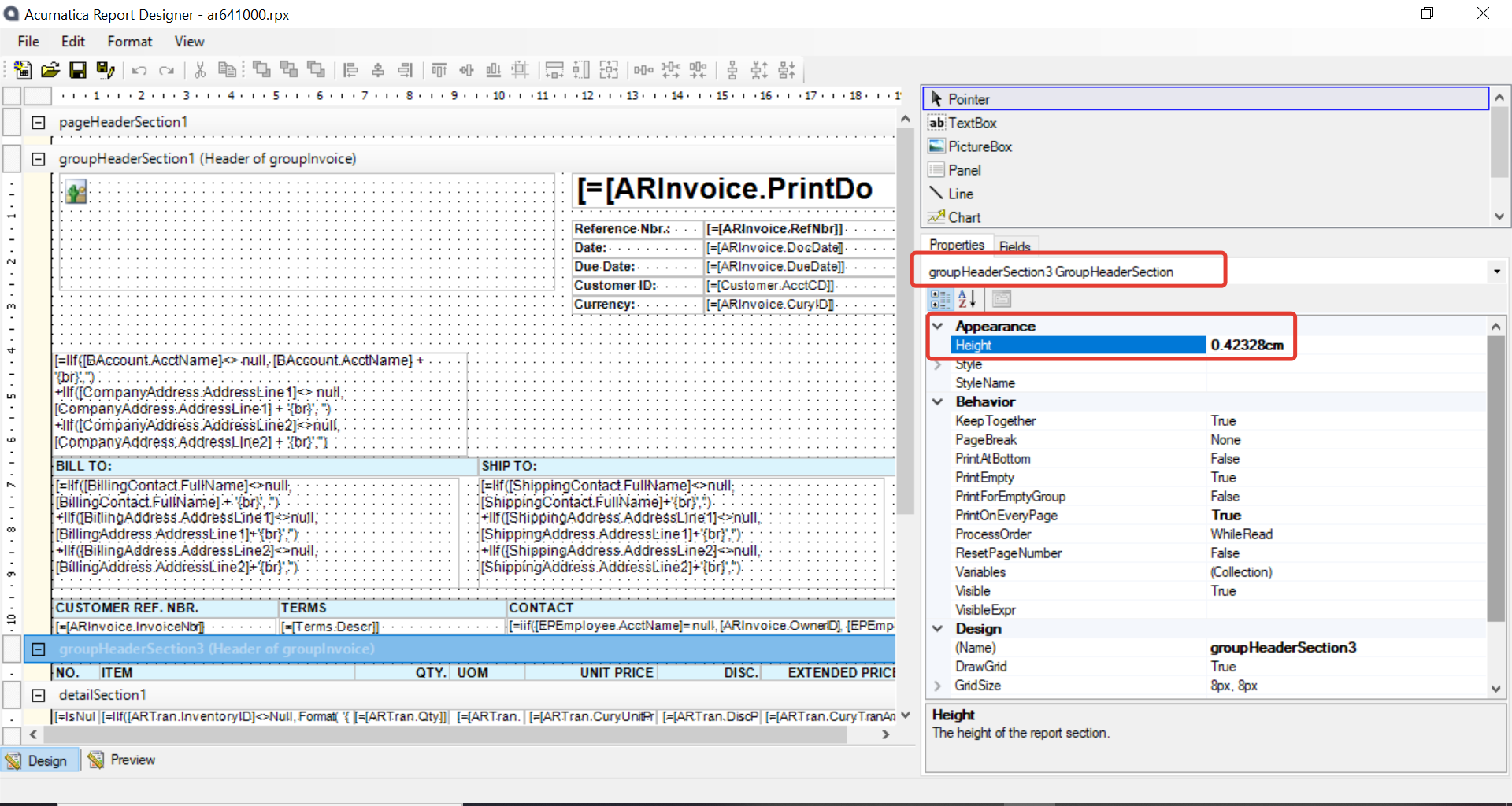
Please check the Paper size ( Height in particular ) and compare the Height value set for each group and detail section together. 

I suspect the height mentioned for group is exceeding the page height, hence its moving the content to second page. 


Hope this helps,

Regards,

Translate

  • Author
  • Freshman I
  • November 26, 2021

Hi The page break doesn’t help as I want these sections to stay together and not break over a pge. The section beefore hand can sometimes have a very lenghty description in it that it picks yp frm our MYOB program and will sometimes be quite short. I want the header and the detail lines of the table to stick together either on page 1 or on page 2 if that makes sense?

Translate

Naveen Boga
Captain II
Forum|alt.badge.img+20

Hi @PamLeek  If possible, can you please share the report here.

Translate

  • Author
  • Freshman I
  • November 26, 2021

@Naveen B sorry i don’t know how to do that? I have saved it to my desktop but can’t find an upload option

Translate

Naveen Boga
Captain II
Forum|alt.badge.img+20

@PamLeek  Here is the option to upload the files here.


Translate

  • Author
  • Freshman I
  • November 26, 2021

please see attached

Translate

Forum|alt.badge.img+12
  • Acumatica Support Team
  • November 26, 2021

Hi @PamLeek 

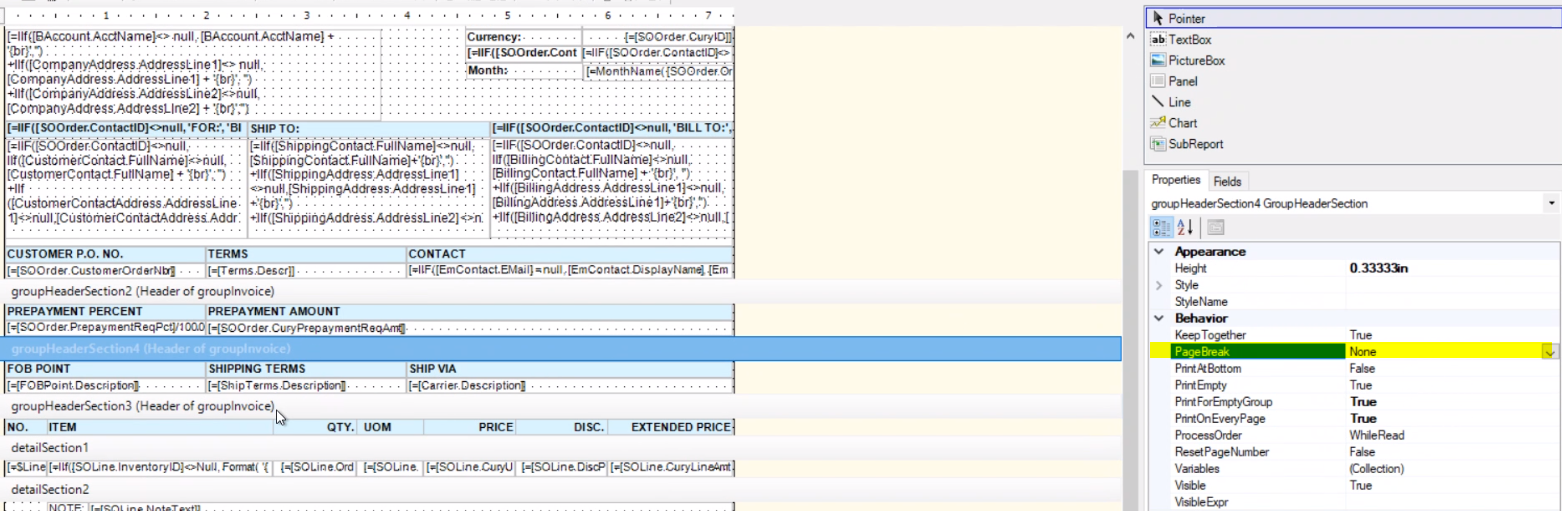
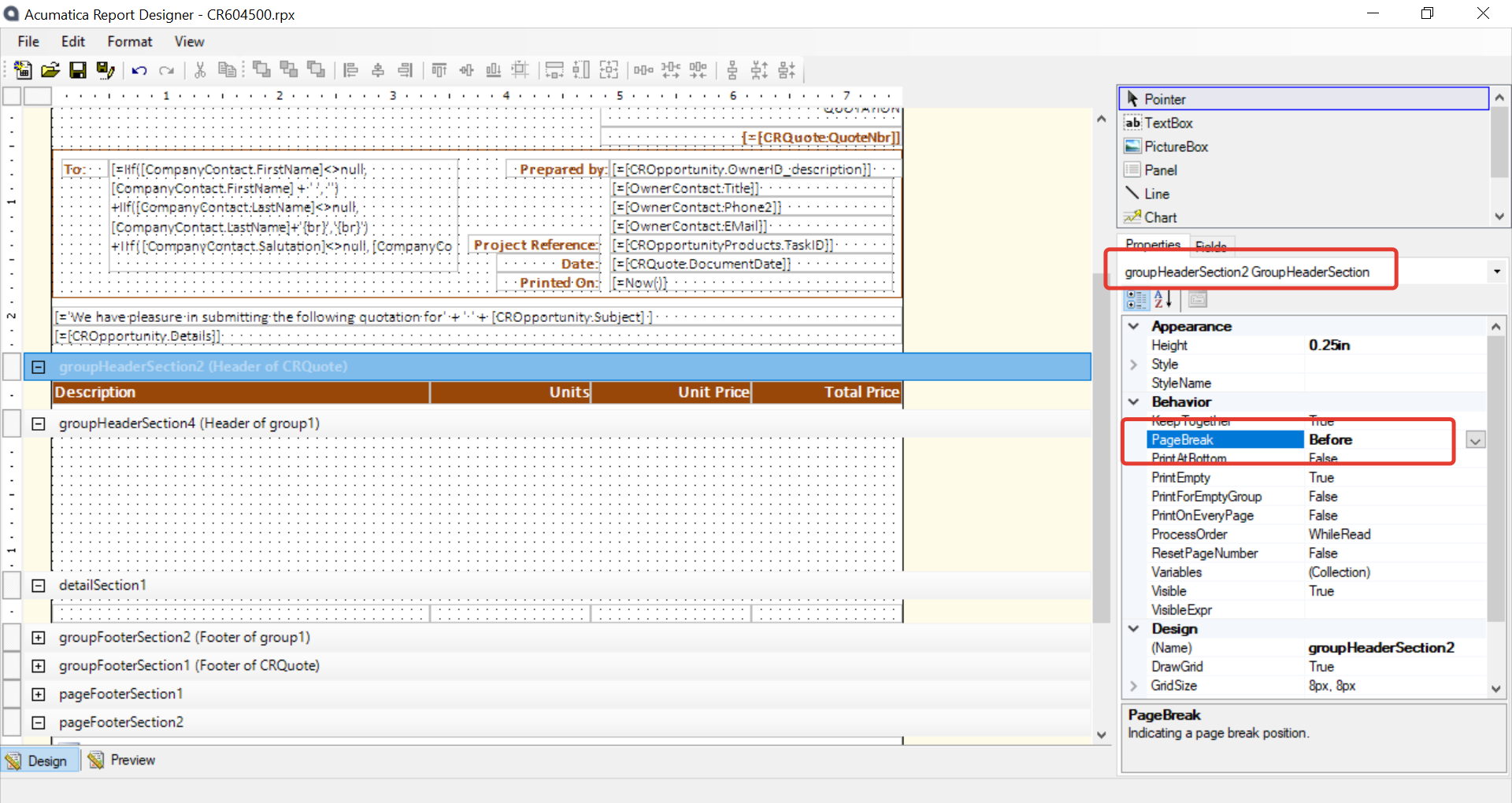
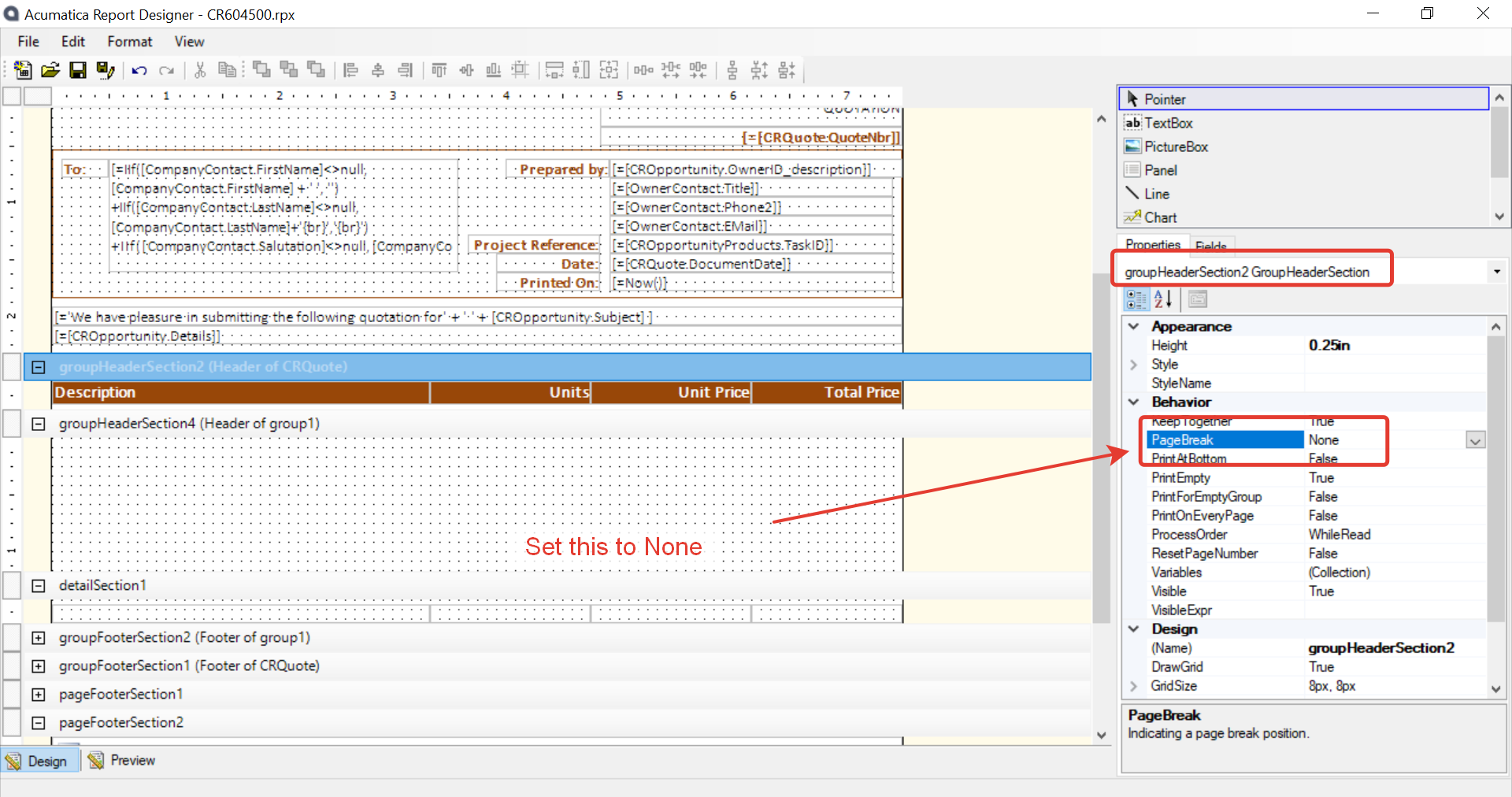
You have set a ‘PageBreak’ before the groupheader section2. This was causing the issue. 

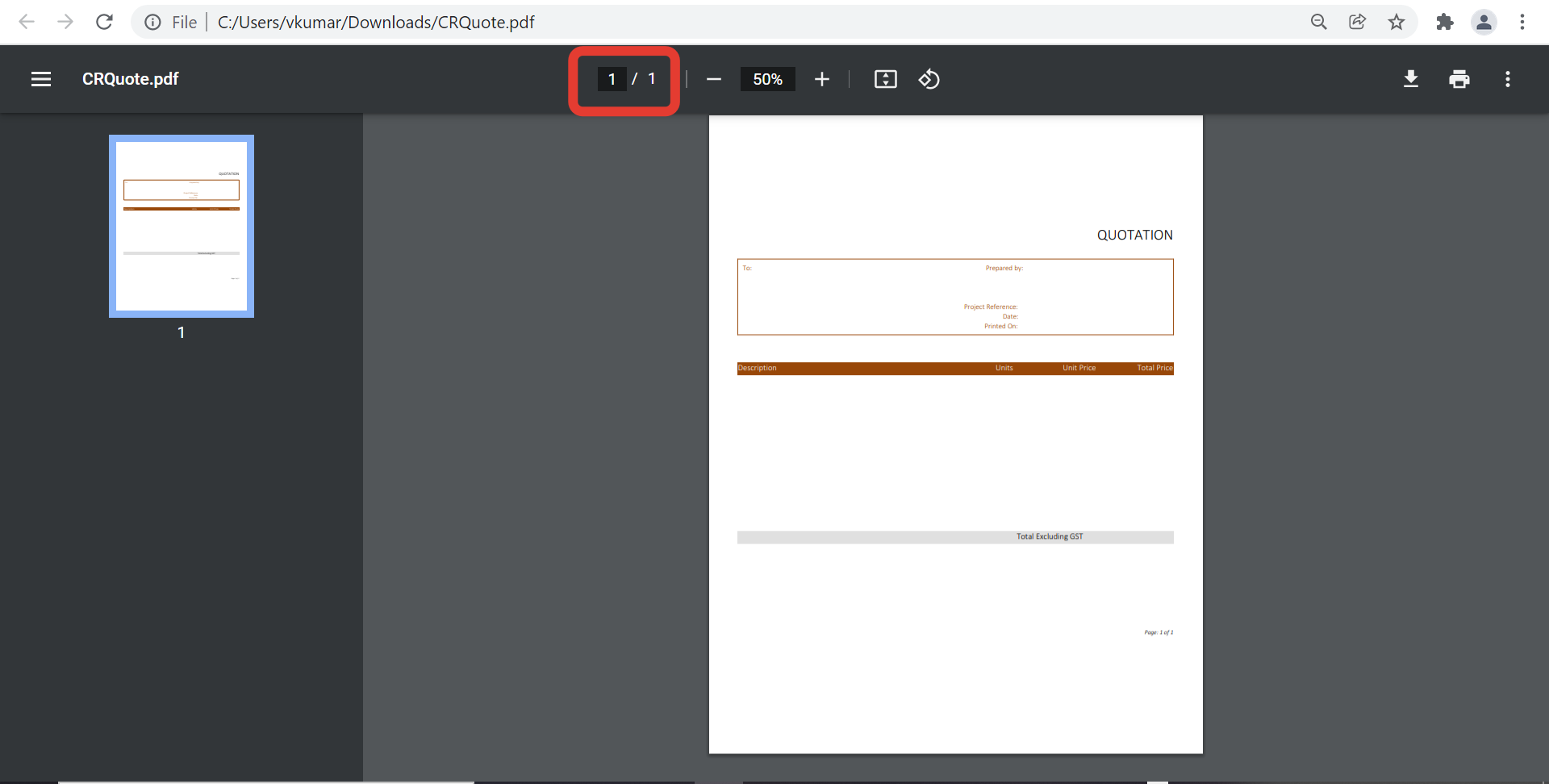
Set the Pagebreak to ‘none’ and it prints all contents in one page. 


Its printing on one page now.


Regards,


Translate

Naveen Boga
Captain II
Forum|alt.badge.img+20

Hi @PamLeek  Yes, that is the issue, which I was indicated in my first comment. 
I was hoping that you have done that. :grin:

As suggested, please do change related to Page Break = NONE and verify.

Translate

Forum|alt.badge.img+8
  • Semi-Pro I
  • November 26, 2021

Hi @PamLeek , Also I see that the Keep Together is set to “True” from the above screenshot. You should be fine. 

Translate

Naveen Boga
Captain II
Forum|alt.badge.img+20

Yes @ChandrasekharM  you are correct. This problem will be solved when we set the Page Break to NONE.

Translate

  • Author
  • Freshman I
  • November 26, 2021

Hi My problem is when Header Section 1 is long (which will be most of the time and it contains detailed terms and conditions and exclusions for the project, you get this with the header section 3 not directly above the detail section. I can’t move the items out of the detail section as it doesn’t list all the costings for the quote


Translate

Forum|alt.badge.img+8
  • Semi-Pro I
  • November 27, 2021

Hi @PamLeek Per my understanding from the above, I think you need the Description,Units, Unit Price, Total Price to be above the line items. Please confirm. 

Translate

Naveen Boga
Captain II
Forum|alt.badge.img+20

@PamLeek  I’m sorry and I’m bit confused with your above comment. Can you please elaborate and explain the issue details.

Translate

  • Author
  • Freshman I
  • November 29, 2021

@ChandrasekharM  that is correct because the first part is sometimes really long it pushes the information across two pages however when the information above is shorter I still want it together, either way i want it to not break across the pages.

Translate

Forum|alt.badge.img+8
  • Semi-Pro I
  • November 29, 2021

Hi @PamLeek Please try inserting a new group just above the details. Add the Description, Units, Unit Price, Total Price to this new group.

Thanks

Translate

  • Author
  • Freshman I
  • November 29, 2021

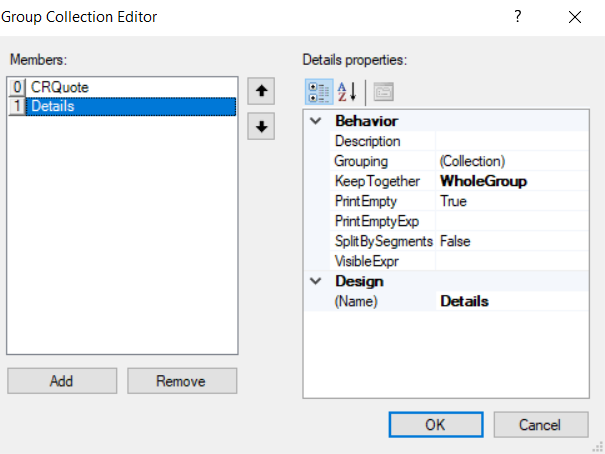
Hi I have tried that with the below settings but it didn’t work, I get where you are going with this though @ChandrasekharM is there maybe something I just need to change to get the group to always report on the same page together whether that be page 1 or page 2??


Translate

Forum|alt.badge.img+8
  • Semi-Pro I
  • November 29, 2021

Hi @PamLeek from the below screenshot posted by @vkumar, do you have any details in groupHeaderSection4. You can remove this section if nothing is there. You can right click on the group and delete it.


Translate

Forum|alt.badge.img+8
  • Semi-Pro I
  • November 29, 2021

Hi @PamLeek  Please post the latest report file, so that we can try to review and fix it. And then communicate the solution to you.

Thanks

Translate

  • Author
  • Freshman I
  • November 30, 2021

Hi Please see attached.

Translate

Chris Hackett
Community Manager
Forum|alt.badge.img
  • Acumatica Community Manager
  • January 24, 2022

Hi @ChandrasekharM did you have a chance to check out @PamLeek ‘s report? Thanks!

Translate