Answer

MRP type Shipment

  • April 12, 2023
  • 3 replies
  • 57 views

How to create MRP type Shipment?

Best answer by andrestamour43

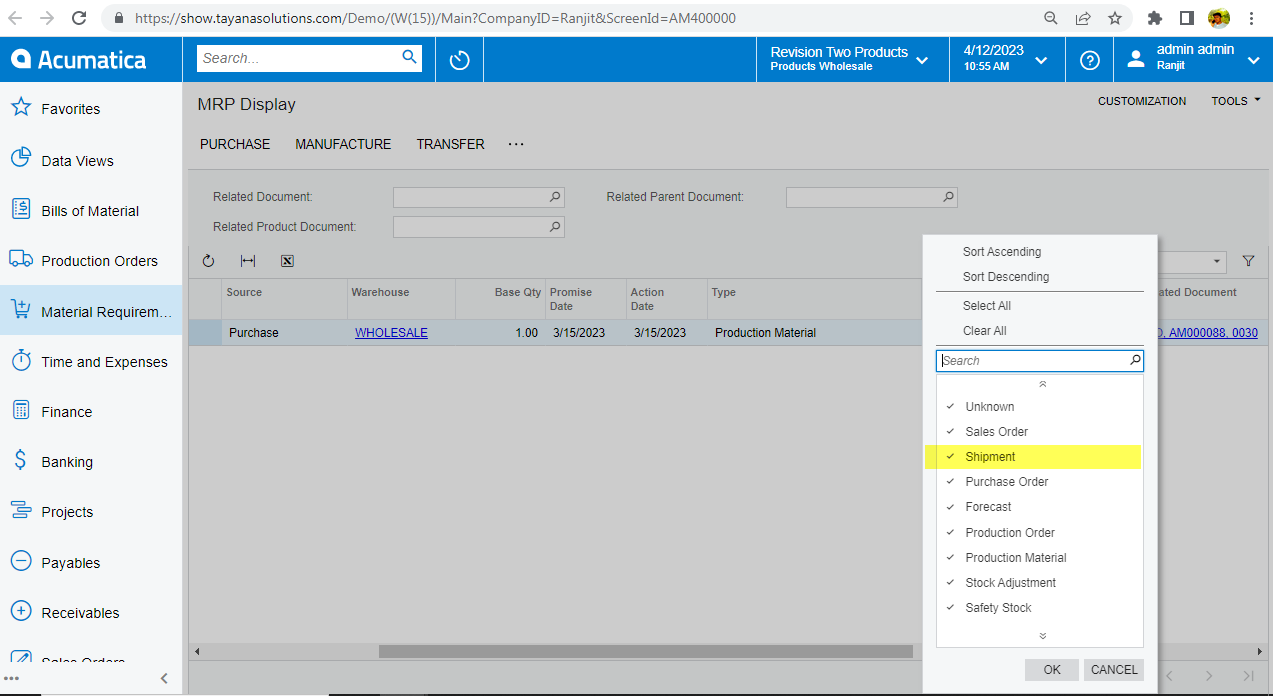
@ranjithd46, the Type column is related to the demand document resulting in the suggested supply action. For a type of Shipment, this would indicate that there is a shipment that is in confirmed status but has not yet updated inventory and is driving demand. This can happen if a shipment was created for a sales order despite an older (maybe past due) sales order still open. 

3 replies

Debbie Baldwin
Acumatica Moderator
Forum|alt.badge.img+2
  • Acumatica Product Manager
  • April 12, 2023

@ranjithd46 - Can you please add more details. I’m not sure what you are asking for. 

thank you!


  • Author
  • Freshman I
  • April 12, 2023

Could you please provide more information about the "shipment" type shown in the MRP display screen and please explain in detail how it functions?


Forum|alt.badge.img+3
  • Acumatica Employee
  • Answer
  • April 12, 2023

@ranjithd46, the Type column is related to the demand document resulting in the suggested supply action. For a type of Shipment, this would indicate that there is a shipment that is in confirmed status but has not yet updated inventory and is driving demand. This can happen if a shipment was created for a sales order despite an older (maybe past due) sales order still open.