Question

Determine 1 option from multiple Options and/or Attribute selections in Configurator

  • February 28, 2024
  • 5 replies
  • 135 views

Forum|alt.badge.img

I have a list of options in my Configuration that can only be narrowed down to 1 option by answering multiple questions. In my case we have a list of Braid material options for wire sleeving. To find my way to which exact sleeving item number to use I need to know the following information from Options or Attributes which each have multiple options of their own:

1 - Product Line

2 - Wire Gauge

3 - Wall Thickness

Any given Product Line could use several Braids and the same is true of the Wire Gauge and Wall Thickness. Only after know all of that information can I narrow down the option of Braid Item number to the one that is appropriate for those selections. I then want the Configurator to just use that option and not require someone to select it. I tried creating a Attribute Rule to Exclude Options


5 replies

angierowley75
Acumatica Moderator
Forum|alt.badge.img+3
  • Acumatica Moderator
  • February 28, 2024

Hard to assist w/out seeing the data - but you can enter an “If” formula on the Quantity Required a specific Inventory ID as a Feature Option.  And the option could be tied to a feature that is marked as not visible (Visible check-box not selected)


Forum|alt.badge.img
  • Author
  • Freshman I
  • February 28, 2024

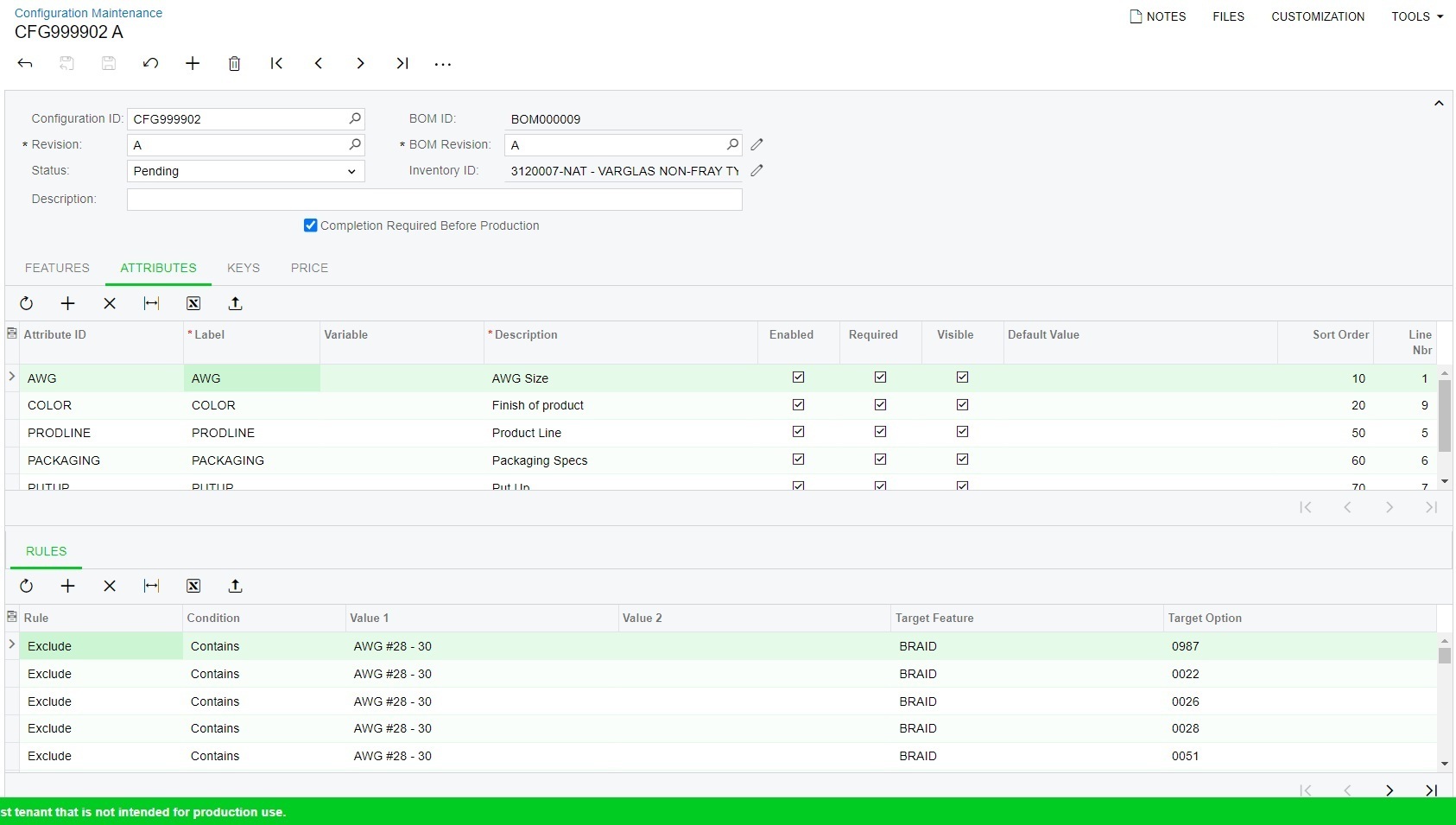
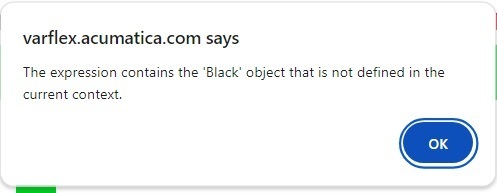
Above you can see that I was able to restrict my Braid options down to 3 by setting Exlude Rules on the AWG Attribute. This is good. When I try to add another Exclue rule to Color to further restrict the list of Braid options I get the above error when Testing the Configuration. Is this a me thing? Or something I should submit as an issue? Basically I am trying to use answers to Attributes to narrow me down to 1 option for Braid.


Forum|alt.badge.img
  • Author
  • Freshman I
  • February 28, 2024

I see that only 1 Picture saved. Here is the error.


Forum|alt.badge.img
  • Author
  • Freshman I
  • February 28, 2024

FYI, Black is one of the options for Color, also it doesn’t matter which attribute I try to add another rule for I get this error with a different thing inside the ‘ ‘.


Forum|alt.badge.img+2

@DarrylW64 It looks like Black option is not getting considered in the Attribute Rule.
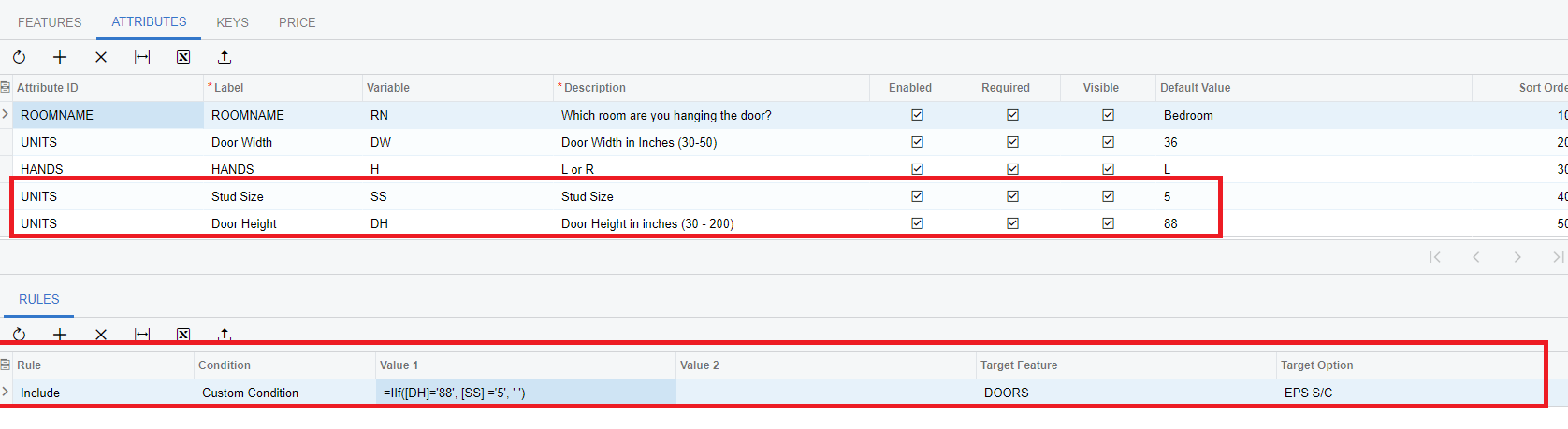
Also did you consider creating a custom formula with iif statement to narrow down the option to one or less options using combination of attributes values?
Example: Include » IIf ([AWG] = ‘AWG#28-30’, [Color] =’Black’ , ‘ ‘)  >>» Target Feature: ABC, Option: Black

In this way, you will have to write less attribute rules. 

Example: 
 

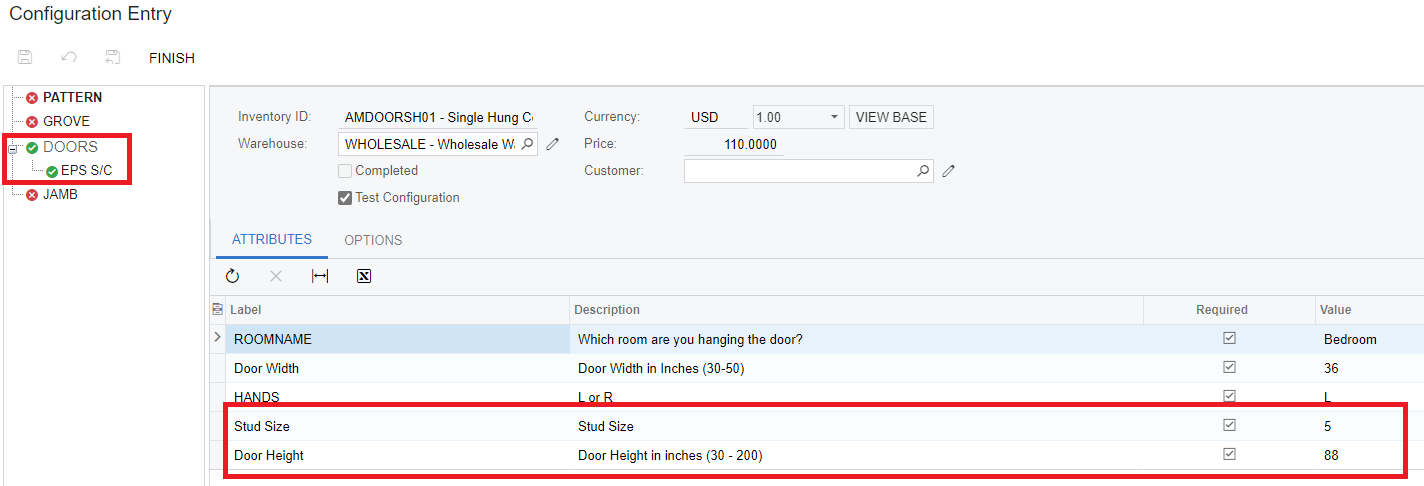
Testing Configuration:


I will suggest you create support request for the error because it's hard to tell whether error is because rule is not valid, or system is not recognizing the option “Black’.