Solved

How to pass 'Owner' field value into Bill

  • August 30, 2023
  • 16 replies
  • 255 views

Forum|alt.badge.img+2

Hi,

I am trying to create Bill with ‘Owner’  field via such request

{

      "WorkgroupID": {

    "value": "AP Processors"

  },

  "PaymentMethod": {

    "value": "FEDW-IRE"

  },

  "Vendor": {

    "value": "ASIV1yuotu0137"

  },

  "Company": {

    "value": " Energy"

  },

  "OwnerContact": {

    "value": "Diane Lehr"

  },

  "PostPeriod": {

    "value": "08-2023"

  },

  "Branch": {

    "value": "6400"

  },


  "BranchID": {

    "value": "6400"

  },

  "Type": {

    "value": "Bill"

  },

  "Owner": {

    "value": 18897

  },

  "VendorRef": {

    "value": "1135244"

  },

  "AccrualAmount": {

    "value": "18,561.64"

  },

  "Date": {

    "value": "05/29/2022"

  }

}

I want to pass to Owner definite value
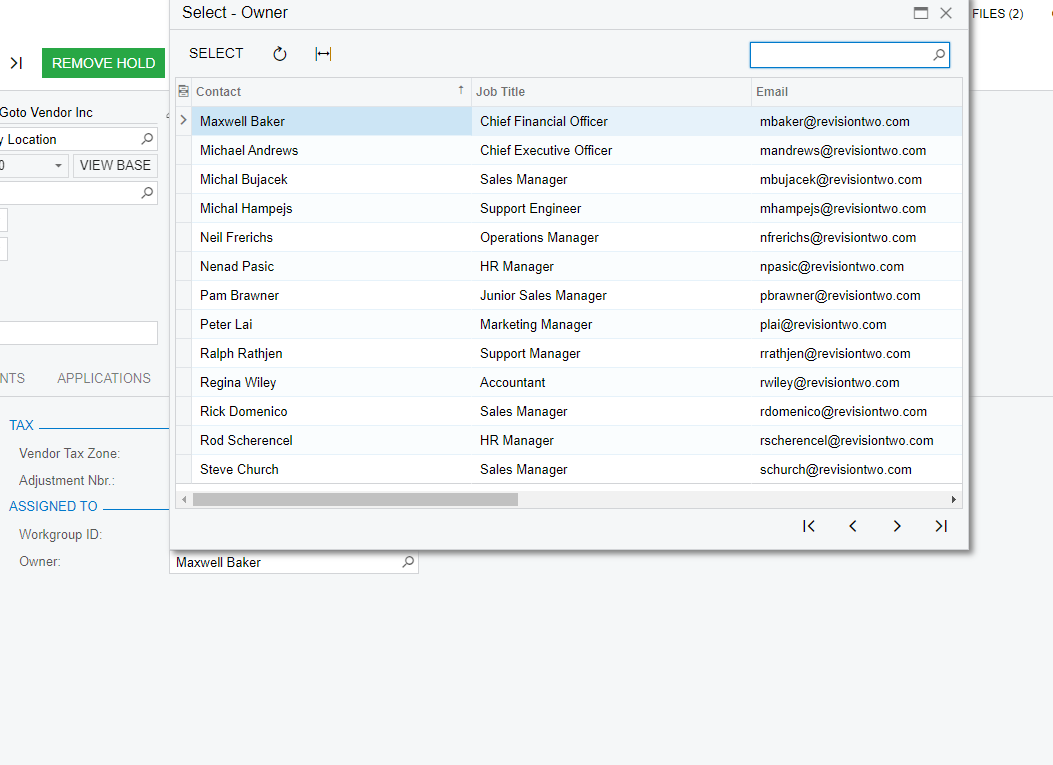
 but it’s type is int

How to get this value for specific Contact name and pass it correctly for new Bill entity?

Best answer by darylbowman

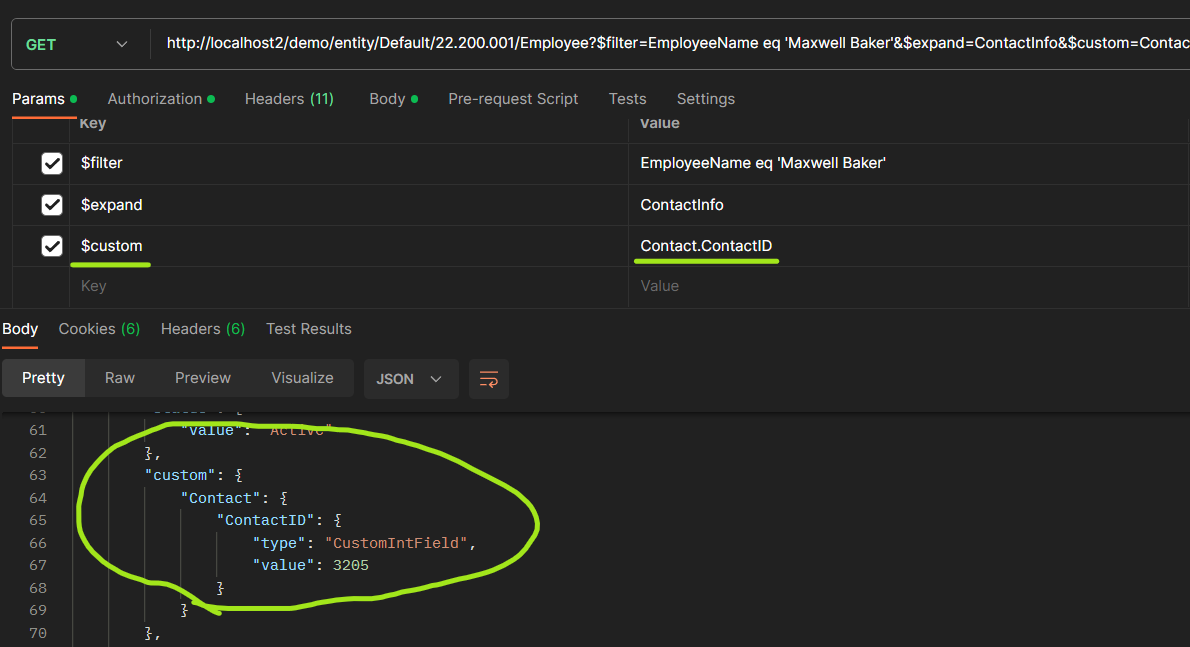
@Ivan - Try this:


16 replies

jinin
Pro I
Forum|alt.badge.img+11
  • Pro I
  • August 30, 2023

Hi @Ivan ,

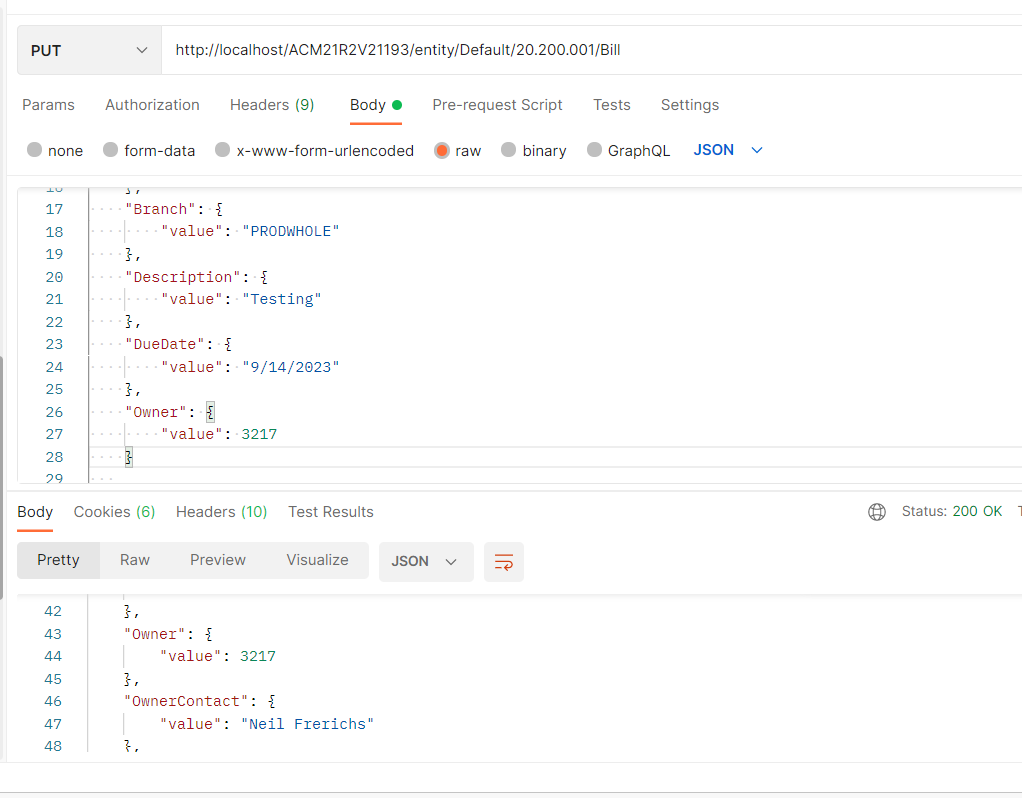
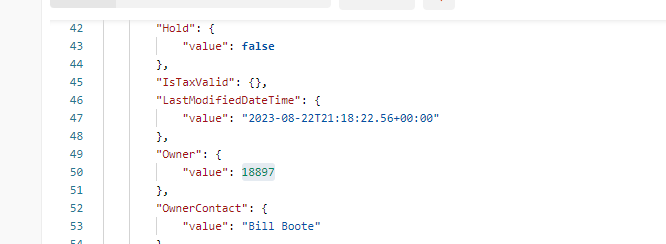
You should pass the ID for this owner field. Refer to the screenshot below. 


RohitRattan88
Acumatica Moderator
Forum|alt.badge.img+4
  • Acumatica Moderator
  • August 30, 2023

@Ivan 

Not sure whats the root cause but here’s how I was able to add owner information during Bill creation using API:

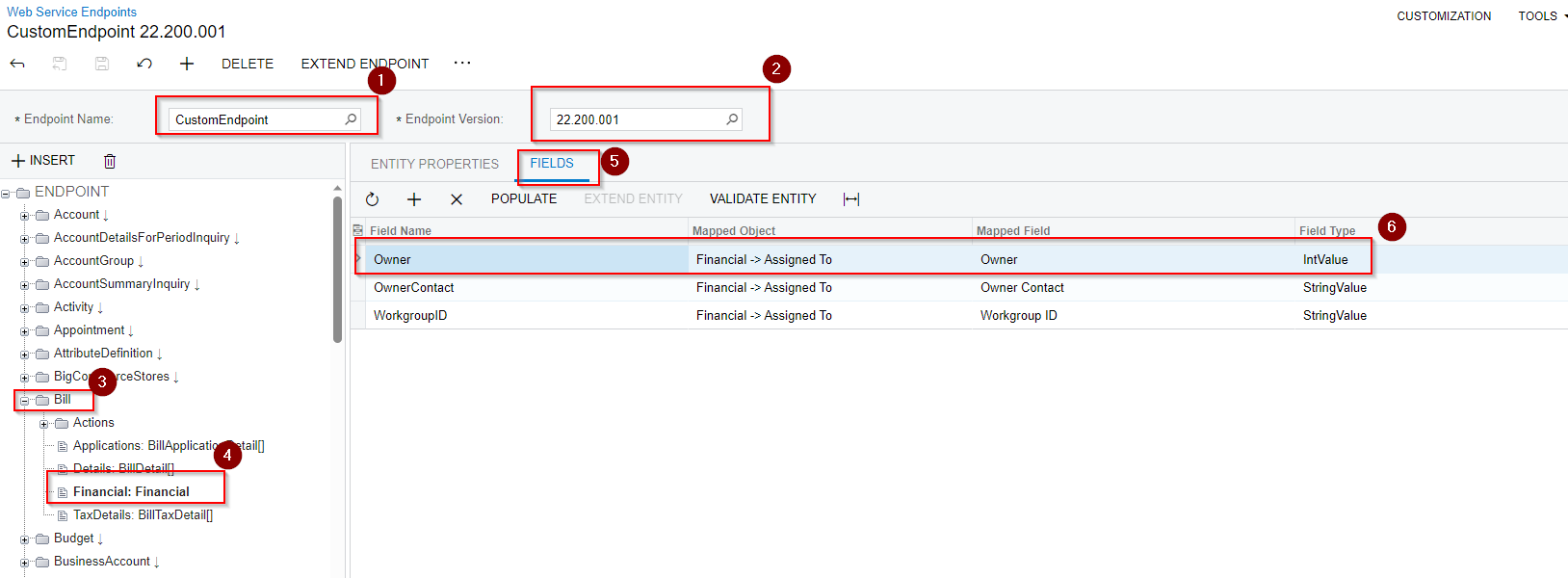
  1. Extend endpoint to include Financial > Owner fields:
    Extended Endpoint
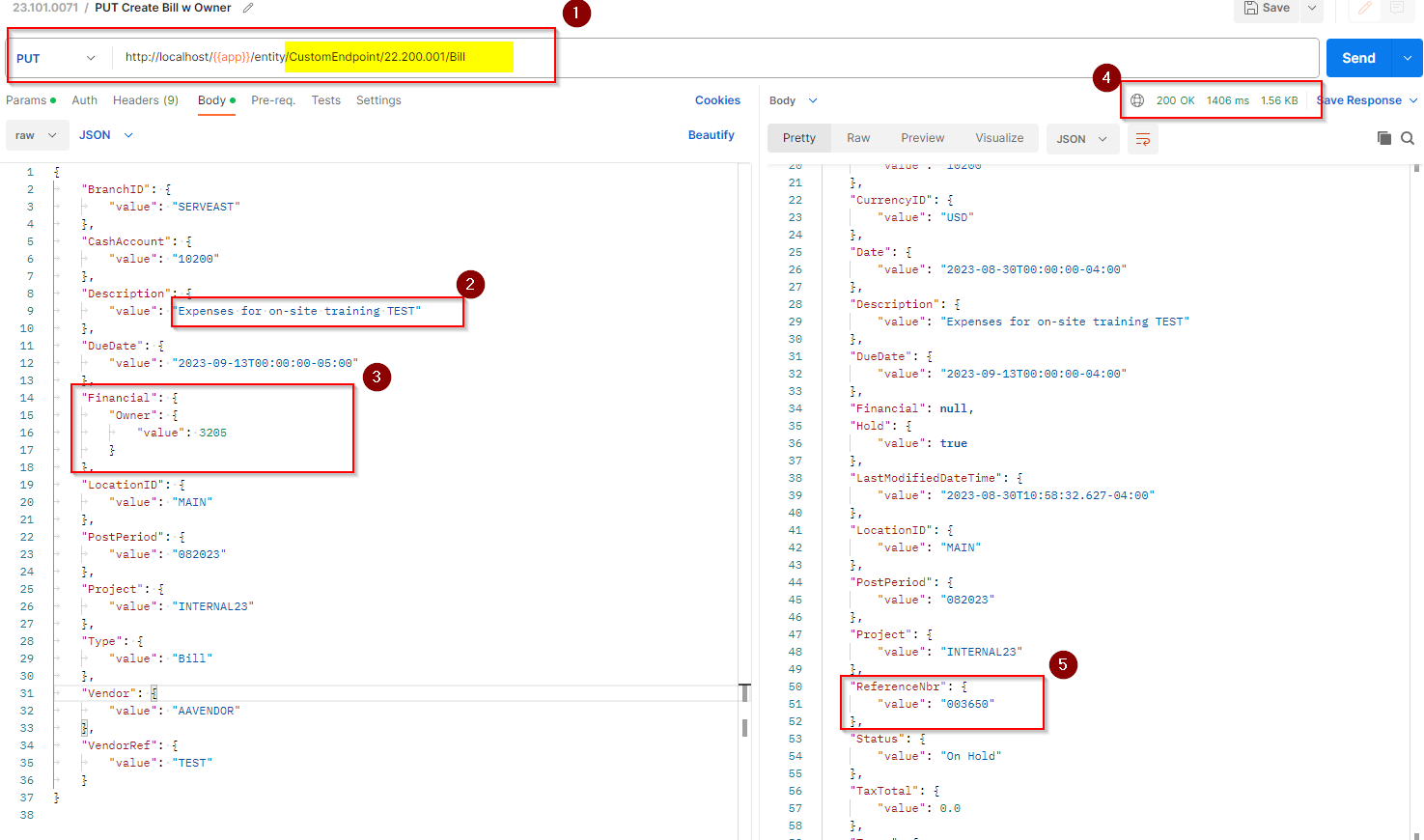
  2. Make a PUT request utilizing newly available Financial tab:
    POSTMAN call
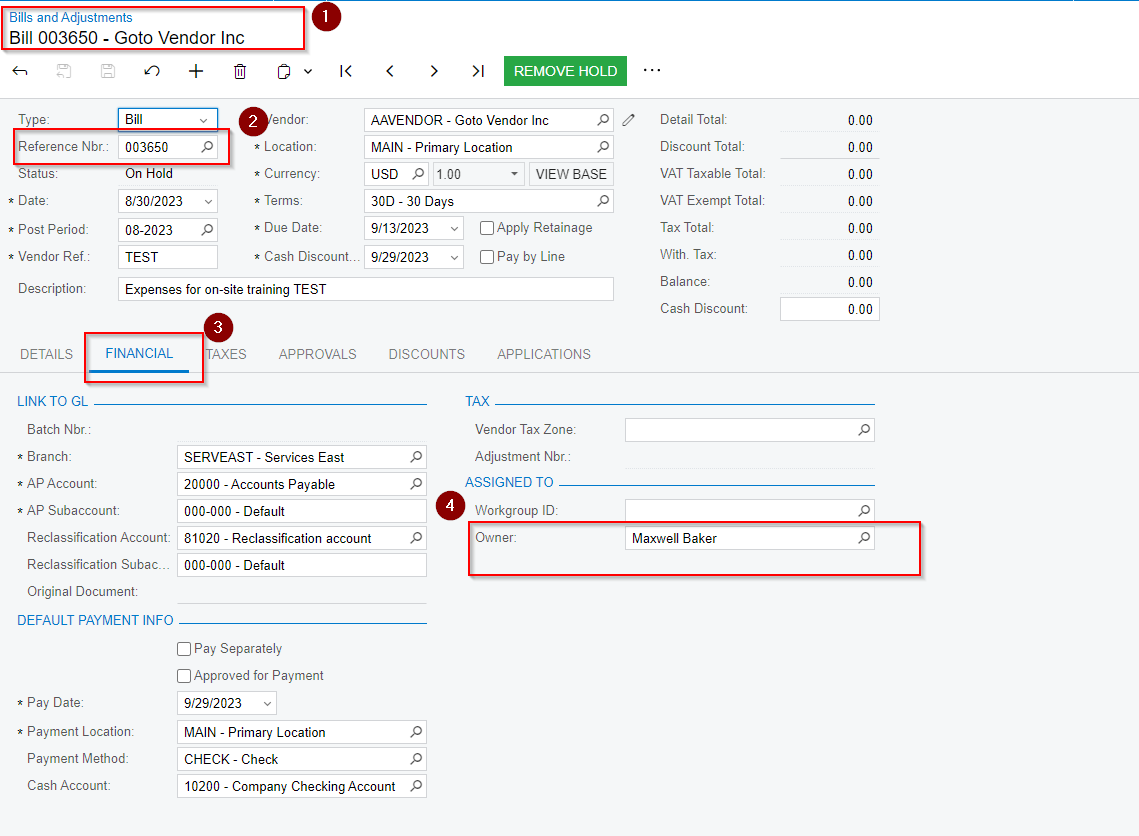
  3. Review the results in UI:
    Result

If you still getting the issues/error, I would suggest to create a Bill in UI with the same data to make sure it is not a setup/data issue.

Hopefully it helps 😊


darylbowman
Captain II
Forum|alt.badge.img+15

I want to pass to Owner definite value

 but it’s type is int
How to get this value for specific Contact name and pass it correctly for new Bill entity?
@jinin - I believe he already knows the issue, but he’s asking how to find the ID.


RohitRattan88
Acumatica Moderator
Forum|alt.badge.img+4
  • Acumatica Moderator
  • August 30, 2023

I want to pass to Owner definite value

 but it’s type is int

How to get this value for specific Contact name and pass it correctly for new Bill entity?

@jinin - I believe he already knows the issue, but he’s asking how to find the ID.

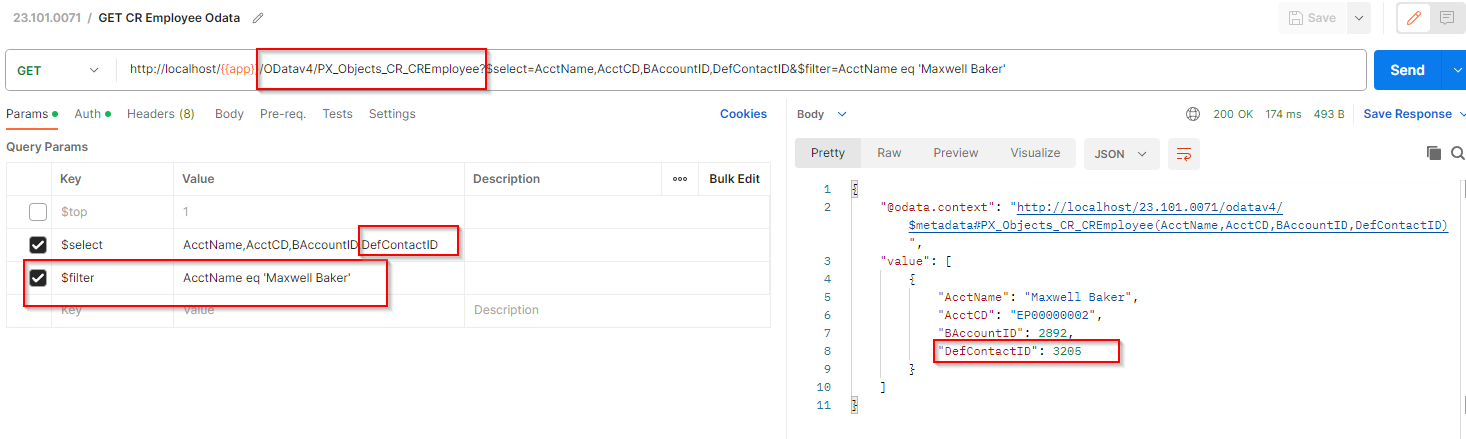
@darylbowman , I see. @Ivan further investigation reveals that this information is coming from PX.Objects.CR.CREmployee DAC which you could access utilizing ODatav4 like:


Forum|alt.badge.img+2
  • Author
  • Varsity I
  • August 30, 2023

I want to pass to Owner definite value

 but it’s type is int

How to get this value for specific Contact name and pass it correctly for new Bill entity?

@jinin - I believe he already knows the issue, but he’s asking how to find the ID.

@darylbowman , I see. @Ivan further investigation reveals that this information is coming from PX.Objects.CR.CREmployee DAC which you could access utilizing ODatav4 like:


Hi @RohitRattan88 

Ho to make request to this entity : “PX.Objects.CR.CREmployee” ?


Forum|alt.badge.img+2
  • Author
  • Varsity I
  • August 30, 2023

I want to pass to Owner definite value

 but it’s type is int

How to get this value for specific Contact name and pass it correctly for new Bill entity?

@jinin - I believe he already knows the issue, but he’s asking how to find the ID.

Hi @darylbowman 

Yes, exactly, the question is how to find the ID


darylbowman
Captain II
Forum|alt.badge.img+15

@Ivan - The image Rohit posted has the parameters needed. It’s filtering on AcctName, using ‘Maxwell Baker’ as an example.


Forum|alt.badge.img+2
  • Author
  • Varsity I
  • August 30, 2023

@Ivan - The image Rohit posted has the parameters needed. It’s filtering on AcctName, using ‘Maxwell Baker’ as an example.

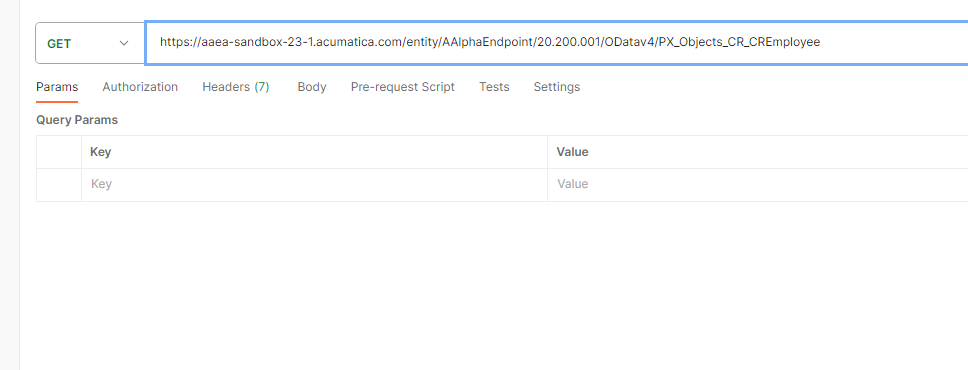
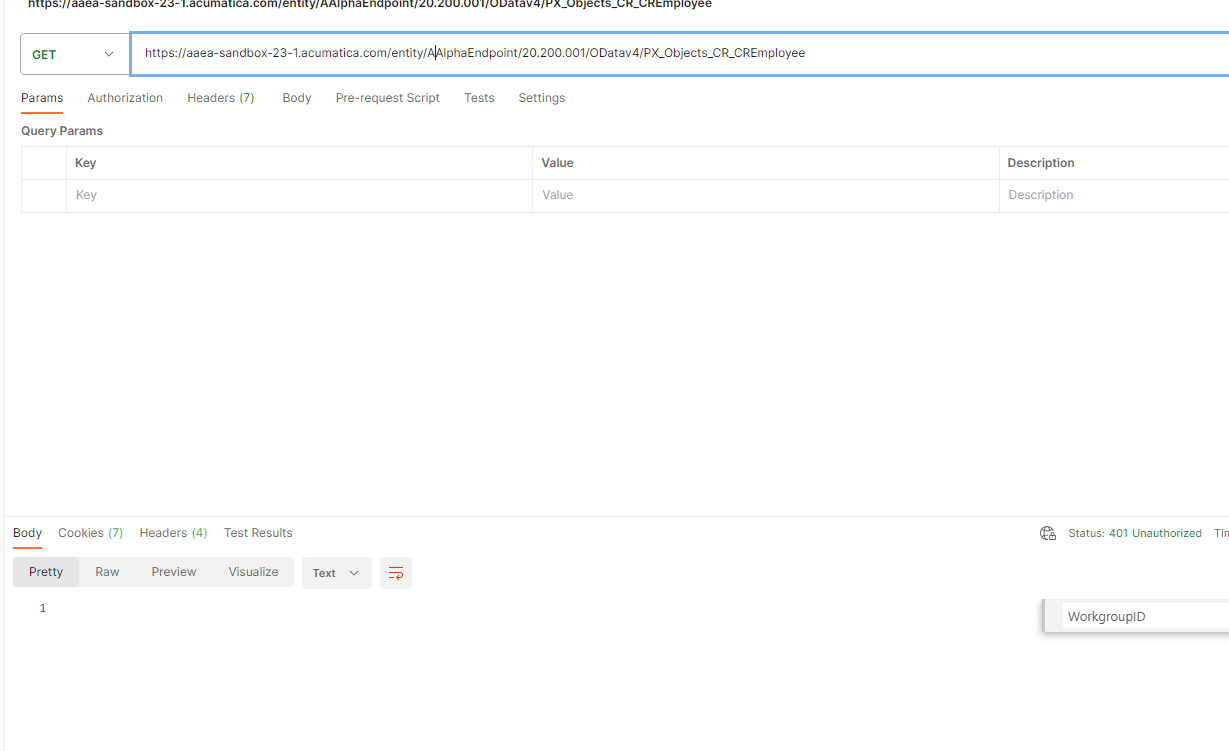
I did not understand how we make request to PX_Objects_CR_CREmployee entity

I never worked with odatav4

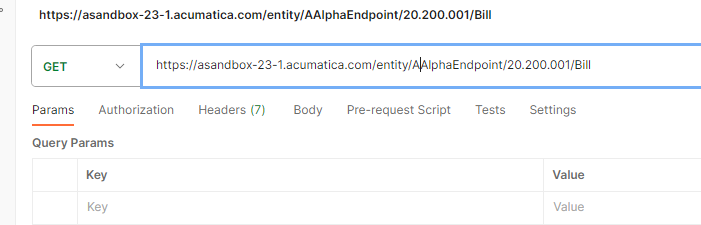
For getting bills such request will be successful 

How to do same for PX_Objects_CR_CREmployee as @RohitRattan88  showed ?


darylbowman
Captain II
Forum|alt.badge.img+15

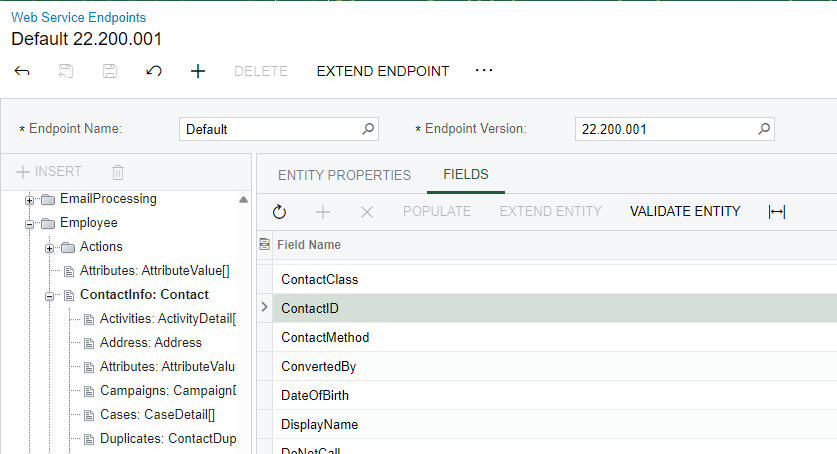
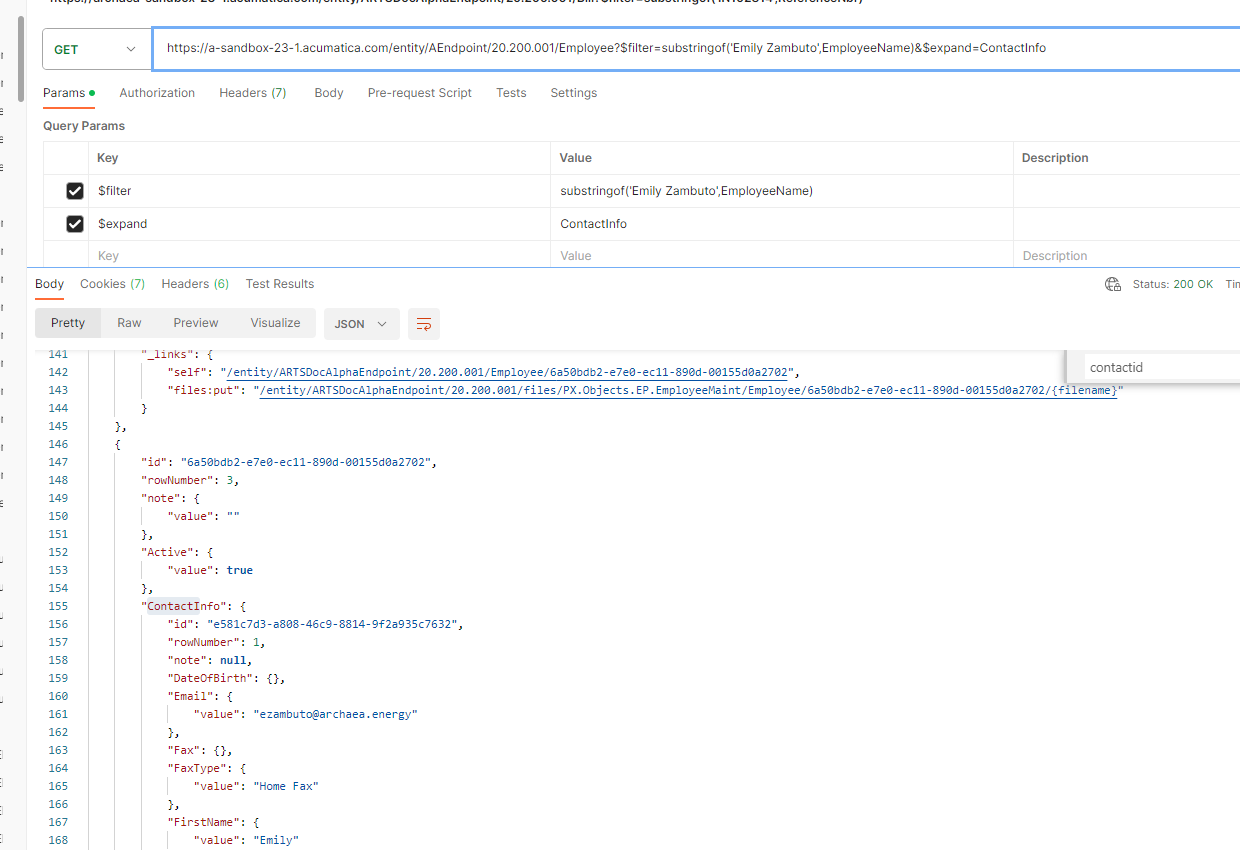
Ah, I didn’t catch that the base URL he is using is different. I believe you should be able to use the web service endpoint to query the Employees table and filter by EmployeeName. From there, drill down to ContactInfo and ContactID should be the value you need.


RohitRattan88
Acumatica Moderator
Forum|alt.badge.img+4
  • Acumatica Moderator
  • August 30, 2023

How to do same for PX_Objects_CR_CREmployee as @RohitRattan88  showed ?

@Ivan , I did not find this DAC mapped on any screen, hence suggested using ODatav4 for direct DAC query. Alternatively, you could create a GI for this DAC and use this GI for your API calls.


Forum|alt.badge.img+2
  • Author
  • Varsity I
  • August 30, 2023

Ah, I didn’t catch that the base URL he is using is different. I believe you should be able to use the web service endpoint to query the Employees table and filter by EmployeeName. From there, drill down to ContactInfo and ContactID should be the value you need.


How to drill down to ContactInfo ? How to form request to that ?


darylbowman
Captain II
Forum|alt.badge.img+15

The REST api is not my strong suite. Perhaps @RohitRattan88 could assist?


Forum|alt.badge.img+2
  • Author
  • Varsity I
  • August 30, 2023

@darylbowman 

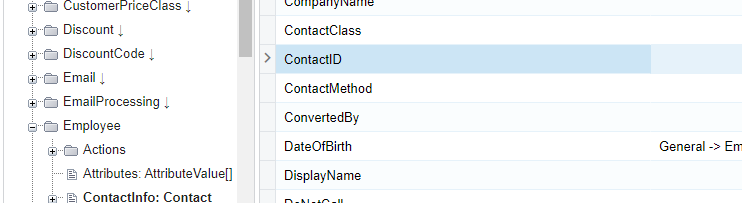
The problem is that ContactInfo does not contain ContactID,

I checked endpoint

Unfortunately this approach did not work


RohitRattan88
Acumatica Moderator
Forum|alt.badge.img+4
  • Acumatica Moderator
  • August 31, 2023

@Ivan as mentioned before, if you ContactID field does not seem to be mapped hence not available.

If you wanna use Contract Based REST API to access contactID of an Employee, you could create a GI and map it to your endpoint and access via API from there.

Accessing Data in Generic Inquiries using Contract Based API’s | Acumatica Cloud ERP

Retrieve the List of Business Accounts


darylbowman
Captain II
Forum|alt.badge.img+15
  • Answer
  • August 31, 2023

@Ivan - Try this:


darylbowman
Captain II
Forum|alt.badge.img+15

@Ivan - did you get this figured out?