Answer

AP Import Scenario - Document out Of Balance

  • August 26, 2024
  • 15 replies
  • 245 views

Forum|alt.badge.img

Good day,

I know it is probably something simple.  I am reusing the ACU AP import scenarios.  The error is the Document Out of Balance.  It is not.  I have used this before but this issue is new to me.  Attached is the XML.  Is there a new Balance Check box that needs to be unchecked?  The more try things the more confused I get.

Any suggestions.  Thank you.  
@grillevan 

Best answer by tnrecaj

Hi all,

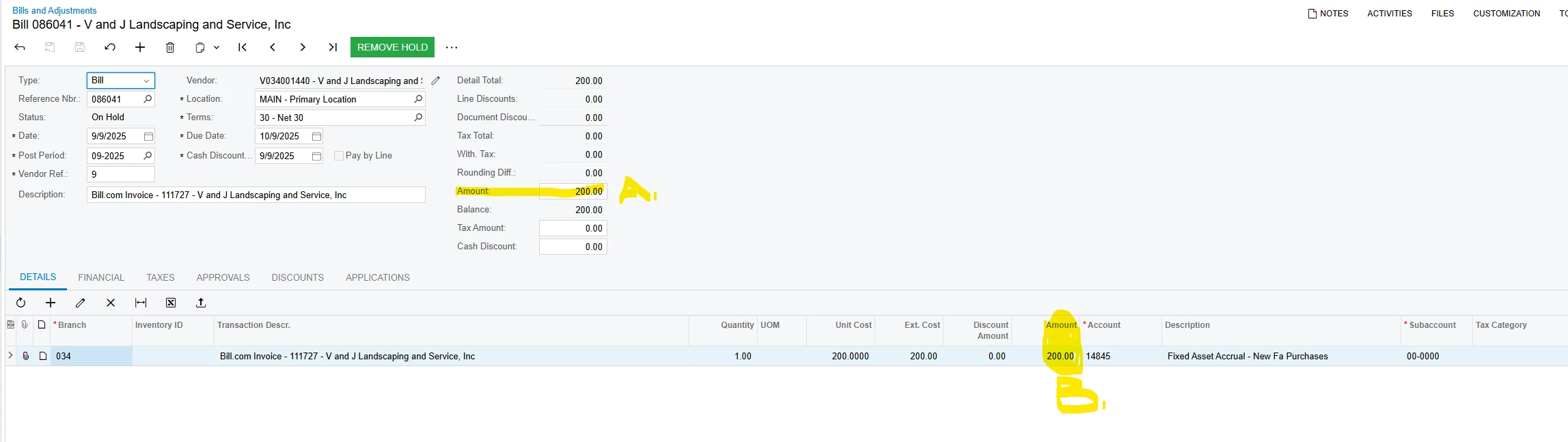
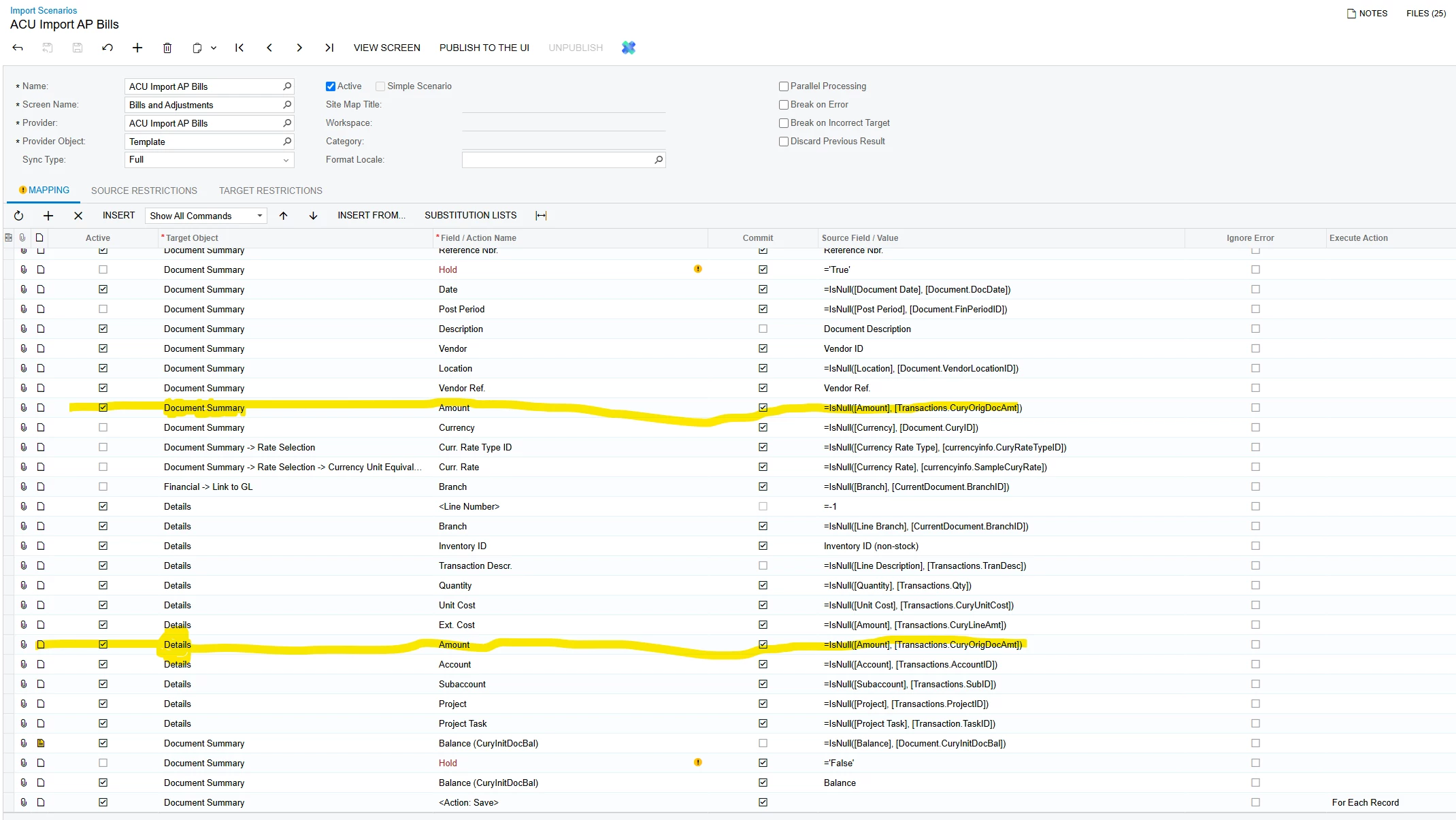
Thank you for guiding me on the right direction. I fianlly figured it out. I was suppose to add tat to the “Document Summary” as well as “Detail” (Figure.A). Once I did that the import came out as inteded. See Figure.B

Figure. A


Figure.B


15 replies

Laura03
Captain II
Forum|alt.badge.img+19
  • Captain II
  • August 26, 2024

Hello Evan,

I suggest the following changes:

  1. Bill lines should not post to the AP Control Account: consider an Expense account in place of account 2000 in Column AC.
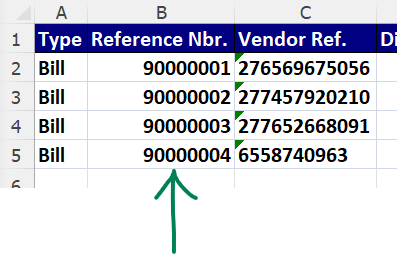
  2.  Do the Reference Numbers in Column B of your Excel match AP Bill Reference numbers that already exist in your tenant?  Add 9 in front of the reference numbers in the Excel, to ensure they are unique so that Acumatica won’t try to add your Excel lines to any existing AP Bills. If your AP Bill Numbers are automatic, Acumatica will assign the next numbers in the sequence upon import, using column B of the spreadsheet to identify where one Bill ends and the next begins.

Laura


Forum|alt.badge.img
  • Author
  • Jr Varsity III
  • August 26, 2024

Hi @Laura02 

I made the changes.  Still getting the same error.  It must be the scenario.

Thank you.

@grillevan 


Laura03
Captain II
Forum|alt.badge.img+19
  • Captain II
  • August 27, 2024

Hi Evan,

I was able to import your sample. In the Import scenario I de-activated 2 lines: Hold action, and Remove Hold action.

In the Excel, I made the two changes recommended in my post above, plus changed your vendor ids to be a Vendor ID that is in my test tenant.

Laura


meganfriesen37
Captain II
Forum|alt.badge.img+12

Do you have lines that are taxable that are automatically calculating?  I have encountered that as an error when importing AP documents since there are sometimes manual adjustments that the clerks have made to match up with the printed documents when tax is off by a few cents and then the total of the document is out.


Forum|alt.badge.img
  • Author
  • Jr Varsity III
  • August 27, 2024

@Laura02 

Thank you.  That worked.

@grillevan 


Forum|alt.badge.img
  • Freshman II
  • October 13, 2025

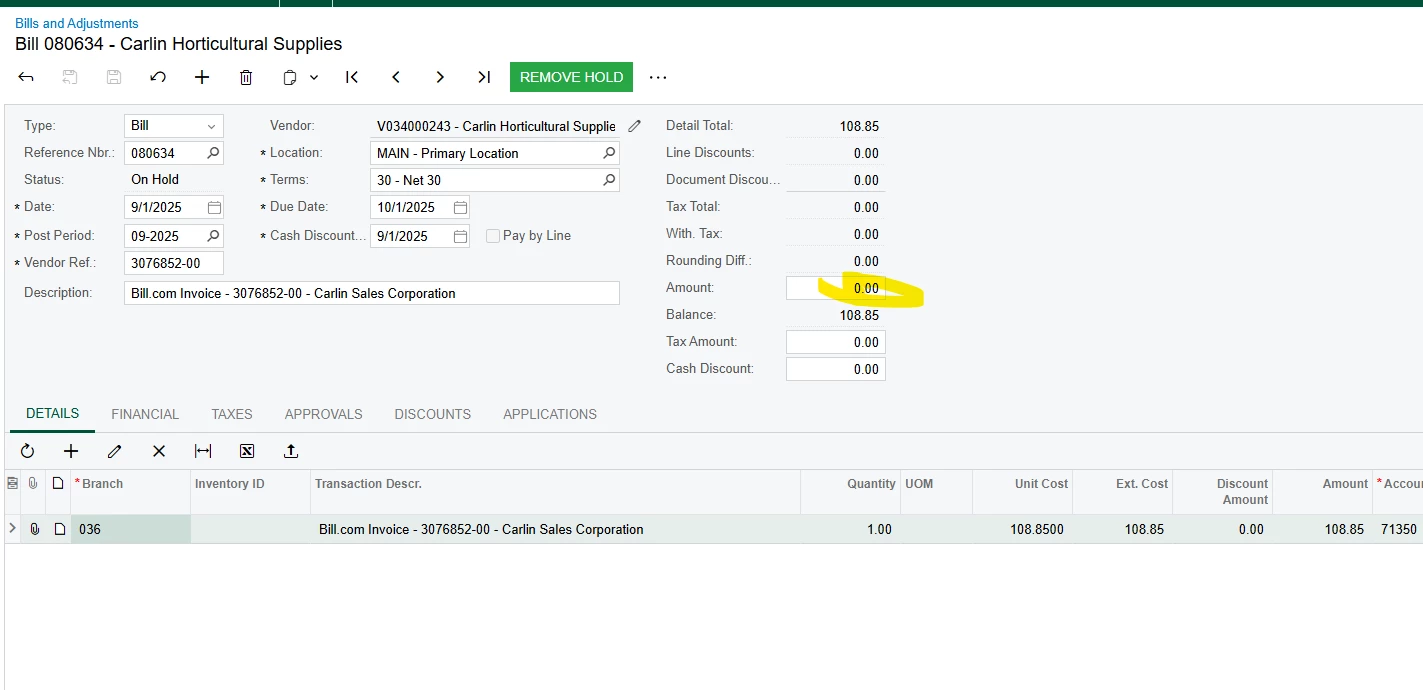
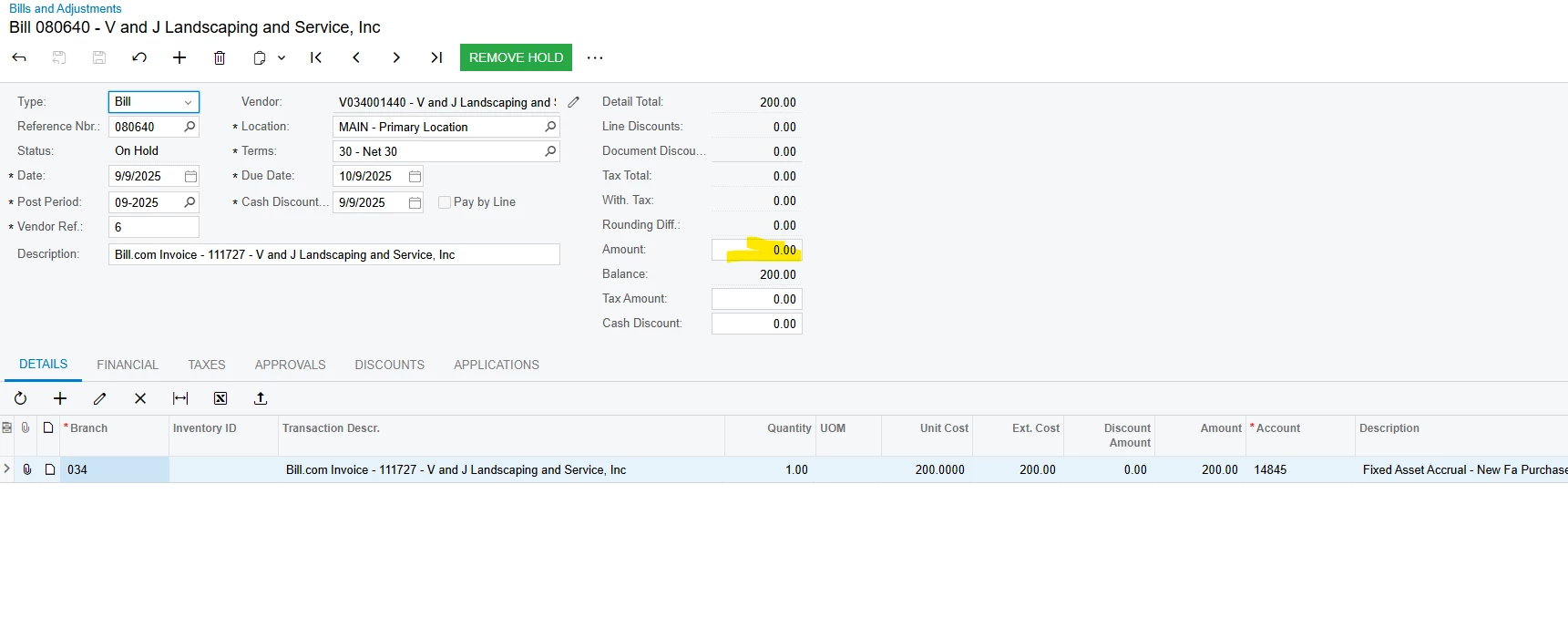
I am having a problem where everything comes over correctly but the amount does not come over. Somthing changed to cause this issue. Can you please help


Forum|alt.badge.img
  • Jr Varsity I
  • October 13, 2025

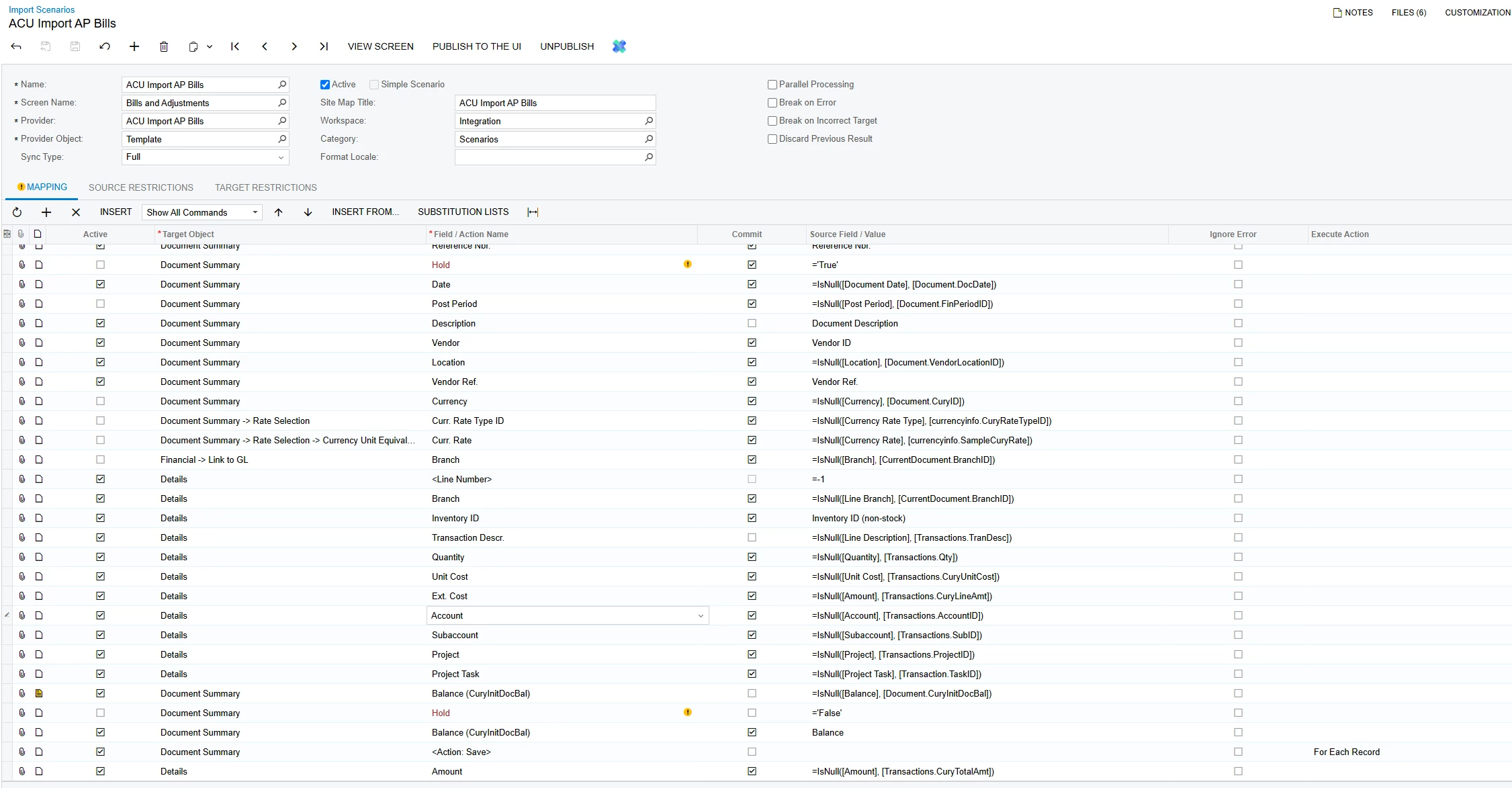
Hello ​@tnrecaj , Can you show the Import Scenario mapping please - what field is mapped to Amount?


Thank you.


Laura


Forum|alt.badge.img
  • Freshman II
  • October 13, 2025

This is my import scenario. Maybe the field value is not correct.


Forum|alt.badge.img
  • Jr Varsity I
  • October 13, 2025

Hello, Please try moving the Amount line up so that Action <SAVE> is the last line and Amount is next to last.

Let us know how this change works.

Best regards,

Laura


Forum|alt.badge.img
  • Freshman II
  • October 13, 2025

Thanks but that did not work either. 


Forum|alt.badge.img
  • Freshman II
  • October 13, 2025

Still the same 


Forum|alt.badge.img
  • Jr Varsity I
  • October 13, 2025

Hello, 

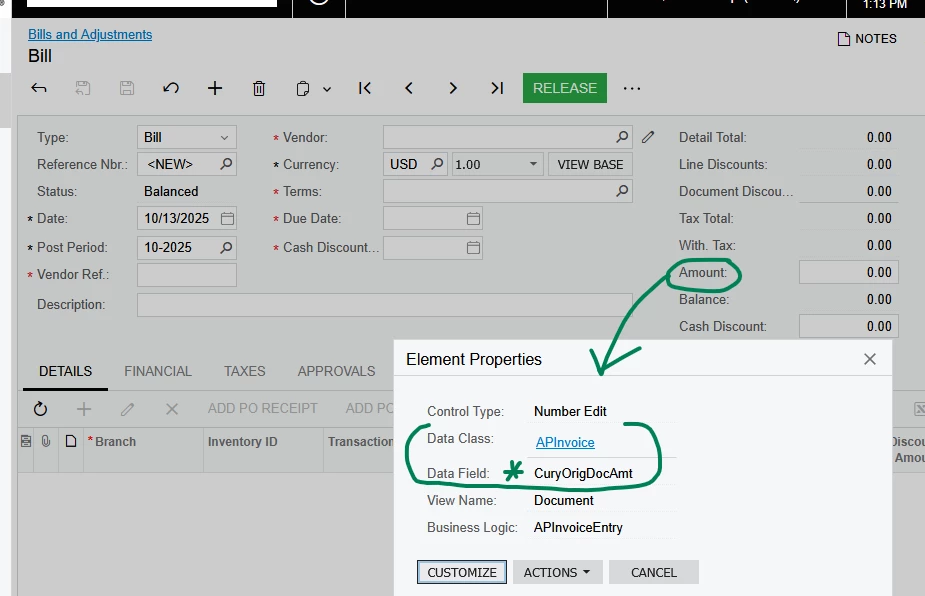
Please try mapping Field/Action name to CuryOrigDocAmt.


Laura


Forum|alt.badge.img
  • Freshman II
  • October 13, 2025

Sadly, changed it and still not sucessful. I have no idea why this isn’t working 


Forum|alt.badge.img
  • Freshman II
  • October 13, 2025

Do you think I should remove the word “transaction”. Just so we are clease I have been publishing the change each time. Is that correct thing to do? 


Forum|alt.badge.img
  • Freshman II
  • Answer
  • October 14, 2025

Hi all,

Thank you for guiding me on the right direction. I fianlly figured it out. I was suppose to add tat to the “Document Summary” as well as “Detail” (Figure.A). Once I did that the import came out as inteded. See Figure.B

Figure. A


Figure.B